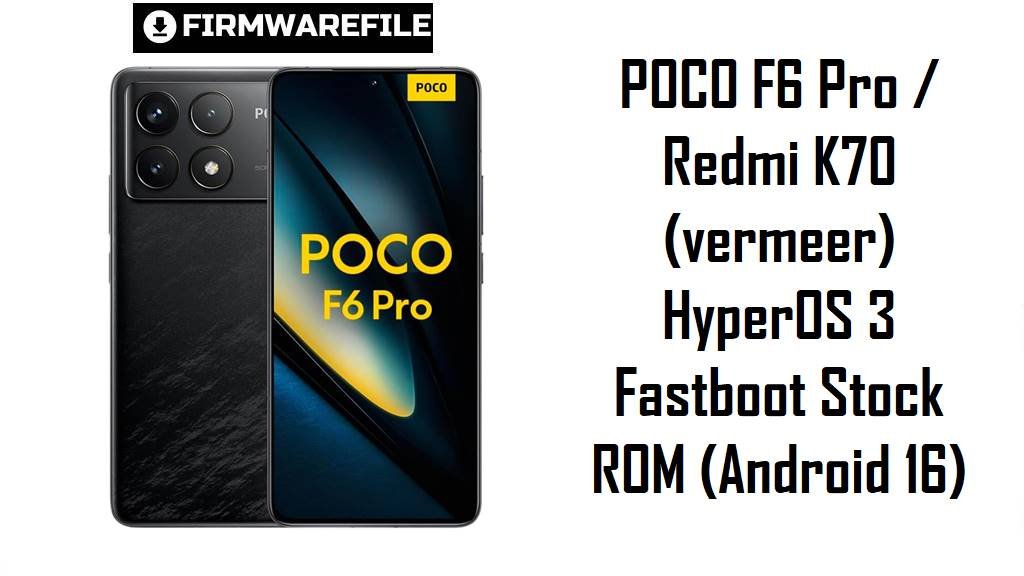
POCO F6 Pro / Redmi K70 (vermeer) HyperOS 3 Fastboot Stock ROM (Android 16)
POCO F6 Pro (global) and Redmi K70 (China) share the same internal platform/codename vermeer, so users often look for the correct region build when updates cause heating, battery drain, or performance drops.
The firmware packages below help you return to a clean stock ROM baseline, upgrade to newer HyperOS releases (including Android 16 on supported regions), and recover stability when an OTA update leaves the phone glitchy.
Download Firmware for POCO F6 Pro / Redmi K70 (vermeer)
Region reminder: CNXM = China, MIXM = Global, EUXM = EEA (Europe), RUXM = Russia, TWXM = Taiwan, and flashing the wrong region can break OTA behavior, network configs, or boot.
| Filename | Region/Variant | Build Number | Build Date | Android Version | Flashing Method | Notes | File Size | Download |
|---|---|---|---|---|---|---|---|---|
vermeer_global_images_OS3.0.4.0.WNKMIXM_20251126.0000.00_16.0_global_ef7324d71b.tgz | Global (MIXM) Newest | OS3.0.4.0.WNKMIXM | 2025-11-26 | 16.0 (HyperOS 3) | Xiaomi Flash Tool (Fastboot) | Best choice for most POCO F6 Pro Global users because HyperOS 3 (Android 16) is reported as rolling out with build OS3.0.4.0.WNKMIXM. Use this if HyperOS 2 updates caused overheating/high drain or general instability, since a clean fastboot reinstall often removes “leftover” system issues. | 9.46 GB | Download From Xiaomi BigOTA |
xiaomi.eu_VERMEER_OS3.0.9.0.WNKCNXM_16.zip | xiaomi.eu (China-based) Custom | OS3.0.9.0.WNKCNXM base | Not specified (custom release) | 16 (HyperOS 3 base) | Custom recovery (Unlocked bootloader) | For advanced users who specifically want xiaomi.eu features; xiaomi.eu ROMs are typically China-based and are not Xiaomi official firmware. Expect different OTA/update flow than stock branches, and treat it as a modification path (not the safest “restore and forget” option). | 6.83 GB | Download From SourceForge |
vermeer_images_OS3.0.2.0.WNKCNXM_20251106.0000.00_16.0_cn_5ed6693eca.tgz | China (CNXM) | OS3.0.2.0.WNKCNXM | 2025-11-06 | 16.0 (HyperOS 3) | Xiaomi Flash Tool (Fastboot) | Recommended for Redmi K70 China users staying on the CNXM branch; HyperOSUpdates also lists Android 16/HyperOS 3 builds for vermeer China. Avoid using CNXM on Global/EEA devices unless you fully understand cross-branch consequences. | 8.96 GB | Download From Xiaomi BigOTA |
vermeer_ru_global_images_OS2.0.207.0.VNKRUXM_20251028.0000.00_15.0_ru_53e6491bf2.tgz | Russia (RUXM) Older Android 15 | OS2.0.207.0.VNKRUXM | 2025-10-28 | 15.0 (HyperOS 2) | Xiaomi Flash Tool (Fastboot) | Older HyperOS 2 build (Android 15); prefer a newer same-region HyperOS 3 (Android 16) RUXM when available, unless a technician needs this exact build for rollback testing. Useful for restoring a clean baseline if a HyperOS 2 update caused heat/drain complaints. | 9.40 GB | Download From Xiaomi BigOTA |
vermeer_eea_global_images_OS2.0.210.0.VNKEUXM_20251027.0000.00_15.0_eea_0d74b3903c.tgz | EEA (EUXM) Older Android 15 | OS2.0.210.0.VNKEUXM | 2025-10-27 | 15.0 (HyperOS 2) | Xiaomi Flash Tool (Fastboot) | Older HyperOS 2 build (Android 15); EU users should normally move forward to a newer EUXM HyperOS 3 build when available, rather than staying on Android 15. Still valid for “clean reinstall” troubleshooting when lag/slow responsiveness persists after updates. | 8.60 GB | Download From Xiaomi BigOTA |
vermeer_tw_global_images_OS2.0.207.0.VNKTWXM_20251027.0000.00_15.0_tw_2a2c86f36c.tgz | Taiwan (TWXM) Older Android 15 | OS2.0.207.0.VNKTWXM | 2025-10-27 | 15.0 (HyperOS 2) | Xiaomi Flash Tool (Fastboot) | Older TWXM build; it can restore stability, but it’s not the newest generation (Android 16/HyperOS 3) so treat it as an “older build fallback,” not the best upgrade path. | 7.43 GB | Download From Xiaomi BigOTA |
Clarity note: vermeer firmware is for POCO F6 Pro / Redmi K70; GSMArena reporting connect the codename to these models, so do not flash vermeer packages on other POCO/Redmi phones.
Complete Device & Firmware Overview
- Device family
- POCO F6 Pro / Redmi K70
- Codename
vermeer- Model reference
- Often referenced as
23113RKC6Cfor this project/device family. - Chipset
- Qualcomm Snapdragon 8 Gen 2 (SM8550-AB).
- Battery / charging (common spec listing)
- 5000 mAh with 120W wired charging (advertised).
- Firmware type
- Fastboot
.tgzimages (Mi Flash) + one recovery-flashable custom ZIP (xiaomi.eu). - Android / HyperOS versions on this page
- Android 16 (HyperOS 3) for OS3.0.x builds and Android 15 (HyperOS 2) for OS2.0.x builds.
- Build numbers included
- OS3.0.4.0.WNKMIXM, OS3.0.2.0.WNKCNXM, OS2.0.210.0.VNKEUXM, OS2.0.207.0.VNKRUXM, OS2.0.207.0.VNKTWXM, plus xiaomi.eu OS3.0.4.0.WNKCNXM base.
- Release date field
- Shown in each filename as YYYYMMDD (for fastboot TGZ packages).
- Security patch level
- Not guaranteed from filename alone; verify after flashing inside Settings → Android security patch level.
- Flash method
- Fastboot flashing with Xiaomi Flash Tool for TGZ packages; custom recovery method for xiaomi.eu ZIP.
- Bootloader rules
- Fastboot flashing typically assumes an unlocked bootloader, and downgrades can be risky if anti-rollback is enforced for a device/build.
- Common user pain points this addresses
- Overheating and heavy battery drain reported after specific HyperOS updates, plus sluggish animations/slow responsiveness that sometimes improves after a clean reinstall.
- File size range here
- About 6.83 GB to 9.46 GB, depending on branch/packaging.
- Recommended tools
- Xiaomi Flash Tool (Windows), correct USB drivers, and a stable USB cable.
CRUCIAL WARNING: These fastboot packages are strictly for vermeer (POCO F6 Pro / Redmi K70); do not cross‑flash other codenames, and do not mix regions (MIXM/EUXM/RUXM/TWXM/CNXM), because mismatched firmware or unsafe downgrades (anti‑rollback) can permanently brick the phone.
Preparation Before Flashing
Click here for the POCO F6 Pro / Redmi K70 (vermeer) pre‑flash checklist
- Confirm exact branch: Check About phone for your region suffix (MIXM/EUXM/RUXM/TWXM/CNXM) and download only the matching package.
- Backup your data: Clean fastboot flashing usually wipes data, so save photos, chats, 2FA codes, and work files first.
- Battery & cable: Charge to 50%+ and use a reliable cable/USB port to avoid a disconnect mid‑flash.
- Avoid downgrade traps: Don’t “test” older builds casually—Xiaomi anti‑rollback can brick some downgrade attempts.
- Verify download integrity: If the archive fails to extract or looks incomplete, re-download before using it as a flash file.
Quick Firmware Flash Instructions
Fastboot TGZ (Xiaomi Flash Tool)
- Prep PC: Install drivers and Xiaomi Flash Tool; extract the TGZ to a short folder path.
- Enter Fastboot: Power off → Volume Down + Power → connect USB.
- Select ROM folder: Point the tool to the extracted folder containing the scripts/images.
- Choose a safe mode: Prefer “clean all” for stability troubleshooting; avoid locking unless you’re restoring the exact matching region/build.
- Flash & reboot: Start flashing and let the first boot finish (it can take several minutes).
For the full step‑by‑step guide, use: Comprehensive guide on how to flash files with Xiaomi Flash Tool.
xiaomi.eu ZIP (Custom recovery)
- Unlock first: Ensure bootloader is unlocked (required for xiaomi.eu workflows).
- Recovery ready: Boot into a compatible custom recovery on vermeer.
- Transfer ZIP: Copy the ZIP to phone storage or use sideload.
- Clean install: Follow xiaomi.eu’s required wipes to prevent carry-over bugs.
- Install & boot: Flash the ZIP and wait for first boot optimization.
Frequently Asked Questions (FAQs)
- Q1. Which vermeer firmware should I pick?
- Pick the ROM that matches your current region suffix (MIXM/EUXM/RUXM/TWXM/CNXM), because HyperOS branches are region-tuned and mixing them is a common cause of OTA and connectivity issues.
- Q2. Will HyperOS 3 (Android 16) help overheating or battery drain?
- Many POCO F6 Pro users specifically reported overheating and high drain after certain HyperOS 2 builds, so moving to a newer release and clean-flashing is a practical troubleshooting step.
- Q3. My phone feels laggy after updates—can fastboot flashing help?
- Users commonly describe HyperOS as “sluggish” or slow to respond on some builds, and a clean reinstall can remove corrupted system state that survives normal updates.
- Q4. Is xiaomi.eu the same as Xiaomi stock?
- No—xiaomi.eu builds are community ROMs generally based on China releases, and they can differ from Xiaomi’s update channels and default app set.
- Q5. Can I downgrade from Android 16 back to Android 15?
- Downgrades are risky on Xiaomi devices when anti‑rollback is enforced, so avoid downgrading unless you fully verify rollback rules for your exact device/build.
- Q6. What’s the safest “factory restore” option here?
- Use the matching-region Xiaomi fastboot package as stock firmware, because it is the most predictable path for stability and OTA alignment.
- Q7. Can these files unbrick a bootlooping vermeer?
- If the phone still enters Fastboot mode, flashing the correct TGZ is often used as repair firmware to restore partitions; if Fastboot is inaccessible, recovery usually requires service-level methods.