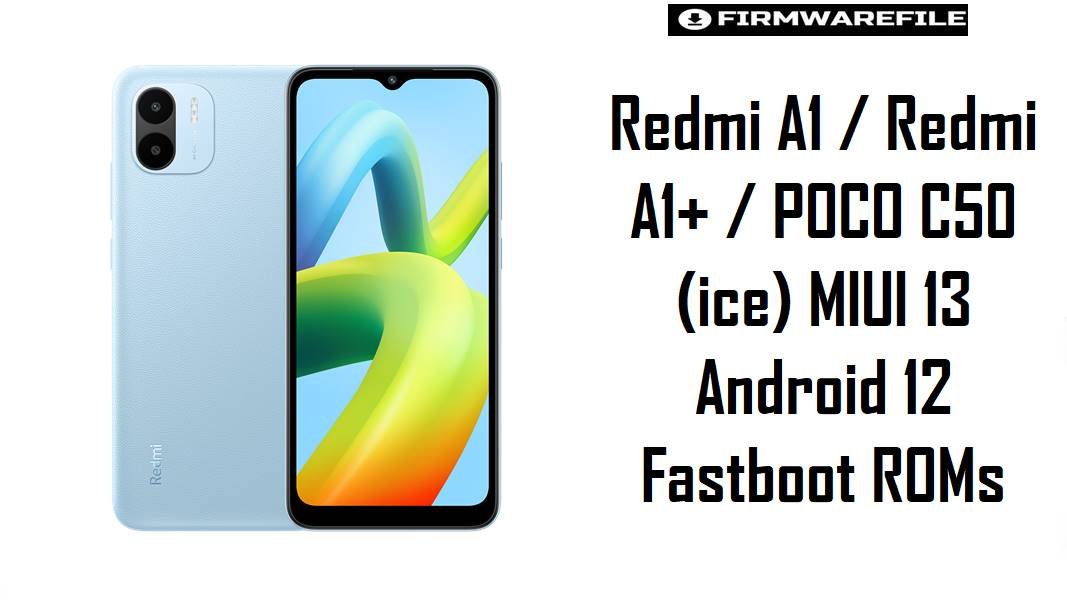
Redmi A1 / Redmi A1+ / POCO C50 (ice) MIUI 13 Android 12 Fastboot ROMs
Redmi A1, Redmi A1+, and POCO C50 share the codename ice and target the entry‑level segment, where users often face slowdowns, app crashes, and battery drain once storage fills or older builds age. MIUI 13 Android 12 fastboot ROMs for ice provide a clean reinstall path that refreshes performance, applies newer security patches, and fixes stability bugs reported after incremental OTA updates on low‑end hardware.
Download Firmware for Redmi A1 / Redmi A1+ / POCO C50 (ice)
These ROMs are official MIUI 13 Android 12 fastboot firmware packages for Redmi A1, Redmi A1+, and POCO C50 (codename ice), organized from newest to oldest per region. Newer builds such as V13.0.24.0.SGMMIXM and V13.0.18.0.SGMEUXM include the latest September 2024 security patch and performance optimizations, while earlier regional builds remain useful only for specific downgrade or diagnostic scenarios.
| Filename | Region / Variant | Build Number | Build Date | Android Version | Flashing Method | Notes | File Size | Download |
|---|---|---|---|---|---|---|---|---|
| ice_in_global_images_V13.0.17.0.SGMINXM_20241126.0000.00_12.0_23eb3d326d.tgz | India (INXM) – Redmi A1 / A1+ / POCO C50 India | V13.0.17.0.SGMINXM | 2024-11-26 | Android 12 / MIUI 13 | Xiaomi Flash Tool (Fastboot) | Latest India fastboot ROM for ice, listed as stable V13.0.17.0.SGMINXM on MIUI 13 firmware trackers. Includes security and stability improvements over earlier Indian builds (such as V13.0.14.0), and is the recommended base for Indian units suffering from lag or random app closures. | 1.86 GB | Download From Xiaomi (IN Fastboot) |
| ice_global_images_V13.0.24.0.SGMMIXM_20240902.0000.00_12.0_88a9b0725e.tgz | Global (MIXM) – Redmi A1 / A1+ / POCO C50 Global | V13.0.24.0.SGMMIXM | 2024-09-02 | Android 12 / MIUI 13 | Xiaomi Flash Tool (Fastboot) | Newest global fastboot ROM for ice; firmware and update sites confirm this build updates the Android security patch to September 2024 and “increases system security,” while multiple descriptions mention smoother operation from integrated performance optimizations. Strongly recommended for most global Redmi A1 / A1+ / POCO C50 units. | 2.0 GB | Download From Xiaomi (Global Fastboot) |
| ice_eea_global_images_V13.0.18.0.SGMEUXM_20240902.0000.00_12.0_c6e2eb289a.tgz | EEA Europe (EUXM) – Redmi A1 / POCO C50 EEA | V13.0.18.0.SGMEUXM | 2024-09-02 | Android 12 / MIUI 13 | Xiaomi Flash Tool (Fastboot) | Latest EEA fastboot ROM; version lists and changelogs describe V13.0.18.0.SGMEUXM as a stable MIUI 13 build with September 2024 security patch for EEA units. Best option for European devices where regulatory defaults (GDPR, EU region settings) must remain intact. | 2.00 GB | Download From Xiaomi (EEA Fastboot) |
| ice_ru_global_images_V13.0.15.0.SGMRUXM_20240903.0000.00_12.0_cecbfa6509.tgz | Russia (RUXM) – Redmi A1 / POCO C50 Russia | V13.0.15.0.SGMRUXM | 2024-09-03 | Android 12 / MIUI 13 | Xiaomi Flash Tool (Fastboot) | Stable Russian fastboot ROM, referenced as V13.0.15.0.SGMRUXM for ice in regional update tables. Suitable for Russian units that require local app sets and network provisioning; older than the IN global build but still current for RUXM. | 1.93 GB | Download From Xiaomi (RU Fastboot) |
| ice_id_global_images_V13.0.14.0.SGMIDXM_20240903.0000.00_12.0_618c04b86a.tgz | Indonesia (IDXM) – Redmi A1 / POCO C50 Indonesia | V13.0.14.0.SGMIDXM | 2024-09-03 | Android 12 / MIUI 13 | Xiaomi Flash Tool (Fastboot) | Indonesian fastboot ROM listed as V13.0.14.0.SGMIDXM stable in MIUI 13 archives, following earlier local builds such as V13.0.9.0.SGMIDXM. Recommended for IDXM units; slightly older than the newest global/EEA/IN but still a late‑cycle MIUI 13 release. | 1.97 GB | Download From Xiaomi (ID Fastboot) |
| ice_tw_global_images_V13.0.3.0.SGMTWXM_20221106.0000.00_12.0_e94f7d8b11.tgz | Taiwan (TWXM) – Redmi A1 / POCO C50 Taiwan | V13.0.3.0.SGMTWXM | 2022-11-06 | Android 12 / MIUI 13 | Xiaomi Flash Tool (Fastboot) | One of the earliest Taiwan MIUI 13 fastboot releases for ice, catalogued as V13.0.3.0.SGMTWXM stable beta on some archives. This is an older build compared with later global/EEA/IN versions; only use when specifically targeting TWXM configuration or for rollback/testing, not as a general upgrade choice. | 1.78 GB | Download From Xiaomi (TW Fastboot) |
Clarity notes: All these fastboot ROMs are MIUI 13 Android 12 for codename ice and should be matched strictly with the device’s original region code (MIXM/EUXM/INXM/RUXM/IDXM/TWXM) as shown on firmware trackers, which explicitly tie each version to Redmi A1/A1+ and POCO C50. Global V13.0.24.0.SGMMIXM, EEA V13.0.18.0.SGMEUXM, and India V13.0.17.0.SGMINXM are the most advisable builds for everyday use because they combine a mature codebase with late 2024 security patches and acknowledged performance refinements.
Complete Device & Firmware Overview
- Device Names:
- Redmi A1, Redmi A1+, and POCO C50 (shared platform).
- Codename:
ice– used across all these models and highlighted in codename reference lists and firmware portals.- Model Numbers:
- Common variants include 220733SG, 220733SH, 220733SI, and 220733SL, grouped under the “ice” firmware line.
- Chipset & Hardware Class:
- MediaTek MT6761 Helio A22 (quad‑core Cortex‑A53, PowerVR GE8320 GPU), 2–3 GB RAM, 32 GB storage, positioned as an Android 12 Go‑class budget phone.
- Firmware Type:
- Official MIUI 13 fastboot ROMs (
ice*_global_images_*.tgz) pulled from Xiaomi’s bigota servers; labeled as stable or stable beta per region. - Android & MIUI Versions:
- Android 12 (Go edition base in marketing) with MIUI 13 V13.0.x.0.SGM**XM across all listed builds.
- Security Patch Level (latest builds):
- Global V13.0.24.0.SGMMIXM and EEA V13.0.18.0.SGMEUXM bump the security patch to September 2024 and explicitly “increase system security” according to changelogs and version lists.
- Release Windows:
- TWXM V13.0.3.0 dates back to November 2022, while the newest India, EEA, and Global fastboot builds were released between September and November 2024.
- Update Focus & Bug Landscape:
- Community reports for POCO C50 / Redmi A1 note issues such as battery draining faster than expected, sluggish UI, and “Battery & performance” screen crashing immediately after MIUI 13 updates; newer builds focus on stability and background optimization to address these pain points.
- Flash Method:
- Xiaomi Flash Tool (fastboot mode) on Windows: the TGZ fastboot ROM is extracted and applied via fastboot scripts controlled by Xiaomi’s utility.
- Bootloader Rules:
- Same‑region fastboot upgrades or repairs can often be performed while keeping the bootloader state unchanged; cross‑region flashing and advanced modifications may require bootloader unlock and carry data‑wipe implications.
- File Format & Size:
- .tgz archives containing 1.8–2.0 GB fastboot images, which extract to multi‑gigabyte folders with several partition images and flashing scripts.
- Required Tools:
- Windows PC, Xiaomi USB and fastboot drivers, Xiaomi Flash Tool, a known‑good USB‑A to USB‑C cable, and optionally ADB/fastboot platform‑tools for checks.
CRUCIAL WARNING: These fastboot ROMs are strictly for Redmi A1 / Redmi A1+ / POCO C50 with codename ice; they must not be flashed to Redmi A2 series, other Redmi or POCO models, or devices with different codenames, because cross‑flashing can permanently brick the phone through incompatible partitions, modem firmware, and bootloaders.
All official ice*_global_images_*.tgz fastboot packages will wipe user data when used with Xiaomi’s fastboot tools, and selecting aggressive options like “clean all and lock” on mismatched regions or modified systems can relock the bootloader on an unsupported ROM, causing bootloops, loss of network, or anti‑rollback‑related damage.
Preparation Before Flashing
Click here for the Redmi A1 / A1+ / POCO C50 (ice) pre‑flash checklist
- Confirm exact codename and region: Boot to fastboot, run
fastboot getvar product, and ensure the result isice, then verify whether the phone originally used Global (MIXM), EEA (EUXM), India (INXM), Russia (RUXM), Indonesia (IDXM), or Taiwan (TWXM) firmware using MIUI version info and firmware lists. - Backup important data: Fastboot flashing typically formats user data; back up contacts, media, WhatsApp chats, and app data to Google, Mi Cloud, or a PC before starting.
- Charge the battery: At least 50–60% charge is advisable, as entry‑level devices can take longer to flash and must not power off during partition writing.
- Install drivers and Flash Tool: On Windows, install Xiaomi USB drivers and Xiaomi Flash Tool; confirm
fastboot devicesshows the phone to ensure a stable connection before loading the ROM. - Use a reliable USB cable and port: Prefer a short, high‑quality USB‑C cable and a direct rear USB port on the PC to minimize random disconnects mid‑flash, which could corrupt firmware.
How to flash Firmware Files to Redmi A1 / Redmi A1+ / POCO C50
This simplified guide covers flashing any of the listed fastboot ROMs, such as ice_global_images_V13.0.24.0.SGMMIXM_20240902.0000.00_12.0_88a9b0725e.tgz for Global or ice_in_global_images_V13.0.17.0.SGMINXM_... for India, using Xiaomi’s fastboot flashing tool on a Windows PC.
- Prepare PC and ROM: Install Xiaomi USB drivers and Xiaomi Flash Tool. Download the matching ROM (for example, V13.0.24.0.SGMMIXM for global devices), then extract the
ice_...tgzarchive to a short folder path such asC:\ice_rom. - Enter fastboot mode: Power off the phone, then hold Volume Down + Power until the fastboot screen appears. Connect the device to the PC via USB‑C and optionally verify
fastboot getvar productreturnsice. - Configure Xiaomi Flash Tool: Launch Xiaomi Flash Tool, click the button to select firmware, and point it to the extracted ROM folder. Choose the “clean all” option so that MIUI 13 is installed fresh while keeping the existing bootloader state.
- Execute the flash: Press “refresh” to ensure the device is detected, then click “flash”. Wait patiently for the success status while the tool writes boot, system, vendor, and other partitions—do not disconnect the cable or shut down the PC.
- Allow first boot optimization: Once flashing finishes, the phone reboots into MIUI 13; the first boot can take several minutes while apps and services are optimized. Afterward, performance and battery behavior should be checked against earlier builds to confirm improvements.
For a comprehensive, screenshot‑based walkthrough of Xiaomi fastboot flashing—including anti‑rollback checks, driver troubleshooting, and common error codes—refer to the dedicated Xiaomi Fastboot Firmware Guide, which explains the Xiaomi Flash Tool process step by step and can be followed directly when flashing these ice ROMs.
Frequently Asked Questions (FAQs)
- Q1. Which fastboot ROM is best for most Redmi A1 / POCO C50 users?
- The most suitable choice is the latest stable fastboot ROM that matches the original region: V13.0.24.0.SGMMIXM for Global, V13.0.18.0.SGMEUXM for EEA, V13.0.17.0.SGMINXM for India, V13.0.15.0.SGMRUXM for Russia, V13.0.14.0.SGMIDXM for Indonesia, or V13.0.3.0.SGMTWXM for Taiwan, as confirmed by MIUI version lists.
- Q2. How does V13.0.24.0.SGMMIXM improve performance on low‑end hardware?
- Descriptions from firmware hosts and changelog summaries note that this build updates the security patch to September 2024 and integrates performance optimizations that make the phone feel faster and more responsive, which is particularly important on 2–3 GB RAM Helio A22 devices.
- Q3. Can these MIUI 13 fastboot ROMs fix battery drain and UI lag on POCO C50?
- Common problems documented for POCO C50 include battery drain and sluggish performance; updating to a newer stable MIUI 13 build and performing a clean flash often resolves software‑level issues causing drain or lag, especially when earlier OTAs were incomplete or buggy.
- Q4. Is it safe to flash the Global SGMMIXM ROM on an Indian or EEA device?
- Advanced users sometimes cross‑flash Global firmware, but codename databases and firmware sites advise using region‑matched builds to avoid subtle issues with network bands, regulatory settings, and OTA behavior. For maximum reliability, EEA devices should use SGMEUXM and Indian devices should use SGMINXM.
- Q5. Do these fastboot ROMs upgrade Redmi A1 / POCO C50 to HyperOS?
- No. The listed ROMs remain on MIUI 13 Android 12; update tables and changelog pages indicate that the V13.0.x.0.SGM**XM branch is MIUI, not HyperOS, so expectations should focus on stability and security, not a new OS skin.
- Q6. What issues are commonly reported after MIUI 13 updates on entry‑level phones?
- Across Xiaomi and POCO forums, users describe “Battery & performance” settings force‑closing, abnormal battery drain, and occasional Wi‑Fi or app instability after MIUI 13 updates, problems typically improved by later patches or a clean reinstall of the latest stable firmware.
- Q7. How can bricking risks be reduced when using these fastboot ROMs?
- Codename and region must be confirmed as
iceand the correct SGMMIXM/SGMEUXM/SGMINXM/etc. variant; the ROM should be downloaded from reputable mirrors and properly extracted, and flashing must use the correct mode (“clean all”) without interrupting the process, in line with guidance from firmware archives and flashing tutorials.