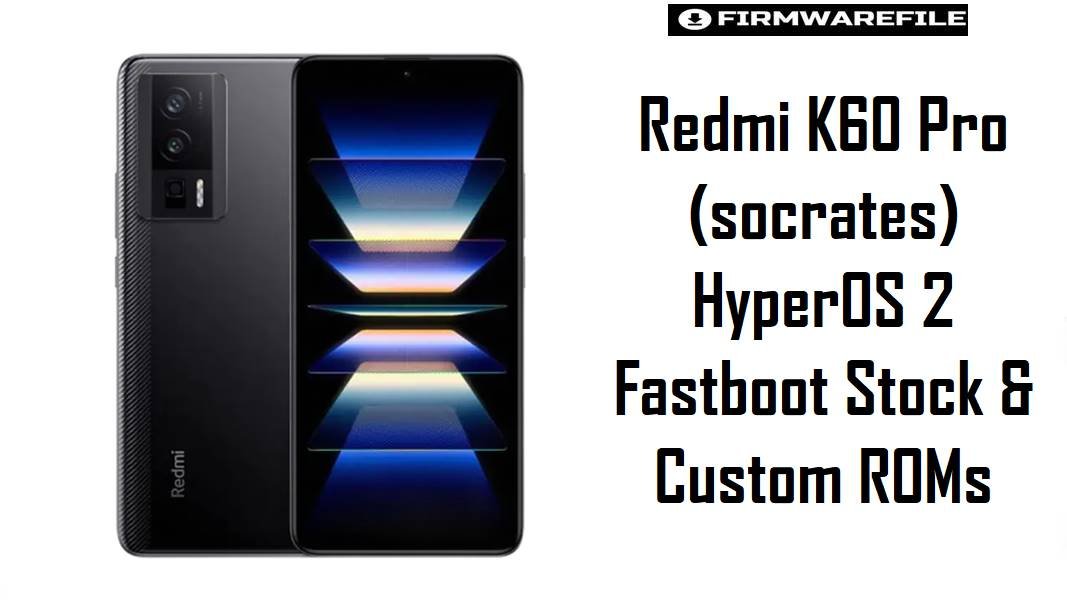
Redmi K60 Pro (socrates) HyperOS 2 Fastboot Stock & Custom ROMs
Redmi K60 Pro (codename socrates) is a Snapdragon 8 Gen 2 flagship focused on high refresh‑rate gaming, powerful CPU/GPU performance, and long‑term update support. Many Redmi K60 Pro owners report excessive battery drain and noticeable warmth on some HyperOS builds, especially under mixed 5G, social, and camera usage. The official HyperOS 2 fastboot ROM and tuned xiaomi.eu custom build below help restore smoother performance, better thermals, and improved standby efficiency while keeping the device on a modern Android 15 base.
Download Firmware for Redmi K60 Pro (socrates)
Newer HyperOS 2 builds provide fresher security patches and refined background management, so they are usually the best choice for daily use on socrates when stability is confirmed. Earlier or alternative branches (such as xiaomi.eu) may be preferred by enthusiasts who prioritize debloating, extra languages, or custom features over completely stock behavior.
| Filename | Region / Variant | Build Number | Build Date | Android / OS | Flashing Method | File Size | Security Patch | Notes | Download |
|---|---|---|---|---|---|---|---|---|---|
| socrates_images_OS2.0.211.0.VMKCNXM_20251114.0000.00_15.0_cn_2f6715b6f8.tgz | China (CN) | OS2.0.211.0.VMKCNXM | 2025‑11‑14 (fastboot) | Android 15 / HyperOS 2.0 | Fastboot (Xiaomi Flash Tool) | 7.58 GB (fastboot package; some trackers show ~8.1 GB) | Late‑2025 Android 15 patch (China stable) | Latest official Chinese HyperOS 2 fastboot ROM for Redmi K60 Pro (model 22127RK46C, codename socrates); designed to improve stability, refine performance, and address battery/thermal behavior reported on earlier HyperOS waves. | Download From bigota |
| xiaomi.eu_SOCRATES_OS2.0.212.0.VMKCNXM_15.zip | xiaomi.eu custom (CN‑based multilang) | OS2.0.212.0.VMKCNXM (mod) | 2025‑11 (approx.) | Android 15 / HyperOS 2.0 (custom) | Recovery flash (TWRP) | 5.91 GB | Same base patch series as VMKCNXM chain | Custom ROM built from official Chinese VMKCNXM firmware with added languages, removed bloat, and extra tweaks; popular among power users seeking better UX and potentially improved standby at the cost of leaving the fully stock OTA track. | Download From SourceForge |
| twrp-3.7.1_12-v9.0_A15-socrates-skkk.img | Custom recovery (TWRP) | 3.7.1_12‑v9.0_A15 | Android 15‑ready build | Recovery environment | Fastboot flash recovery | 105 MB | – | TWRP image tailored for Redmi K60 Pro on Android 15, required for flashing recovery‑based ZIPs such as xiaomi.eu_SOCRATES_OS2.0.212.0 and performing full backups or root management; not needed for standard fastboot ROM installs. | Download From SourceForge |
For most users on stock Chinese Redmi K60 Pro, socrates_images_OS2.0.211.0.VMKCNXM is the primary recommendation, while xiaomi.eu_SOCRATES_OS2.0.212.0 is better suited to experienced users who want a lighter, more customizable experience and are comfortable with custom recovery flashing workflows.
Complete Device & Firmware Overview
- Device Name
- Redmi K60 Pro (China) with codename
socrates. - Model Numbers
- Typical Chinese retail code is 22127RK46C, visible on the box label and within system information.
- Chipset & Performance
- Qualcomm SM8550 Snapdragon 8 Gen 2 with octa‑core CPU (Cortex‑X3 prime core) and Adreno 740 GPU, offering flagship‑class performance that depends heavily on firmware thermal and scheduler tuning.
- Display & Battery
- High‑refresh OLED/QHD‑class display paired with a large battery and fast charging, which means background optimization and temperature management significantly influence real‑world screen‑on time.
- Firmware Codename
- All packages here are strictly for
socrates;fastboot getvar productmust reportsocratesbefore flashing any fastboot ROM or custom recovery. - Firmware Types
- Official China HyperOS 2 fastboot ROM (
socrates_images_OS2.0.211.0.VMKCNXM), corresponding OTA/recovery packages, and xiaomi.eu custom ROM plus TWRP recovery image. - Region / Variant
- China‑only firmware line (VMKCNXM) targeting Redmi K60 Pro; this branch does not ship with Google services and includes Chinese apps by default in stock form.
- Sample Build & Base
- OS2.0.211.0.VMKCNXM: Android 15, HyperOS 2 stable, China region; xiaomi.eu_SOCRATES_OS2.0.212.0 is a multilang mod of the same base line.
- Security Patch Level
- OS2.0.211.0.VMKCNXM and OS2.0.212.0‑based xiaomi.eu builds generally include late‑2025 Android 15 patches, improving security over older HyperOS/MIUI 14 releases.
- Common Pain Points
- Redmi K60 Pro and similar Xiaomi flagships on HyperOS often face complaints about aggressive battery drain, high idle CPU use, and warmth during everyday tasks, especially on early or poorly optimized builds.
- Firmware Improvements
- Later HyperOS 2 releases for
socratesfocus on reducing background wake‑ups, refining CPU/GPU scheduling, and improving thermal profiles, helping the Snapdragon 8 Gen 2 stay cooler while preserving high‑refresh smoothness. - Flash Method (Official)
- Fastboot flashing via Xiaomi Flash Tool on Windows PC, with an unlocked bootloader and appropriate USB drivers installed.
- Bootloader Rules
- Fastboot ROMs wipe user data, and the “clean all and lock” option should only be used when absolutely sure the device is running its original region firmware to avoid network or boot issues after relocking.
- Required Tools
- Windows PC, Qualcomm & Xiaomi USB drivers, Xiaomi Flash Tool, verified ROM archive, and optionally TWRP for xiaomi.eu installation and full image backups.
CRUCIAL WARNING: These fastboot ROMs are strictly for Redmi K60 Pro with codename socrates; they must not be flashed to Redmi K60 (mondrian), K60E (rembrandt), Xiaomi 13 Ultra (ishtar), or any other Xiaomi / Redmi / POCO model, because cross‑flashing can permanently brick the device.
All official socrates_*.tgz fastboot packages erase user data when used with Xiaomi’s fastboot tools, and selecting “clean all and lock” on a mismatched or modified ROM can relock the bootloader on an unsupported build and cause modem issues, loss of network, or complete boot failure.
Preparation Before Flashing
Click here for the Redmi K60 Pro (socrates) pre‑flash checklist
- Confirm device codename: Boot to fastboot and run
fastboot getvar product; proceed only if the output is exactlysocrates, confirming that the phone is a Redmi K60 Pro. - Verify region and target ROM: Ensure the device is on the China line (VMKCNXM) before flashing
socrates_images_OS2.0.211.0.VMKCNXMor any xiaomi.eu build based on this firmware. - Backup critical data: Because fastboot installs perform a clean system flash, back up photos, chats, account data, and 2FA codes to Mi Cloud, Google, or a PC before starting.
- Charge the battery: Keep battery charge at or above 60% to minimize the risk of shutdown during flashing, which could leave the phone stuck in fastboot or recovery.
- Install drivers and flash tools: Set up Qualcomm & Xiaomi USB drivers plus Xiaomi Flash Tool on a Windows PC; confirm
fastboot devicesdetects the phone properly. - Check bootloader & anti‑rollback status: Confirm that the bootloader is unlocked and that the target OS2.0.211.0 build does not violate anti‑rollback rules relative to the currently installed firmware.
- Use a reliable cable and port: Use a high‑quality USB‑C cable connected directly to the PC’s main USB port instead of hubs or loose connectors.
How to flash fastboot ROMs to Redmi K60 Pro (socrates)
This concise guide covers flashing official HyperOS 2 fastboot ROMs like socrates_images_OS2.0.211.0.VMKCNXM... using Xiaomi’s fastboot flashing tool on a Windows PC.
- Prepare PC and ROM: Install Xiaomi USB drivers and Xiaomi Flash Tool, then download
socrates_images_OS2.0.211.0.VMKCNXMand extract the.tgzarchive to a short path such asC:\socrates_romto avoid issues with long file names. - Enter fastboot mode: Power off Redmi K60 Pro, hold Volume Down + Power until the fastboot logo appears, then connect the phone to the PC via a stable USB‑C cable.
- Load ROM in Xiaomi Flash Tool: Open Xiaomi Flash Tool, click “Select,” point it to the extracted
socrates_...images...folder, and choose the “clean all” option for a fresh install that best resolves lingering drain or thermal issues. - Start flashing: Click “refresh” to detect the device, then press “flash” and wait patiently until the success message appears; do not unplug the cable or let the PC sleep during this process.
- First boot & optimization: After flashing, the phone will reboot into HyperOS 2; allow several minutes for first boot, app optimization, and background indexing before judging battery life or performance.
For a complete, screenshot‑based walkthrough of Xiaomi fastboot flashing—including driver installation, bootloader unlock steps, and anti‑rollback precautions—follow the dedicated Xiaomi Fastboot Firmware Guide, then select the extracted socrates_*.tgz firmware folder whenever the guide asks for a ROM path.
Frequently Asked Questions (FAQs)
- Q1. Is OS2.0.211.0.VMKCNXM the best HyperOS 2 ROM for Redmi K60 Pro right now?
- OS2.0.211.0.VMKCNXM is the latest listed stable China HyperOS 2 fastboot build for Redmi K60 Pro and is generally recommended for users who want stock behavior, full stability, and the most recent security patch on a Chinese device.
- Q2. How does xiaomi.eu_SOCRATES_OS2.0.212.0 compare to the official VMKCNXM ROM?
- xiaomi.eu builds based on VMKCNXM typically remove some Chinese apps, add full language support, include Google services by default, and introduce UI tweaks, which can improve UX and sometimes standby, but they rely on TWRP and manual updates instead of fully automatic official OTAs.
- Q3. Can these HyperOS 2 builds fix excessive battery drain seen on earlier firmware?
- Reports from Redmi K60 Pro users note that later HyperOS 2 updates reduce abnormal background drain and improve endurance compared with initial HyperOS releases, especially when combined with a clean flash or reset to remove leftover MIUI/HyperOS conflicts.
- Q4. Does flashing OS2.0.211.0.VMKCNXM add Google services to a Chinese Redmi K60 Pro?
- Stock China ROMs such as OS2.0.211.0.VMKCNXM do not include Google services by default; these must be installed manually or by using a custom ROM like xiaomi.eu that already integrates Google components.
- Q5. Is it safe to flash socrates firmware on other Redmi K60 series devices?
- No, Redmi K60 (mondrian) and K60E (rembrandt) use different firmware trees; flashing
socrates_*.tgzto those devices risks permanent brick and should never be attempted. - Q6. When is TWRP (twrp-3.7.1_12-v9.0_A15-socrates-skkk.img) required on Redmi K60 Pro?
- TWRP is required for installing recovery‑based ZIPs like xiaomi.eu_SOCRATES_OS2.0.212.0, taking full backups, or managing root; it is not needed for official fastboot ROM flashes, which use Xiaomi Flash Tool instead.