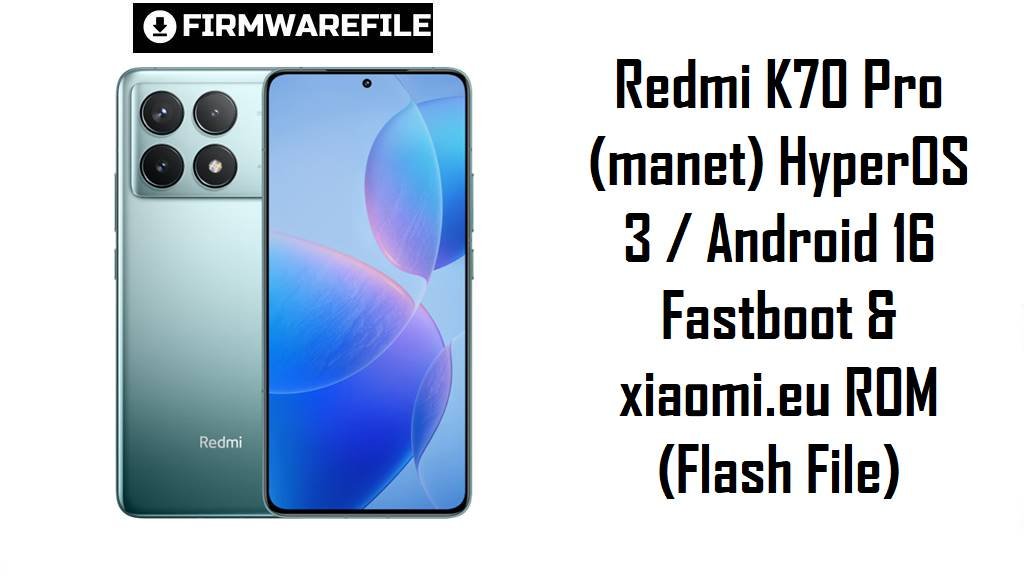
Redmi K70 Pro (manet) HyperOS 3 / Android 16 Fastboot & xiaomi.eu ROM (Flash File)
Redmi K70 Pro China (codename manet) targets flagship users who want top-end Snapdragon performance, but HyperOS updates can still trigger battery drain, heat and UI lag on some devices. The official HyperOS 3 fastboot package and the newer xiaomi.eu build below let you move to Android 16, reinstall clean system partitions, and benefit from Xiaomi’s latest stability and performance optimizations.
Download Firmware for Redmi K70 Pro China (manet)
This section lists the newest builds first. The fastboot stock ROM is Xiaomi’s own CN stable release, while the xiaomi.eu ZIP is a community adaptation based on the same China base.
| Filename | Region / Variant | Build Number | Build Date | Android Version | Flashing Method | Notes | File Size | Download |
|---|---|---|---|---|---|---|---|---|
| manet_images_OS3.0.4.0.WNMCNXM_20251109.0000.00_16.0_cn_585b509e34.tgz | China (CNXM) Official CN fastboot | OS3.0.4.0.WNMCNXM | 2025-11-09 (encoded in filename) | 16.0 (HyperOS 3) | Xiaomi Flash Tool (Fastboot) | Recommended for Redmi K70 Pro China owners who want Xiaomi’s latest stable Android 16 build with extensive performance, memory and power optimizations listed in the changelog. Ideal to fix post‑update glitches, improve responsiveness and reset heavy HyperOS 2 setups without changing region. | 8.45 GB | Download From Xiaomi BigOTA |
| xiaomi.eu_MANET_OS3.0.9.0.WNMCNXM_16.zip | xiaomi.eu China‑based custom ROM Advanced users | OS3.0.9.0.WNMCNXM base (HyperOS 3) | Built after OS3.0.9.0 China release (Android 16 base) | 16.x (based on CN OS3 base) | Custom recovery (TWRP/OrangeFox) on unlocked bootloader | Community ROM derived from the same China branch, typically adding multi‑language, tweaks and pre‑de‑bloat compared with pure CN. Not an official firmware, can affect OTA behavior and integrity checks, and should be used only by experienced users who already understand xiaomi.eu workflows. | 6.22 GB | Download From SourceForge |
Clarity note: both packages are for Redmi K70 Pro China only; there is no separate “Global” device with the same manet codename, so cross‑device flashing is unsafe.
Complete Device & Firmware Overview
- Device name
- Redmi K70 Pro China (all storage variants)
- Codename
manet- Model number
- Commonly listed as 23117RK66C in certification and device databases.
- Chipset class
- Flagship Snapdragon platform (high‑end CPU/GPU tier among Redmi phones).
- Firmware branch
- HyperOS China Stable (WNMCNXM line) for fastboot; xiaomi.eu stable based on the same CN branch.
- Android / HyperOS versions
- Android 16 with HyperOS 3.0.x for both OS3.0.4.0 and xiaomi.eu OS3.0.6.0.
- Package types
- Fastboot
.tgz(Mi Flash compatible) and recovery‑flashable.zipfor xiaomi.eu. - Key changelog themes (OS3.0.4.0)
- Refined compiler instructions, better memory allocation/recovery, improved frequency scheduling to boost efficiency and reduce power consumption, plus smoother UI components and app cards.
- Ideal use cases
- Fix random HyperOS 2 issues, get Android 16 features, resolve system lag, and test whether battery/heat problems are software rather than hardware.
- Required tools
- Xiaomi Flash Tool + drivers for fastboot ROM; custom recovery and unlocked bootloader for xiaomi.eu package.
- File sizes
- Approx. 8.45 GB for fastboot ROM and 6.22 GB for the xiaomi.eu package, reflecting different partition formats and bundled apps.
WARNING: Flash only Redmi K70 Pro China firmware with codename manet; mixing regions, flashing corrupted downloads or downgrading against Xiaomi’s anti‑rollback rules can cause boot failure, broken radio or permanent brick, so always verify model, version and checksums first.
Preparation Before Flashing
Click here for the Redmi K70 Pro (manet) pre‑flash checklist
- Confirm codename: In fastboot, run
fastboot getvar productand ensure it returnsmanetbefore touching any flash file. - Check branch: Only use WNMCNXM builds on genuine China K70 Pro; do not attempt to “convert” non‑existent global variants.
- Back up data: A clean fastboot install behaves like a full wipe, and even recovery installs can require data format for stability.
- Battery & cable: Charge to at least 50% and use a reliable USB cable/port to avoid disconnects that could interrupt flashing.
- Bootloader planning: Fastboot and xiaomi.eu flashing both assume an unlocked bootloader; follow Xiaomi’s unlock steps and be aware of data‑wipe requirements.
Quick Firmware Flash Instructions
Fastboot.tgz (OS3.0.4.0.WNMCNXM) via Xiaomi Flash Tool
- Prepare PC: Install Xiaomi USB drivers and Xiaomi Flash Tool, then extract the
manet_images_OS3.0.4.0...archive to a short folder path (for example,C:\manet\). - Enter Fastboot: Power off the phone, hold Volume Down + Power until the fastboot logo appears, then connect to the PC.
- Load ROM: Open Xiaomi Flash Tool and select the extracted folder that contains the images and scripts, not the
.tgzfile itself. - Choose mode: Use the “clean all” option for a fresh install to clear old HyperOS data; avoid “clean all and lock” unless you are certain the ROM matches your exact original configuration.
- Flash & boot: Click refresh, start flashing, wait for success, and allow the first boot extra time while apps are optimized.
For a more detailed, screenshot‑rich walkthrough of Xiaomi fastboot flashing, use the main guide here.
xiaomi.eu_MANET_OS3.0.9.0.WNMCNXM_16.zip via Custom Recovery
- Unlock & recovery: Ensure the bootloader is unlocked and a compatible custom recovery (for example, TWRP) is installed.
- Copy ROM: Move the xiaomi.eu ZIP to internal storage or prepare an ADB sideload connection.
- Enter recovery: Boot into custom recovery using the key combo or fastboot command.
- Wipe for clean install: Follow the xiaomi.eu instructions to wipe system/data where required to avoid carry‑over bugs.
- Flash & reboot: Install the ZIP, then reboot and wait for the first boot to complete; expect a longer initial startup.
Frequently Asked Questions (FAQs)
- Q1. Which ROM should I choose: fastboot OS3.0.4.0 or xiaomi.eu OS3.0.9.0?
- Most users should stay on Xiaomi’s fastboot OS3.0.4.0.WNMCNXM because it is the primary China stable track; xiaomi.eu is better for experienced users who specifically want its added features and are comfortable managing custom recovery and non‑standard updates.
- Q2. Does OS3.0.4.0.WNMCNXM improve performance and battery life?
- The official changelog lists refined compiler instructions, improved memory allocation and smarter frequency scheduling that boost responsiveness while lowering power use, exactly the areas that matter for lag and drain complaints.
- Q3. Can I use these files to recover from a soft brick or bootloop?
- If your K70 Pro still enters fastboot mode, flashing the correct CNXM fastboot package can act as a repair firmware solution by rewriting all key partitions; if fastboot is also broken, service‑level methods are usually required.
- Q4. How does xiaomi.eu differ from pure China ROM?
- xiaomi.eu packages are repacked from China ROMs with added languages, changes to pre‑installed apps and other modifications, so they behave differently from pure stock firmware and follow their own update cadence.
- Q5. Will these ROMs fix all HyperOS 2 battery drain issues automatically?
- Many HyperOS drain and heat problems improve after moving to newer builds or doing a clean install, but some cases are caused by apps or settings, so combining a fresh ROM with common HyperOS battery‑tuning steps gives the best chance of success.
- Q6. Are these packages considered Xiaomi stock firmware or custom?
- The fastboot
.tgzis Xiaomi’s own China HyperOS release and is treated as standard official firmware, while the xiaomi.eu ZIP is a custom community ROM that builds on top of the same base but is not part of Xiaomi’s official channels.