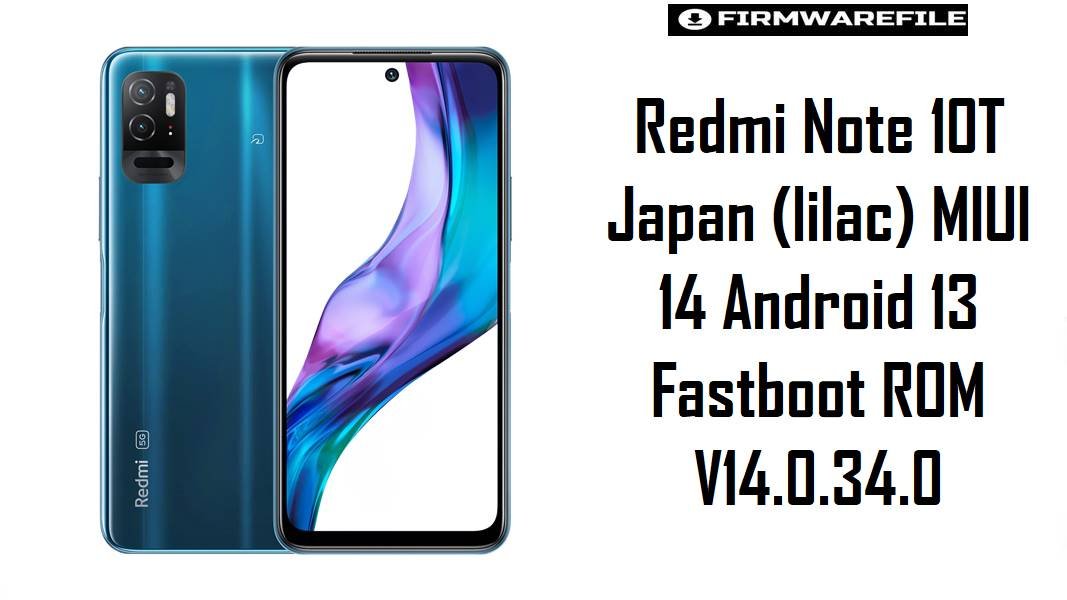
Redmi Note 10T Japan (lilac) MIUI 14 Android 13 Fastboot ROM V14.0.34.0
Redmi Note 10T Japan (codename lilac) is a budget 5G model sold primarily in Japan, and long‑term users commonly report sluggish UI, random app stalls, and battery drain as the device accumulates updates and background apps. The MIUI 14 Android 13 fastboot ROM below is the cleanest way to reinstall the latest JP firmware branch, refresh system stability, and restore performance when OTA updates no longer feel smooth.
Download Firmware for Redmi Note 10T Japan (lilac)
This firmware package is an official MIUI 14 stable fastboot ROM for the Japan (JPXM) variant of Redmi Note 10T. It is recommended for fixing persistent lag, boot issues, update failures, and software bugs by performing a full fastboot reinstall instead of stacking OTAs.
| Filename | Region / Variant | Build Number | Build Date | Android Version | Flashing Method | Notes | File Size | Download |
|---|---|---|---|---|---|---|---|---|
| lilac_jp_global_images_V14.0.34.0.TKNJPXM_20250225.0000.00_13.0_jp_3c554078c9.tgz | Japan (JPXM) – Redmi Note 10T Japan | V14.0.34.0.TKNJPXM | 2025-02-25 | Android 13 / MIUI 14 | Xiaomi Flash Tool (Fastboot) | Latest listed MIUI 14 JP fastboot ROM for Redmi Note 10T (lilac), shown in official ROM archives as a stable Android 13 build released on 2025‑02‑25 (with the same MIUI version also appearing in later recovery listings). Recommended as the primary “clean flash” baseline for Japan units that suffer from stutters, app crashes, or update‑loop problems. | 4.80 GB | Download From Xiaomi (JP Fastboot) |
Clarity notes: This ROM is only for the Japan JPXM branch (build suffix TKNJPXM) and codename lilac, which firmware portals associate with “Redmi Note 10T (Japan)”. Global Redmi Note 10 5G / Poco M3 Pro variants use different branches and should not be flashed with the JPXM build.
Complete Device & Firmware Overview
- Device Name:
- Redmi Note 10T (Japan).
- Codename:
lilac(often listed aslilac_jpfor the Japanese branch).- Region / Branch:
- Japan Stable – JPXM (
TKNJPXM). - Model Number:
- Commonly referenced as a Japan‑specific Redmi Note 10T line in model/codename lists, with JP‑only distribution.
- Firmware Type:
- Fastboot ROM (
*_global_images_*.tgz) intended for Xiaomi Flash Tool on Windows. - Android Version:
- Android 13.0.
- MIUI Version:
- MIUI 14 Stable V14.0.34.0.TKNJPXM.
- Release Date / Build Date:
- 2025-02-25 (fastboot build date shown in official ROM archives).
- Common Software Pain Points:
- Budget MIUI devices frequently develop UI lag, delayed notifications, and battery drain after long‑term use, especially when storage is near full and multiple OTAs have been applied; MIUI 14 maintenance builds typically focus on stability and security rather than new features.
- Why this firmware helps:
- A clean fastboot reinstall replaces core partitions (system/vendor/boot), which can resolve persistent bugs from incomplete updates, corrupted caches, or misbehaving background services that factory reset alone may not fully correct.
- File Size:
- 4.80 GB compressed TGZ (requires additional free space to extract).
- Required Tools:
- Windows PC, Xiaomi USB/fastboot drivers, Xiaomi Flash Tool, stable USB cable, and optional Android platform‑tools for verification.
- Bootloader Rules:
- Official same‑region fastboot ROMs are designed for stock devices; cross‑region flashing is risky and may require bootloader unlock depending on the device state.
CRUCIAL WARNING: This fastboot ROM is strictly for Redmi Note 10T Japan with codename lilac and JPXM branch; flashing it on non‑JP Redmi Note 10 5G/POCO variants or other codenames can hard‑brick the phone due to mismatched partitions, modem firmware, and bootloader rules.
All official lilac_jp_global_images_*.tgz fastboot packages typically wipe user data, and selecting options like “clean all and lock” on an altered device can cause bootloops or network failures if anything is mismatched.
Preparation Before Flashing
Click here for the Redmi Note 10T Japan (lilac) pre‑flash checklist
- Confirm codename and JP branch: Check MIUI version shows
TKNJPXMand verify the device is Redmi Note 10T Japan (lilac) before flashing. - Back up all personal data: Fastboot flashing typically formats data; back up photos, 2FA tokens, chats, and local files to Google, Mi Cloud, or a PC before starting.
- Charge the battery: Keep at least 60% charge to avoid shutdown during the 4–5 GB flashing process.
- Install drivers and Xiaomi Flash Tool: Install Xiaomi USB/fastboot drivers and Xiaomi Flash Tool on Windows, and verify the phone is detected in fastboot mode before selecting the extracted ROM folder.
- Use a stable USB cable/port: Prefer a reliable cable and a direct motherboard USB port to prevent mid‑flash disconnects that could corrupt partitions.
How to flash Firmware Files to Redmi Note 10T Japan
This simplified guide covers flashing lilac_jp_global_images_V14.0.34.0.TKNJPXM_20250225.0000.00_13.0_jp_3c554078c9.tgz using Xiaomi’s fastboot flashing tool on a Windows PC.
- Prepare PC and ROM: Install Xiaomi drivers and Xiaomi Flash Tool. Download the ROM and extract the
lilac_jp_global_images_...tgzarchive to a short folder path such asC:\lilac_rom. - Enter fastboot mode: Power off the phone, then hold Volume Down + Power until fastboot appears. Connect the device via USB and confirm it is detected.
- Configure Xiaomi Flash Tool: Select the extracted ROM folder in Xiaomi Flash Tool and choose “clean all” for a stable clean install of MIUI 14 on JPXM devices.
- Flash the firmware: Click “refresh,” then “flash” and wait until the tool reports success without disconnecting the phone during partition writes.
- Complete first boot: Allow several minutes for the first boot and optimization; after setup, confirm system stability, network behavior, and battery life improvements compared with the previous installation.
For a comprehensive, screenshot‑based walkthrough of Xiaomi fastboot flashing—including driver troubleshooting and common Mi Flash errors—refer to the dedicated Xiaomi Fastboot Firmware Guide, which can be followed identically when flashing this lilac JPXM ROM.
Frequently Asked Questions (FAQs)
- Q1. Is V14.0.34.0.TKNJPXM the latest fastboot ROM for Redmi Note 10T Japan?
- ROM archives list MIUI V14.0.34.0.TKNJPXM as the newest stable fastboot release for Redmi Note 10T Japan (
lilac), dated 2025‑02‑25. - Q2. Can this JPXM fastboot ROM be flashed on Redmi Note 10 5G (global) or POCO M3 Pro?
- No. Device listings show
lilacis the Japan Redmi Note 10T branch, while other Note 10 5G variants use different region firmware lines; cross‑flashing JPXM onto global variants can brick the device. - Q3. What problems does a clean flash usually fix on Redmi Note 10T?
- A clean fastboot flash commonly resolves bootloops, stuck updates, random UI lag, and app instability caused by incomplete OTAs or damaged system partitions, which is why fastboot packages are offered alongside recovery ROMs.
- Q4. Why does the filename include “global_images” if the ROM is Japan‑only?
- Xiaomi labels many fastboot packages as
*_global_images_*even for regional branches; the actual region control is the suffixJPXMin the build number (TKNJPXM) and the “jp” tag in the filename. - Q5. Does MIUI 14 on this device upgrade Android beyond 13?
- No. MIUI 14 for Redmi Note 10T Japan is listed as Android 13 in ROM archives, so the update focus is stability and security rather than a higher Android version.
- Q6. Will flashing V14.0.34.0 improve battery life?
- MIUI 14 maintenance releases typically include stability and background optimizations; if battery drain is caused by corrupted updates or runaway system services, a clean flash often improves standby time compared with a cluttered installation.