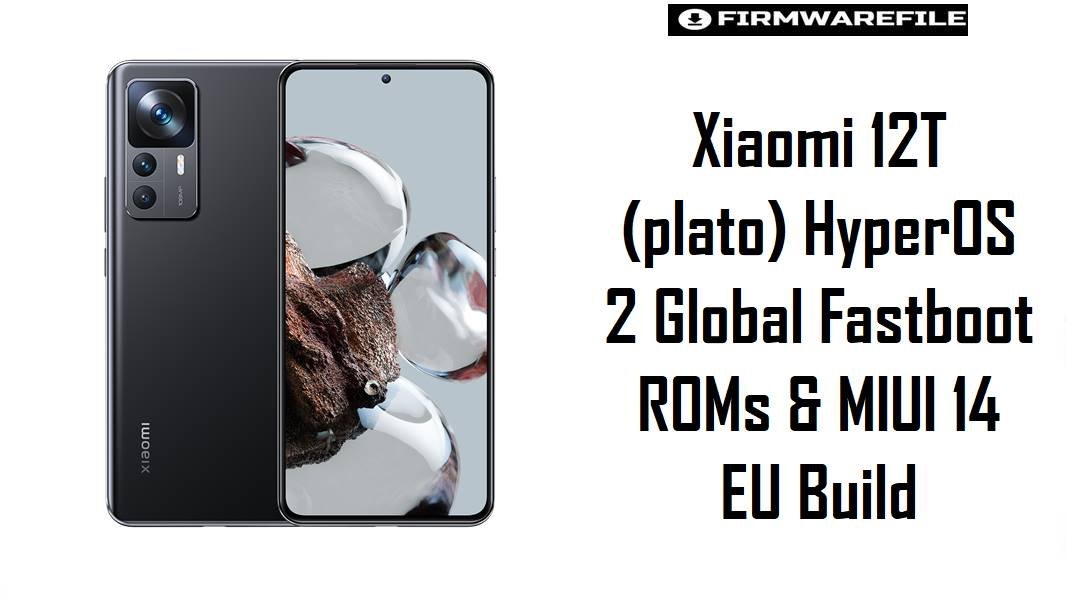
Xiaomi 12T (plato) HyperOS 2 Global Fastboot ROMs & MIUI 14 EU Build
Xiaomi 12T (codename plato) is an upper mid‑range phone with a powerful Dimensity chipset and 120 Hz display, but HyperOS 2 rollouts have surfaced complaints about heavier animations, higher idle drain, and small bugs after OTA updates on Xiaomi devices. These HyperOS 2 fastboot ROMs and the MIUI 14 xiaomi.eu build let owners clean‑flash region‑matched firmware, which often restores smoothness, fixes update‑induced glitches, and stabilizes battery life compared with stacked OTAs.
Download Firmware for Xiaomi 12T (plato)
The ROMs below are official HyperOS 2 Android 15 fastboot packages for Xiaomi 12T, plus a community MIUI 14 Android 13 xiaomi.eu ROM based on the TLQMIXM branch. All are strictly for codename plato, covering global and regional Xiaomi 12T models such as 22071212AG. Always select the newest build that exactly matches the device’s original region (MIXM/EUXM/RUXM/TRXM/TWXM/IDXM) as shown by trusted firmware trackers.
| Filename | Region / Variant | Build Number | Build Date | Android Version | Flashing Method | Notes | File Size | Download |
|---|---|---|---|---|---|---|---|---|
| plato_global_images_OS2.0.209.0.VLQMIXM_20251024.0000.00_15.0_global_490825a81e.tgz | Global (MIXM) | OS2.0.209.0.VLQMIXM | 2025-10-24 (fastboot; update record ~2025‑11‑29) | Android 15 / HyperOS 2 | Xiaomi Flash Tool (Fastboot) | Latest listed HyperOS 2 fastboot ROM for Xiaomi 12T Global, recorded as OS2.0.209.0.VLQMIXM stable on firmware sites and trackers. Recommended for most international 12T units to gain Android 15, current security patches, and refined HyperOS behavior. | 6.43 GB | Download From Xiaomi (Global) |
| plato_eea_global_images_OS2.0.207.0.VLQEUXM_20251027.0000.00_15.0_eea_6f18519b5f.tgz | EEA Europe (EUXM) | OS2.0.207.0.VLQEUXM | 2025-10-27 | Android 15 / HyperOS 2 | Xiaomi Flash Tool (Fastboot) | EEA HyperOS 2 ROM for Xiaomi 12T, OS2.0.207.0.VLQEUXM stable; tailored for EU regulations and GDPR‑aligned defaults while matching global feature sets. Ideal for EU‑sold 12T devices that shipped with EUXM firmware. | 6.49 GB | Download From Xiaomi (EEA) |
| plato_ru_global_images_OS2.0.206.0.VLQRUXM_20251201.0000.00_15.0_ru_722fe9070a.tgz | Russia (RUXM) | OS2.0.206.0.VLQRUXM | 2025-12-01 | Android 15 / HyperOS 2 | Xiaomi Flash Tool (Fastboot) | Russian market HyperOS 2 fastboot ROM for Xiaomi 12T, with OS2.0.206.0.VLQRUXM listed as stable and tuned for Russian carriers and services. Use only on RUXM units. | 6.43 GB | Download From Xiaomi (RU) |
| plato_tr_global_images_OS2.0.206.0.VLQTRXM_20251201.0000.00_15.0_tr_87652aa735.tgz | Turkey (TRXM) | OS2.0.206.0.VLQTRXM | 2025-12-01 | Android 15 / HyperOS 2 | Xiaomi Flash Tool (Fastboot) | Turkey region HyperOS 2 ROM, OS2.0.206.0.VLQTRXM stable for Xiaomi 12T; contains regional compliance tweaks and local network tuning. Recommended only for TRXM devices. | 6.32 GB | Download From Xiaomi (TR) |
| plato_tw_global_images_OS2.0.206.0.VLQTWXM_20251201.0000.00_15.0_tw_499bd6c1fa.tgz | Taiwan (TWXM) | OS2.0.206.0.VLQTWXM | 2025-12-01 | Android 15 / HyperOS 2 | Xiaomi Flash Tool (Fastboot) | Taiwan HyperOS 2 fastboot ROM, OS2.0.206.0.VLQTWXM stable; configured for TW operators and local rules. Use for TWXM firmware devices only. | 6.20 GB | Download From Xiaomi (TW) |
| plato_id_global_images_OS2.0.206.0.VLQIDXM_20251201.0000.00_15.0_id_14c1639e52.tgz | Indonesia (IDXM) | OS2.0.206.0.VLQIDXM | 2025-12-01 | Android 15 / HyperOS 2 | Xiaomi Flash Tool (Fastboot) | Indonesia HyperOS 2 ROM, OS2.0.206.0.VLQIDXM; adds local regulatory compliance and service settings for Indonesian Xiaomi 12T models. Fit only for IDXM devices. | 6.35 GB | Download From Xiaomi (ID) |
| xiaomi.eu_multi_PLATO_V14.0.1.0.TLQMIXM_v14-13.zip | xiaomi.eu custom ROM (Global‑based) | V14.0.1.0.TLQMIXM (base) | MIUI 14 build from early 2023 | Android 13 / MIUI 14 (modded) | Custom: Recovery (TWRP etc.) | Multi‑language MIUI 14 ROM for Xiaomi 12T built on stable global V14.0.1.0.TLQMIXM, repackaged by xiaomi.eu with Google services, debloating, and language packs. Favored by enthusiasts who prefer mature MIUI 14 Android 13 behavior over early HyperOS transitions; requires unlocked bootloader and custom recovery. | 4.6 GB | Download From AndroidFileHost (xiaomi.eu) |
Which firmware to choose: For typical users, the safest option is the newest official HyperOS 2 fastboot ROM that matches the phone’s original region—OS2.0.209.0.VLQMIXM for global, OS2.0.207.0.VLQEUXM for EEA, OS2.0.206.0.VLQRUXM for Russia, OS2.0.206.0.VLQTRXM for Turkey, OS2.0.206.0.VLQTWXM for Taiwan, or OS2.0.206.0.VLQIDXM for Indonesia, as listed on HyperOS trackers. The xiaomi.eu MIUI 14 package is better suited to advanced users who want a leaner Android 13 setup and are comfortable with custom recovery and community support.
Complete Device & Firmware Overview
- Device Name:
- Xiaomi 12T
- Codename:
plato.- Model Number:
- 22071212AG and related global/EEA variants.
- Chipset & Display:
- MediaTek Dimensity 8100‑Ultra class SoC (upper mid‑range performance) with a 6.67″ 120 Hz AMOLED and large battery, making software tuning critical for heat and smoothness.
- Firmware Families:
- Originally MIUI 13/14 Android 12–13 (e.g., V14.0.6.0.TLQMIXM) and now HyperOS 2 Android 15 OS2.0.x.0.VLQ**XM for each region.
- Current HyperOS 2 Status:
- Global Xiaomi 12T HyperOS 2 fastboot listed up to OS2.0.209.0.VLQMIXM; EEA and other regions at OS2.0.207.0 or OS2.0.206.0 depending on market.
- Common HyperOS Complaints:
- Across Xiaomi devices, users report heavier animations, occasional lag, and battery drain on early HyperOS, prompting guides on fixing HyperOS 2 battery drain and recommending clean reinstalls.
- How these ROMs help:
- Fastboot ROMs provide full, clean images that replace potentially corrupted OTA chains; on Dimensity‑based 12T, a clean HyperOS 2 flash often smooths UI and stabilizes power behavior compared with layered system updates.
- ROM Types:
- HyperOS 2 fastboot ROMs (
plato*_global_images_*.tgz) for Xiaomi Flash; separate recovery/OTA ZIPs for in‑system updates; MIUI 14 xiaomi.eu ZIP for custom recovery. - Bootloader & ARB:
- Same‑region official fastboot repairs typically use stock bootloader state; xiaomi.eu and cross‑region experiments require unlock. Anti‑rollback (ARB) must be respected to avoid bricking when downgrading.
- Android File Host role:
- Android File Host is commonly used by xiaomi.eu and others to distribute large custom ROMs like xiaomi.eu_multi_PLATO_V14.0.1.0.TLQMIXM_v14-13.zip via multiple global mirrors for faster, uncapped downloads.
CRUCIAL WARNING: These ROMs are strictly for Xiaomi 12T with codename plato; they must not be flashed to Xiaomi 12T Pro (diting), Redmi K50S Pro, or any Redmi/POCO device, because cross‑flashing across different codenames and chipsets can permanently brick the phone via incompatible partitions and modem firmware.
All official plato*_global_images_*.tgz fastboot packages and the xiaomi.eu MIUI 14 ZIP typically wipe user data when flashed, and selecting options like “clean all and lock” with a mismatched region or modded system can relock the bootloader on unsupported firmware and cause bootloops, network problems, or anti‑rollback‑related hard bricks.
Preparation Before Flashing
Click here for the Xiaomi 12T (plato) pre‑flash checklist
- Confirm codename & region: In fastboot, use
fastboot getvar productto confirmplato, and match the current region (MIXM/EUXM/RUXM/TRXM/TWXM/IDXM) using firmware trackers before choosing a ROM. - Backup all personal data: Fastboot flashing and most custom ROM installs will format data; back up photos, chats, 2FA, and app data with Mi Cloud, Google, or PC tools beforehand.
- Charge to at least 60%: A healthy battery level reduces the risk of shutdown during large multi‑partition flashes of 6–7 GB images.
- Install drivers & tools: On Windows, install Xiaomi USB/fastboot drivers and Xiaomi Flash Tool for HyperOS 2 ROMs; for xiaomi.eu, also prepare ADB/Fastboot and a compatible recovery (if used).
- Ensure cable and port reliability: Use a quality USB‑C cable and a direct motherboard USB port to avoid connection drops while flashing.
Quick Firmware Flash Instructions
The steps below summarize flashing a HyperOS 2 fastboot ROM such as plato_global_images_OS2.0.209.0.VLQMIXM_... with Xiaomi’s fastboot tool on a Windows PC. The same logic applies to regional ROMs like OS2.0.207.0.VLQEUXM or OS2.0.206.0.VLQTRXM.
- Prepare PC & ROM: Install Xiaomi USB/fastboot drivers and Xiaomi Flash Tool. Download and fully extract the chosen
plato*_global_images_*.tgz(for example OS2.0.209.0.VLQMIXM) into a simple folder such asC:\plato_rom. - Enter fastboot mode: Power off the Xiaomi 12T, hold Volume Down + Power until fastboot appears, then connect to the PC via USB‑C.
- Configure Xiaomi Flash Tool: Open the tool, select the extracted ROM folder as the firmware path, and choose “clean all” to perform a fresh HyperOS 2 install while leaving the bootloader state as‑is; avoid “clean all and lock” unless flashing the exact stock region ROM without mods.
- Flash the firmware: Click “refresh” to confirm device detection, then press “flash” and wait until the tool reports success, without unplugging or closing the program as it writes boot, system, vendor, and other partitions.
- First boot & optimization: After flashing, Xiaomi 12T reboots into HyperOS 2; the first boot can last several minutes while apps and system components are optimized, after which any prior lag or battery issues from broken OTAs should be re‑evaluated.
For a full, screenshot‑based fastboot guide—including ARB checks, driver fixes, and errors—refer to the Xiaomi Fastboot Firmware Guide, which can be applied directly when flashing these plato ROMs.
Frequently Asked Questions (FAQs)
- Q1. Which HyperOS 2 ROM is recommended for most Xiaomi 12T owners?
- Most owners should use the newest stable HyperOS 2 ROM that matches their device region: OS2.0.209.0.VLQMIXM for Global, OS2.0.207.0.VLQEUXM for EEA, and OS2.0.206.0.VLQ**XM for RU/TR/TW/ID, as tracked on HyperOS firmware sites.
- Q2. Does OS2.0.209.0.VLQMIXM fix lag and battery issues from earlier HyperOS on 12T?
- Changelog summaries and HyperOS fix guides show that later OS2.0 builds refine animations and power management to address early HyperOS complaints; a clean flash of OS2.0.209.0 combined with battery‑tuning steps is widely recommended to solve lag and drain.
- Q3. Who should consider xiaomi.eu_multi_PLATO_V14.0.1.0.TLQMIXM_v14-13.zip instead of HyperOS?
- This MIUI 14 Android 13 ROM suits enthusiasts who prefer MIUI’s mature behavior, extra languages, and Google integration with less China content, and who accept custom recovery, bootloader unlock, and community‑based updates.
- Q4. Is cross‑flashing Global MIXM on EEA EUXM Xiaomi 12T safe?
- Cross‑flashing generally works for experienced users but may affect regulatory features, VoLTE, and OTA; for most owners, staying on matching EUXM firmware is safer and keeps automatic updates consistent.
- Q5. Can these HyperOS 2 ROMs be flashed over MIUI 14 without data loss?
- Fastboot “clean all” installs wipe data; while upgrades via recovery/OTA can preserve data, best practice when moving from heavily used MIUI 14 to HyperOS 2 is a full backup and clean install for stability.
- Q6. How does Android File Host help with the xiaomi.eu ROM?
- Android File Host provides multiple global mirrors, high bandwidth, and no strict download caps, making it a common host for large custom ROM ZIPs like the xiaomi.eu_multi_PLATO V14.0.1.0 package.
- Q7. What symptoms suggest a clean HyperOS 2 flash might be needed on Xiaomi 12T?
- Persistent stuttering, random app closures, fast idle drain, or heat after HyperOS updates—especially when not solved by basic resets—are clear signals that a clean fastboot reinstall of the correct regional HyperOS 2 ROM may be necessary.