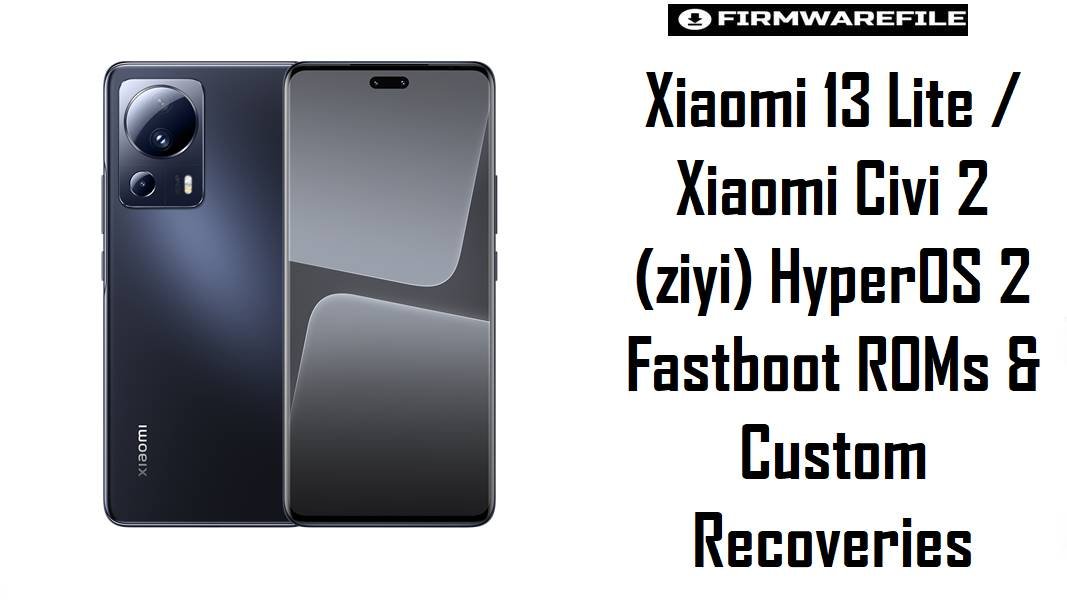
Xiaomi 13 Lite / Xiaomi Civi 2 (ziyi) HyperOS 2 Fastboot ROMs & Custom Recoveries
Xiaomi 13 Lite / Xiaomi Civi 2 (codename ziyi) is a slim Snapdragon 7 Gen 1 selfie‑centric phone that many owners praise for camera quality but criticize for post‑update lag, minor UI stutter, and battery inconsistency on early HyperOS builds. These HyperOS 2 fastboot ROMs, plus the xiaomi.eu customized build and matching recoveries, provide clean, region‑correct installs that usually improve stability, animations, and standby endurance compared with layered OTAs.
Download Firmware for Xiaomi 13 Lite / Civi 2 (ziyi)
The following ROMs are official HyperOS 2 Android 15 fastboot packages for Xiaomi 13 Lite / Civi 2, sorted by region, along with a xiaomi.eu multi‑language ROM and TWRP/OrangeFox recoveries. All are strictly for the ziyi codename, covering Civi 2 in China and Xiaomi 13 Lite globally. Choose the newest build that matches the phone’s original region (CNXM/MIXM/EUXM/RUXM/TWXM/TRXM) for best results.
| Filename | Region / Variant | Build Number | Build Date | Android Version | Flashing Method | Notes | File Size | Download |
|---|---|---|---|---|---|---|---|---|
| ziyi_images_OS2.0.207.0.VLLCNXM_20251126.0000.00_15.0_cn_30fa701251.tgz | China (CNXM) – Xiaomi Civi 2 | OS2.0.207.0.VLLCNXM | 2025-11-26 (fastboot; listed 2025‑12‑08 on trackers) | Android 15 / HyperOS 2 | Xiaomi Flash Tool (Fastboot) | Latest China HyperOS 2 fastboot ROM for ziyi, with changelog noting system stability optimization and error fixes. Recommended for Civi 2 China users wanting a clean, fully up‑to‑date HyperOS 2 base. | 7.15 GB (≈7.1 GB listed) | Download From Xiaomi (CN) |
| ziyi_eea_global_images_OS2.0.204.0.VLLEUXM_20251126.0000.00_15.0_eea_4b7481814a.tgz | EEA (EUXM) – Xiaomi 13 Lite EEA | OS2.0.204.0.VLLEUXM | 2025-11-26 | Android 15 / HyperOS 2 | Xiaomi Flash Tool (Fastboot) | Latest EEA HyperOS 2 fastboot ROM, listed as OS2.0.204.0.VLLEUXM for Xiaomi 13 Lite / Civi 2 EEA on firmware indexes. Best for EU‑sold Xiaomi 13 Lite to keep OTA and GDPR‑aligned behavior intact. | 6.83 GB | Download From Xiaomi (EEA) |
| ziyi_global_images_OS2.0.203.0.VLLMIXM_20251107.0000.00_15.0_global_637da2f70e.tgz | Global (MIXM) – Xiaomi 13 Lite Global | OS2.0.203.0.VLLMIXM | 2025-11-07 | Android 15 / HyperOS 2 | Xiaomi Flash Tool (Fastboot) | Main global HyperOS 2 fastboot ROM for Xiaomi 13 Lite, recorded as OS2.0.203.0.VLLMIXM stable with Android 15 and late‑2025 patches. Recommended default for global units to fix issues from earlier MIUI/HyperOS builds. | 6.67 GB | Download From Xiaomi (Global) |
| ziyi_ru_global_images_OS2.0.203.0.VLLRUXM_20251107.0000.00_15.0_ru_409834bfe6.tgz | Russia (RUXM) | OS2.0.203.0.VLLRUXM | 2025-11-07 | Android 15 / HyperOS 2 | Xiaomi Flash Tool (Fastboot) | Russian market HyperOS 2 ROM for Xiaomi 13 Lite / Civi 2, part of OS2.0.203.0.VLLRUXM stable line. Suitable only for RUXM devices to maintain local service compatibility. | 6.51 GB | Download From Xiaomi (RU) |
| ziyi_tw_global_images_OS2.0.203.0.VLLTWXM_20251107.0000.00_15.0_tw_de5b03cbf1.tgz | Taiwan (TWXM) | OS2.0.203.0.VLLTWXM | 2025-11-07 | Android 15 / HyperOS 2 | Xiaomi Flash Tool (Fastboot) | Taiwan‑region HyperOS 2 fastboot ROM with carrier‑specific tuning; appears as OS2.0.203.0.VLLTWXM in HyperOS device lists for Civi 2/13 Lite. Use only on TWXM devices. | 6.30 GB | Download From Xiaomi (TW) |
| ziyi_tr_global_images_OS2.0.203.0.VLLTRXM_20251107.0000.00_15.0_tr_8092f7afd2.tgz | Turkey (TRXM) | OS2.0.203.0.VLLTRXM | 2025-11-07 | Android 15 / HyperOS 2 | Xiaomi Flash Tool (Fastboot) | Turkey HyperOS 2 fastboot ROM, identified as OS2.0.203.0.VLLTRXM for Xiaomi 13 Lite / Civi 2; contains regional compliance changes. Flash only on TRXM units. | 6.43 GB | Download From Xiaomi (TR) |
| xiaomi.eu_ZIYIG_OS2.0.206.0.VLLMIXM_15.zip | xiaomi.eu custom ROM (multi‑region) | OS2.0.206.0.VLLMIXM (base) | Based on Global OS2.0.206.0 VLLMIXM branch; uploaded late 2025 | Android 15 / HyperOS 2 (modded) | Custom: Recovery (TWRP/OrangeFox) | Multi‑language HyperOS 2 ROM built from the global OS2.0.206.0 VLLMIXM base for Xiaomi 13 Lite (ZIYIG variant), repackaged by xiaomi.eu with integrated Google services, more languages, and reduced bloat. For enthusiasts wanting a cleaner HyperOS 2 experience; requires unlocked bootloader and custom recovery. | 5.47 GB | Download From SourceForge (xiaomi.eu) |
| twrp-3.7.1_12-0-ziyi-unreal3579.img | Custom Recovery – TWRP | 3.7.1_12-0 | Community build (Android 12+/HyperOS‑ready) | – | Fastboot boot/flash recovery | Unofficial TWRP image for ziyi, created to manage backups and flash ZIP‑based ROMs such as xiaomi.eu_ZIYIG_OS2.0.205.0; optional if using only official fastboot ROMs. | 100 MB | Download TWRP For ziyi |
| OrangeFox-R11.3-Unofficial-ziyi.zip | Custom Recovery – OrangeFox | R11.3 (Unofficial) | Recent community build | – | Flash via existing recovery / fastboot boot | Unofficial OrangeFox recovery for ziyi, providing an alternative to TWRP with similar functionality—ZIP flashing, backups, and advanced options; for power users. | 53 MB | Download OrangeFox For ziyi |
Recommended choices: For stock users, the safest path is the latest HyperOS 2 fastboot ROM that matches the device’s original region—OS2.0.207.0.VLLCNXM for China Civi 2, OS2.0.203.0.VLLMIXM for Global 13 Lite, OS2.0.204.0.VLLEUXM for EEA, or the corresponding RU/TW/TR build. xiaomi.eu_ZIYIG_OS2.0.205.0 is better suited to experienced users with an unlocked bootloader who want multi‑language, Google‑integrated HyperOS 2 with reduced bloat.
Complete Device & Firmware Overview
- Device Names:
- Xiaomi Civi 2 (China) / Xiaomi 13 Lite (Global/EEA/etc.).
- Codename:
ziyi, used across Civi 2 and Xiaomi 13 Lite, and noted in codename lists and ROM collections.- Model Numbers:
- 2210129SC and derivatives in China; 2210129SG for global/EEA 13 Lite variants.
- Platform & Display:
- Qualcomm Snapdragon 7 Gen 1, 6.55–6.67″ AMOLED 120 Hz display (depending on variant) aimed at slim design and selfie performance.
- HyperOS 2 Branches:
- China OS2.0.207.0.VLLCNXM; Global OS2.0.203.0.VLLMIXM; EEA OS2.0.204.0.VLLEUXM; RU/TW/TR OS2.0.203.0.VLLRUXM/VLLTWXM/VLLTRXM.
- Changelog Themes:
- OS2.0.207.0 for
ziyiemphasizes “system stability optimization” and bug fixes, aligning with broader HyperOS 2 goals of smoother animations and fewer errors on Android 15. - Common Pain Points:
- HyperOS users, especially on mid‑range SoCs, often report increased animation weight, occasional app stutter, and battery drain after early builds; later OS2.0.x releases and clean installs are used to mitigate these behaviors.
- ROM Types:
- Official HyperOS fastboot ROMs (
ziyi*_images_*.tgz) for Xiaomi Flash, recovery/OTA ROMs for on‑device update, and xiaomi.eu HyperOS 2 ZIPs for custom recoveries. - Bootloader & ARB:
- Same‑region official fastboot repairs typically do not require unlock; xiaomi.eu and cross‑region attempts do. Anti‑rollback (ARB) applies, preventing unsafe downgrades.
- Custom Recoveries:
- TWRP and OrangeFox builds for
ziyienable full backups and custom ROM flashing but are unofficial and meant for advanced use.
CRUCIAL WARNING: These ROMs and recoveries are strictly for Xiaomi Civi 2 / Xiaomi 13 Lite with codename ziyi; they must not be flashed to Xiaomi 13, 13 Pro, or any Redmi/POCO models with different codenames, as cross‑flashing can permanently brick devices through incompatible partition and modem layouts.
All official ziyi*_images_*.tgz fastboot packages and xiaomi.eu HyperOS ZIPs typically wipe user data when flashed, and using options like “clean all and lock” or mixing regions without care can relock the bootloader on unsupported firmware, causing bootloops, network issues, or anti‑rollback‑related hard bricks.
Preparation Before Flashing
Click here for the Xiaomi 13 Lite / Civi 2 (ziyi) pre‑flash checklist
- Verify codename & variant: In fastboot, run
fastboot getvar productand confirmziyi; check whether the device is Civi 2 (China) or Xiaomi 13 Lite (Global/EEA/RU/TW/TR) using firmware trackers. - Backup your data: Fastboot and many custom ROM installs perform full wipes; back up gallery, chats, and app data with Mi Cloud, Google, or PC tools before flashing.
- Charge to 60%+: Ensure adequate battery so the phone does not shut down during multi‑partition flashing, which can corrupt system or modem partitions.
- Install drivers & tools: On Windows, install Xiaomi USB/fastboot drivers and Xiaomi Flash Tool for official ROMs; for xiaomi.eu, also prepare ADB/Fastboot and TWRP/OrangeFox images for
ziyi. - Use a stable USB‑C port & cable: Prefer the original cable and a direct motherboard USB port to avoid random disconnects while writing 6–7 GB HyperOS images.
Quick Firmware Flash Instructions
This summary covers flashing a HyperOS 2 fastboot ROM such as ziyi_images_OS2.0.207.0.VLLCNXM_... for China or ziyi_global_images_OS2.0.203.0.VLLMIXM_... for Global with Xiaomi’s fastboot tool on Windows. For most users, the recommended baseline is the newest ROM matching the original region.
- Prepare PC & ROM: Install Xiaomi USB/fastboot drivers and Xiaomi Flash Tool, then download and fully extract the chosen
ziyi*_images_*.tgz(for example, OS2.0.203.0.VLLMIXM for global or OS2.0.204.0.VLLEUXM for EEA) into a short path such asC:\ziyi_rom. - Enter fastboot mode: Power off the phone, hold Volume Down + Power to enter fastboot, then connect via USB‑C to the PC.
- Configure Xiaomi Flash Tool: Launch the tool, select the extracted ROM folder as the firmware path, and choose “clean all” to install HyperOS 2 fresh while leaving the bootloader state as is; avoid “clean all and lock” unless using exactly the original region ROM and no mods.
- Flash the ROM: Click “refresh” to confirm that the device is detected, then press “flash” and wait until completion; do not unplug or close the tool while several partitions are being written.
- First boot & optimization: After success, the phone reboots into HyperOS 2; first boot may take several minutes while apps and UI are optimized, after which performance and battery behavior can be evaluated versus earlier builds.
For a more detailed, screenshot‑based Xiaomi fastboot flashing tutorial—including anti‑rollback checks and driver troubleshooting—use the dedicated Xiaomi Fastboot Firmware Guide, which applies directly when flashing these ziyi ROMs.
Frequently Asked Questions (FAQs)
- Q1. Which HyperOS 2 ROM is best for a stock Xiaomi 13 Lite?
- The safest and most stable option is the latest HyperOS 2 fastboot ROM that matches the original region: OS2.0.203.0.VLLMIXM for Global, OS2.0.204.0.VLLEUXM for EEA, OS2.0.203.0.VLLRUXM for Russia, OS2.0.203.0.VLLTWXM for Taiwan, or OS2.0.203.0.VLLTRXM for Turkey; Civi 2 China should use OS2.0.207.0.VLLCNXM.
- Q2. Does OS2.0.207.0.VLLCNXM improve stability compared with early HyperOS builds on ziyi?
- Yes. The OS2.0.207.0 changelog explicitly states “System: Optimization – System stability; Fix – Errors occurred in some cases,” indicating a focus on smoothing HyperOS behavior and addressing known issues on Xiaomi 13 Lite / Civi 2 Android 15.
- Q3. Who should use xiaomi.eu_ZIYIG_OS2.0.205.0.VLLMIXM_15.zip?
- This ROM is designed for advanced users who want multi‑language, Google‑integrated HyperOS 2 with less Chinese bloat and extra tuning; it requires an unlocked bootloader and a custom recovery like TWRP or OrangeFox for installation and will not receive official Xiaomi OTA updates.
- Q4. Is TWRP or OrangeFox required to flash the official HyperOS fastboot ROMs?
- No. Official fastboot ROMs in
ziyi*_images_*.tgzformat are flashed with Xiaomi Flash Tool from a PC; TWRP/OrangeFox are only needed for ZIP‑based ROMs like xiaomi.eu, advanced backups, or Magisk modules. - Q5. Can cross‑flashing Global MIXM on an EEA or RU Xiaomi 13 Lite cause issues?
- Cross‑flashing is possible but not recommended for typical users because it may affect regional features, VoLTE configuration, and OTA; codename‑matched, region‑matched firmware is strongly preferred to avoid subtle problems.
- Q6. Is it safe to downgrade from OS2.0.207.0 to an earlier HyperOS or MIUI build?
- Downgrades must respect Xiaomi’s anti‑rollback levels; firmware sites for
ziyiwarn that flashing older builds below the current ARB can brick devices, so any downgrade should follow ARB‑aware guides. - Q7. What HyperOS‑related symptoms suggest a clean fastboot flash might help on ziyi?
- Persistent laggy scrolling, app freezes, random reboots, or sudden battery drain after updates—especially when not present on earlier builds—are strong signs that a clean HyperOS 2 fastboot reinstall of the correct regional ROM could resolve underlying software conflicts.