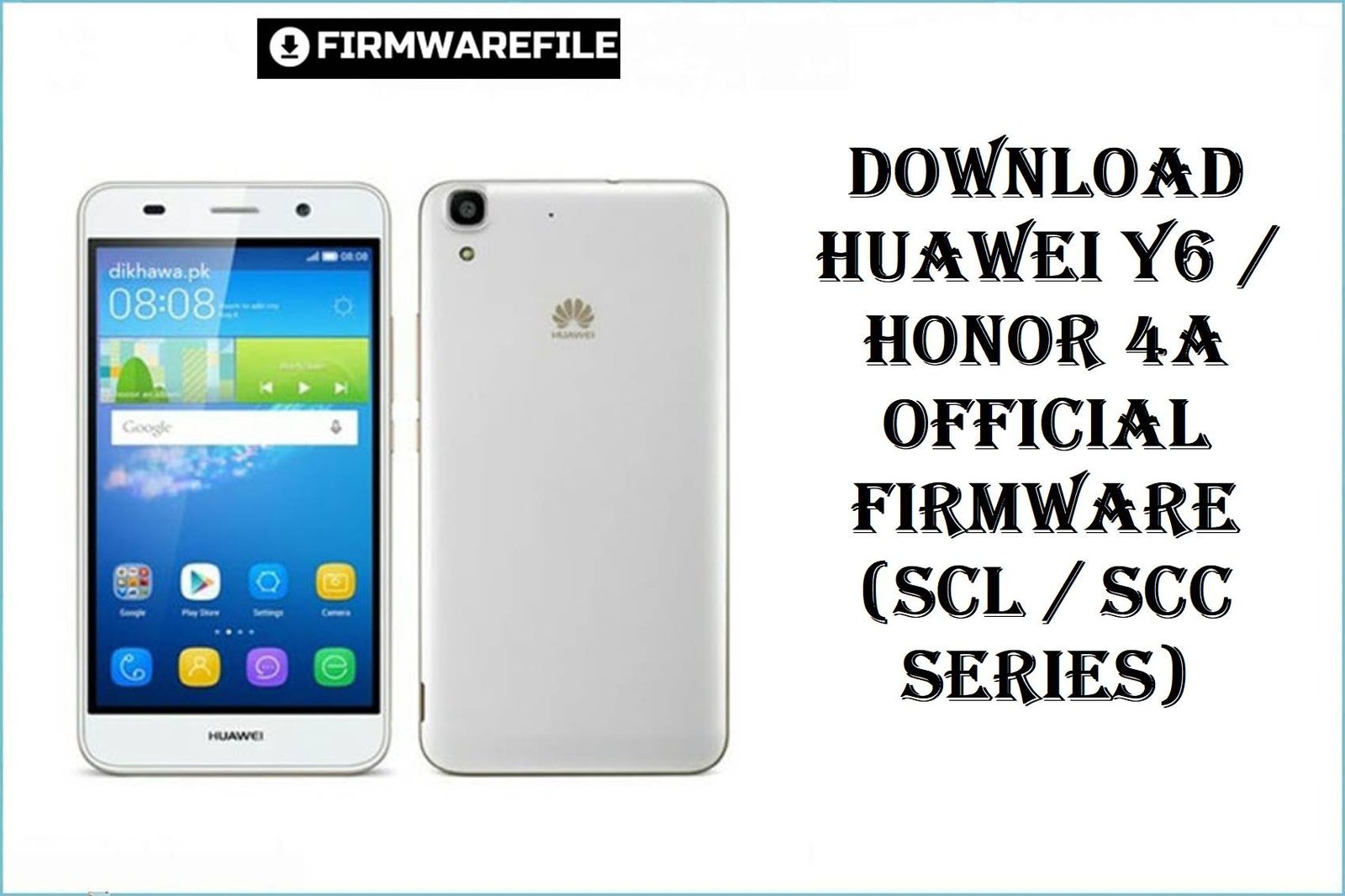
Download Huawei Y6 / Honor 4A Official Firmware (SCL / SCC Series)
The original Huawei Y6 and Honor 4A series use the Snapdragon 210 (MSM8909), 1–2 GB RAM and 8 GB storage, making them simple but limited 2015‑era budget phones. Over time, owners commonly report severe lag, freezes, “storage full” errors and failed EMUI 3.1 updates, especially once the 8 GB internal storage fills up and background apps accumulate.
The official and service firmwares below (Dload, QPST and SP Flash Tool packages) help you unbrick, fix update loops and restore smooth stock performance on Huawei Y6 / Honor 4A models like SCL‑L01/L03/L04/L21/L32, SCL‑U31, SCC‑U21, SCL‑AL00 and SCL‑TL00/TL10.
Complete Device & Firmware Overview
- Device Families
- Huawei Y6 (models SCL-L01, SCL-L03, SCL-L04, SCL-L21, SCL-L32, SCL-U31, SCC-U21) and Honor 4A (SCL-AL00, SCL-TL00, SCL-TL00H, SCL-TL10H) built on the same Qualcomm “Scale” platform.
- Chipset & Performance
- Qualcomm Snapdragon 210 (MSM8909), quad‑core Cortex‑A7 up to ~1.1 GHz with Adreno 304 GPU, 1–2 GB RAM and 8 GB internal storage depending on variant.
- Display & Battery
- 5.0‑inch 720×1280 IPS LCD (~294 ppi) and a 2200 mAh removable Li‑ion battery, aimed at entry‑level users and light apps.
- Software & UI
- Android 5.1 / 5.1.1 Lollipop with EMUI 3.1 or 3.1.1 out of the box; no official Android version upgrades beyond security and stability patches.
- Typical User Complaints
- Slow and laggy UI, freezes when storage is almost full, apps closing in background due to low RAM, and update/reset operations that hang or fail when system partitions are corrupted.
- How These Firmwares Help
- Full stock and board software images can reinstall Android/EMUI from scratch, repair soft bricks, fix failed OTAs and clear out years of cached data, often restoring responsiveness on this limited hardware.
- Firmware Types Included
- Dload de>UPDATE.APP packages (flash via SD card), QPST/QFIL “board software” and 9008 packages for deep Qualcomm repair, and one SP Flash Tool ROM for the MT6582‑based SCL‑U31 variant.
- Key Region / C‑Codes
- C432 – open Europe; C469/C110 – Latin America (e.g. Argentina); C636 – Asia Pacific; C654/C627 – regional Americas; C900 – generic / multi‑region service; C00/C01 – China mainline and sub‑channels.
- Flash Methods
- Dload via SD card (three‑button combo or recovery update), QPST/QFIL for Qualcomm 9008 EDL packages, and SP Flash Tool for MT6582 SCL‑U31 firmware.
- Board Software vs Normal ROM
- “Board Software”/EDL packages are service images meant to revive dead or severely corrupted boards via PC tools, while Dload ROMs target devices that can still enter normal update/bootloader modes.
- File Sizes
- Most full ROMs are 1.0–1.2 GB; board and QPST packages are similar size but contain partition images and XML scripts instead of a single UPDATE.APP.
Flashing mismatched model/region firmware (for example, SCL‑L21 ROM on SCL‑U31, or C00 Chinese firmware on a European C432 phone), corrupted downloads or aborting a flash mid‑process can hard‑brick the device, so double‑check your model, C‑code and tool before starting.
CRUCIAL WARNING: These ROMs are only for Huawei Y6 / Honor 4A devices on the Scale platform (models such as SCL‑L01, SCL‑L03, SCL‑L04, SCL‑L21, SCL‑L32, SCL‑U31, SCC‑U21, SCL‑AL00, SCL‑TL00, SCL‑TL00H, SCL‑TL10H). Do not flash them to other Y‑series phones, Y6 2019/2018, or unrelated Huawei/Honor models.
Huawei firmware is region‑coded (C432, C469, C636, C654, C627, C900, C00, C01, etc.), and cross‑region or cross‑carrier flashing can break LTE bands, VoLTE and OTA updates; most users should stay on the same C‑code shown in Settings > About phone and use C900 “generic” or board software only for repair.
QPST/9008 and SP Flash Tool packages overwrite low‑level partitions and will wipe user data; a wrong scatter, wrong programmer, or power loss mid‑flash can leave the phone totally dead, so use deep board software only if you already understand Qualcomm/MediaTek recovery workflows or are following a proven guide.
Download Firmware for Huawei Y6 / Honor 4A
The table below lists all provided firmwares, starting with the most generally useful Dload and full ROMs, then service/board packages. For normal software repair or refresh, prefer the latest Dload build that matches your exact model and C‑code; use QPST/9008 or SP Flash Tool ROMs only when the phone no longer boots or cannot access standard update mode.
| Filename | Model / Variant | Region (C‑Code) | EMUI / Android | Build | Method / Tool | Size | Notes | Download |
|---|---|---|---|---|---|---|---|---|
| Huawei_Y6_SCL-L21_C432B150CUSTC432D002.zip | Huawei Y6 SCL-L21 (dual‑SIM EU) | C432 – Europe open market | EMUI 3.1 / Android 5.1.1 | B150 | Dload (SD card) | 1.1 GB | Recommended everyday ROM for European SCL‑L21 users; use to fix boot issues or refresh a slow device while keeping EU cust. | Download (Google Drive) |
| Huawei_Y6_SCL-L21_(SCL-L21C432B150).zip | Huawei Y6 SCL-L21 (dual‑SIM EU) | C432 – Europe | EMUI 3.1 / Android 5.1.1 | B150 | Dload (SD card) | 1.1 GB | Mirror/alternative packaging of the same C432B150 branch; use if the first link is slow or unavailable. | Download (AndroidFileHost) |
| Huawei_Y6_SCL-L21_C900B050_Dload.zip | Huawei Y6 SCL-L21 | C900 – generic / multi‑region service | EMUI 3.1 / Android 5.1 | B050 | Dload (SD card) | 1.15 GB | Generic early Dload package, useful when regional ROMs fail to flash; best for technicians familiar with C900 service builds. | Download (Google Drive) |
| Huawei_Y6_SCL-L03_C469B130CUSTC110D001_Argentina_Dload.zip | Huawei Y6 SCL-L03 (LATAM) | C469 / C110 – Argentina / Latin America cust | EMUI 3.1 / Android 5.1 | B130 | Dload (SD card) | 1.30 GB | Best match for SCL‑L03 units sold in Argentina; keeps local carrier configuration and bands. | Download (MediaFire) |
| Huawei_Y6_SCL-L04_C654B130_22092015_Dload.zip | Huawei Y6 SCL-L04 | C654 – regional Americas build | EMUI 3.1 / Android 5.1 | B130 | Dload (SD card) | 981 MB | Stock ROM for SCL‑L04 in specific American markets; flash if you have SCL‑L04 and see C654 in the software string. | Download (Google Drive) |
| Huawei_Y6_SCL-L32_C627B150_24022017_Dload.zip | Huawei Y6 SCL-L32 | C627 – regional build (Latin/Caribbean) | EMUI 3.1 / Android 5.1.1 | B150 | Dload (SD card) | 1.15 GB | Targeted at SCL‑L32 owners whose About phone shows C627; do not use on L01/L03/L04/L21 variants. | Download (Google Drive) |
| Huawei_Y6_SCL-AL00_C00B261_Firmware_China_Nonspecific_Android5.1_EMUI3.1_Dload.zip | Huawei Y6 SCL-AL00 (China) | C00 – China open market | EMUI 3.1 / Android 5.1 | B261 | Dload (SD card) | 1.07 GB | Recommended for Chinese Y6 SCL‑AL00 units; ideal if you want to restore stock after mods or failed OTAs in China region. | Download (Google Drive) |
| Honor_4A_SCL-AL00_EMUI3.1-SCL-AL00-C00B106_MSM8909_5.1_dload.zip | Honor 4A SCL-AL00 | C00 – China | EMUI 3.1 / Android 5.1 | B106 | Dload (SD card) | 1020 MB | Good base firmware for early Honor 4A SCL‑AL00; use if you need to return from a later, unstable modded build. | Download (MediaFire) |
| Honor_4A_SCL-TL00H_V100R001C00B251_China_5.1.1.zip | Honor 4A SCL-TL00H | C00 – China / China Mobile | EMUI 3.1 / Android 5.1.1 | B251 | Dload (SD card) | 834–835 MB | For TL00H “High Edition” Honor 4A devices; do not flash to AL00 or Y6 models despite similar hardware. | Download (Google Drive) |
| Huawei_SCL-TL10H_SCL-TL00HC00B262 (Glory 4A-Mobile High Edition)_5.1.1.zip.rar | Honor 4A SCL-TL10H / TL00H (High Edition) | C00 – China Mobile high edition | EMUI 3.1 / Android 5.1.1 | B262 | Dload (SD card) | 971 MB | Newer high‑edition build than B251; pick this if your device info already shows B262 or you need latest stability fixes. | Download (AndroidFileHost) |
| Huawei_SCL-TL00_SCL-TL00C01B261 (Glory 4A-Mobile High Edition)_China_5.1.1.zip.rar | Honor 4A SCL-TL00 | C01 – China Mobile sub‑channel | EMUI 3.1 / Android 5.1.1 | B261 | Dload (SD card) | 1.1 GB | Targeted at SCL‑TL00 C01 devices; only flash if your version string includes C01B261. | Download (AndroidFileHost) |
| Huawei_Y6_SCC-U21_(SCC-U21C900B150).zip | Huawei Y6 SCC-U21 | C900 – generic / service | EMUI 3.1 / Android 5.1 | B150 | Dload (SD card) | 1.1 GB | Generic SCC‑U21 build, useful for unbranded or multi‑region devices that shipped with C900. | Download (AndroidFileHost) |
| Huawei_Y6_SCC-U21_(SCC-U21C900B140).zip | Huawei Y6 SCC-U21 | C900 – generic | EMUI 3.1 / Android 5.1 | B140 | Dload (SD card) | 1.2 GB | Older B140; keep only for downgrade or if B150 refuses to flash. | Download (AndroidFileHost) |
| Huawei_Y6_SCC-U21_(SCC-U21C636B170).zip | Huawei Y6 SCC-U21 | C636 – Asia Pacific | EMUI 3.1 / Android 5.1 | B170 | Dload (SD card) | 1.1 GB | Best pick for SCC‑U21 sold in Hong Kong/SEA with C636 region. | Download (AndroidFileHost) |
| Huawei_Y6_SCL-U31_MT6582_27082015_5.1.1.zip | Huawei Y6 SCL-U31 (MT6582) | Multi‑region (various C‑codes) | EMUI 3.1 / Android 5.1.1 | 2015‑08‑27 build | SP Flash Tool (MediaTek) | 896 MB | MediaTek‑based SCL‑U31 firmware; flash only with SP Flash Tool and correct scatter file on confirmed MT6582 devices. | Download (MediaFire) |
| Huawei.Y6.SCL-U31C900B130.5.1.1.qcom.9008.msm8909.7z | Huawei Y6 SCL-U31 (Qualcomm 9008) | C900 – service | EMUI 3.1 / Android 5.1.1 | C900B130 | QPST/QFIL (Qualcomm EDL) | 1.0 GB | 9008 emergency package for deeply bricked SCL‑U31; requires Qualcomm drivers and EDL knowledge. | Download (AndroidFileHost) |
| Huawei_Y6_SCL-L21_C900B050_Board_Software_05021TVT_QPST.zip | Huawei Y6 SCL-L21 | C900 – board software | EMUI 3.1 / Android 5.1 | B050 board | QPST/QFIL (Qualcomm EDL) | 1.14 GB | Service‑grade board package for SCL‑L21 dead‑boot repair; intended for experienced technicians. | Download (Google Drive) |
| Huawei_Y6_SCL-L01_C900B057_Board_Software_Western_Europe_Nonspecific_05021TVQ_QPST.zip | Huawei Y6 SCL-L01 | C900 – Western Europe nonspecific | EMUI 3.1 / Android 5.1 | B057 board | QPST/QFIL (Qualcomm EDL) | 1.14 GB | Board software for dead SCL‑L01 units sold in Western Europe; use only when Dload and normal flashing no longer work. | Download (Google Drive) |
| Huawei_Y6_SCL-L01_(SCL-L01C432B181).zip | Huawei Y6 SCL-L01 | C432 – Europe | EMUI 3.1 / Android 5.1.1 | B181 | Dload (SD card) | 1.2 GB | Latest known EU stock firmware for SCL‑L01; ideal for users suffering from lag, freezes or minor corruption. | Download (AndroidFileHost) |
Practical tip: Check your current version string in Settings > About phone (for example, de>SCL-L21C432B150 or de>SCL-AL00C00B261) and choose the ROM row that matches both the model and C‑code before worrying about B‑number differences.
Preparation Before Flashing
Click here for the Huawei Y6 / Honor 4A pre‑flash checklist
- Confirm full model and region: In Settings > About phone or fastboot, verify if you have SCL‑L01/L03/L04/L21/L32, SCL‑U31, SCC‑U21, SCL‑AL00, SCL‑TL00/TL10 and note the exact C‑code (C432, C469, C636, C654, C627, C900, C00, C01).
- Back up everything: All Dload, QPST and SP Flash operations should be treated as full wipes; back up contacts, photos and app data to SD, PC or cloud beforehand.
- Charge the battery: Aim for at least 50–60% battery to avoid shutdown during flashing, which can corrupt partitions and make the device harder to recover.
- Prepare storage and cable: Use a reliable microSD card for Dload or a good USB cable and USB 2.0 port for QPST/SP Flash Tool; bad hardware is a common cause of failed flashes and 99% hangs.
- Extract firmware carefully: For Dload, ensure the de>dload folder with de>UPDATE.APP is at the SD root; for QPST/SP, make sure the programmer, XML/scatter and image files are intact and match the guide you are following.
Quick Firmware Flash Instructions
Use these high‑level steps as a roadmap; always combine them with a detailed flashing guide and the correct ROM type for your variant.
Dload (SD card) – most SCL / SCC / Honor 4A ROMs
- Copy Dload to SD: Download the matching firmware zip, extract it until you see a de>dload folder with de>UPDATE.APP, then copy that folder to the root of a microSD card.
- Insert card and power off: Turn off the phone completely and insert the SD card with the prepared de>dload folder.
- Enter update mode: Hold Volume Up + Volume Down + Power together until the Huawei/Honor logo and update progress bar appear.
- Wait for installation: Let the bar reach 100% without pressing keys or removing the battery; the phone will reboot automatically once the flash is done.
- First boot & test: After reboot, complete setup, then test calls, Wi‑Fi, camera and storage; if lag improves, consider uninstalling heavy apps to keep it fast.
QPST / QFIL – Qualcomm 9008 board software (C900, 9008 packages)
- Install Qualcomm drivers & QFIL: On a Windows PC, install Qualcomm HS‑USB drivers and Qualcomm Flash Image Loader (or full QPST suite).
- Load programmer and XML: Extract the board software archive, then in QFIL choose the programmer file (de>prog_emmc_firehose…) and the rawprogram/patch XMLs provided with the package.
- Enter EDL (9008) mode: Connect the powered‑off phone to PC while using the correct key combo or test‑point, then confirm that Windows detects it as Qualcomm HS‑USB QDLoader 9008.
- Start flashing: Click Download in QFIL and wait while it writes all partitions; do not disconnect USB or close the tool during this stage.
- Reboot and finalize: Once QFIL reports success, disconnect, boot the phone, and optionally run a Dload flash of the matching regional ROM to restore the correct cust.
SP Flash Tool – Huawei Y6 SCL-U31 MT6582 ROM
- Install MediaTek USB drivers: On a Windows PC, install MTK VCOM/Preloader drivers required for SP Flash Tool to talk to the phone.
- Load scatter file: Extract de>Huawei_Y6_SCL-U31_MT6582_27082015_5.1.1.zip and in SP Flash Tool choose the included de>MT6582_Android_scatter.txt file.
- Select flash mode: For most repairs, use “Download Only” with all default partitions ticked; avoid “Format All + Download” unless a guide specifically tells you to.
- Connect phone: With the phone powered off and battery inserted, click Download in SP Flash Tool and then connect the phone via USB; wait for the green success checkmark.
- Boot and verify: Disconnect, power on and go through Android setup, then check IMEI, network and storage to confirm the flash worked.
For a more detailed, screenshot‑rich walkthrough of Huawei flashing (including troubleshooting update failures and extra safety tips), follow the main Huawei smartphone firmware guide and apply the same principles with these Y6 / Honor 4A ROMs.
Frequently Asked Questions (FAQs)
- Q1. Which firmware here is safest for my Huawei Y6?
- The safest choice is the Dload ROM that matches your exact model and region string from Settings > About phone—for example, SCL‑L01C432B181 should use the SCL‑L01 C432B181 file, while SCL‑L21C432B150 should use the C432B150 firmware. Only use C900 service or board software if the phone is badly bricked and normal Dload packages no longer work.
- Q2. Can I flash a Y6 ROM on an Honor 4A, or vice versa?
- Although Huawei Y6 and Honor 4A share the same Snapdragon 210 hardware platform and very similar specs, Huawei assigns separate product codes, cust partitions and branding to each line. Cross‑flashing between Y6 and Honor 4A increases the risk of network or boot issues and is recommended only for advanced users following a proven conversion guide, not for routine fixes.
- Q3. Will a clean stock flash really fix the lag on my Y6 / Honor 4A?
- A full re‑flash can remove corrupted system files, old cache and misbehaving apps, which often helps with freezing and slow UI on older Huawei devices—especially when storage was nearly full. However, these phones still have modest Snapdragon 210 chips and 1–2 GB RAM, so keeping storage free and limiting heavy apps is essential for lasting performance improvements.
- Q4. When should I use board software or QPST 9008 packages instead of Dload?
- Use Dload first for any device that still boots to recovery, fastboot or the standard update screen, because it is safer for non‑experts. QPST/9008 and board software are mainly for “dead” phones stuck in Qualcomm EDL or not powering on properly, and they require correct programmers, XML files and driver setup to avoid permanent damage.
- Q5. My Y6 SCL-U31 has both MT6582 and 9008 packages—how do I know which one to use?
- Some SCL‑U31 firmwares are MT6582‑based SP Flash Tool packages, while others are Qualcomm 9008 service images, so you must confirm your device’s hardware and follow the documentation that comes with the chosen ROM. If you are not sure which platform your phone uses, avoid mixing these and seek a guide or service that explicitly matches your exact software version and hardware revision.
- Q6. Can these firmwares help with battery drain or random restarts?
- Stock ROMs can fix software‑related drain and instability—Huawei’s own support notes that cleaning up apps and reinstalling the system often helps when lag and freezes are caused by overloaded storage or buggy updates. If problems persist after a clean flash, the underlying issue may be hardware, such as a worn‑out 2200 mAh battery or failing power circuitry, which needs physical repair.