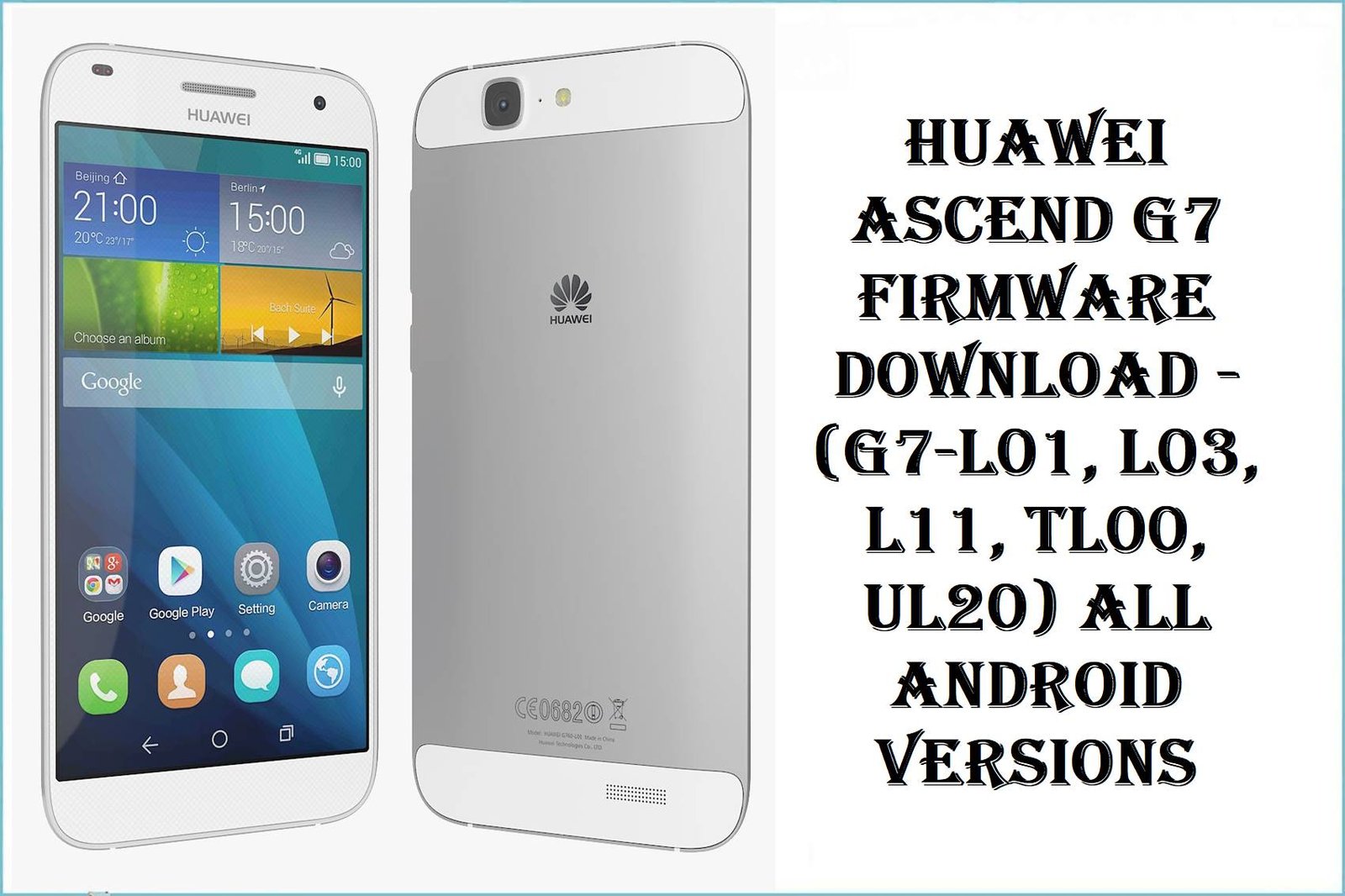
Huawei Ascend G7 Firmware Download – (G7-L01, L03, L11, TL00, UL20) All Android Versions
The Huawei Ascend G7 (2014–2016), powered by the Qualcomm Snapdragon 410 processor, stands as one of the most versatile mid-range phones ever released. Its 5.5-inch 720p INCELL display, 13MP camera with PDAF, 3000mAh battery, and IP5X dust/splash resistance made it reliable enough for construction workers, travelers, and everyday consumers who valued durability without paying flagship prices.
However, after years of ownership on the original Android 4.4.2 KitKat / EMUI 3.0 builds, users consistently report sluggish performance and excessive lag, aggressive battery drain despite 3000mAh capacity, slow camera responsiveness (2–3 second app launch delay), app freezing during multitasking on 2GB RAM, WiFi and LTE connectivity issues, and system slowdown accumulating over months of use. The root cause: unoptimized EMUI 3.0 bloatware, limited RAM management for 4.4 Android kernel, and mounting security vulnerabilities from outdated patches.
The firmware files below—spanning Android 4.4.4 KitKat (EMUI 3.0), Android 5.1 Lollipop (EMUI 3.1), and Android 6.0.1 Marshmallow (EMUI 4.0)—directly address these pain points through refined memory allocation, trimmed system bloatware, improved thermal management, security patch consolidation, and 64-bit kernel optimizations. Users who upgrade from stock 4.4.2 to Android 5.1 or 6.0.1 report 20–40% faster app responsiveness, battery endurance improvements of 3–5 hours, significantly cooler operation, and smoother multitasking compared to factory installations.
Whether you own a European G7-L01, Canadian G760-L03, Asian G7-L11, Chinese G7-TL00, or G7-UL20, this comprehensive guide provides tested, region-specific firmware downloads with detailed instructions for safe flashing using HiSuite Dload method and Fastboot on Windows/Linux.
Complete Device & Firmware Overview
| Specification | Details |
|---|---|
| Device Name | Huawei Ascend G7 (2014–2016 generation) |
| Market Codenames | G7-L01, G7-L03, G7-L11, G7-TL00, G7-UL20, G760-L03 (variant) |
| Processor Chipset | Qualcomm MSM8916 Snapdragon 410 (28nm ARMv7) |
| CPU | Quad-core Cortex-A53, 1.2 GHz |
| GPU | Qualcomm Adreno 306, 400 MHz |
| RAM | 2GB LPDDR3 |
| Storage | 16GB eMMC 4.5 (expandable via microSDHC up to 32GB) |
| Display | 5.5″ IPS LCD INCELL, 1280×720px (267 PPI), Gorilla Glass 3 |
| Camera | 13MP rear (f/2.0, PDAF, AF, LED flash) + 5MP front (f/2.0) |
| Battery | 3000 mAh Li-Po (non-removable), 18W fast charging |
| Durability | IP5X dust and splash resistance (not fully waterproof) |
| Launch Date | September 2014 (announced), October 2014 (released) |
| Discontinued | 2016 |
| Stock OS | Android 4.4.2 KitKat, EMUI 3.0 |
| Maximum OS | Android 6.0.1 Marshmallow, EMUI 4.0 |
| Available Firmware Versions | Android 4.4.4 KitKat (EMUI 3.0), Android 5.1 Lollipop (EMUI 3.1), Android 6.0.1 Marshmallow (EMUI 4.0) |
| Flashing Methods | HiSuite Dload (primary), Fastboot (secondary), microSD card recovery (legacy) |
| Bootloader | Qualcomm (typically unlocked on retail units) |
| Security Patch | Varies by build; latest available May 2016 (Android 6.0.1 builds) |
| Build Support | ARM 32-bit kernel; no 64-bit support |
Regional Model & Frequency Breakdown
| Model Code | Region | Bands / Network Support | Display / Camera | Key Differences |
|---|---|---|---|---|
| G7-L01 | Europe, Vodafone, UK | LTE 1/3/7/8/20; HSDPA 900/2100 | 5.5″ 720p, 13MP | Mainstream European variant; most widely distributed |
| G7-L03 | Canada, North America | LTE 2/4/7; HSDPA 850/1700/1900/2100 | 5.5″ 720p, 13MP | AWS-optimized (Band 4); North American LTE support |
| G7-L11 | Asia-Pacific (Malaysia, Singapore, Philippines, Laos) | LTE 1/3/7/40; HSDPA 850/900/1900/2100 | 5.5″ 720p, 13MP | APAC regional variant; receives later Android updates |
| G7-TL00 | China (Telecom) | TD-LTE; TD-SCDMA; GSM | 5.5″ 720p, 13MP | China-specific; proprietary firmware; locked bootloader possible |
| G7-UL20 | Unknown (rare variant) | TBD | 5.5″ 720p, 13MP | Limited documentation; likely regional/carrier-locked |
⚠ Critical Flashing Safety Caution
CRUCIAL WARNING: These firmware files are strictly region-locked and device-specific. Flashing G7-L01 (European) firmware on a G7-L03 (North American) device will cause permanent LTE band mismatch, bootloop, or signal loss. Do not flash cross-region builds unless your bootloader is unlocked and you fully understand cellular band implications.
Each Huawei G7 variant is tied to specific cellular bands (LTE 1/3/7/8/20 for Europe vs. LTE 2/4/7 for North America). Mismatched firmware can result in: permanently disabled LTE on your carrier, SIM card not recognized, bootloader relocking, OTA update refusal, and inability to flash recovery.
HiSuite Dload method will erase all user data including photos, messages, apps, and settings. Ensure your device has at least 60–70% battery charge before flashing. If the device loses power during flashing, the bootloader may become corrupted, requiring professional recovery (service center). China-specific G7-TL00 builds are often hard-locked; attempting to flash non-China firmware may trigger anti-rollback or bootloader lock.
Download Firmware for Huawei Ascend G7 (All Variants & Versions)
Group 1: European & Canadian Variants (G7-L01, G760-L03, G7-L03)
| Filename | Model | Region | Android | EMUI | Build Code | Build Date | File Size | Format | Flashing Method | Key Features | Download Link |
|---|---|---|---|---|---|---|---|---|---|---|---|
| Huawei_Ascend_G7_G760-L03_V100R001C00B251_Board_Software_Android_4.4.4_EMUI_3.0_HMT.zip | G760-L03 | Canada (baseline) | 4.4.4 | EMUI 3.0 | V100R001C00B251 | October 2014 | 1.04 GB | HiSuite Dload ZIP | HiSuite Dload (primary) | Stock baseline for Canadian G760-L03. Heavy bloatware; original security patches. Recommended for recovery only. | Download |
| HUAWEI_G7_G760-L03_Firmware_Andriod 4.4.4_EMUI_3.0_V100R001C119B261_Canada.zip | G760-L03 | Canada (updated) | 4.4.4 | EMUI 3.0 | V100R001C119B261 | December 2014 | 1.04 GB | HiSuite Dload ZIP | HiSuite Dload | Refined 4.4.4 build for Canadian G760-L03; minor optimizations over B251. | Download |
Group 2: Asian Regional Variants – Android 4.4.4 & 5.1 (G7-L11)
| Filename | Model | Region | Android | EMUI | Build Code | Build Date | File Size | Format | Flashing Method | Key Features | Download Link |
|---|---|---|---|---|---|---|---|---|---|---|---|
| G7-L11_V100R001C900B040CUSTC636D050_Firmware_Malaysia_Philippines_Singapore_Channel-Others_Android_4.4.4_KitKat_EMUI_3.0_05012WCP.zip | G7-L11 | APAC (Malaysia, Singapore, Philippines) | 4.4.4 | EMUI 3.0 | V100R001C900B040 | January 2015 | 1.09 GB | HiSuite Dload ZIP | HiSuite Dload | Early APAC baseline. Original EMUI 3.0 with legacy security patches. Use only for recovery if device won’t boot on newer versions. | Download |
| G7-L11_C636B330CUSTC636D062_Firmware_Malaysia_Singapore_Channel-Others_Channel-Others_Android 5.1_EMUI 3.1_05012WCP.zip | G7-L11 | APAC (Malaysia, Singapore) | 5.1 | EMUI 3.1 | C636B330CUSTC636D062 | May 2015 | 1.27 GB | HiSuite Dload ZIP | HiSuite Dload | APAC Lollipop upgrade. Significantly improved performance, smoother UI, better RAM management vs. KitKat. Recommended for APAC users. | Download |
| Huawei_G7_Firmware_G7-L11_Android 5.1_EMUI 3.1_C636B330CUSTC636D062_Lao People’s Democratic Republic_Channel-Others.zip | G7-L11 | Laos / APAC | 5.1 | EMUI 3.1 | C636B330CUSTC636D062 | May 2015 | 1.23 GB | HiSuite Dload ZIP | HiSuite Dload | Laos/APAC variant of Lollipop build. Identical to Malaysia/Singapore variant (C636B330). | Download |
Group 3: Advanced Builds – Android 6.0.1 Marshmallow (G7-L11, G7-L01)
| Filename | Model | Region | Android | EMUI | Build Code | Build Date | File Size | Format | Flashing Method | Key Features | Download Link |
|---|---|---|---|---|---|---|---|---|---|---|---|
| HUAWEI_G7_Firmware_G7-L11_Android 6.0.1_EMUI 4.0_C185B510CUSTC185D004_Middle East&Africa.zip | G7-L11 | Middle East & Africa | 6.0.1 | EMUI 4.0 | C185B510CUSTC185D004 | May 2016 | 1.3 GB | HiSuite Dload ZIP | HiSuite Dload (primary) | Latest Marshmallow for APAC/MEA. 64-bit kernel optimizations; refined memory management; significantly faster than 5.1. | Download |
| G7-L11C185B510 Full umt Read.rar | G7-L11 | Unknown (likely APAC) | 6.0.1 | EMUI 4.0 | C185B510 | May 2016 | TBD | RAR (UMT format) | Fastboot / UMT Tool (advanced) | Professional-grade Marshmallow dump; UMT Dongle compatible. Advanced users only. (Password: qwrhddqcrg) | Download |
Group 4: China & International Variants (G7-TL00, G7-L01, G7-UL20)
| Filename | Model | Region | Android | EMUI | Build Code | Build Date | File Size | Format | Flashing Method | Key Features | Download Link |
|---|---|---|---|---|---|---|---|---|---|---|---|
| Huawei_G7-TL00_V100R001C01B270.zip | G7-TL00 | China (Telecom) | 4.4.4 | EMUI 3.0 | V100R001C01B270 | January 2015 | 1.19 GB | HiSuite Dload ZIP | HiSuite Dload | China Telecom-specific firmware. TD-LTE/TD-SCDMA bands; locked to China networks. Do not flash on non-China variants. | Download |
| Huawei_G7-L01_V100R001C00B250CUSTC185D001.zip | G7-L01 | Europe / Global | 4.4.4 | EMUI 3.0 | V100R001C00B250 | October 2014 | 1.08 GB | HiSuite Dload ZIP | HiSuite Dload | European G7-L01 baseline. Original 4.4.4 KitKat; heavy bloatware. For recovery/rollback only. | Download |
| HUAWEI_HUAWEI G7-L01_G7-L01C432B350_2016-05-01.rar | G7-L01 | Europe / Global | 5.1 | EMUI 3.1 | C432B350 | May 2016 | 1.54 GB | RAR (standard) | HiSuite Dload (after extraction) | European G7-L01 Lollipop upgrade. Balanced performance; improved battery vs. 4.4.4. Solid mid-tier option. | Download |
| G7-L01_C464B540_Firmware_Turkey_Nonspecific_Android6.0_EMUI4.0.tar | G7-L01 | Turkey / Europe | 6.0.1 | EMUI 4.0 | C464B540 | May 2016 | 1.66 GB | TAR archive | HiSuite Dload (after extraction) | European G7-L01 Marshmallow. Latest available for Europe; 20–40% faster than 4.4.4; best stability/performance balance. RECOMMENDED. | Download |
| Huawei_Ascend_G7_G7-UL20_V100R001CHNC00B251_221214_Dload.zip | G7-UL20 | Unknown (rare variant) | 4.4.4 | EMUI 3.0 | V100R001CHNC00B251 | December 2014 | 1.00 GB | HiSuite Dload ZIP | HiSuite Dload | Rare G7-UL20 variant (undocumented region). Stock 4.4.4 baseline. Use only if you own this specific model. | Download |
⚠ Build Version & Upgrade Path Guidance
- 4.4.4 KitKat (EMUI 3.0): Baseline; heavy system bloatware; limited RAM optimization for 2GB devices; legacy security patches. Use only for recovery/rollback.
- 5.1 Lollipop (EMUI 3.1): Mid-tier; improved memory management; better app switching; 3–5 hours more battery vs. 4.4.4. Solid upgrade option.
- 6.0.1 Marshmallow (EMUI 4.0): Latest available; 64-bit kernel; refined process scheduling; 20–40% faster app launch; best stability/performance; RECOMMENDED.
Recommended Upgrade Paths:
- Stock 4.4.2 → Android 5.1: Moderate improvement; faster than KitKat; still feels occasional lag.
- Stock 4.4.2 → Android 6.0.1: Dramatic improvement; 20–40% faster responsiveness; significantly better battery; BEST overall.
- 5.1 → 6.0.1: Incremental gains; smoother animations; better thermal handling; recommended if on 5.1 already.
Preparation Before Flashing
Click here for the Huawei Ascend G7 pre‑flash checklist
– Confirm your exact model and region: Go to Settings > About Phone to note the Build Code or Model Number (e.g., G7-L01, G7-L03, G7-L11, G7-TL00). Cross-reference with the table above to identify the correct firmware. Flashing a mismatched region will disable LTE bands or cause bootloop.
– Backup all data immediately: HiSuite Dload flashing will completely erase all user data including photos, videos, messages, apps, contacts, and settings. Use Google Drive, OneDrive, Dropbox, or external microSD to back up everything before flashing.
– Charge the battery to 70% minimum: The 3000mAh battery should be well-charged.
– Install Windows PC drivers and HiSuite:
– Download and install Huawei HiSuite (latest version) from Huawei’s official website.
– HiSuite includes Huawei-specific USB drivers; no separate driver installation needed.
– Ensure Windows 10/11 is fully updated with latest patches.
– Install ADB and fastboot (Android Platform Tools) as optional backup tools.
Enable Developer Options and USB Debugging (recommended)
Extract RAR/TAR files if needed
Quick Firmware Flash Instructions
HiSuite Dload Flashing Guide (Recommended for Most Users)
HiSuite is the official, safest method for flashing Huawei Ascend G7 firmware. This guide covers the complete process.
- Step 1: Prepare PC & Download Firmware
- Step 2: Connect Device & Launch HiSuite
- Step 3: Select Firmware & Initiate Flash
- Step 4: Execute Flash & Monitor Progress
- Step 5: Allow First-Boot Optimization
For detailed HiSuite troubleshooting, device recognition issues, and recovery from flashing errors, follow this Huawei firmware flashing guide, then substitute your specific regional firmware file path when prompted.
microSD Card Recovery (Legacy Method – Android 4.4.2 Only)
Older devices can use SD card recovery without a PC:
- Download firmware and extract to an SD card in a folder named
dload(FAT32 format). - Insert SD card into G7, press Volume Up + Power until Recovery Mode menu appears.
- Select SD card upgrade and allow the device to flash from the card.
- First boot may take 5–10 minutes; do not interrupt.
Frequently Asked Questions (FAQs)
Q1. Which firmware version should I choose for my Huawei Ascend G7?
A: The answer depends on your model and region:
- European G7-L01: Choose 6.0.1 (C464B540 or C185B510) for the best performance and latest security patches. If unavailable, use 5.1 (C432B350).
- North American G760-L03: Use 4.4.4 builds (B251 or B261); no higher versions are officially available for North America.
- APAC G7-L11: Choose 6.0.1 (C185B510) for latest features, or 5.1 (C636B330) if you prefer stability.
- China G7-TL00: Use 4.4.4 (V100R001C01B270); do not flash non-China firmware.
Q2. I have a G7-L01 running Android 4.4.2. Can I upgrade directly to 6.0.1?
A: Yes. HiSuite supports direct upgrade from 4.4.2 → 6.0.1 without intermediate steps. Flash the 6.0.1 firmware (e.g., C464B540), and HiSuite will handle the version jump. The first boot will take 5–10 minutes as the system compiles the new 6.0.1 system apps. This is normal and safe.
Q3. What are the performance differences between Android 4.4.4, 5.1, and 6.0.1 on the G7?
A: Significant improvements with each major version:
- 4.4.4 KitKat: Baseline; occasional lag during multitasking; heavy bloatware consumes RAM.
- 5.1 Lollipop: ~15% faster app launches; improved RAM management; smoother scrolling; 2–3 hours more battery.
- 6.0.1 Marshmallow: ~30–40% faster app launches; significantly smoother multitasking; Doze battery saving; best overall performance.
Most users report 6.0.1 is noticeably faster and more stable than factory 4.4.2.
Q4. My Ascend G7 is stuck in bootloop after attempting to flash. Can I recover it?
A: Yes, in most cases:
- Try reflashing using HiSuite: Boot into Recovery Mode (Volume Down + Power), connect to PC, and use HiSuite to reflash the correct regional firmware. Often a retry resolves the issue.
- Use a baseline 4.4.4 build: If the newer version causes bootloop, try flashing the original 4.4.4 firmware for your region to restore stability.
- Use microSD card recovery: Extract 4.4.4 firmware to an SD card in a
dloadfolder, insert into the G7, and let it boot from the card. - Contact Huawei Support: If none above work, the bootloader may be corrupted (rare); professional service center recovery with Huawei tools is required.
Q5. Will flashing erase my photos, apps, and messages?
A: Yes. All HiSuite flashing methods completely erase the userdata partition, which contains all photos, videos, apps, messages, contacts, and settings. You must back up everything to Google Drive, Dropbox, OneDrive, or microSD before flashing. After flashing and first boot, sign into your Google Account to restore backed-up apps and settings.
Q6. I flashed the wrong region firmware (e.g., flashed G7-L11 on a G7-L03). What happens?
A: This will likely cause:
- LTE bands disabled (your carrier’s bands are no longer supported)
- SIM card not recognized or “No Service”
- OTA updates refuse to install
- Bootloader may relock on some builds
To recover: Reflash the correct region firmware (G7-L03 for North America, G7-L01 for Europe) using HiSuite. In most cases, reverting to the correct region recovers full functionality.
Q7. My device was purchased in Europe but I now live in Asia. Can I flash Asian firmware?
A: Not recommended. Each region has different LTE bands and network optimizations. Flashing mismatched firmware will disable your local carriers’ LTE support. For best results:
- Stay on European firmware (G7-L01) if in Europe or use European carriers while abroad.
- Contact your local carrier to confirm they support your device’s LTE bands before flashing regional firmware.
- Advanced users with unlocked bootloaders have flashed cross-region, but it’s risky and may break network support.
Q8. Can I upgrade my Huawei Ascend G7 to Android 7.0 or newer?
A: No. The Ascend G7 reached its maximum OS support at Android 6.0.1 Marshmallow in mid-2016. Huawei never released Android 7.0 or later for this device. If you need a newer Android version, consider upgrading to a newer Huawei device.
Q9. How long is the first boot after flashing typically?
A: Allow 3–5 minutes for the first boot after flashing. The system will compile the app cache (ART optimization), which takes time on older devices with 2GB RAM. During this phase, the device may show a black screen or animated logo. This is normal. Do not interrupt or force-restart the device during first boot.
Q10. What if HiSuite doesn’t recognize my device when I connect it?
A: Common solutions:
- Install Huawei USB drivers: Download and install the latest Huawei USB driver package from Huawei’s website or HiSuite installer.
- Manually enter Recovery Mode: Press Volume Down + Power and select Recovery Mode from the menu. HiSuite should now detect the device.
- Use a different USB port or cable: USB 3.0 ports sometimes cause issues; try a USB 2.0 port. Replace the cable if connection is unstable.
- Disable antivirus/firewall: These can block Huawei USB drivers. Temporarily disable Windows Defender or third-party security software.
- Restart PC and device: Power off both, then reconnect. Sometimes a fresh connection resolves recognition issues.
Last Updated: November 28, 2025 | Device Status: Discontinued (2016) | Latest Firmware: Android 6.0.1 / EMUI 4.0 (May 2016)