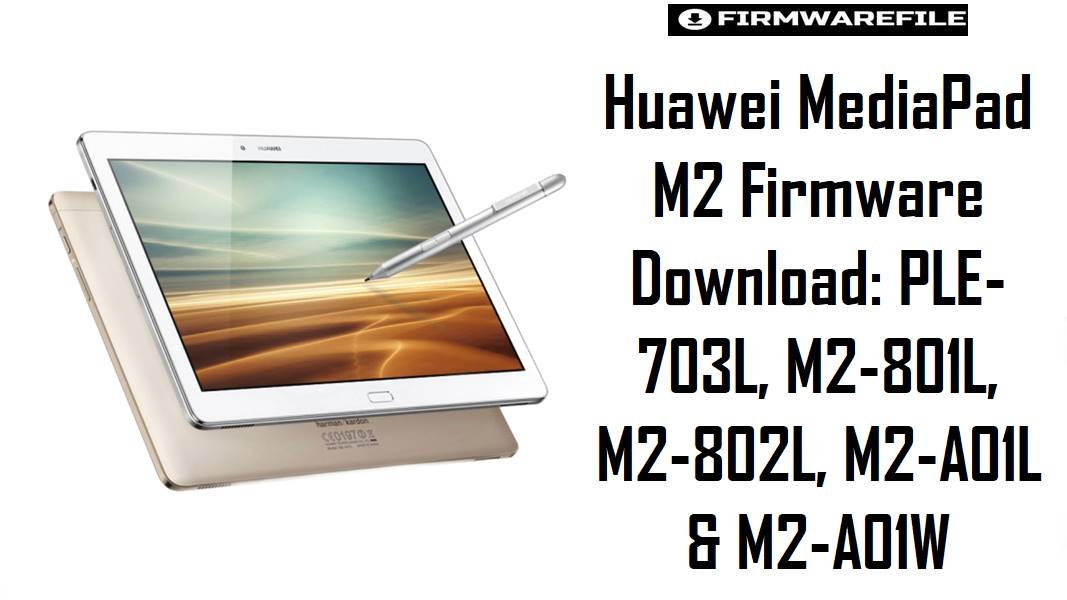
Huawei MediaPad M2 Firmware Download: PLE-703L, M2-801L, M2-802L, M2-A01L & M2-A01W
The Huawei MediaPad M2 line spans three different screen sizes and two different chipset platforms — the 7.0-inch PLE-703L runs a Snapdragon 615, while the 8.0-inch M2-801L / M2-801W / M2-802L and 10.0-inch M2-A01L / M2-A01W rely on the HiSilicon Kirin 930 — so firmware files between these sub-models are not interchangeable under any circumstances.
Most units in active repair cycles today suffer from bootloops after failed OTA updates, broken Google services after EMUI downgrades, or unresponsive system partitions that need a clean stock restore. The files on this page cover EMUI 3.1 on Android 5.1.1, which is the last official release for most of these variants, and using the correct region or channel build is what separates a clean recovery from a soft-brick.
Download Firmware for Huawei MediaPad M2
There are files here for three distinct models from the MediaPad M2 family. Match your physical model number first, then your region or channel tag, before downloading anything. Files with CUST strings in the name contain channel or carrier customization layers and may not behave identically to the generic build of the same branch.
| Filename | Model | Region / Channel | Build Number | Android / EMUI | Flash Method | Size | Notes | Target User | Download |
|---|---|---|---|---|---|---|---|---|---|
| M2-A01WV100R001C233B019.zip | M2-A01W (MediaPad M2 10.0 Wi-Fi) | Generic / Nonspecific | V100R001C233B019 | Android 5.1.1 / EMUI 3.1 | Huawei dload / eRecovery | 1GB | Generic unlocked Wi-Fi variant build. Recommended as the cleanest restore option for M2-A01W units not tied to any specific market or operator. | M2-A01W 10-inch tablet recovery, return-to-stock after modding | Download |
| Huawei MediaPad M2 M2-A01WV100R001C564B006CUSTC564D001 Firmware Android 5.1.1 EMUI 3.1 05014GDN.zip | M2-A01W (MediaPad M2 10.0 Wi-Fi) | CUSTC564D001 channel | V100R001C564B006CUSTC564D001 | Android 5.1.1 / EMUI 3.1 | Huawei dload / eRecovery | 1.46GB | Larger than the generic M2-A01W file because it includes a customization layer (CUSTC564D001). Only prefer this when restoring a unit originally on the C564 software channel; do not use it to force a foreign channel build onto a different variant. | M2-A01W owners whose device originally shipped on the C564 channel | Download |
| 华为_M2-A01L_M2-A01LV100R001C233B030.zip | M2-A01L (MediaPad M2 10.0 LTE) | Generic / Nonspecific (Chinese origin filename) | V100R001C233B030 | Android 5.1.1 / EMUI 3.1 | Huawei dload / eRecovery | 1.2GB | Generic LTE variant. The Chinese filename (华为) indicates this was sourced from Huawei’s Chinese support channel, but the build itself targets the global C233 branch. A practical choice for an M2-A01L that does not have a strong region tie. | M2-A01L (10-inch LTE) stock restore, unbrick, or FRP bypass | Download |
| M2-801LV100R001C100B009CUSTC100D001_Firmware_Finland_Hungary_France_Nonspecific_Nonspecific_Nonspecific_Android 5.1.1_EMUI 3.1_05013CUC.zip | M2-801L (MediaPad M2 8.0 LTE) | Finland / Hungary / France / Nonspecific Europe | V100R001C100B009CUSTC100D001 | Android 5.1.1 / EMUI 3.1 | Huawei dload / eRecovery | 1.40GB | European multi-market package covering Finland, Hungary, and France channel configurations. If the unit has no clear European operator tie, this is still a reasonable restore choice over a China-region file. Compare against the M2-801W file below when uncertain. | M2-801L units sold in European markets, especially Finland, Hungary, France | Download |
| HUAWEI_MediaPad M2 8.0_Firmware_M2-802L_Android 5.1.1_EMUI 3.1_V100R001C331B002CUSTC331D002_Mexico_Channel-Others.zip | M2-802L (MediaPad M2 8.0 LTE variant) | Mexico / Channel-Others | V100R001C331B002CUSTC331D002 | Android 5.1.1 / EMUI 3.1 | Huawei dload / eRecovery | 1.36GB | Mexico market package targeting a specific M2-802L branch. The “Channel-Others” label means it is not a pure retail Huawei build — it was likely distributed through a regional channel. Only flash this on an M2-802L; do not treat it as a fallback for M2-801L. | M2-802L owners in Mexico or tied to that specific channel branch | Download |
| PLE-703LC233B018_Firmware_China_Nonspecific_Android 5.1.1_EMUI 3.1_05013QTL.zip | PLE-703L (MediaPad M2 7.0) | China / Nonspecific | C233B018 | Android 5.1.1 / EMUI 3.1 | Huawei dload / eRecovery | 1.93GB | The PLE-703L is a distinctly different device from the M2-8xx and M2-A0x series — it uses a Snapdragon 615 chipset instead of Kirin 930. This is the China nonspecific branch, largest file in this set. Cross-flashing it onto any 8-inch or 10-inch M2 model will cause irreversible damage. | PLE-703L (7-inch M2) owners restoring to China stock firmware | Download |
| 高维禁用_PLE-703LC856B001CUSTC856D001_Firmware_5.1.1_r1_EMUI3.1_05015KUF.zip | PLE-703L (MediaPad M2 7.0) | C856 channel — restricted variant (see note) | C856B001CUSTC856D001 | Android 5.1.1 / EMUI 3.1 | Huawei dload / eRecovery | 1.87GB | Caution: The filename prefix 高维禁用 translates roughly to “restricted use” or “high-level disabled” in Chinese, strongly suggesting this is a channel-restricted or operator-locked build not intended for general distribution. It is a customized C856 branch, not the standard China nonspecific build. Use only if you can confirm the device originally ran this exact channel; do not treat it as a generic PLE-703L fallback. | PLE-703L units specifically tied to the C856 channel restore — verify before flashing | Download |
Complete Device & Firmware Overview
- Device Family Name
- Huawei MediaPad M2 (multiple sub-models: MediaPad M2 7.0, MediaPad M2 8.0, MediaPad M2 10.0)
- Models Covered in This Collection
- PLE-703L (7.0-inch), M2-801L (8.0-inch LTE), M2-801W (8.0-inch Wi-Fi), M2-802L (8.0-inch LTE variant), M2-A01L (10.0-inch LTE), M2-A01W (10.0-inch Wi-Fi)
- Chipsets
- PLE-703L uses the Qualcomm Snapdragon 615 (MSM8939); all M2-8xx and M2-A0x models use the HiSilicon Kirin 930 (28 nm).
- CPU
- Snapdragon 615: Octa-core 4×1.7 GHz + 4×1.0 GHz Cortex-A53; Kirin 930: Octa-core 4×2.0 GHz + 4×1.5 GHz Cortex-A53.
- GPU
- Adreno 405 on PLE-703L; Mali-T628 MP4 on all Kirin 930 variants.
- Display Sizes
- 7.0 inches (PLE-703L), 8.0 inches (M2-8xx), 10.1 inches (M2-A0x) — all IPS panels with 1200×1920 resolution.
- Firmware Type
- Huawei stock update packages (.zip archives); extracted contents include an UPDATE.APP file used with the dload or eRecovery method.
- Android Version in This Set
- Android 5.1.1 (Lollipop) across all files
- EMUI Version
- EMUI 3.1 across all files
- Build Branches Present
- C233B018, C856B001CUSTC856D001 (PLE-703L); C100B009CUSTC100D001 (M2-801L); C331B002CUSTC331D002 (M2-802L); V100R001C233B019, V100R001C564B006CUSTC564D001 (M2-A01W); V100R001C233B030 (M2-A01L)
- Region Coverage
- China Nonspecific, European (Finland, Hungary, France), Mexico, Wi-Fi global, LTE global, and restricted channel variants
- Flash Method
- Huawei dload method using a FAT32-formatted microSD card, or eRecovery mode via USB cable.
- Bootloader Notes
- These are official Huawei stock packages and do not require an unlocked bootloader; flashing via dload replaces system partitions without going through fastboot.
- Required Tools
- FAT32-formatted microSD card (dload method) or USB cable with a working data port (eRecovery); no additional PC software required for the standard dload route.
- File Size Range
- 1.0GB to 1.93GB across this set, depending on model and channel customization
- Battery Requirement
- Charge to at least 30–40% before starting any firmware install to avoid power loss mid-flash
CRUCIAL WARNING: These firmware packages are not interchangeable between MediaPad M2 variants. The PLE-703L uses a Qualcomm Snapdragon 615 chipset, while the M2-801L, M2-801W, M2-802L, M2-A01L, and M2-A01W use a HiSilicon Kirin 930 — flashing a PLE-703L package onto any Kirin-based model, or vice versa, will cause a hard brick with no simple recovery path.
The file prefixed 高维禁用 carries a restricted-channel tag and should be treated with additional caution — confirm the device’s original channel before using it. Additionally, CUST packages carry custom layers tied to specific markets or operators; using a CUST build from a mismatched region can break network profiles, app store configuration, or boot stability.
Preparation Before Flashing
Expand preparation checklist for Huawei MediaPad M2
- Identify the exact model label on the back of the device or under Settings → About tablet. PLE-703L, M2-801L, M2-801W, M2-802L, M2-A01L, and M2-A01W each require their own matching firmware — the 7-inch and 10-inch files are not alternatives for each other.
- If you are using the dload method, format your microSD card to FAT32 first and confirm the card is 32GB or smaller for best compatibility with the dload reader on these EMUI 3.1 devices.
- Extract the ZIP archive on your PC and locate the
UPDATE.APPfile inside. Create a folder nameddloadon the root of the microSD card and copy UPDATE.APP into it. - Back up any personal data, photos, and app data before proceeding. The dload restore process overwrites system partitions and typically triggers a factory reset on completion.
- Charge the tablet to at least 40% before starting. A power loss during a partition write on these Kirin 930 devices can leave the device in a state that requires service-level recovery.
- If your unit previously ran EMUI 4.0 (Android 6.0), note that returning to EMUI 3.1 is a downgrade and may not be straightforward if the bootloader has moved forward — review your device’s current build first.
Quick Firmware Flash Instructions
- Confirm the exact model code from the device label or About section, then select the matching file from the table above — pick by model number first, then by region or channel tag.
- Extract the downloaded ZIP archive, locate the
UPDATE.APPfile inside, then create a folder nameddloadon the root of a FAT32-formatted microSD card and place UPDATE.APP into it. - Insert the microSD card into the tablet, then power it off completely and enter eRecovery mode by holding the appropriate key combination for your model (typically Volume Up + Power) until the Huawei recovery screen appears.
- In the eRecovery or recovery menu, select the option to install from SD card or local update; the device will detect UPDATE.APP in the dload folder and begin flashing.
- Allow the process to finish without interruption and let the device reboot fully, then complete first-time setup, test SIM detection if applicable, and verify the build number under Settings → About tablet to confirm the install was successful.
For the full step-by-step dload and eRecovery process with screenshots and troubleshooting notes specific to Huawei tablets, follow the complete guide here: How to Flash Huawei Firmware via Dload & eRecovery. This covers both the SD card dload method and the USB-based eRecovery approach for cases where the SD card slot is unavailable.
Frequently Asked Questions (FAQs)
Can I flash the PLE-703L file onto an M2-801L since both are Huawei MediaPad M2 devices?
No. The PLE-703L uses a Qualcomm Snapdragon 615 chipset while the M2-801L uses a HiSilicon Kirin 930 — the hardware architecture is entirely different. Flashing a PLE-703L package onto a Kirin-based tablet will not produce a working result and can permanently damage the device.
What does the 高维禁用 prefix on the PLE-703L file actually mean?
Translated from Chinese, it means roughly “restricted” or “prohibited from high-level distribution,” suggesting this was a controlled channel build rather than a general public firmware release. Only use it if you can confirm your PLE-703L originally ran the C856 branch; it is not a suitable fallback for unverified units.
My M2-801W is stuck in a bootloop after an OTA update. Which file should I use?
The M2-801WV100R001C233B019.zip is the generic Wi-Fi 8-inch package in this set and the safest starting point for an M2-801W bootloop recovery, provided your unit was not originally on a specific operator or channel build.
Why are some files with CUSTC in the name larger than the generic builds?
CUST packages include additional customization layers such as regional app bundles, operator configurations, and market-specific settings on top of the base firmware, which accounts for the larger size. They are useful when exact channel restoration is needed but can introduce issues if applied to a unit not originally tied to that channel.
Will flashing the European M2-801L package break Google Play on my tablet?
Not inherently, but incorrect region channel matching can sometimes produce authentication or Play Store configuration issues on EMUI 3.1 devices. Using the channel build closest to the device’s original market is the safest way to avoid this.
Is it possible to upgrade from Android 5.1.1 to a later version using any of these files?
No. All files in this collection are EMUI 3.1 / Android 5.1.1 builds. Most MediaPad M2 8.0 units received an EMUI 4.0 update at most, and many variants never received an over-the-air path beyond Android 5.1.1. These files are for restore and recovery, not version upgrades.
Do I need to unlock the bootloader before using the dload method on the MediaPad M2?
No. The dload and eRecovery method on Huawei devices operates outside the standard Android bootloader flow and does not require bootloader unlocking. It is specifically designed for stock firmware restoration without fastboot prerequisites.