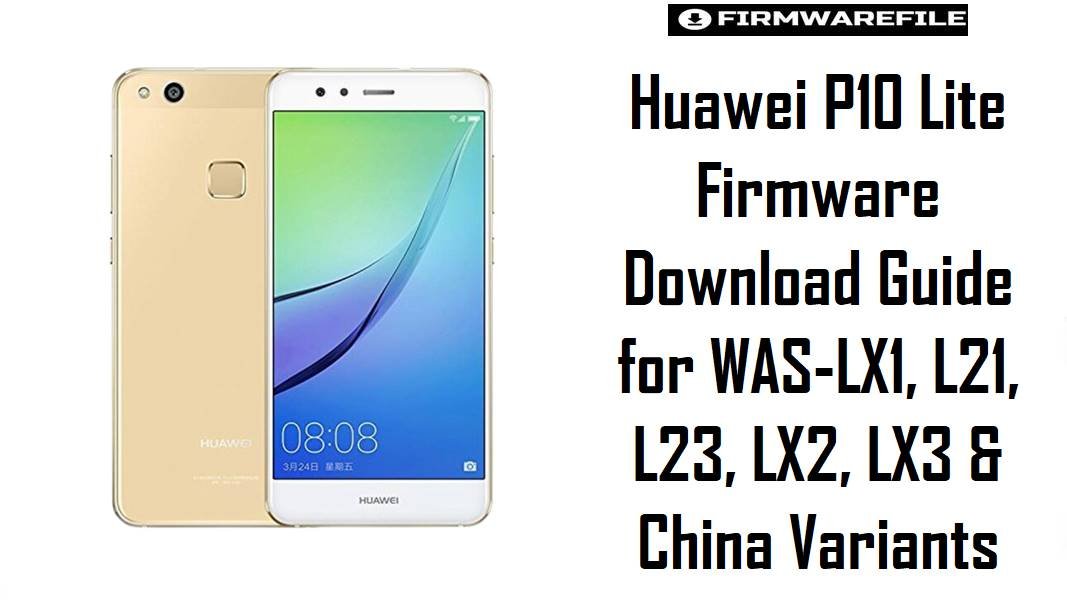
Huawei P10 Lite Firmware Download Guide for WAS-LX1, L21, L23, LX2, LX3 & China Variants
The Huawei P10 Lite is a 2017 mid-range phone built around a 5.2-inch Full HD display, the Kirin 658 chipset, and a 3000 mAh battery, so most people still looking for stock firmware today are usually trying to recover a device rather than simply update it. These packages are useful when the phone is stuck after a failed update, needs a clean regional restore, or has been pushed onto the wrong software branch, especially because the P10 Lite exists in several close-looking variants under the WAS-* naming family and the codename warsaw.
Download Firmware for Huawei P10 Lite
This collection is centered on the Huawei P10 Lite family, with most files belonging to Android 8.0 / EMUI 8 builds and a smaller number of older packages for China-market Android 7.0 or earlier Oreo branches. Start with the exact model code first, then the branch code such as C432, C185, C605, C635, C569, or C45. If your phone already ran a newer Oreo build, the safer approach is usually to stay on the same or newer branch instead of jumping backward without a specific reason.
| Filename | Model | Region / Branch | Build | Android / OS | Flashing Method | Size | Patch Level | Notes | Purpose | Target User | Download |
|---|---|---|---|---|---|---|---|---|---|---|---|
| Huawei_P10_Lite_WAS-LX1_8.0.0.394_C432_Dload.zip | WAS-LX1 | C432 | 8.0.0.394 | Android 8.0 / EMUI 8.0 | Huawei dload | 3.27GB | Not stated in filename | Newest clear single-model package in this set for WAS-LX1. Strong first choice when the handset already belongs to the C432 branch. | Clean restore, recovery from soft-brick, branch-matched reinstall | WAS-LX1 owners needing a full Dload package instead of a smaller shared archive | Download |
| Huawei_P10_Lite_WAS-L21_8.0.0.394_C432_Dload.zip | WAS-L21 | C432 | 8.0.0.394 | Android 8.0 / EMUI 8.0 | Huawei dload | 3.26GB | Not stated in filename | Newest full Dload package here for WAS-L21. Good fit when you want a complete reinstall rather than a smaller shared multi-model archive. | Full stock restore, failed OTA cleanup, clean reflash | WAS-L21 users already on or returning to the C432 software family | Download |
| Huawei_P10_Lite_WAS-L01_8.0.0.394_C432_Dload.zip | WAS-L01 | C432 | 8.0.0.394 | Android 8.0 / EMUI 8.0 | Huawei dload | 3.27GB | Not stated in filename | Another late Oreo full package, but only for WAS-L01. Do not treat it as interchangeable with LX1 or L21 simply because the branch number matches. | Exact-model restore on WAS-L01 | Users with a confirmed WAS-L01 label who need the C432 branch | Download |
| Huawei_P10_Lite_WAS-L21_8.0.0.394_C432_Dload.zip | WAS-L21 | C432 | 8.0.0.394 | Android 8.0 / EMUI 8.0 | Huawei dload | 3.26GB | Not stated in filename | This appears to be a duplicate submission of the same WAS-L21 C432 Dload package. Keep either copy; there is no practical need to download both. | Mirror / repeated entry | Users who want the same L21 package from the alternate shared link format | Download |
| WAS-LX3C45B374 (8.0.0.374) WAS-L03C45B374 (8.0.0.374).zip | WAS-LX3 / WAS-L03 | C45 | 8.0.0.374 | Android 8.0 / EMUI 8.0 | Huawei local package, verify extracted structure | 1.75GB | Not stated in filename | Shared archive covering two close variants on the same branch. Useful when your handset is clearly WAS-LX3 or WAS-L03 and you want the matched C45 Oreo build without using a different region’s full Dload image. | Branch-correct restore on C45 devices | Latin America or carrier-channel users matching LX3 or L03 C45 devices | Download |
| WAS-L03TC605B372 (8.0.0.372).zip | WAS-L03T | C605 | 8.0.0.372 | Android 8.0 / EMUI 8.0 | Huawei local package, verify extracted structure | 1.77GB | Not stated in filename | Single-model C605 package for the WAS-L03T branch. Better than forcing the WAS-L23 file when your phone is specifically labeled L03T. | Exact-variant repair and stock restoration | WAS-L03T owners who need the C605 Oreo line | Download |
| WAS-LX2JC635B371 (8.0.0.371) WAS-L22JC635B371 (8.0.0.371).zip | WAS-LX2J / WAS-L22J | C635 | 8.0.0.371 | Android 8.0 / EMUI 8.0 | Huawei local package, verify extracted structure | 1.74GB | Not stated in filename | Combined archive for two related variants on C635. Good when the phone is definitely in that branch family, but not a safe substitute for C432, C185, or China models. | Regional branch recovery on C635 devices | WAS-LX2J or WAS-L22J owners matching the exact C635 code | Download |
| Huawei_P10_Lite_WAS-LX1A_8.0.0.371_C185_Firmware_8.0.0_R1_EMUI8.0_05014KAT_Dload.zip | WAS-LX1A | C185 | 8.0.0.371 | Android 8.0 / EMUI 8.0 | Huawei dload | 3.21GB | Not stated in filename | Full Dload archive with explicit EMUI 8 packaging. Better choice than a smaller shared file if the device is truly WAS-LX1A and belongs to C185. | Complete stock reinstall with Huawei dload structure | WAS-LX1A owners needing a full package for branch-correct recovery | Download |
| Huawei_P10_Lite_Warsaw-L21A_8.0.0.371_C185_Firmware_8.0.0_R1_EMUI8.0_05014KAT_Dload.zip | WAS-L21A | C185 | 8.0.0.371 | Android 8.0 / EMUI 8.0 | Huawei dload | 3.21GB | Not stated in filename | The filename uses the codename string “Warsaw-L21A,” but this is still a P10 Lite family package. Treat it as a full Dload build for the L21A C185 branch, not as a generic L21 package. | Full restore for the C185 L21A path | Users with a confirmed WAS-L21A handset and matching C185 software history | Download |
| WAS-LX2C569B370 (8.0.0.370) WAS-L22C569B370 (8.0.0.370).zip | WAS-LX2 / WAS-L22 | C569 | 8.0.0.370 | Android 8.0 / EMUI 8.0 | Huawei local package, verify extracted structure | 1.77GB | Not stated in filename | Shared C569 package for two variants. Sensible when you need the branch match, but still lower priority than a newer branch-correct package if one exists for your exact model. | Restore on C569 units with the same paired model family | WAS-LX2 or WAS-L22 users matching the C569 branch | Download |
| Huawei_P10_Lite_WAS-L23_8.0.0.370_C605_090419_Dload.zip | WAS-L23 | C605 | 8.0.0.370 | Android 8.0 / EMUI 8.0 | Huawei dload | 2.46GB | Not stated in filename | Full Dload package for WAS-L23. Slightly older than the 372/374/394 files above, so use it when you need the exact L23 C605 line, not just “any Oreo firmware.” | Model-specific rollback or recovery | WAS-L23 owners who need the C605 branch specifically | Download |
| WAS-TL10C01B355 (8.0.0.355) WAS-AL00C01B355 (8.0.0.355) WAS-TL10C00B355 (8.0.0.355) WAS-AL00C00B355 (8.0.0.355).zip | WAS-TL10 / WAS-AL00 | C01 / C00 | 8.0.0.355 | Android 8.0 / EMUI 8.0 | Huawei local package, verify extracted structure | 1.69GB | Not stated in filename | China-market Oreo branch for TL10 and AL00 family models. Useful if you are recovering one of those exact China variants, but completely unsuitable for global LX1/L21/L23-style devices. | China model branch restore | WAS-TL10 or WAS-AL00 users staying within the China software family | Download |
| Huawei_WAS-AL00_C00B110_Android7.0_EMUI5.1_Dload.zip | WAS-AL00 | C00 | B110 | Android 7.0 / EMUI 5.1 | Huawei dload | 3.26GB | Not stated in filename | This is the oldest package in the set and the only clearly Android 7.0 / EMUI 5.1 file. It should be used only for exact China-model rollback or stock recovery on WAS-AL00, not as a general rescue file for later Oreo variants. | Legacy rollback or original-branch restoration | WAS-AL00 owners who explicitly need the older Nougat base | Download |
Complete Device & Firmware Overview
- Device Name
- Huawei P10 Lite, a 2017 mid-range smartphone in Huawei’s P-series lineup.
- Codename
warsaw, which appears directly in one of the submitted filenames and is also associated with the P10 Lite variant family.- Main Model Family
- WAS-LX1, WAS-LX1A, WAS-L21, WAS-L21A, WAS-L23, WAS-LX2, WAS-LX2J, WAS-L22, WAS-L22J, WAS-L03, WAS-L03T, WAS-LX3, WAS-TL10, and WAS-AL00.
- Chipset
- HiSilicon Kirin 658, an octa-core mid-range SoC used across the P10 Lite family.
- GPU
- Mali-T830 MP2.
- Display
- 5.2-inch Full HD display with 1080 × 1920 resolution.
- Battery
- 3000 mAh battery.
- Original Launch Software
- Android 7.0 with EMUI 5.1 on launch builds.
- Oreo Upgrade Path
- The P10 Lite later received Android 8.0 / EMUI 8.0, which is why most of the files in this set are on the 8.0.0.xxx branch.
- Firmware Type
- Huawei stock firmware packages, with several full Dload archives and some smaller shared archives that should be checked after extraction for their exact package structure.
- Flash Method
- Huawei dload / local update workflow using extracted firmware files and the standard
dloadfolder structure. - Bootloader Rules
- For stock Huawei Dload packages, the normal workflow is the local update route rather than bootloader-based flashing, so the main compatibility rule is exact model-and-branch matching, not bootloader experimentation.
- Android Versions in This Collection
- Mainly Android 8.0 / EMUI 8.0, plus one older Android 7.0 / EMUI 5.1 package for WAS-AL00.
- Build Range in This Set
- B110 through 8.0.0.394.
- Security Patch Level
- Not stated in the filenames you supplied, so it should be verified on-device after flashing.
- File Size Range
- 1.69GB to 3.27GB in this set, with full Dload archives generally larger than shared paired-model packages.
- Required Tools
- MicroSD card or internal local-update path, extracted firmware files, stable battery charge, and a careful match between phone label and firmware branch.
CRUCIAL WARNING: These packages are only for the Huawei P10 Lite family with codename warsaw, and even inside that family you still must match the exact device label such as WAS-LX1, WAS-L21, WAS-L23, WAS-L03, WAS-LX3, WAS-TL10, or WAS-AL00 before flashing. A China build like WAS-AL00C00B110 or WAS-TL10C01B355 should not be flashed onto a global WAS-LX1 or WAS-L21, and a C432 package should not be treated as a universal fallback for C185, C605, C635, C569, or C45 branches.
Most files here are Oreo-era packages because the P10 Lite received Android 8.0 / EMUI 8.0 after launch, so if your phone already ran Oreo, an exact branch-matched Oreo file is usually the safer recovery choice than dropping back to the older Android 7.0 base without a specific reason.
Preparation Before Flashing
Expand preparation checklist for Huawei P10 Lite
- Check the label in Settings, recovery mode, or on the back tray area and confirm the exact variant before anything else. A WAS-L21 and WAS-LX1 may look similar in listings, but you should not guess between them.
- Write down your current build string first, including both the model and branch code, for example
WAS-L21 8.0.0.394 C432. This helps you avoid accidental downgrade or region mismatch. - Extract the ZIP completely before choosing a method. If the archive contains an
UPDATE.APPstructure, it is intended for Huawei’s dload-style local update path. - Back up all user data. A proper stock restore can wipe apps, files, and account data, especially when you move between branches or perform a forced recovery.
- Charge the phone well before starting and avoid unstable memory cards. Huawei local updates are sensitive to bad storage media, incomplete extraction, and interrupted power.
- If your phone is still booting, compare the installed build to the filename first. Flashing an older branch just because it is available is not always the safest option.
Quick Firmware Flash Instructions
- Confirm the exact P10 Lite variant and branch code, then choose the nearest matching file, for example
WAS-L21_8.0.0.394_C432for a C432 L21 phone orWAS-AL00_C00B110only for that exact China model. - Extract the firmware package and check whether it contains Huawei’s standard local-update structure such as
UPDATE.APPfor the dload process. - Copy the required extracted update files into the correct Huawei local-update location, usually the
dloadfolder on storage or microSD, depending on the package format. - Start the Huawei local update using the proper dload route for stock recovery, then let the phone finish the full installation without disconnecting power or removing storage.
- After first boot, check the exact build number, mobile network behavior, Wi-Fi, and camera basics before restoring personal data, because branch mismatch often shows up immediately in setup or connectivity.
For the complete step-by-step Huawei process, use this guide: How to Flash Huawei Firmware (dload / eRecovery). It fits this P10 Lite collection better than a generic Android flashing tutorial because these packages rely on Huawei’s own local-update workflow rather than fastboot-based brand mixing.
Frequently Asked Questions (FAQs)
Can I flash WAS-LX1 C432 firmware on a WAS-L21 because both are Huawei P10 Lite phones?
No. Even when two devices belong to the same P10 Lite family, the safer rule is exact model match first, then branch match second. A shared product name is not enough to make the firmware interchangeable.
Is the 8.0.0.394 C432 package the best choice for every P10 Lite?
No. It is the newest branch in this set for specific C432 models, but it is only the right choice if your handset is the matching model and software family. A newer build from the wrong branch is still a wrong firmware.
What is the practical difference between the smaller 1.7GB archives and the larger 3.2GB Dload files?
The larger Dload packages are more explicit full restore archives, while the smaller paired-model ZIPs look like shared regional packages that should be inspected after extraction before flashing. If you have an exact-model full Dload file for your device, that is usually the clearer and safer option.
Should I use the Android 7.0 WAS-AL00 B110 package to fix an Oreo bootloop on a global P10 Lite?
No. The WAS-AL00_C00B110 file is an older China-model Android 7.0 / EMUI 5.1 package, so it is a poor rescue choice for a global Oreo handset. Start with the correct model and branch on Android 8.0 if that is what the phone previously ran.
Why does one filename say Warsaw-L21A instead of WAS-L21A?
“Warsaw” is the codename associated with the P10 Lite family, so that filename is combining the codename with the model label rather than identifying a different device. It still belongs to the same P10 Lite firmware family, but it should only be used on the matching L21A branch.
Can I move from C185 to C432 just because both are Android 8.0?
That is not the safe assumption. Branch codes exist for a reason, and changing them casually can lead to update failures, region-specific feature issues, or network oddities even if the Android version number looks the same.
Which file is the safest if my P10 Lite still boots and I only want a clean stock reinstall?
The safest file is usually the one that matches your exact on-device model and branch string most closely. If your About screen says something like WAS-LX1 8.0.0.xxx C432, stay within WAS-LX1 and C432 rather than choosing by file size or newest number alone.