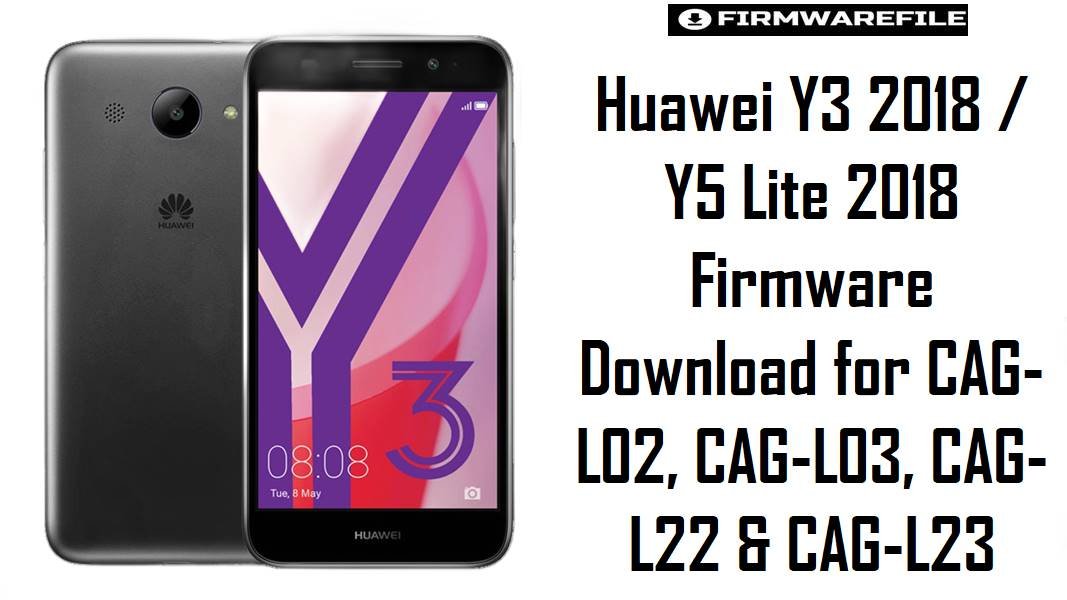
Huawei Y3 2018 / Y5 Lite 2018 Firmware Download for CAG-L02, CAG-L03, CAG-L22 & CAG-L23
The Huawei Y3 (2018) sits in Huawei’s ultra-budget Android Go class, using the MediaTek MT6737M platform with a 5.0-inch display, modest 1GB RAM hardware, and a small 2280 mAh battery, so software corruption hits these phones harder than it does on better-specced models.
On devices like this, the most common firmware-related problems are bootloops after failed updates, extreme lag after storage fills up, Google app instability, and confusion caused by similar-looking CAG model numbers.
The files below are organized to reduce that confusion, and because the filenames mix both Y3 2018 and Y5 Lite 2018 branding, the safe rule is to trust the exact CAG-* model code and branch number before the retail name.
Download Firmware for Huawei Y3 2018 / Y5 Lite 2018
This collection revolves around the CAG hardware family, and most entries point to Android 8.1 Go Edition-era firmware on the MT6737M platform, which matches the published Y3 (2018) hardware profile.
Several files are clearly duplicate or near-duplicate mirrors, while the larger .rar and “Board Software General” packages look more like full service archives than simple end-user update files. Newer builds are listed before older ones, but you should still pick by exact model and branch first.
| Filename | Model | Region / Branch | Build | Android / OS | Flashing Method | Size | Patch Level | Notes | Target User | Download |
|---|---|---|---|---|---|---|---|---|---|---|
| CAG-L22_CairoGO-L22C461B152_Firmware_8.1.0_r1_05015ANC.rar | CAG-L22 | C461 | B152 | Android 8.1 | Huawei dload / service package | 1.50GB | Not stated in filename | Highest build number in the L22 set. Likely the better choice for CAG-L22 users who need a later stock branch than the older C185B144 package, but verify branch history first because C461 and C185 are not the same track. | CAG-L22 owners restoring the C461 software line | Download |
| Huawei_Y3_2018_CAG-L22_MT6737M_L22C185B144.zip | CAG-L22 | C185 | B144 | Android 8.1 | Huawei dload / local update | 821MB | Not stated in filename | Smaller standard archive for the C185 branch. Better for an exact CAG-L22 C185 restore than the C461 package if the phone originally came from that branch. | CAG-L22 units needing the C185 line specifically | Download |
| Huawei_Y3_2018_CAG-L22_MT6737M_L22C185B144_08212018.zip | CAG-L22 | C185 | B144 | Android 8.1 | Huawei dload / local update | 821MB | Not stated in filename | This appears to be the same core C185B144 package with a date-stamped filename. Treat it as a duplicate mirror unless extraction shows different contents. | Users who need a second mirror of the same C185B144 branch | Download |
| CAG-L23_CairoGO-L23C469B129CUSTC469D001_Firmware_8.1.0_r1_05015CNR.rar | CAG-L23 | C469 / CUSTC469D001 | B129 | Android 8.1 | Huawei dload / full service package | 1.6GB | Not stated in filename | Later and more complete-looking L23 package than the smaller B126 archives. Stronger candidate when the phone must stay on the C469 branch and you want the closest thing to a full stock reinstall. | CAG-L23 users with bootloops, heavy corruption, or failed previous flashes | Download |
| Huawei_Y5_Lite_2018_CAG-L03_MT6737M_L03C25B127_09202018.zip | CAG-L03 | C25 | B127 | Android 8.1 | Huawei dload / local update | 921MB | Not stated in filename | Latest clearly named consumer-style package for CAG-L03 in this set. Better everyday restore choice than the older B048 board package if your phone already belongs to the C25 branch. | CAG-L03 owners who need a normal stock reinstall | Download |
| Huawei_Y5_Lite_2018_CAG-L23_MT6737M_L23C469B126_09182018.zip | CAG-L23 | C469 | B126 | Android 8.1 | Huawei dload / local update | 822MB | Not stated in filename | Older than the B129 C469 service package above. Use it when you need this exact lighter L23 package or when the rar archive is not the right format for your recovery workflow. | CAG-L23 owners needing a smaller C469 restore file | Download |
| Huawei_Y5_Lite_2018_CAG-L23_MT6737M_L23C469B126.zip | CAG-L23 | C469 | B126 | Android 8.1 | Huawei dload / local update | 822MB | Not stated in filename | Likely a duplicate of the dated L23C469B126 archive above. Keep it as an alternate source, not as a separate firmware branch. | Users who want a backup mirror for the same L23 B126 package | Download |
| Huawei_Y3_2018_CAG-L02_MT6737M_B048_170428.zip | CAG-L02 | Unspecified branch | B048 | Android 8.1-era baseline | Huawei dload / service package | 1.15GB | Not stated in filename | One of the oldest entries in the set. More suitable as a baseline repair or original-branch recovery file than as a preferred everyday upgrade path. | CAG-L02 rollback, board recovery, or exact early-branch restoration | Download |
| Huawei_Y3_2018_CAG-L02_CairoGO-L22-B048_MT6737M_Board_Software_General_Android_8.1_05022KSE.zip | CAG-L02 | Board Software General | B048 | Android 8.1 | Huawei board / service recovery | 1.15GB | Not stated in filename | The “Board Software General” label suggests a service-oriented package rather than a routine consumer update. Use it carefully and only when a normal package is unavailable or when the phone needs low-level board recovery. | Technicians handling deeper recovery work on CAG-L02 | Download |
| Huawei_Y3_2018_CAG-L03_CairoGO-L22_B048_MT6737M_Board_Software_General_Android_8.1_05022KSE.zip | CAG-L03 | Board Software General | B048 | Android 8.1 | Huawei board / service recovery | 1.15GB | Not stated in filename | Another low-level board package, this time submitted for CAG-L03. It is older and more technical than the L03C25B127 consumer-style file, so it should not be your first choice unless the handset is already soft-bricked. | CAG-L03 devices needing service-level repair rather than simple update recovery | Download |
Complete Device & Firmware Overview
- Device Family
- Huawei Y3 (2018) / Cairo Go family, with filenames in this set also using Y5 Lite 2018 branding on some regional packages.
- Known Model Numbers in This Collection
- CAG-L02, CAG-L03, CAG-L22, and CAG-L23.
- Codename / Platform Tag in Filenames
CairoGO, which appears repeatedly in the archive names and helps distinguish this very low-end Huawei Android Go platform.- Chipset
- MediaTek MT6737M, the same chipset publicly listed for the Huawei Y3 (2018).
- CPU
- Quad-core Cortex-A53 clocked around 1.1 GHz on the Y3 (2018) hardware profile.
- GPU
- Mali-T720 MP2 on the published Y3 (2018) platform specs.
- RAM / Storage Class
- 1GB RAM and 8GB storage on the Y3 (2018), which explains why clean stock reflashing is often more useful on this class of phone than repeated in-place updates.
- Display Class
- 5.0-inch entry-level display on the Y3 (2018), reinforcing that this is a basic Android Go device rather than a higher-end Y-series phone.
- Battery
- 2280 mAh on the Y3 (2018) hardware profile.
- Android Version Family
- Android 8.0 or 8.1 Go Edition is the normal software generation associated with this device class.
- EMUI Layer
- Huawei’s Android Go builds in this class typically ship with lightweight EMUI customization on top of Oreo Go-era firmware.
- Firmware Type
- Huawei stock firmware archives, including standard local-update packages and larger service-style archives labeled as firmware or board software.
- Flash Method
- Huawei’s local update / dload method using extracted firmware files such as
UPDATE.APPplaced inside adloadfolder on storage or microSD. - Bootloader Rules
- For normal stock recovery on Huawei devices, the practical issue is exact model-and-branch matching through the dload workflow rather than bootloader unlocking or fastboot experimentation.
- Builds in This Set
- B048, B126, B127, B129, B144, and B152.
- Patch Level
- Not stated clearly in the filenames you supplied, so it should be confirmed only after installation in the phone’s About section.
- File Size Range
- 821MB to 1.60GB across this collection.
- Required Tools
- Extracted firmware archive, stable battery, working storage path for
dload, and careful confirmation of the exact CAG model before flashing.
CRUCIAL WARNING: These packages are only for the Huawei CAG family, and even inside that family you still must match the exact device label such as CAG-L02, CAG-L03, CAG-L22, or CAG-L23 before flashing. A later CAG-L22 package like C461B152 is not a safe substitute for a CAG-L23 C469 device, and a board package labeled Board_Software_General should not be treated like a routine end-user update.
This device class runs on very modest Android Go hardware, so a wrong firmware can quickly leave the phone stuck at logo, without network, or unable to finish setup after boot. Because the filenames mix Y3 2018 and Y5 Lite 2018 branding, the safest habit is to follow the printed model code and branch number, not the marketing name.
Preparation Before Flashing
Expand preparation checklist for Huawei CAG devices
- Read the exact model from the phone label or recovery screen first and do not guess between CAG-L02, CAG-L03, CAG-L22, and CAG-L23.
- Write down your current build string if the phone still boots, especially the branch code like C185, C461, C469, or C25. That will tell you whether you are restoring the same software family or jumping to a different one.
- Extract the archive fully before choosing any method. If the package contains an
UPDATE.APPfile, it belongs to Huawei’s dload-style local update workflow. - Back up any reachable data before flashing, because a clean stock restore can wipe apps, settings, and user files.
- Charge the battery properly and avoid damaged SD cards or unstable internal storage, since low-end Android Go devices are less forgiving when an update is interrupted.
- Prefer the normal consumer package first, and keep the “Board Software General” files for harder recovery cases where a standard archive is not enough.
Quick Firmware Flash Instructions
- Confirm the exact CAG model and branch, then choose the closest matching file, for example
CAG-L22 C185B144for a C185 L22 phone orCAG-L23 C469B129for a later L23 C469 restore. - Extract the ZIP or RAR file completely and check whether it contains Huawei’s local-update structure, especially
UPDATE.APP. - Create a
dloadfolder on the storage path or microSD card and place the extracted update file there if the package is built for Huawei’s standard local update flow. - Start the stock update through the Huawei dload route, either from the local update menu or the hardware key combination, and do not interrupt power during installation.
- After first boot, verify the build number, SIM detection, Wi-Fi, and Google app behavior before restoring personal data, because wrong-branch flashes often show problems immediately.
For the full step-by-step method, use this guide: How to Flash Huawei Firmware via dload / eRecovery. It matches this CAG collection far better than a generic fastboot tutorial because these archives follow Huawei’s own local-update workflow.
Frequently Asked Questions (FAQs)
Why do these files use both “Huawei Y3 2018” and “Huawei Y5 Lite 2018” in the filenames?
Because this archive set appears to mix retail naming across regional branches, the safer compatibility rule is to follow the printed CAG-* model number and branch code instead of trusting the product name in the filename alone. That matters more than branding when you are actually flashing the phone.
Is CAG-L22 C461B152 always better than CAG-L22 C185B144 because the build number is higher?
Not automatically. A higher build can still be the wrong software family if the phone originally belongs to a different branch, so the first priority is branch match, not just the biggest number.
What is the practical difference between the 821MB files and the 1.5GB to 1.6GB RAR packages?
The smaller archives look like standard local-update packages, while the larger RAR files look more like fuller service packages with extra components. If your goal is a simple stock reinstall, the smaller exact-match package may be easier, but for deeper recovery the larger archive can be more useful after extraction.
Should I use the B048 board package to fix a phone that still boots normally?
Usually no. The “Board Software General” label suggests a more technical recovery package, so it makes more sense for tougher repair situations than for routine reinstallation.
Can I flash a CAG-L03 file onto CAG-L02 since both mention MT6737M and B048?
No. Shared chipset and similar build numbers do not make two Huawei variants interchangeable. The safer rule is exact model match first, even on low-end devices that look closely related.
Why do these phones slow down so badly after a bad update or low storage?
The Y3 (2018) class is built around 1GB RAM, 8GB storage, and the MT6737M chipset, so it has very little headroom for corrupted cache, failed updates, or bloated app data. That is why a clean stock firmware reinstall often helps more on this model class than trying to layer fixes on top of a broken system.
Do I need bootloader unlock or SP Flash Tool for these archives?
For normal stock Huawei recovery packages, the standard route is Huawei’s own local update / dload workflow rather than fastboot unlocking. If your extracted package contains Huawei update files, start there before considering any lower-level tool.