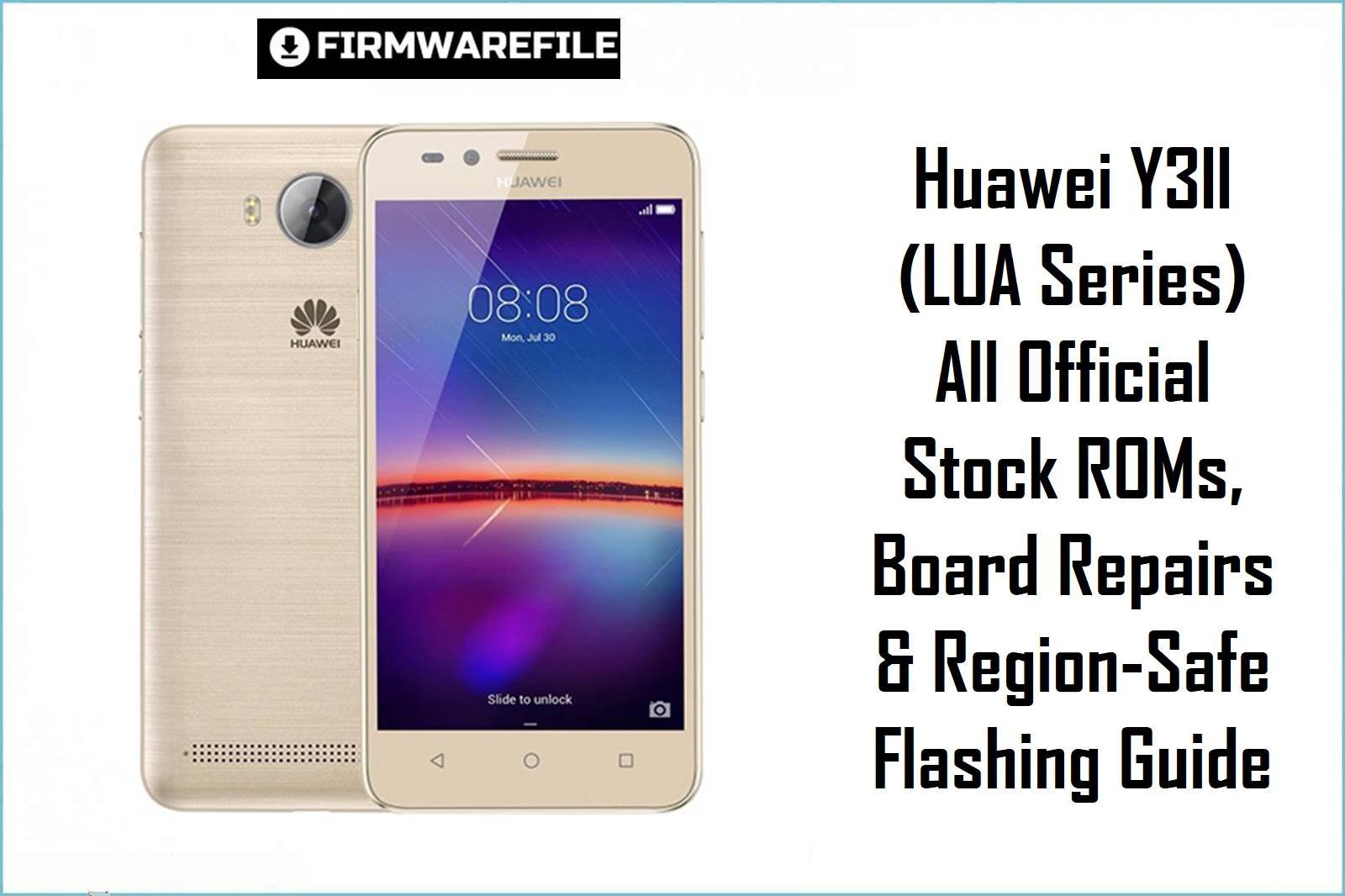
Huawei Y3II (LUA Series) All Official Stock ROMs, Board Repairs & Region‑Safe Flashing Guide
The Huawei Y3II lineup (LUA‑L02, LUA‑U22, LUA‑L03, L21, L23, L13, U02, U23 and Honor LUAs) was released globally in 2016–17 with Mediatek chipsets (MT6735M for 4G LTE; MT6582 for 3G), EMUI 3.1 Lite, and a 2100mAh battery. These devices are widely used in Africa, South America, Asia and Eastern Europe—with crucial regional firmware differences and dead‑boot risks if mismatched ROMs are flashed. Below, find every official firmware, board repair pack, scatter/SdUpdate, and real-world user fix for the most common flash issues.
CRUCIAL WARNING: Always match your LUA model (L02, U22, L13, L03, L21, U02/U23, etc) AND chipset (MT6735M = 4G, MT6582 = 3G) before flashing any scatter firmware or SD Update. Cross-flashing or wrong region can cause “invalid scatter,” bootloop, IMEI loss, and permanent brick—especially on board repair packs. If SP Flash Tool gives “invalid scatter” errors, check that your ROM is for your exact variant; region updates and board files are not interchangeable.
Prerequisites: Before You Begin
Click Here for the Essential Pre-Flashing Checklist
- Back up everything: All user data, photos, apps, contacts will be wiped.
- Check device model (back cover/ About/ProjectMenu) and Android version (5.1 for most).
- Use SP Flash Tool or SD card method as written in ZIP (scatter vs dload method differs!)
- SD card (FAT32, 8GB+ recommended) for dload or SD update firmware.
- Charge >60% before any attempt.
Huawei Y3II (LUA) Firmware Details
- Device Variants
- LUA-L01, L02, L03, L13, L21, L22, L23, U02, U22, U23
- Chipsets
- MediaTek MT6735M (most) / MT6582 (some U22/U02) / MT6580 (very rare U23)
- Android
- Mostly Android 5.1, EMUI 3.1/3.1 Lite
- Region/Firmware
- Europe/Middle East (C575/576/602/603), LATAM (C482/464), Asia (C567/621), Africa (C588), Russia (C479), India (C621), Kenya (C588), Mexico, Switzerland, etc.
- Flashing Tools
- SP Flash Tool (scatter), dload, SD card update, rarely OTG
Firmware Types & Real-World Use Cases
- Scatter ZIP/RAR Files (SP Flash Tool)
- Full-system repair, deep unbrick, region change for L02/U22/L21/L13. Requires scatter file; must use exact model-match for success.
- SD Update “Update.app” Packs
- Easy update/downgrade/restore for functional phones or soft-bricks. Place on SD and use stock recovery to flash.
- Board & Region Firmware
- Unbrick for dead boot, IMEI repair, heavy corruption. Danger: region files and board repair packs are safe ONLY for matching hardware and country!
Huawei Y3II Firmware — Board & Regional File Table
| Filename | Firmware Type | Model/Region | Chipset | Build/Android | Flash Tool | Size | Download |
|---|---|---|---|---|---|---|---|
| Huawei_Y3II_LUA-L02_MT6735M_C575B105_120417.zip | Scatter ZIP | LUA‑L02 (Europe/Asia) | MT6735M | C575B105 / 5.1, EMUI 3.1 | SP Flash Tool | 906MB | Download |
| Huawei_Y3II_LUA-U22_MT6582_C567B014_170319_5.1.zip | Scatter ZIP | LUA‑U22 (Africa, RU, South Asia) | MT6582 | C567B014 / 5.1, EMUI 3.1 | SP Flash Tool | 1.22GB | Download |
| HUAWEI_Y3II_Firmware_LUA-L03_C482B124_Mexico_Telefonica_Moviles_Mexico.zip | Region ZIP | LUA‑L03 (Mexico/Latam) | MT6735M | C482B124 | SP Flash Tool | 1.3GB | Download |
| LUA-L21C576B115_Firmware_5.1.0_r1_EMUI3.1_05021YTV.rar | Board Repair/Scatter | LUA‑L21 (Europe, Middle East) | MT6735M | C576B115 / 5.1, EMUI 3.1 | SP Flash Tool | 3.16GB | Download |
| Honor_LUA-L22_MT6735M_C567B103_02052017.zip | Scatter ZIP | Honor LUA‑L22 (India, Nepal, Bangladesh) | MT6735M | C567B103 | SP Flash Tool | 931MB | Download |
| Huawei Y3II LUA-L22 C621B104 Firmware India CONPLEX INTERNATIONAL LIMITED Android 5.1 EMUI 3.1 lite 05014FDV.rar | Board Scatter | LUA-L22 (India) | MT6735M | C621B104 | SP Flash Tool | 961MB | Download |
| Huawei_Y3II_LUA-L23_MT6735M_C482B101_07222016.zip | Scatter ZIP | LUA‑L23 (South America) | MT6735M | C482B101 | SP Flash Tool | 1.08GB | Download |
| Huawei_LUA-U22_U6582_MT6582_5.1.zip | Scatter ZIP | LUA‑U22 (Africa/RU/Asia) | MT6582 | 5.1 | SP Flash Tool | 967MB | Download |
| Huawei LUA-U22 Y3ii Firmware.zip | Scatter ZIP | LUA-U22 (Africa) | MT6582 | 5.1 | SP Flash Tool | 957MB | Download |
| Huawei_Y3_II_LUA-U22_MT6582_01052016_5.1.zip | Scatter ZIP | LUA‑U22 (Africa/RU) | MT6582 | 5.1 / EMUI 3.1 | SP Flash Tool | 952MB | Download |
| LUA-L01C602B106_Firmware_Switzerland_Swisscom_Ltd_Salt_Mobile_SA_Android_5.1_EMUI3.1_05013YFK.rar | Region ZIP | LUA‑L01 (Switzerland) | MT6735M | C602B106 / 5.1, EMUI 3.1 | SP Flash Tool | 1.97GB | Download |
| FIDETEC_LUA-U02_C588B103_Kenya_Safaricom_05014BNN.zip | Board ZIP | LUA‑U02 (Kenya/Safaricom) | MT6582 | C588B103 / 5.1, EMUI 3.1 Lite | SP Flash Tool | 2.55GB | Download |
| Huawei_Y3ii_LUA-L23_(LUA-L23C482B101_SD_Update).zip | SD Update ZIP | LUA‑L23 (South America) | MT6735M | C482B101 | SD card/Recovery | 1GB | Download |
| LUA-U22_C479B006_Firmware_Russian_Federation_Asia_Nonspecific_Android_5.1_EMUI3.1_lite_05022ACU.rar | Board ZIP | LUA‑U22 (RU/Asia) | MT6582 | C479B006 | SP Flash Tool | 2.70GB | Download |
| Huawei_Y3ii_LUA-L22_(LUA-L22C567B101_SD_Update).zip | SD Update ZIP | LUA-L22 (India) | MT6735M | C567B101 | SD card/Recovery | 913MB | Download |
| Y3 II Huawei-LUA-L21_MT6735M.rar | Scatter/Board ZIP | LUA-L21 (Europe/Africa) | MT6735M | EMUI 3.1 Lite | SP Flash Tool | 836MB | Download |
| Huawei_LUA-L13_(LUA-L13C172B102).zip | Scatter ZIP | LUA-L13 (Brazil/Latam) | MT6735M | C172B102 | SP Flash Tool | 1GB | Download |
| Huawei_LUA-L03_(LUA-L03C464B109).zip | Scatter ZIP | LUA-L03 (Mexico/Latam) | MT6735M | C464B109 | SP Flash Tool | 1GB | Download |
| Huawei_LUA-L13_(LUA-L13C172B102)_SCATTER.rar | Board ZIP | LUA-L13 (Brazil/Latam) | MT6735M | C172B102 | SP Flash Tool | 1.03GB | Download |
| Huawei_Y3ii_LUA-L02_(LUA-L02C575B105).zip | SD Update ZIP | LUA-L02 (Europe/Asia) | MT6735M | C575B105 | SD card/Recovery | 910MB | Download |
| Huawei_Y3ii_LUA-L02_(LUA-L02C575B105_SD_Update).rar | SD Update ZIP | LUA-L02 (Europe/Asia) | MT6735M | C575B105 | SD card/Recovery | 887MB | Download |
| Huawei-Y3-II-LUA-U23-U23C464B009 – EMUI3.1.zip | Scatter ZIP | LUA-U23 (South America) | MT6582 | C464B009, EMUI 3.1 | SP Flash Tool | 2.08GB | Download |
Quick Flashing Guide (LUA Series, SP Flash Tool & SD Update)
- SP Flash Tool (Scatter ZIP/RAR):
- Download firmware for your exact model (e.g.
LUA-L21C576B115_Firmware_5.1.0_r1_EMUI3.1_05021YTV.rar) and extract on PC. - Install latest MTK VCOM USB drivers. Open SP Flash Tool, load scatter file from extracted folder.
- Turn off phone, insert battery, connect to PC while holding Volume Down.
- Click “Download,” wait for finish (first boot takes up to 5 minutes).
- If you get “Invalid Scatter” error: retry drivers, confirm chipset/model, sometimes try a different scatter file or ask forum for correct fix.
- Download firmware for your exact model (e.g.
- SD Update (.zip/.rar “SD_Update”):
- Copy update.zip to root of SD card. Boot phone to stock recovery (VolUp+Power).
- Choose “Apply update from SD card.” Select firmware and confirm.
- Wait for flashing complete and reboot.
For a full step-by-step guide and video, see: How to Flash Mediatek Firmware with SP Flash Tool
Frequently Asked Questions (FAQs)
- Q1. Which file for dead-boot Y3II?
- Use official board repair ZIP or scatter for your model—never flash L02 on U22 or vice versa. Always confirm chipset!
- Q2. Can I use SD update on totally dead phones?
- No; SD Update only works if phone boots to recovery mode. Use SP Flash Tool scatter files for full brick.
- Q3. Why do I lose IMEI/network after flash?
- Incorrect scatter/board pack, deep format. Get NV backup before flashing, or restore IMEI via official tool after.
- Q4. Bootloop after flashing new region’s ROM?
- Cross-region firmware rarely works—reflash with original country/variant ROM to restore.
- Q5. What is “__NODL” error in scatter file?
- Scatter files sometimes have “__NODL” before some partitions; removing tag in Notepad++ can fix load error but only use official sources!