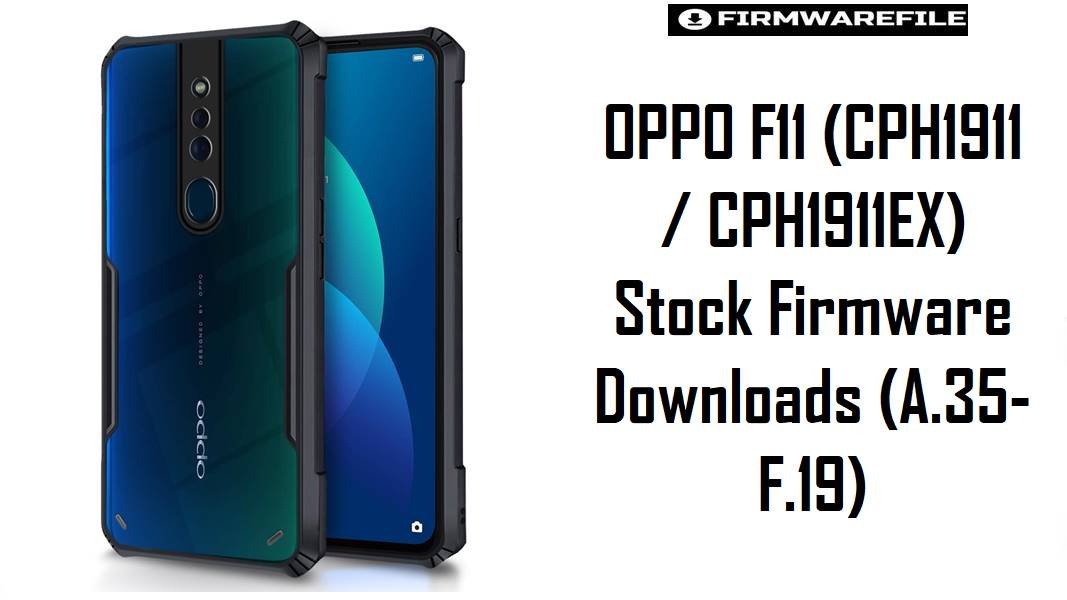
OPPO F11 (CPH1911 / CPH1911EX) Stock Firmware Downloads (A.35–F.19)
OPPO F11 (model CPH1911) is a Helio P70 mid‑range phone that launched on Android 9/ColorOS and later received newer software branches, but aging installs often suffer from bootloops, hang-on-logo, failed updates, lag, and lock-related issues. The stock firmware packages on this page are intended for full repair flashes or controlled upgrades, restoring stability by replacing damaged system files and bringing the device back to a clean, working state.
Download Firmware for OPPO F11 (CPH1911 / CPH1911EX)
Builds are listed from newest to oldest by the date embedded in the filename. The newest branch here is F.19 (2022), while the A.xx builds (2019–2020) are older and should only be used when a specific rollback/service workflow requires them.
| Filename | Region / Variant | Build Number | Build Date | Android Version | Flashing Method | Notes | File Size | Download |
|---|---|---|---|---|---|---|---|---|
| CPH1911_11_F.19_2022021320390949.zip | CPH1911 (Global/International) | CPH1911_11_F.19 | 2022-02-13 | Android 11 / ColorOS 11.x (upgrade branch) | OPPO Download Tool / MSM Download Tool (service flash) | Newest package on this list; widely referenced as a “latest flash file” for OPPO F11 repairs and upgrades, commonly used to fix hang-on-logo and lock issues. | 3.81 GB | Download From MediaFire |
| CPH1911_11_F.09_2021042219080774.zip | CPH1911 (Global/International) | CPH1911_11_F.09 | 2021-04-22 | Android 11 / ColorOS 11.x (upgrade branch) | OPPO Download Tool / MSM Download Tool (service flash) | Older than F.19; useful when a specific tool build or service workflow fails on newer packages, while still remaining inside the Android 11-era branch referenced by F11 update discussions. | 3.07 GB | Download From MediaFire |
| CPH1911_11_F.04_202012282322.zip | CPH1911 (Global/International) | CPH1911_11_F.04 | 2020-12-28 | Android 10/11 transition-era (device-dependent) | OPPO Download Tool / MSM Download Tool (service flash) | Early F-branch maintenance build; commonly used for software repair when the phone cannot boot normally or OTA updates fail repeatedly. | 3.88 GB | Download From MediaFire |
| CPH1911EX_11_A.43_200325_36b466ea.zip | EX branch (CPH1911EX) | CPH1911EX_11_A.43 | 2020-03-25 | Android 9 / ColorOS 6.x (legacy branch) | OPPO Download Tool / MSM Download Tool (service flash) | Older build: legacy A-branch package for CPH1911EX; relevant for controlled rollback/service repair on EX devices only. | 5.88 GB | Download From MediaFire |
| CPH1911EX_11_A.43_200325_36b466ea.zip | EX branch (CPH1911EX) – Mirror | CPH1911EX_11_A.43 | 2020-03-25 | Android 9 / ColorOS 6.x (legacy branch) | OPPO Download Tool / MSM Download Tool (service flash) | Alternate mirror of the same A.43 EX package; identical build number and date, useful if one host is rate-limited. | 5.86 GB | Download From MediaFire (Mirror) |
| CPH1911_11_A.37_190924_36b466ea.zip | CPH1911 (Global/International) | CPH1911_11_A.37 | 2019-09-24 | Android 9 / ColorOS 6.x (legacy branch) | OPPO Download Tool / MSM Download Tool (service flash) | Older build: frequently listed alongside A.35/A.43 in OPPO F11 flash-file collections for fixing hang-on-logo and software corruption. | 5.22 GB | Download From MediaFire |
| CPH1911EX_11_A.35_190708_9b7c972f.zip | EX branch (CPH1911EX) | CPH1911EX_11_A.35 | 2019-07-08 | Android 9 / ColorOS 6.x (legacy branch) | OPPO Download Tool / MSM Download Tool (service flash) | Older build: legacy EX package; a known baseline for EX repairs in firmware lists and user-shared ROM collections. | 5.62 GB | Download From Google Drive |
| CPH1911EX_11_A.35_190708_9b7c972f.rar | EX branch (CPH1911EX) – Mirror | CPH1911EX_11_A.35 | 2019-07-08 | Android 9 / ColorOS 6.x (legacy branch) | OPPO Download Tool / MSM Download Tool (service flash) | Alternate mirror of A.35 in RAR format; useful when one archive type extracts more reliably on a specific PC setup. | 5.5 GB | Download From AndroidFileHost |
Clarity notes: OPPO F11 is commonly identified under model CPH1911 (and related variants), using the MediaTek Helio P70 platform with Android 9/ColorOS 6 as the launch base. “EX” builds (CPH1911EX) appear as a distinct branch in flash-file collections and must be matched correctly to avoid partition and modem conflicts.
Complete Device & Firmware Overview
- Device Name:
- OPPO F11.
- Model Numbers:
CPH1911(primary), plus EX-branch packages labeledCPH1911EXin firmware collections.- Chipset:
- MediaTek Helio P70 (MT6771/MT6771T).
- Launch OS Base:
- Android 9 (Pie) with ColorOS 6.x is listed for OPPO F11 variants.
- Upgrade Branch Evidence:
- Android 11 / ColorOS 11.x updates for OPPO F11 are widely discussed and demonstrated in update-related sources.
- Firmware Type:
- Service-style stock firmware packages used to upgrade/downgrade or repair bootloop, lock, and software corruption problems.
- Build Naming:
CPH1911_11_F.xx(newer branch) andCPH1911(EX)_11_A.xx(older branch), with embedded dates commonly used for version ordering.- Security & Stability Value:
- Using the latest available stock package is a common recommendation in OPPO F11 flash-file guides to improve stability and address hang-on-logo/lock issues.
- Primary Flash Method:
- OPPO “Download Tool” / MSM Download Tool style service flashing is commonly referenced for OPPO F11 firmware installs.
- Required Tools:
- Windows PC, OPPO USB drivers, a compatible OPPO Download Tool/MSM tool build, stable USB cable, and enough storage to extract 3–6 GB archives.
- Common Fix Targets:
- Hang-on-logo/bootloop recovery, lock removal workflows, and restoring a device that fails OTA updates or becomes unusually slow.
CRUCIAL WARNING: Flashing the wrong model branch (CPH1911 vs CPH1911EX), using a corrupted archive, or forcing unnecessary downgrades can cause boot failure, network issues, or a hard brick—confirm exact model/build before flashing and prefer the newest compatible firmware.
Preparation Before Flashing
Click here for the OPPO F11 (CPH1911) pre-flash checklist
- Confirm exact model/branch: Verify the device is OPPO F11
CPH1911, and match EX firmware only to devices that genuinely use theCPH1911EXbranch. - Back up important data: Service flashing commonly wipes user data; back up photos, chats, and authenticator apps before starting.
- Battery: Keep at least 60% charge to prevent shutdown during flashing.
- PC readiness: Install OPPO USB drivers and prepare a compatible OPPO Download Tool/MSM tool build; tool detection issues are a common cause of failed flashes.
- Prefer newest compatible build: Start with
F.19for modern repairs, then step down only when a specific service workflow demands it.
Quick Firmware Flash Instructions
How to flash Firmware Files to OPPO F11
This simplified guide covers flashing a newer repair build such as CPH1911_11_F.19_2022021320390949.zip using an OPPO Download Tool / MSM Download Tool style service flash on Windows.
- Prep PC: Install OPPO USB drivers and the correct flashing tool, then extract the firmware archive to a simple folder path.
- Power off: Switch the phone off fully to prepare for the tool’s connection mode.
- Load firmware: In the flashing tool, select the extracted firmware package that matches the phone’s branch (
CPH1911orCPH1911EX). - Start flash: Begin flashing and do not disconnect the USB cable until the tool reports completion.
- First boot: Allow extra time for the first boot, then verify network, stability, and update functionality.
For a complete step-by-step walkthrough of the MSM flashing workflow (drivers, detection, and recovery scenarios), follow: MSM Download Tool flashing guide.
Frequently Asked Questions (FAQs)
- Q1. What phone model uses firmware code CPH1911 / CPH1911EX?
- CPH1911 is widely documented as OPPO F11, and CPH1911EX appears as a branch in several OPPO F11 firmware/flash-file collections.
- Q2. Which build is the best starting point for most repairs?
CPH1911_11_F.19is commonly referenced as a “latest” repair flash file for OPPO F11, typically preferred over older A.xx builds unless an EX rollback is required.- Q3. What problems can these flash files fix on OPPO F11?
- Flash-file guides for OPPO F11 explicitly mention fixing hang-on-logo/bootloop behavior and lock-related issues by reinstalling stock firmware.
- Q4. Why do some files say CPH1911EX instead of CPH1911?
- Firmware collections list both CPH1911 and CPH1911EX builds, indicating a branch split; mismatching this branch is a known source of flashing failure and instability.
- Q5. What Android version is associated with the newer “F.xx” branch?
- Android 11 / ColorOS 11.x updates for OPPO F11 are widely discussed, aligning with later firmware branches and user demand for ColorOS 11.1 packages.
- Q6. Why do OTA updates sometimes not appear on OPPO F11?
- Owners report cases where OTA updates do not show up, sometimes linked to region/firmware channel settings, which is one reason service flashing is used to move to a newer baseline.
- Q7. Which flashing tool is commonly referenced for OPPO F11 service firmware installs?
- OPPO F11 flash instructions commonly reference an OPPO “Download Tool” / MSM Download Tool style utility for service flashing and repair workflows.