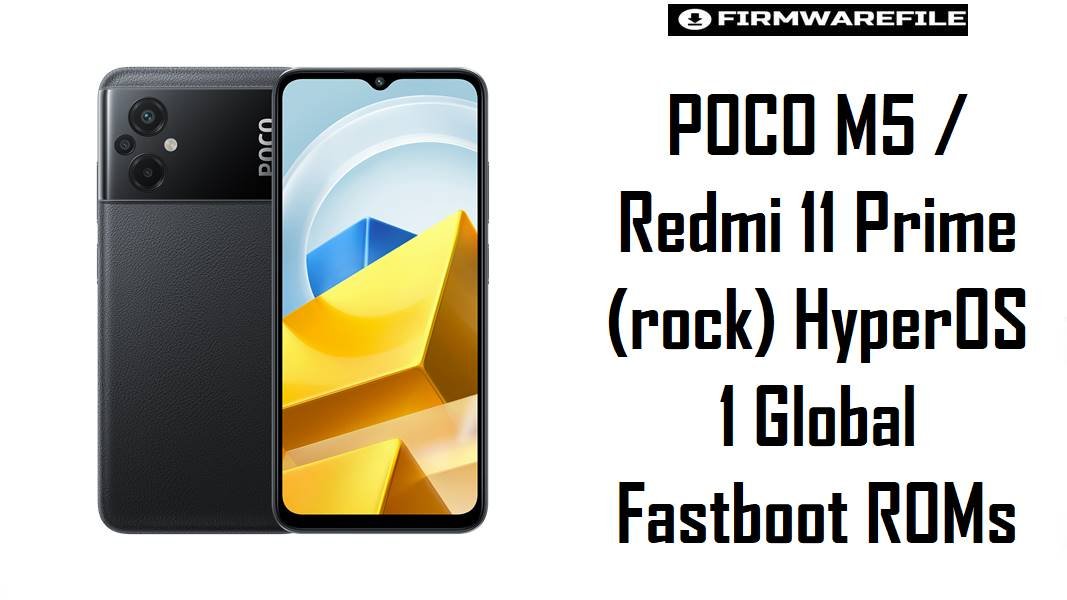
POCO M5 / Redmi 11 Prime (rock) HyperOS 1 Global Fastboot ROMs
POCO M5 and Redmi 11 Prime share the codename rock and sit in the budget segment, where HyperOS 1.0 brings a visual refresh but also exposes limits of the Helio G99 platform when updates stack badly, causing lag, battery drain, or minor network glitches on some units. The HyperOS 1 fastboot ROMs listed here allow a clean Android 14 reinstall per region—which frequently resolves post‑update slowdowns, random bugs, and inconsistent battery behavior reported by HyperOS 1.0 / 2.0 users on similar mid‑range devices.
Download Firmware Files for POCO M5 / Redmi 11 Prime (rock)
These ROMs are official HyperOS 1.0 Android 14 fastboot packages for POCO M5 / Redmi 11 Prime (codename rock), ordered from newer to older per region. Global (MIXM) is the main variant; others target EEA, India, Taiwan, Turkey, Russia, and Indonesia. Newer builds usually deliver more fixes and fresher security patches, while earlier ones are suitable only for specific downgrade or troubleshooting scenarios.
| Filename | Region / Variant | Build Number | Build Date | Android Version | Flashing Method | Notes | File Size | Download |
|---|---|---|---|---|---|---|---|---|
| rock_global_images_OS1.0.12.0.ULUMIXM_20241012.0000.00_14.0_global_b5a4c2b376.tgz | Global (MIXM) – POCO M5 / Redmi 11 Prime Global | OS1.0.12.0.ULUMIXM | 2024-10-12 | Android 14 / HyperOS 1.0 | Xiaomi Flash Tool (Fastboot) | Latest HyperOS 1.0 global fastboot ROM for rock, listed as OS1.0.12.0.ULUMIXM stable on firmware trackers. Strong choice for most global units: cleans up bad OTAs, applies October 2024 security patches, and refines HyperOS behavior on the Helio G99 budget platform. |
5.83 GB | Download From Xiaomi (Global) |
| rock_ru_global_images_OS1.0.6.0.ULURUXM_20241021.0000.00_14.0_ru_22697125e4.tgz | Russia (RUXM) | OS1.0.6.0.ULURUXM | 2024-10-21 | Android 14 / HyperOS 1.0 | Xiaomi Flash Tool (Fastboot) | Russian region HyperOS 1 ROM with local services and compliance, recorded as OS1.0.6.0.ULURUXM stable. Recommended strictly for devices originally sold with RUXM firmware. | 5.47 GB | Download From Xiaomi (RU) |
| rock_id_global_images_OS1.0.7.0.ULUIDXM_20241021.0000.00_14.0_id_4e85ea3da7.tgz | Indonesia (IDXM) | OS1.0.7.0.ULUIDXM | 2024-10-21 | Android 14 / HyperOS 1.0 | Xiaomi Flash Tool (Fastboot) | Indonesia‑specific HyperOS 1 ROM; part of OS1.0.7.0.IDXM stable line, tuned for local regulations and carriers. Use only on Indonesian POCO M5 / Redmi 11 Prime units. | 5.25 GB | Download From Xiaomi (ID) |
| rock_in_global_images_OS1.0.8.0.ULUINXM_20241021.0000.00_14.0_in_422349e337.tgz | India (INXM) – Redmi 11 Prime 5G / POCO M5 India | OS1.0.8.0.ULUINXM | 2024-10-21 | Android 14 / HyperOS 1.0 | Xiaomi Flash Tool (Fastboot) | Indian region HyperOS 1 fastboot ROM; OS1.0.8.0.INXM stable with regional apps and carrier support, referenced on HyperOS update trackers. Best for India‑sold devices that shipped with INXM MIUI. | 4.85 GB | Download From Xiaomi (IN) |
| rock_eea_global_images_OS1.0.5.0.ULUEUXM_20240827.0000.00_14.0_eea_bc4bab7912.tgz | EEA Europe (EUXM) | OS1.0.5.0.ULUEUXM | 2024-08-27 | Android 14 / HyperOS 1.0 | Xiaomi Flash Tool (Fastboot) | EEA‑branded build for EU markets with GDPR‑aligned defaults; OS1.0.5.0.EUXM stable in ROM lists. Suitable for EU‑sold POCO M5 / Redmi 11 Prime. | 5.58 GB | Download From Xiaomi (EEA) |
| rock_tw_global_images_OS1.0.4.0.ULUTWXM_20240429.0000.00_14.0_tw_d4e7d6579b.tgz | Taiwan (TWXM) | OS1.0.4.0.ULUTWXM | 2024-04-29 | Android 14 / HyperOS 1.0 | Xiaomi Flash Tool (Fastboot) | Taiwan‑region HyperOS 1 build; OS1.0.4.0.TWXM stable, with operator‑specific tuning and features. Use only on TWXM devices. | 5.14 GB | Download From Xiaomi (TW) |
| rock_tr_global_images_OS1.0.2.0.ULUTRXM_20240624.0000.00_14.0_tr_8d21a3073d.tgz | Turkey (TRXM) | OS1.0.2.0.ULUTRXM | 2024-06-24 | Android 14 / HyperOS 1.0 | Xiaomi Flash Tool (Fastboot) | Early‑branch HyperOS 1 ROM for Turkey; OS1.0.2.0.TRXM stable, slightly older than later MIXM/INXM builds but tuned for Turkish regulations and services. Flash only on TRXM units. | 5.46 GB | Download From Xiaomi (TR) |
| twrp-3.7.0_12-0-rock-brigudav.img | Custom Recovery – TWRP | 3.7.0_12-0 | Recent community build | Android 12+/HyperOS‑compatible | Fastboot boot/flash recovery | Unofficial TWRP image for rock used for ZIP‑based ROMs, Magisk, and full backups; optional for users sticking to official fastboot ROMs, but useful for enthusiasts. |
≈64 MB | Download TWRP For rock |
Variant guidance: The safest firmware is the latest HyperOS 1.0 build for the phone’s original CSC—ULUMIXM for global, ULUEUXM for EEA, ULUINXM for India, ULURUXM for Russia, ULUIDXM for Indonesia, ULUTWXM for Taiwan, or ULUTRXM for Turkey—matching what firmware trackers list for POCO M5 / Redmi 11 Prime (rock). Cross‑flashing between regions is possible for advanced users with unlocked bootloaders but can affect VoLTE bands, local services, and OTA behavior.
Complete Device & Firmware Overview
- Device Names:
- POCO M5 (global markets) and Redmi 11 Prime (region‑specific branding).
- Codename:
rock, as listed in official codename tables for POCO M5 / Redmi 11 Prime.- Hardware Platform:
- MediaTek Helio G99‑class SoC (MT6789), with 90 Hz LCD and large battery, favoring efficiency over heavy 3D performance.
- Firmware Branch:
- HyperOS 1.0 Stable, Android 14 (OS1.0.x.0.ULU**XM series) replacing MIUI 14 as the mainline OS for POCO M5 / Redmi 11 Prime.
- Latest Global Build:
- OS1.0.12.0.ULUMIXM, HyperOS 1.0 Android 14 global fastboot/recovery, with October 2024 release date.
- Security & Bug Fixes:
- HyperOS 1.0 updates for POCO series emphasize security patch roll‑ups, UI animation tuning, and fixing minor bugs like gesture delays and notification quirks; separate articles discuss addressing HyperOS battery drain on newer branches.
- Common HyperOS Pain Points:
- Across POCO/Redmi, users report battery drain, slower performance, or missing options after HyperOS, often from bad OTAs or mis‑configured settings; a clean reinstall with the same package is a widely recommended fix.
- ROM Type:
- Fastboot ROMs (
rock*_global_images_*.tgz) for Xiaomi Flash Tool on Windows; recovery ROMs (miui_ROCKGlobal_OS1.0.12.0...) used via the system updater are published separately. - Bootloader & ARB:
- Same‑region HyperOS repairs generally do not require bootloader unlock; cross‑region and custom recovery work do. Anti‑rollback (ARB) is active, so flashing older builds below current ARB can hard‑brick the device.
- Custom Recovery:
- The brigudav TWRP build for
rockenables advanced backup, Magisk, and custom ROM flashing but is unofficial and should be used only by experienced users.
CRUCIAL WARNING: These fastboot and recovery packages are strictly for POCO M5 / Redmi 11 Prime with codename rock; they must not be flashed to other POCO or Redmi models such as POCO M5s, M6, Redmi Note series, or devices with different codenames, because cross‑flashing can permanently brick the phone via incompatible partitions and modem firmware.
All official rock*_global_images_*.tgz fastboot ROMs typically wipe user data when used with Xiaomi’s flashing tools, and selecting options like “clean all and lock” while running a mismatched region or modified system can relock the bootloader on an unsupported firmware and cause bootloops, network problems, or anti‑rollback‑related bricks.
Preparation Before Flashing
Click here for the POCO M5 / Redmi 11 Prime (rock) pre‑flash checklist
- Confirm codename & region: In fastboot mode, verify the codename is
rock, then match the device’s original region (MIXM/EUXM/INXM/TWXM/TRXM/RUXM/IDXM) using firmware trackers before downloading a ROM. - Backup data: Fastboot installs generally format user data; back up photos, chats, and app data using Mi Cloud, Google, or manual PC copies before flashing.
- Charge battery: Ensure at least 60% charge so the phone does not shut down during the multi‑stage flash, which could corrupt system or modem partitions.
- Install drivers & tools: On Windows, install Xiaomi USB/Fastboot drivers and Xiaomi Flash Tool; confirm
fastboot devicesdetects the phone before selecting the ROM. - Check cable & port: Use a high‑quality USB‑C cable (ideally original) and a direct motherboard USB port to minimize disconnects while flashing 5–6 GB images.
Quick Firmware Flash Instructions
These steps summarize flashing the recommended rock_global_images_OS1.0.12.0.ULUMIXM_... global fastboot ROM (or the matching regional variant) using Xiaomi’s fastboot flashing tool on Windows.
- Prepare PC & ROM: Install Xiaomi USB/fastboot drivers and Xiaomi Flash Tool, then download and fully extract the chosen
rock*_global_images_*.tgz(for most global users, OS1.0.12.0.ULUMIXM) into a short path such asC:\rock_rom. - Enter fastboot mode: Power off the phone, hold Volume Down + Power until the fastboot logo appears, and connect it to the PC via USB‑C.
- Configure Xiaomi Flash Tool: Open the tool, select the extracted ROM folder as the firmware path, and choose “clean all” to perform a fresh HyperOS installation while keeping the existing bootloader state; avoid “clean all and lock” unless using the exact original region ROM.
- Flash the firmware: Click “refresh” to verify detection, then press “flash” and wait until the status shows success, without unplugging or closing the tool; it writes boot, system, vendor, and other partitions in sequence.
- First boot & optimization: After flashing, the device reboots into HyperOS 1; the first boot can take several minutes while apps and services are optimized, after which battery and performance issues caused by broken OTAs or mixed MIUI/HyperOS components often improve.
For a step‑by‑step, screenshot‑based tutorial on Xiaomi fastboot flashing—including anti‑rollback checks, driver issues, and common Mi Flash error codes—see the dedicated Xiaomi Fastboot Firmware Guide, which applies directly when flashing these rock ROMs.
Frequently Asked Questions (FAQs)
- Q1. Which HyperOS 1 ROM should typical POCO M5 / Redmi 11 Prime users choose?
- The safest option is the latest stable HyperOS 1 fastboot ROM matching the phone’s original region: OS1.0.12.0.ULUMIXM for Global, OS1.0.5.0.ULUEUXM for EEA, OS1.0.8.0.ULUINXM for India, OS1.0.4.0.ULUTWXM for Taiwan, OS1.0.2.0.ULUTRXM for Turkey, OS1.0.6.0.ULURUXM for Russia, or OS1.0.7.0.ULUIDXM for Indonesia.
- Q2. Can clean flashing HyperOS 1 fix battery drain on POCO M5?
- Users experiencing fast battery drain on HyperOS 1/2 are often advised to reinstall the same package cleanly; many report that a stable connection and fresh install resolve abnormal drain attributed to broken OTAs or corrupted data.
- Q3. Is it safe to cross‑flash Global ULUMIXM on an Indian ULUINXM POCO M5?
- Cross‑flashing between MIXM and INXM is possible for advanced users with unlocked bootloaders, but can affect carrier features, VoLTE, and OTA; most owners should stay on the matching region build to avoid subtle issues.
- Q4. Does HyperOS 1.0.12.0.ULUMIXM update POCO M5 to HyperOS 2?
- No; OS1.0.12.0.ULUMIXM is still HyperOS 1.0 on Android 14. HyperOS 2 rollouts, and their specific versions, are tracked separately; this branch focuses on stabilizing the first HyperOS generation for rock.
- Q5. What issues might appear if the wrong region ROM is used?
- Using a mismatched region can lead to missing 4G bands, VoLTE problems, non‑working regional services, and blocked OTA updates; in extreme cases, modem mismatches may require reflashing the correct ROM to restore connectivity.