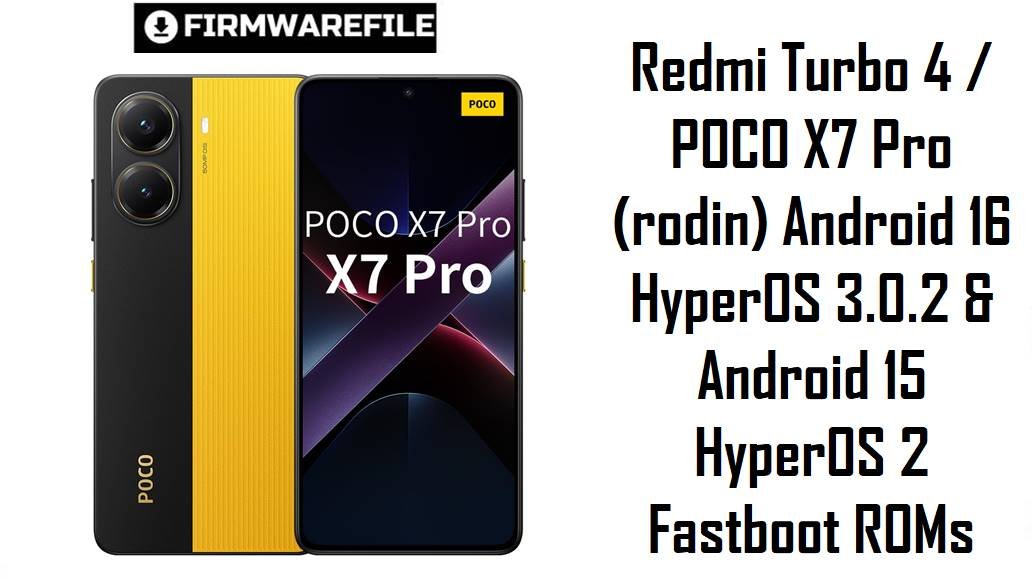
POCO X7 Pro and its China twin Redmi Turbo 4 sit in the upper mid‑range segment, offering powerful hardware at an aggressive price but shipping with heavy HyperOS builds that many users say cause battery drain, overheating and aggressive app killing.
These official HyperOS fastboot ROMs for codename rodin let you clean‑flash the latest stable builds per region, which can fix update bugs, restore performance and improve battery stability when used correctly.
Download Firmware for POCO X7 Pro / Redmi Turbo 4 (rodin)
All packages below are official HyperOS fastboot ROMs for devices with codename rodin, covering Redmi Turbo 4 (China) and POCO X7 Pro in Global, EEA, India, Taiwan, Russia, Indonesia and Turkey regions. Always choose the build that matches your phone’s original region code (MIXM, CNXM, EUXM, INXM, TWXM, RUXM, IDXM, TRXM) to avoid network, OTA and anti‑rollback issues.
If you are unsure, prioritize the fastboot ROM whose region code matches the one shown in your current build (Settings > About phone > HyperOS version) instead of chasing newer or different regions, because cross‑region flashes can introduce subtle battery, modem and OTA problems.
Complete Device & Firmware Overview
- Device Names
- Redmi Turbo 4 (China) / POCO X7 Pro (global markets), sharing codename rodin.
- Codename
- rodin — required match in fastboot mode before flashing any ROM listed here.
- Supported Regions
- China (CNXM), Global (MIXM), EEA (EUXM), India (INXM), Taiwan (TWXM), Russia (RUXM), Indonesia (IDXM), Turkey (TRXM).
- Firmware Type
- Official HyperOS stable fastboot ROMs, suitable for clean installs, unbricking soft‑bricked phones and manual upgrades/downgrades within the anti‑rollback limit.
- HyperOS Versions
- HyperOS 3.0 OS3.0.2.0.WOJCNXM (Android 16, China); HyperOS 2.0 OS2.0.206.0 / OS2.0.205.0 / OS2.0.204.0 regional builds (Android 15).
- Security Patch Level
- These builds bundle late‑2025 Android security patches, with Android 16 China ROMs typically getting slightly newer patches first.
- Release Window
- India/RU/TW/ID/TR HyperOS 2.0.204/205 builds dated 2025‑11‑07; Global 2.0.206 build dated 2025‑10‑29; EEA 2.0.206 dated 2025‑09‑29; China 3.0.2 dated 2025‑10‑17.
- Typical File Sizes
- Fastboot packages range from around 6.6 GB (Taiwan) to roughly 9 GB (Global/China), so ensure enough free disk space on PC and storage to unpack.
- Flash Method
- Flash via Xiaomi fastboot tools on Windows (Mi Flash / Xiaomi Flash Tool) with the phone in fastboot mode; requires fastboot‑level communication and correct drivers.
- Bootloader Rules
- Manual fastboot flashing generally needs an unlocked bootloader; locking it on a mismatched or cross‑region ROM can cause boot loops or network issues.
- Key User Pain Points
- Owners frequently report heavy battery drain, overheating (40–43°C in light use), and aggressive background app killing on early HyperOS 2 builds.
- What These Updates Aim to Fix
- Recent HyperOS releases for rodin focus on optimizing background processes, refining animations, improving thermal control and updating security patches, which helps reduce drain and stutter.
- Required Tools
- Windows PC, Xiaomi USB drivers, Xiaomi Flash Tool or compatible fastboot flashing tool, a good USB‑A to USB‑C cable and checksum verification (MD5/SHA) to avoid flashing corrupted archives.
Flashing the wrong region, a corrupted file or firmware for a different codename can hard‑brick your POCO X7 Pro / Redmi Turbo 4 or cause permanent network issues, so verify codename, region code and file integrity before you start.
CRUCIAL WARNING: These fastboot ROMs are strictly for Redmi Turbo 4 / POCO X7 Pro with codename rodin; they must not be flashed to other Xiaomi / Redmi / POCO models or codenames, because cross‑flashing can permanently brick the device.
Each build is region‑locked by code (CNXM, MIXM, EUXM, INXM, TWXM, RUXM, IDXM, TRXM), so you should normally flash the ROM that matches your phone’s original region and avoid unnecessary cross‑region flashing, especially when anti‑rollback is enabled on newer HyperOS devices.
All official rodin_*.tgz fastboot packages will wipe user data when used with Xiaomi’s fastboot tools, and selecting options like “clean all and lock” with a mismatched region can relock the bootloader on an unsupported ROM and cause network or boot issues.
Preparation Before Flashing
Click here for the POCO X7 Pro / Redmi Turbo 4 pre‑flash checklist
- Confirm exact device and region: Boot to fastboot mode and verify that the codename shows as rodin, then check your current region suffix (MIXM, CNXM, EUXM, INXM, etc.) in Settings > About phone before choosing a ROM.
- Backup all personal data: Fastboot flashing performs a clean install that erases apps, SMS and internal storage; back up to Google, Xiaomi Cloud or a PC first.
- Charge the battery: Keep at least 50–60% battery to avoid shutdown during flashing, which can cause serious corruption or bricks.
- Install drivers and tools: On your Windows PC, install Xiaomi USB drivers and Xiaomi Flash Tool (or equivalent fastboot‑based script) and test that the device is detected in fastboot mode.
- Check bootloader and anti‑rollback: Ensure the bootloader is unlocked and avoid downgrading below your current anti‑rollback index to prevent anti‑rollback errors and boot failures.
Quick Firmware Flash Instructions
This simplified guide covers flashing any of the listed fastboot ROMs, such as rodin_global_images_OS2.0.206.0.VOJMIXM_20251029.0000.00_15.0_global_4c994dc5ec.tgz, using Xiaomi’s fastboot flashing tool on a Windows PC.
- Prepare PC and files: Install Xiaomi USB drivers and Xiaomi Flash Tool, then download and extract the chosen rodin_…tgz fastboot ROM to a short path like C:\rodin_rom.
- Enter fastboot mode: Power off the phone, hold Volume Down + Power until the fastboot screen appears, then connect it to the PC via a reliable USB cable.
- Load the ROM: Open Xiaomi Flash Tool, click to select the extracted ROM folder and confirm that the device is detected in the device list.
- Choose flash mode: Select a clean option (often “clean all”) to rebuild the system without locking the bootloader, then click the flash button and wait until the tool reports success.
- First boot and checks: Let the phone boot into HyperOS (first boot may take several minutes), then check About phone to verify codename, region code and build number match the ROM you flashed.
For a detailed, screenshot‑rich walkthrough that also explains anti‑rollback checks, error handling and driver troubleshooting, follow the main Xiaomi fastboot firmware guide and simply point it to the correct rodin_*.tgz package when asked to choose a ROM.
Frequently Asked Questions (FAQs)
- Q1. Which fastboot ROM is safest for my POCO X7 Pro / Redmi Turbo 4?
- The safest choice is always the ROM whose region suffix matches your original software (for example OS2.0.206.0.VOJMIXM for Global, OS2.0.206.0.VOJEUXM for EEA, OS2.0.204.0.VOJINXM for India, OS2.0.205.0.VOJIDXM for Indonesia, or OS3.0.2.0.WOJCNXM for China).
- Q2. Should I upgrade my China Redmi Turbo 4 to Android 16 OS3.0.2.0.WOJCNXM?
- For China units, OS3.0.2.0.WOJCNXM is the natural upgrade path because it brings Android 16, new HyperOS 3 features and updated security patches, but you should expect early‑adopter bugs compared with mature HyperOS 2 builds.
- Q3. Will these ROMs fix battery drain and overheating on my POCO X7 Pro?
- Many owners report that newer HyperOS updates with fresh security patches and tuned background limits noticeably improve drain and thermal behaviour compared with early firmware, especially after a clean fastboot flash and careful app restore.
- Q4. Can I flash the Global MIXM ROM on an EEA or India device for faster updates?
- Advanced users sometimes cross‑flash Global firmware, but community advice is to stay on your native region because cross‑region ROMs can affect network calibration, OTA availability and compliance checks, particularly on HyperOS with anti‑rollback.
- Q5. Do I need to relock the bootloader after flashing?
- Relocking is only safe when you are 100% sure the ROM exactly matches your device and region; locking a mismatched build can lead to boot loops or no signal, so most users keep it unlocked unless they have returned to official stock for their exact model.
- Q6. Where can I get a more detailed step‑by‑step flashing tutorial?
- The most practical approach is to follow a dedicated Xiaomi fastboot guide that shows driver setup, bootloader unlock and flashing options step by step, then simply select the appropriate rodin_global_images_… or regional rodin_*.tgz path when the guide asks you to choose a ROM.

💬 Comments