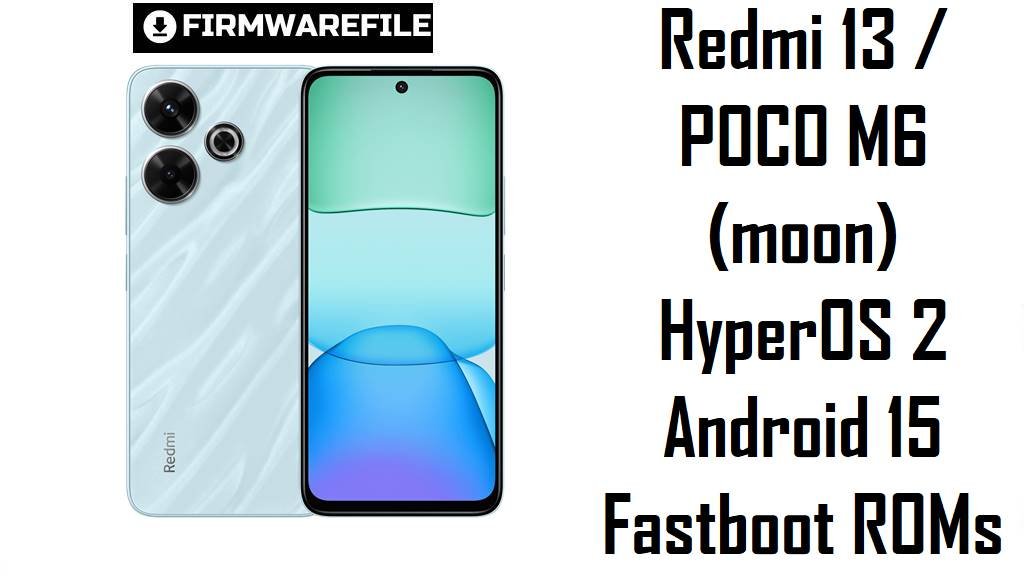
Redmi 13 / POCO M6 (moon) HyperOS 2 Fastboot Flash File ROMs
Redmi 13 and POCO M6 share the same “moon” hardware platform, offering a 6.79‑inch 90 Hz FHD+ display, Helio G91 Ultra chip and a 5030 mAh battery in the budget mid‑range segment.
The official HyperOS 2 Android 15 fastboot ROMs below for codename moon let you clean‑flash your exact regional firmware, fix broken systems and move to more stable late‑2025 bases.
Download Firmware for Redmi 13 / POCO M6
All files listed are HyperOS 2 (Android 15) fastboot ROMs for Redmi 13 / POCO M6 with codename moon, split by region: Global, Russia, Indonesia, EEA and Taiwan. Firmware trackers show even newer OS2.0.4.0, 2.0.5.0 and 2.0.6.0 fastboot builds for Global and some regions, so treat OS2.0.203.0 and OS2.0.205.0 here as stable but not the absolute latest options.
| Filename | Region / Variant | Build Number | Build Date | Android Version | Flashing Method | File Size | Notes | Download |
|---|---|---|---|---|---|---|---|---|
| moon_eea_global_images_OS2.0.205.0.VNTEUXM_20251029.0000.00_15.0_eea_cdb5c649b9.tgz | EEA / Europe – Redmi 13 / POCO M6 EU | OS2.0.205.0.VNTEUXM | 2025‑10‑29 | Android 15 (HyperOS 2) | Fastboot (Xiaomi Flash Tool) | 6.58 GB | Newest EEA HyperOS 2 fastboot ROM in your list; EEA trackers show OS2.0.205.0.VNTEUXM as a late‑2025 stable, newer than OS2.0.203.x builds for other regions and preferable for clean installs on EU devices. | Download from Xiaomi |
| moon_global_images_OS2.0.203.0.VNTMIXM_20251021.0000.00_15.0_global_2c319ccbc0.tgz | Global – Redmi 13 / POCO M6 Global | OS2.0.203.0.VNTMIXM | 2025‑10‑21 | Android 15 (HyperOS 2) | Fastboot (Xiaomi Flash Tool) | 7.05 GB | Android 15 fastboot ROM for Global devices; firmware sites confirm OS2.0.203.0.VNTMIXM as a stable HyperOS 2 build, but note that newer OS2.0.4.0/2.0.5.0/2.0.6.0 VNTMIXM fastboot packages now exist and are usually better long‑term choices. | Download from Xiaomi |
| moon_ru_global_images_OS2.0.203.0.VNTRUXM_20251029.0000.00_15.0_ru_c89d553125.tgz | Russia – Redmi 13 / POCO M6 RU | OS2.0.203.0.VNTRUXM | 2025‑10‑29 | Android 15 (HyperOS 2) | Fastboot (Xiaomi Flash Tool) | 7.18 GB | Late‑2025 Russia fastboot ROM; Russian mirrors list OS2.0.203.0.VNTRUXM as a current VNT RUXM release, but you should still check if a newer OS2.0.204+/205+ VNTRUXM fastboot build is available before flashing. | Download from Xiaomi |
| moon_id_global_images_OS2.0.203.0.VNTIDXM_20251029.0000.00_15.0_id_4893e3de4b.tgz | Indonesia – Redmi 13 / POCO M6 ID | OS2.0.203.0.VNTIDXM | 2025‑10‑29 | Android 15 (HyperOS 2) | Fastboot (Xiaomi Flash Tool) | 6.63 GB | Android 15 fastboot ROM tuned for Indonesian networks; HyperOS archives show OS2.0.203.0.VNTIDXM as a newer IDXM build, ideal to unbrick or clean‑flash Indonesian units while you monitor for any OS2.0.204+ refresh. | Download from Xiaomi |
| moon_tw_global_images_OS2.0.203.0.VNTTWXM_20251028.0000.00_15.0_tw_76f4950d75.tgz | Taiwan – Redmi 13 / POCO M6 TW | OS2.0.203.0.VNTTWXM | 2025‑10‑28 | Android 15 (HyperOS 2) | Fastboot (Xiaomi Flash Tool) | 5.13 GB | Taiwan fastboot ROM; TW firmware lists group OS2.0.203.0.VNTTWXM with April–mid‑2025 patches, so it is suitable for recovery and clean flashes on TW devices, but you should still prefer any newer TW builds if they appear. | Download from Xiaomi |
Quick choice tips: If you are on EEA, OS2.0.205.0.VNTEUXM is the best option here; for Global, Russia, Indonesia and Taiwan, these OS2.0.203.0 builds are usable but you should check firmware trackers for OS2.0.204–2.0.6 updates and prefer those when available.
Complete Device & Firmware Overview
- Device family & codename
- Redmi 13, POCO M6 and Redmi 13X share the codename moon in Xiaomi’s HyperOS and firmware databases.
- Core hardware
- They use a MediaTek Helio G91 Ultra with an octa‑core CPU (2× Cortex‑A75 + 6× Cortex‑A55), Mali‑G52 MC2 GPU, up to 8 GB RAM and up to 256 GB storage.
- Display & design
- The phones offer a 6.79‑inch IPS LCD, FHD+ (1080×2460) at 90 Hz with Gorilla Glass and IP53 splash resistance, weighing around 205 g with a glass back on Redmi 13.
- Camera system
- There is a 108 MP main camera plus 2 MP macro on the rear and a 13 MP selfie camera, all limited to 1080p 30 fps video but good enough for social media.
- Battery & charging
- A 5030 mAh battery with 33 W charging targets full‑day use, but many budget Xiaomi devices on HyperOS report battery drain and heating until software is optimized.
- Software baseline
- Redmi 13 / POCO M6 ship with Android 14 and HyperOS 1.x, and HyperOS 2 / Android 15 arrives via OS2.0.x VNT*** builds like those listed here.
- Firmware type here
- All files are official HyperOS 2 Android 15 fastboot ROMs in .tgz format, meant for flashing from a Windows PC, not in‑phone recovery ZIPs.
- Security patch level
- OS2.0.203.0 and OS2.0.205.0 are late‑2025 updates that carry newer HyperOS 2 security patches than early OS2.0.20x or HyperOS 1 builds.
- Common user pain points
- Poco M6 / Redmi 13 owners complain about severe lag, launcher crashes, poor hotspot stability, call UI bugs and fast battery drain with some HyperOS builds.
- How these ROMs help
- Clean‑flashing the latest matching fastboot ROM removes broken OTA layers, reinitializes system services and often improves launcher stability, network behavior and standby drain on the Helio G91 Ultra platform.
- Bootloader & anti‑rollback
- Fastboot flashing generally requires an unlocked bootloader, and Xiaomi’s anti‑rollback can block or brick large downgrades outside the supported OS2.0.x range.
- Required tools
- You need a Windows PC, Xiaomi USB drivers, Xiaomi Flash Tool (MiFlash or similar), a good USB‑C cable.
CRUCIAL WARNING: These fastboot ROMs are strictly for Redmi 13 / POCO M6 devices with codename moon; they must not be flashed to Redmi Note 13 (sapphire), Redmi 13C, POCO M6 Pro, or any other Xiaomi / POCO models, because cross‑flashing can permanently brick the phone.
Each build is region‑locked by its suffix (VNTMIXM, VNTRUXM, VNTIDXM, VNTEUXM, VNTTWXM), so always choose the ROM that matches your original region and avoid casual cross‑region or downgrade flashing while anti‑rollback is active on modern HyperOS devices.
All official moon_*.tgz fastboot packages wipe user data when flashed, and selecting “clean all and lock” on a mismatched region can relock the bootloader on an unsupported ROM, causing boot loops, loss of network or difficulty unlocking again.
Preparation Before Flashing
Click here for the Redmi 13 / POCO M6 pre‑flash checklist
- Confirm codename & region: Boot into fastboot and run fastboot getvar product; proceed only if it returns moon, then check About phone to see whether your build ends in VNTMIXM, VNTRUXM, VNTIDXM, VNTEUXM or VNTTWXM.
- Match the correct ROM: Download the fastboot ROM whose suffix matches your phone’s original region code (Global, RU, ID, EEA, TW) to keep cellular bands and OTA support working correctly.
- Backup your data: Fastboot flashing performs a clean install and erases apps, photos and settings, so back up everything via Xiaomi Cloud, Google or a PC before you start.
- Charge the battery: Ensure at least 50–60% battery so the phone does not shut down while writing system partitions.
- Install drivers & tools: On Windows, install Xiaomi USB drivers and Xiaomi Flash Tool, then connect the device in fastboot mode and confirm it is detected correctly.
Quick Firmware Flash Instructions
This simplified guide covers flashing a fastboot ROM such as moon_global_images_OS2.0.203.0.VNTMIXM_20251021.0000.00_15.0_global_2c319ccbc0.tgz using Xiaomi’s fastboot flashing tool on a Windows PC.
- Prepare PC & ROM: Install Xiaomi USB drivers and Xiaomi Flash Tool, then download and fully extract the chosen moon_…images_OS2.0.20x.0.VNT* .tgz into a simple folder such as C:\moon_rom.
- Enter fastboot: Power off the phone, hold Volume Down + Power until the fastboot logo appears, then connect it to the PC with a reliable USB‑C cable.
- Configure Xiaomi Flash: Open Xiaomi Flash Tool, click “Select” and choose the extracted ROM folder, then click “Refresh” to ensure your moon device is listed.
- Flash with “clean all”: Select the “clean all” option (wipes data, keeps bootloader unlocked), click “Flash” and wait for the success status without disconnecting the phone.
- First boot & checks: Allow HyperOS 2 to boot and finish optimization (several minutes), then open About phone to confirm codename, region suffix and build number match the ROM you installed.
For step‑by‑step screenshots and troubleshooting (drivers, common errors, anti‑rollback checks), follow the main Xiaomi Flash tool guide and simply point it to your extracted moon_*.tgz folder when prompted to select a ROM.
Frequently Asked Questions (FAQs)
- Q1. Which ROM here should I pick for my Redmi 13 / POCO M6?
- Always choose the latest build that matches your region suffix: OS2.0.205.0.VNTEUXM for EEA, OS2.0.203.0.VNTMIXM for Global, OS2.0.203.0.VNTRUXM for RU, OS2.0.203.0.VNTIDXM for ID or OS2.0.203.0.VNTTWXM for TW.
- Q2. Are these the very latest HyperOS 2 ROMs for moon?
- Not in all cases: firmware trackers list newer Global OS2.0.4.0, 2.0.5.0 and 2.0.6.0 VNTMIXM fastboot builds, so you should prefer those when possible, especially for long‑term stability.
- Q3. Can clean‑flashing fix lag and launcher crashes on POCO M6 / Redmi 13?
- Yes, many issues on low‑end HyperOS devices come from accumulated bugs and misconfigured apps; a clean flash of the newest regional ROM often makes animations and app switching noticeably smoother, though the Helio G91 Ultra still has limits.
- Q4. Will these ROMs solve battery‑drain problems after a HyperOS 2 update?
- Fastboot flashing resets background services and battery stats, which can resolve sudden drain some users see after OTAs, but long‑term endurance still depends on your apps, signal and settings.
- Q5. Can I flash Global VNTMIXM onto my EEA or RU unit for “cleaner” software?
- Cross‑flashing is risky: EEA/RU ROMs differ in modem, regulations and update channels, and anti‑rollback may complicate future downgrades, so most users should stay on their own VNTEUXM or VNTRUXM branch.
- Q6. Do these ROMs upgrade me to Android 16 or HyperOS 3?
- No, all OS2.0.203.0 and OS2.0.205.0 VNT*** builds here are Android 15 HyperOS 2; Android 16 / HyperOS 3 for moon would appear as later OS3.x or WN* series when Xiaomi releases them.