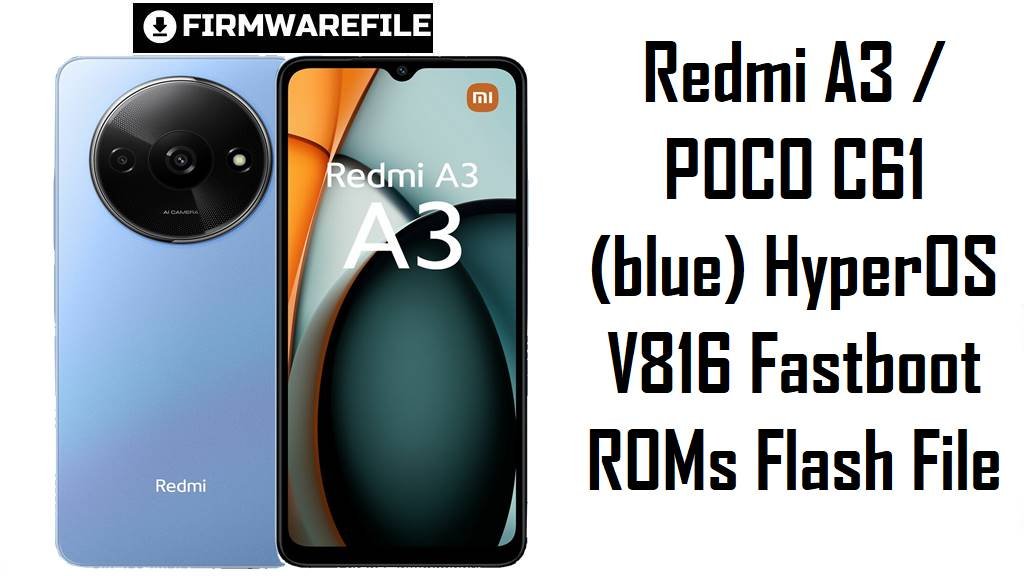
Redmi A3 / POCO C61 (blue) HyperOS V816 Fastboot ROMs Flash File
Redmi A3 and POCO C61 are ultra‑budget phones that offer a big 6.71‑inch 90 Hz display, Helio G36 processor and 5000 mAh battery at a very low price point. Real users and reviews still highlight slow app launches, basic camera quality and occasional lag or hanging, especially once the phone fills up with apps and updates.
The official HyperOS/MIUI V816 Android 14 fastboot ROMs below for codename blue let you clean‑flash the software, fix bootloops and clear glitches on Global, India, Russia, EEA and Indonesia variants.
Download Firmware for Redmi A3 / POCO C61
All the files here are official V816 Android 14 fastboot ROMs for devices with codename de>blue, covering Redmi A3 and POCO C61 in different regions. These builds are from early 2024 and are now older than newer V816.0.8.0+ Android 14 and V816.0.10.0+ Android 15 updates listed on firmware trackers, so they are best used when you specifically need these exact versions or want to restore a device that originally shipped with them.
| Filename | Region / Variant | Build Number | Build Date | Android Version | Flashing Method | File Size | Notes | Download |
|---|---|---|---|---|---|---|---|---|
| blue_global_images_V816.0.4.0.UGRMIXM_20240312.0000.00_14.0_d53ed3c01a.tgz | Global – Redmi A3 / POCO C61 Global | V816.0.4.0.UGRMIXM | 2024‑03‑12 | Android 14 (HyperOS/MIUI V816) | Fastboot (Mi Flash Tool) | 2.68 GB | Early stable Android 14 fastboot ROM for Redmi A3 Global; firmware sites list it as the second public V816 build, replaced later by V816.0.5.0+ and V816.0.8.0+ bug‑fix releases. | Download Global fastboot |
| blue_in_global_images_V816.0.4.0.UGRINXM_20240314.0000.00_14.0_99d744c261.tgz | India – Redmi A3 / POCO C61 IN | V816.0.4.0.UGRINXM | 2024‑03‑14 | Android 14 (HyperOS/MIUI V816) | Fastboot (Mi Flash Tool) | 2.28 GB | First widely‑available Android 14 fastboot ROM for POCO C61/Redmi A3 India; MIUI Downloader shows it as a stable fastboot package sized around 2.5 GB for the blue India variant. | Download India fastboot |
| blue_ru_global_images_V816.0.6.0.UGRRUXM_20240222.0000.00_14.0_158e2e33be.tgz | Russia – Redmi A3 / POCO C61 RU | V816.0.6.0.UGRRUXM | 2024‑02‑22 | Android 14 (HyperOS/MIUI V816) | Fastboot (Mi Flash Tool) | 2.40 GB | Android 14 fastboot ROM for Russian units; ROM lists show V816.0.6.0.UGRRUXM as the first RU fastboot release before newer UGRRUXM and VGRRUXM builds. | Download Russia fastboot |
| blue_eea_global_images_V816.0.4.0.UGREUXM_20240227.0000.00_14.0_75f899ce1d.tgz | EEA / Europe – Redmi A3 / POCO C61 EU | V816.0.4.0.UGREUXM | 2024‑02‑27 | Android 14 (HyperOS/MIUI V816) | Fastboot (Mi Flash Tool) | 2.76 GB | Early European Android 14 fastboot ROM for blue; the ROM index shows it as the first UGREUXM fastboot package, with later 0.7.0/0.8.0/0.10.0 builds delivering more fixes. | Download EEA fastboot |
| blue_id_global_images_V816.0.4.0.UGRIDXM_20240314.0000.00_14.0_53ee2305d6.tgz | Indonesia – Redmi A3 / POCO C61 ID | V816.0.4.0.UGRIDXM | 2024‑03‑14 | Android 14 (HyperOS/MIUI V816) | Fastboot (Mi Flash Tool) | 2.63 GB | Android 14 fastboot ROM tailored for Indonesian networks; XiaomiTime shows nearby V816.0.3.0 and 0.4.0 UGRIDXM builds, with this fastboot image used to recover bricked or unstable phones. | Download Indonesia fastboot |
Newer V816 builds (such as V816.0.8.0+ UGR* on Android 14 and V816.0.10.0+ VGR* on Android 15) are now available for Redmi A3 and POCO C61, so for regular updates you should normally use the most recent fastboot or recovery ROM from trusted firmware trackers rather than staying on these early 2024 versions.
Complete Device & Firmware Overview
- Device family & codename
- Redmi A3 and POCO C61 share the same low‑end hardware platform and internal codename blue across Global, India, Russia, EEA and Indonesia.
- Market position
- Both phones sit in the entry‑level segment, focusing on big screens and battery life rather than camera or gaming power, with prices often around 100 USD or less depending on RAM/storage.
- Key hardware specs
- They use a 6.71‑inch 90 Hz IPS LCD (HD+ 720 × 1650), MediaTek Helio G36, up to 6–8 GB RAM plus microSD expansion, and a 5000 mAh battery with basic 10 W charging.
- Camera & multimedia
- The rear camera is an 8 MP wide sensor with auxiliary lens and 1080p 30 fps video, while the 5 MP selfie camera also supports 1080p 30 fps—good enough for casual shots but clearly budget‑grade.
- Software & UI
- These V816.0.x ROMs are MIUI/HyperOS‑branded Android 14 builds (including Go variants on some SKUs), serving as the first major system update generation after launch.
- Common pain points
- Reviews and community posts mention limited performance headroom, occasional hanging or lag, slow app opens and modest camera results, which are typical of Helio G36 and low RAM when the system is loaded with apps and data.
- How these ROMs help
- Flashing an official fastboot ROM lets you remove bloat, fix corrupted updates, unbrick devices stuck at boot and return to a clean Android 14 base tailored to your region.
- Firmware type
- All listed files are fastboot ROMs in .tgz format for Windows flashing tools; they are not the smaller .zip packages used by the built‑in updater app.
- Bootloader & anti‑rollback
- Manual fastboot flashing usually requires an unlocked bootloader, and Xiaomi’s anti‑rollback system can block or brick unsafe downgrades if you jump backwards beyond allowed ARB versions.
- Required tools
- You need a Windows PC, Xiaomi USB drivers, Xiaomi Flash Tool (MiFlash or similar), a reliable USB‑C cable.
CRUCIAL WARNING: These fastboot ROMs are strictly for Redmi A3 / POCO C61 devices with codename blue; do not flash them to other Redmi A‑series, POCO or Xiaomi models (or other codenames) or you may permanently brick the phone.
Each build is region‑locked by code (UGRMIXM, UGRINXM, UGRRUXM, UGREUXM, UGRIDXM), so you should normally flash the ROM that matches your phone’s original region and avoid cross‑region flashing while anti‑rollback is enabled on HyperOS/MIUI V816 devices.
All official de>blue_*.tgz fastboot packages will wipe user data when used with Xiaomi’s fastboot tools, and choosing options like “clean all and lock” with a mismatched region can relock the bootloader on unsupported firmware and cause network loss or boot loops.
Preparation Before Flashing
Click here for the Redmi A3 / POCO C61 pre‑flash checklist
- Confirm codename & region: Boot to fastboot and run fastboot getvar product; continue only if it returns blue, then check Settings → About phone to see whether your current build ends with UGRMIXM, UGRINXM, UGRRUXM, UGREUXM or UGRIDXM.
- Match the suffix: Download only the fastboot ROM whose suffix matches your original region (Global, India, Russia, EEA, Indonesia) to keep LTE bands, VoLTE and OTA behavior correct.
- Backup your data: Fastboot flashing performs a clean install and erases apps, photos and settings, so back up important data to Google, Xiaomi Cloud or a PC before you start.
- Charge the battery: Make sure the battery is at least 50–60% to avoid shutdown during the flash, which could corrupt partitions and hard‑brick the device.
- Install drivers & MiFlash: On Windows, install Xiaomi USB drivers and Xiaomi Flash Tool (MiFlash or compatible), then confirm that your phone is detected when in fastboot mode.
Quick Firmware Flash Instructions
This simplified guide covers flashing a fastboot ROM such as blue_global_images_V816.0.4.0.UGRMIXM_20240312.0000.00_14.0_d53ed3c01a.tgz using Xiaomi’s fastboot flashing tool on a Windows PC.
- Prepare PC & ROM: Install Xiaomi USB drivers and MiFlash, then download the correct blue_…images_V816.0.4.0.UGR* TGZ and extract it fully to a simple path such as C:\blue_rom.
- Enter fastboot mode: Power off the phone, hold Volume Down + Power until the fastboot logo appears, and connect the device to the PC with a reliable USB‑C cable.
- Select the firmware: Open MiFlash, click “Select” and choose the extracted ROM folder, then click “Refresh” to make sure your blue device is listed.
- Flash with “clean all”: Choose the “clean all” option (wipes data but keeps bootloader unlocked), click “Flash” and wait patiently for MiFlash to show a success status without disconnecting the phone.
- First boot & verify: Let the phone reboot and finish optimization, then open About phone to confirm codename, region suffix and MIUI/HyperOS build number match the ROM you flashed.
For a more detailed, screenshot‑rich walkthrough of Xiaomi fastboot flashing, including anti‑rollback checks and troubleshooting tips, follow the main Xiaomi fastboot firmware guide and simply select your extracted blue_*.tgz folder when it asks you to choose a ROM.
Frequently Asked Questions (FAQs)
- Q1. Which of these V816 ROMs should I use on my Redmi A3 / POCO C61?
- Use the latest fastboot ROM that matches your original region suffix—for example V816.0.4.0.UGRMIXM for early Global units, V816.0.4.0.UGRINXM for India, V816.0.6.0.UGRRUXM for Russia, V816.0.4.0.UGREUXM for EEA or V816.0.4.0.UGRIDXM for Indonesia—unless a newer fastboot build is available for the same region.
- Q2. Are these updates HyperOS or MIUI?
- Firmware trackers label V816.0.4.0.UGRMIXM and related builds as MIUI/HyperOS‑era Android 14 updates for Redmi A3/POCO C61, so they sit at the transition stage before later VGR* Android 15 HyperOS firmware.
- Q3. Will flashing one of these ROMs fix my lag or hanging issues?
- On such an entry‑level Helio G36 phone, a clean flash can remove accumulated junk, misbehaving apps and broken updates, which often reduces lag, but the hardware still limits performance under heavy multitasking or gaming.
- Q4. Can I cross‑flash Global UGRMIXM on an Indian or Russian unit?
- While the hardware is similar, Xiaomi’s regional ROMs differ in modem and regulatory settings, and anti‑rollback may interfere, so community guidance is to stick to your matching region suffix unless you fully understand the risks.
- Q5. Do these ROMs upgrade my phone to Android 15 or 16?
- No; all the listed V816.0.4.0/0.6.0 builds are Android 14, and Android 15 or 16 upgrades arrive via later VGR* or WGR* builds on the same codename blue, not via these early 2024 packages.
- Q6. Is POCO C61 exactly the same as Redmi A3 for firmware?
- Yes; official firmware pages list POCO C61 and Redmi A3 together under codename blue, meaning they share the same ROMs as long as you match the correct region suffix.