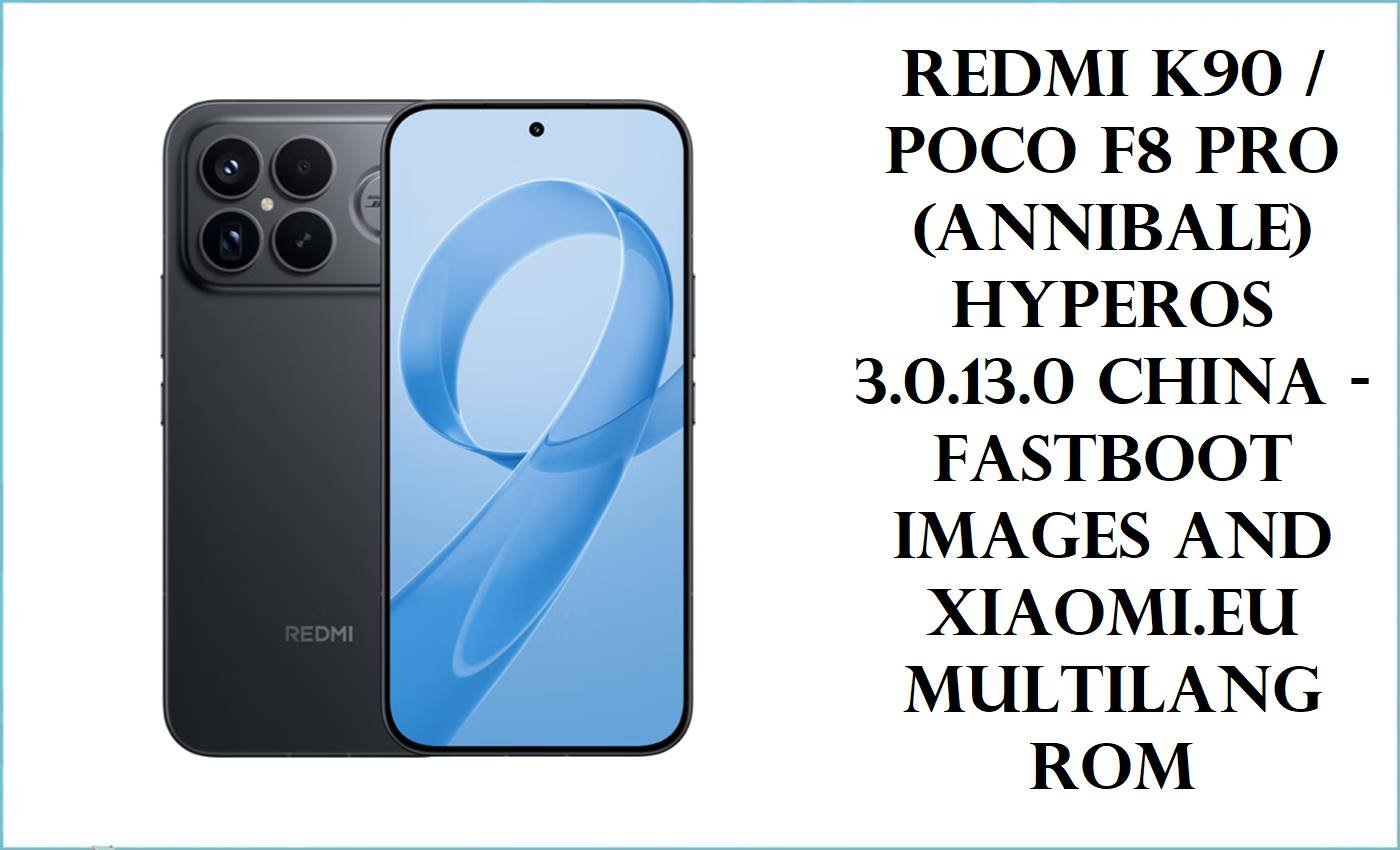
The POCO F8 Pro, sold as the Redmi K90 in China, sits in Xiaomi’s performance-focused upper tier with a Snapdragon 8 Elite chip, a 6.59-inch 120Hz AMOLED display, IP68 protection, and a 6210mAh battery.
Most people looking for annibale firmware are trying to recover from a failed flash, return to the correct regional software, or move back to an official HyperOS base after testing custom software. The files below separate official fastboot ROMs by region, then clearly mark the xiaomi.eu custom ROM and the TWRP recovery image so you can avoid mixing tools or flashing the wrong branch.
Download Firmware for POCO F8 Pro / Redmi K90
These packages all target the annibale codename, which is mapped in public firmware indexes to Redmi K90 / POCO F8 Pro. Official Xiaomi fastboot ROMs are available here for China, Global, EEA, Russia, Indonesia, Taiwan, and Turkey, while the xiaomi.eu ZIP is a separate custom ROM path and the .img file is only a recovery image, not stock firmware.
Complete Device & Firmware Overview
- Device name
- POCO F8 Pro globally, Redmi K90 in China, both under codename annibale.
- Known model reference
- POCO F8 Pro is publicly listed with model 2510DPC44G, while community Xiaomi model tables also list Redmi K90 under a separate China code.
- Chipset
- Qualcomm Snapdragon 8 Elite with Adreno 830 graphics.
- Display
- 6.59-inch AMOLED panel with 120Hz refresh rate, Dolby Vision, and HDR10+.
- Battery
- 6210mAh battery with 100W wired charging.
- Protection
- IP68 dust and water resistance.
- Storage class
- UFS 4.1 storage on the public POCO F8 Pro listing.
- Firmware family in this set
- Official HyperOS 3 fastboot ROMs for China, Global, EEA, Russia, Indonesia, Taiwan, and Turkey, plus one xiaomi.eu custom ROM and one TWRP recovery image.
- Android version
- All listed ROM packages are labeled for Android 16.
- Build pattern
- Region suffixes follow Xiaomi’s usual naming style, including CNXM, MIXM, EUXM, RUXM, IDXM, TWXM, and TRXM.
- Firmware type
- .tgz packages here are fastboot ROMs, the xiaomi.eu file is a custom ROM ZIP, and the .img file is a recovery image.
- Flash method
- Official annibale_images.tgz packages are for Xiaomi MI Flash Tool or manual Fastboot workflows, while the TWRP image itself is a Fastboot-flashed recovery component.
- Bootloader rules
- For this device, bootloader status matters most when you plan to use xiaomi.eu or a custom recovery route. Official fastboot restores are the cleaner choice when the goal is returning to the stock regional branch.
- Required tools
- Windows PC, Xiaomi USB drivers, USB cable, the correct fastboot ROM for your region, and enough free storage to extract 8GB to 11GB archives.
- Best-fit package choice
- Use the same regional branch the phone already belongs to whenever possible, especially on a device class that ships on separate China, Global, and EEA lines.
CRUCIAL WARNING: These files are strictly for POCO F8 Pro / Redmi K90 with codename annibale; they must not be flashed to other Xiaomi, Redmi, or POCO codenames just because the hardware looks similar. Public firmware indexes map annibale specifically to Redmi K90 / POCO F8 Pro, and the official ROM branches here are split further by region such as CNXM, MIXM, and EUXM.
All official annibale_images.tgz packages are fastboot ROMs, while xiaomi.eu_ANNIBALE_*.zip is a different custom-ROM path and the TWRP image is not firmware at all. Flashing the wrong region, mixing official and custom steps, or locking the bootloader on a mismatched build can leave the phone unable to boot cleanly or update normally.
Preparation Before Flashing
Open annibale pre-flash checklist
-
- Verify that the device is really annibale and that you are working on a POCO F8 Pro or Redmi K90, not a nearby Xiaomi model.
- Read the current region from the existing build string before downloading anything, then keep CNXM, MIXM, EUXM, RUXM, IDXM, TWXM, or TRXM aligned with that branch whenever possible.
- Treat the .tgz files as stock fastboot ROMs, the xiaomi.eu ZIP as a custom ROM, and the TWRP file as recovery only.
- Make sure the PC has enough space to extract very large archives, because these annibale packages range from about 8GB to 11GB in the files provided.
- Back up all user data, charge the phone well, and avoid any “one-click” choice that also relocks the bootloader unless the installed ROM exactly matches the original hardware and regional branch.
Quick Firmware Flash Instructions
Official fastboot ROM route:
- Pick the exact annibale region package, such as WPKMIXM for Global, WPKEUXM for EEA, or WPKCNXM for China, then extract the .tgz archive completely.
- Official fastboot ROM route: Boot the phone into Fastboot mode and use Xiaomi MI Flash Tool or a manual Fastboot workflow with the extracted image folder, not with the compressed archive itself.
- Official fastboot ROM route: After flashing, let the first boot finish fully before judging stability, especially when restoring from a failed modification or bootloop.
- Custom ROM route: Use the TWRP image only if you already know you need custom recovery on annibale, because it is not a stock repair package by itself.
Custom ROM route: Flash the xiaomi.eu_ANNIBALE_OS3.0.303.0.WPKCNXM_16.zip only on an unlocked device with a working recovery-based install path, and keep it separate from the official Xiaomi fastboot process.
For the official .tgz stock packages, use the full Xiaomi MI Flash Tool guide here: Xiaomi MI Flash Tool. For manual Fastboot flashing or for sending the TWRP image, use: Fastboot guide.
Frequently Asked Questions (FAQs)
Which file is the right choice for a POCO F8 Pro bought in the UK or Europe?
If the phone is on the EEA branch, the correct stock restore in this set is OS3.0.8.0.WPKEUXM; if it is on the wider global branch, use OS3.0.8.0.WPKMIXM instead. Xiaomi publicly separates Global and EEA firmware lines for annibale.
Can I flash the China build on a global POCO F8 Pro just because the codename is the same?
It is still a region change, not a normal restore. The annibale firmware catalog clearly separates China, Global, and EEA tracks, so the safer recovery choice is the same regional branch the phone already uses.
Do I need TWRP for the official annibale firmware files here?
No. The official annibale_images.tgz packages are fastboot ROMs, which means they belong to Xiaomi MI Flash Tool or Fastboot workflows, not to recovery ZIP flashing.
Is the xiaomi.eu package the same as Xiaomi’s official Global or EEA ROM?
No. It is a separate xiaomi.eu custom ROM package based on the China branch naming, while Xiaomi’s official stock packages here are the region-specific fastboot ROMs such as WPKCNXM, WPKMIXM, and WPKEUXM.
Which package is newest overall in this list?
The newest build provided here is the China fastboot ROM OS3.0.303.0.WPKCNXM dated 2026-03-07, but that does not make it the best option for every phone. For Global and EEA stock users, the latest matching packages in this set are both OS3.0.8.0 on their own regional tracks.
Why are the Taiwan and Turkey files lower than the Global and EEA builds?
Because Xiaomi’s regional branches do not always move in lockstep. In this batch, the Taiwan and Turkey packages are earlier January 2026 releases, so they should be treated as older official regional builds rather than as direct alternatives to newer EEA or Global releases.
What is the safest file here after a failed mod or bootloop?
In most cases, the safest starting point is the same official regional fastboot ROM the device already belonged to before the problem started. For annibale, that usually means choosing the correct MIXM, EUXM, CNXM, RUXM, IDXM, TWXM, or TRXM package instead of jumping straight to xiaomi.eu or a different market branch.

💬 Comments