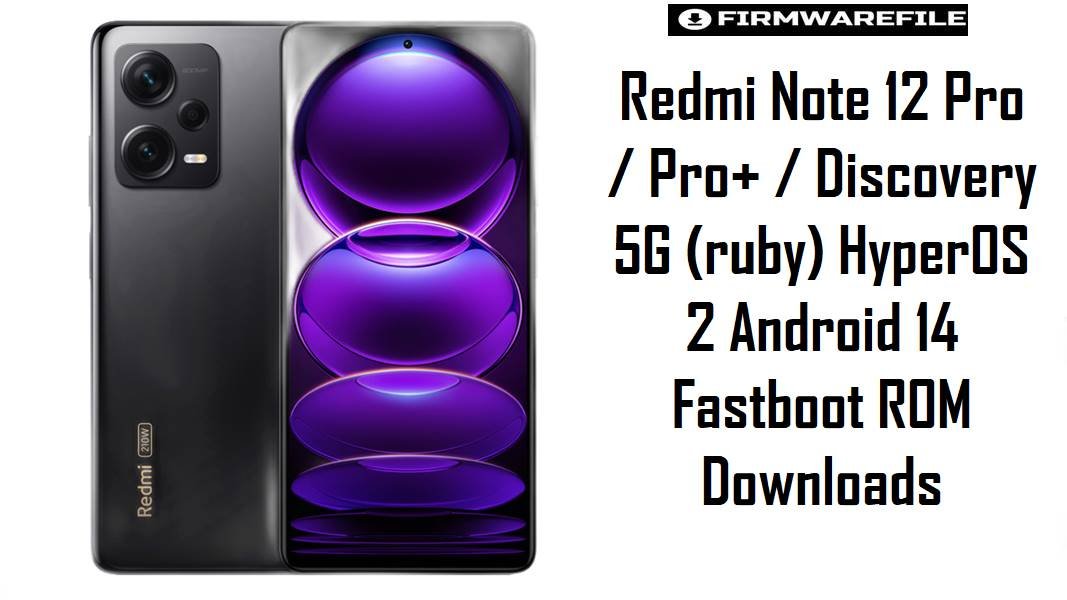
Redmi Note 12 Pro / Pro+ / Discovery 5G (ruby) HyperOS 2 Android 14 Fastboot ROM Downloads
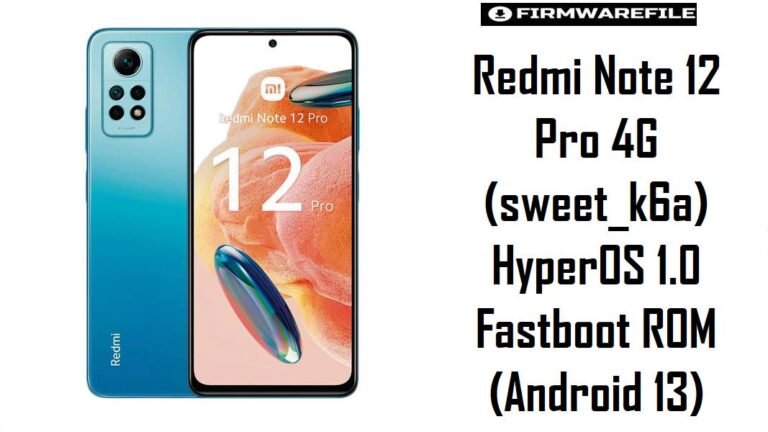
Redmi Note 12 Pro / Pro+ / Discovery 5G (codename ruby) is a popular mid‑range series with strong cameras and fast charging, but HyperOS adopters report issues like stutters, battery drain, and minor network glitches when updates are applied over long MIUI chains instead of clean flashes. These HyperOS 2 Android 14 fastboot ROMs provide full system images for every major region, allowing a fresh, codename‑matched install that brings late‑2025 security patches, smoother performance, and improved stability on the Dimensity 1080 platform.
Download Firmware for Redmi Note 12 Pro / Pro+ / Discovery 5G (ruby)
All ROMs below are official HyperOS 2 Android 14 fastboot packages for Redmi Note 12 Pro, Redmi Note 12 Pro+, Redmi Note 12 Discovery/Explorer, and related “Pro+ 5G” variants under codename ruby. For everyday use, the newest stable build matching the device’s original region is recommended; older version codes should only be used when a specific downgrade or region requirement exists.
| Filename | Region / Variant | Build Number | Build Date | Android Version | Flashing Method | Notes | File Size | Download |
|---|---|---|---|---|---|---|---|---|
| ruby_images_OS2.0.15.0.UMOCNXM_20251124.0000.00_14.0_cn_2aa259e55a.tgz | China (CNXM) – Redmi Note 12 Pro / Pro+ / Discovery 5G China | OS2.0.15.0.UMOCNXM | 2025-11-24 | Android 14 / HyperOS 2 | Xiaomi Flash Tool (Fastboot) | Latest China HyperOS 2 fastboot ROM; firmware trackers list OS2.0.15.0.UMOCNXM as the newest stable Android 14 build for ruby China, with November 2025 security patch and system security improvements. Ideal for Chinese units, and used as a base for some custom ROMs due to its early availability and rich feature set. |
6.58 GB | Download From Xiaomi (CN Fastboot) |
| ruby_eea_global_images_OS2.0.10.0.UMOEUXM_20251113.0000.00_14.0_eea_654a0a8a76.tgz | EEA Europe (EUXM) – Redmi Note 12 Pro / Pro+ 5G EEA | OS2.0.10.0.UMOEUXM | 2025-11-13 | Android 14 / HyperOS 2 | Xiaomi Flash Tool (Fastboot) | Latest EEA fastboot ROM; HyperOS downloads show OS2.0.10.0.UMOEUXM as the current stable Android 14 build for EEA ruby, with the recovery package dated 2025‑11‑20 and file size around 5.2 GB. Recommended for EU‑sold devices, keeping EEA‑specific regulations and OTA behavior intact. |
6.35 GB | Download From Xiaomi (EEA Fastboot) |
| ruby_global_images_OS2.0.9.0.UMOMIXM_20251111.0000.00_14.0_global_c6feeadcde.tgz | Global (MIXM) – Redmi Note 12 Pro / Pro+ 5G Global | OS2.0.9.0.UMOMIXM | 2025-11-11 | Android 14 / HyperOS 2 | Xiaomi Flash Tool (Fastboot) | Latest Global HyperOS 2 fastboot ROM; official firmware catalogs describe OS2.0.9.0.UMOMIXM as stable Android 14 for global ruby, with companion recovery ZIP around 5.0 GB and changelog noting updated security patch and better system security. The primary choice for global devices needing a full refresh from MIUI 14 or earlier HyperOS builds. |
6.58 GB | Download From Xiaomi (Global Fastboot) |
| ruby_ru_global_images_OS2.0.9.0.UMORUXM_20251204.0000.00_14.0_ru_22e5325dc6.tgz | Russia (RUXM) – Redmi Note 12 Pro / Pro+ 5G Russia | OS2.0.9.0.UMORUXM | 2025-12-04 | Android 14 / HyperOS 2 | Xiaomi Flash Tool (Fastboot) | Russian HyperOS 2 fastboot ROM; latest entries show OS2.0.9.0.UMORUXM as stable Android 14 for Russian ruby, with matching recovery build dated mid‑December 2025. Includes carrier and regional adjustments for Russia. |
6.68 GB | Download From Xiaomi (RU Fastboot) |
| ruby_id_global_images_OS2.0.8.0.UMOIDXM_20251107.0000.00_14.0_id_1a1b5e6c42.tgz | Indonesia (IDXM) – Redmi Note 12 Pro / Pro+ 5G Indonesia | OS2.0.8.0.UMOIDXM | 2025-11-07 | Android 14 / HyperOS 2 | Xiaomi Flash Tool (Fastboot) | Indonesian fastboot ROM; XM Firmware Updater lists newer OS2.0.11.0.UMOIDXM as the latest, which means OS2.0.8.0 here is slightly older but still a late 2025 HyperOS 2 build. Only recommended when specifically targeting this version; otherwise, the newest IDXM fastboot ROM should be preferred. | 6.40 GB | Download From Xiaomi (ID Fastboot) |
| ruby_in_global_images_OS2.0.7.0.UMOINXM_20251105.0000.00_14.0_in_3974b01b19.tgz | India (INXM) – Redmi Note 12 Pro / Pro+ 5G India | OS2.0.7.0.UMOINXM | 2025-11-05 | Android 14 / HyperOS 2 | Xiaomi Flash Tool (Fastboot) | Indian HyperOS 2 fastboot ROM; official lists mention OS2.0.9.0.UMOINXM as an even newer India build, so OS2.0.7.0 here is a slightly older HyperOS 2 release. Good for troubleshooting specific versions, but for up‑to‑date security and fixes, OS2.0.9.x fastboot should be used where available. | 5.68 GB | Download From Xiaomi (IN Fastboot) |
| ruby_tr_global_images_OS2.0.6.0.UMOTRXM_20251103.0000.00_14.0_tr_d40d9a0bdb.tgz | Turkey (TRXM) – Redmi Note 12 Pro / Pro+ 5G Turkey | OS2.0.6.0.UMOTRXM | 2025-11-03 | Android 14 / HyperOS 2 | Xiaomi Flash Tool (Fastboot) | Turkey HyperOS fastboot ROM; HyperOS download tables show OS2.0.7.0.UMOTRXM as an even newer Turkey fastboot build, which makes OS2.0.6.0 an older HyperOS 2 release. Suitable only when targeting this exact version; otherwise, the newest TRXM is preferred. | 6.03 GB | Download From Xiaomi (TR Fastboot) |
| ruby_tw_global_images_OS2.0.6.0.UMOTWXM_20251031.0000.00_14.0_tw_1e9e724b92.tgz | Taiwan (TWXM) – Redmi Note 12 Pro / Pro+ 5G Taiwan | OS2.0.6.0.UMOTWXM | 2025-10-31 | Android 14 / HyperOS 2 | Xiaomi Flash Tool (Fastboot) | Taiwan HyperOS 2 fastboot ROM; update trackers list OS2.0.7.0.UMOTWXM as the latest TW fastboot build, indicating this OS2.0.6.0 version is one step behind. Only flash when specifically required; otherwise, the latest TWXM HyperOS 2 ROM is safer. | 5.87 GB | Download From Xiaomi (TW Fastboot) |
| ruby_kr_global_images_OS2.0.1.0.UMOKRXM_20250709.0000.00_14.0_kr_e42f8b941e.tgz | South Korea (KRXM) – Redmi Note 12 Pro / Pro+ 5G Korea | OS2.0.1.0.UMOKRXM | 2025-07-09 | Android 14 / HyperOS 2 | Xiaomi Flash Tool (Fastboot) | Early Korean HyperOS 2 fastboot ROM; HyperOS download pages show OS2.0.1.0.UMOKRXM as the first stable Android 14 fastboot for ruby South Korea, later followed by recovery releases. Newer KR builds may exist; this one is mostly relevant for rollback or specific testing scenarios. |
6.37 GB | Download From Xiaomi (KR Fastboot) |
Clarity notes: Device and codename lists map ruby to Redmi Note 12 Pro 5G for China, Global, and India (models 22101316C, 22101316G, 22101316I) and extend the same line to Redmi Note 12 Pro+ and Discovery/Explorer editions, while rubyplus is sometimes used specifically for Pro+ in internal references. Correct region tagging (CNXM/MIXM/EUXM/INXM/RUXM/IDXM/TWXM/KRXM) is essential to avoid network, OTA, or compliance issues.
Complete Device & Firmware Overview
- Device Names:
- Redmi Note 12 Pro 5G, Redmi Note 12 Pro+ 5G, Redmi Note 12 Explorer/Discovery 5G, and regional Pro+ 5G variants.
- Codename:
ruby, assigned across Note 12 Pro / Pro+ / Discovery 5G families in China, Global, India, and other regions.- Model Numbers & Regions:
- Examples: 22101316C/22101316UCP (China), 22101316G/22101316UG (Global/EEA), 22101316I/22101316UP (India), plus region‑tagged variants for Russia, Indonesia, Turkey, Taiwan, and South Korea.
- Chipset & Hardware:
- MediaTek Dimensity 1080 5G SoC, 6.67″ 120 Hz OLED, up to 12 GB RAM and 256 GB storage, large battery with up to 120 W charging on some Pro+ / Discovery models, making firmware tuning critical for thermal and battery stability.
- HyperOS Branch & Android Base:
- HyperOS 2 on Android 14, OS2.0.x.0.UMO**XM across regions; changelog examples such as OS2.0.15.0.UMOCNXM and OS2.0.9.0.UMOINXM explicitly confirm Android 14 with updated security patches.
- Security Patch Level (examples):
- Recovery ROM summaries mention security patches updated to November or December 2025 on OS2.0.15.0.UMOCNXM (China) and OS2.0.9.0.UMOINXM (India) with the usual “increased system security” note.
- Typical Pain Points:
- Owners of Redmi Note 12 Pro series report issues like inconsistent 120 Hz smoothness, camera app slowdowns, and HyperOS‑related battery drain or heat after OTAs; such problems are frequently linked to broken incremental updates or legacy MIUI residue.
- How HyperOS 2 ROMs Help:
- Full fastboot images replace all key partitions, reducing the risk of residual MIUI bugs and aligning with HyperOS bug‑fix announcements that focus on battery drain, background app handling, and UI stability—especially important on performance‑oriented Dimensity mid‑range hardware.
- Firmware Types Available:
- Fastboot ROMs (TGZ) for clean installs or unbricking, Recovery ROMs (ZIP) for in‑place upgrades, and OTA deltas listed by HyperOS aggregators.
- Bootloader & ARB Considerations:
- Official same‑region HyperOS fastboot ROMs can be flashed on stock devices; cross‑region experiments and custom recoveries require unlock. Anti‑rollback prevents some downgrades to earlier HyperOS or MIUI firmware, so version order must be respected.
- Required Tools:
- Windows PC, Xiaomi USB/fastboot drivers, Xiaomi Flash Tool for TGZ fastboot packages, a stable USB‑C cable, and optional ADB/fastboot utilities for verification.
CRUCIAL WARNING: These fastboot ROMs are strictly for Redmi Note 12 Pro / Pro+ / Discovery 5G with codename ruby; they must not be flashed to Redmi Note 12 5G (sunstone), Note 12 4G or Note 12 Pro models with other codenames, or to unrelated Xiaomi / POCO devices, because cross‑flashing across different codenames and chipsets can permanently brick the phone by corrupting modem and system partitions.
All official ruby*_images_*.tgz fastboot packages will typically wipe user data when flashed with Xiaomi’s tools, and choosing options like “clean all and lock” on modified or mismatched firmware can relock the bootloader on an unsupported build, causing bootloops, loss of network connectivity, or anti‑rollback‑related hard bricks.
Preparation Before Flashing
Click here for the Redmi Note 12 Pro / Pro+ / Discovery 5G (ruby) pre‑flash checklist
- Confirm codename and exact variant: In fastboot mode, run
fastboot getvar productand ensure it returnsruby, then verify whether the device is China, Global, EEA, India, Russia, Indonesia, Turkey, Taiwan, or Korean by checking current build (UMO**XM) in Settings and cross‑referencing firmware lists. - Back up all important data: Because fastboot flashing usually wipes data, back up photos, messaging data, banking app tokens, and local files to cloud services or a PC before using these HyperOS 2 ROMs.
- Charge sufficiently: Ensure at least 60% battery so the phone does not power off during the multi‑gigabyte flash process, which could leave it in a corrupted state.
- Install drivers and Xiaomi Flash Tool: On Windows, install Xiaomi USB and fastboot drivers plus Xiaomi Flash Tool; verify connectivity with
fastboot devicesbefore selecting the TGZ ROM. - Use a reliable USB connection: Prefer a short, high‑quality USB‑C cable and direct motherboard USB port to avoid random disconnects while flashing the 6–7 GB fastboot images.
How to flash Firmware Files to Redmi Note 12 Pro / Pro+ / Discovery 5G
This simplified guide covers flashing an official HyperOS 2 fastboot ROM, such as ruby_global_images_OS2.0.9.0.UMOMIXM_20251111.0000.00_14.0_global_c6feeadcde.tgz for global devices or ruby_eea_global_images_OS2.0.10.0.UMOEUXM_... for EEA, using Xiaomi’s fastboot flashing tool on a Windows PC.
- Prepare PC and ROM: Install Xiaomi USB drivers and Xiaomi Flash Tool. Download the correct fastboot ROM for the device’s region (for example, OS2.0.9.0.UMOMIXM for Global or OS2.0.10.0.UMOEUXM for EEA), then fully extract the
ruby_...tgzarchive into a short path such asC:\ruby_romto prevent path‑length issues. - Enter fastboot mode: Power off the phone, then hold Volume Down + Power until the fastboot logo appears. Connect to the PC via USB‑C and optionally confirm
fastboot getvar productreturnsruby. - Configure Xiaomi Flash Tool: Open Xiaomi Flash Tool, select the extracted ROM folder as the firmware path, and choose the “clean all” option to perform a fresh HyperOS 2 install without changing bootloader status; avoid “clean all and lock” unless flashing completely stock, region‑matched firmware on an unmodified device.
- Start the flash: Click “refresh” to ensure the device is detected, then click “flash”. Wait patiently until the tool reports success, without disconnecting the cable or shutting down the PC while large system, vendor, and modem partitions are written.
- Allow first boot optimization: After flashing, the phone reboots into HyperOS 2; the initial boot can take several minutes as apps and services are optimized. Once done, check system smoothness, camera responsiveness, and battery performance to confirm improvements over the previous setup.
For an in‑depth, screenshot‑rich explanation of Xiaomi fastboot flashing, including anti‑rollback checks and common error solutions, consult the dedicated Xiaomi Fastboot Firmware Guide, which can be followed step by step when flashing these ruby HyperOS 2 ROMs.
Frequently Asked Questions (FAQs)
- Q1. Which HyperOS 2 fastboot ROM should Redmi Note 12 Pro users prioritize?
- The recommended option is the newest stable HyperOS 2 fastboot ROM that matches the phone’s original region: OS2.0.15.0.UMOCNXM for China, OS2.0.10.0.UMOEUXM for EEA, OS2.0.9.0.UMOMIXM for Global, OS2.0.9.0.UMOINXM+ for India, OS2.0.11.0.UMOIDXM for Indonesia, OS2.0.9.0.UMORUXM for Russia, OS2.0.7.x.UMOTRXM for Turkey, OS2.0.7.x.UMOTWXM for Taiwan, and OS2.0.1.0.UMOKRXM+ for South Korea, as summarized on HyperOS firmware trackers.
- Q2. How does HyperOS 2 improve on MIUI 14 for Redmi Note 12 Pro / Pro+?
- Changelogs and update round‑ups highlight that HyperOS 2 Android 14 builds for
rubyprovide updated security patches, refined animations, and stability fixes, which help smooth 120 Hz scrolling, reduce camera delays, and improve app launch consistency compared with MIUI 14 when installed cleanly. - Q3. Can installing these ROMs help fix HyperOS battery drain issues?
- HyperOS battery complaints often trace back to early builds, misbehaving apps, or incomplete OTA updates; battery‑focused reports and fix guides consistently recommend flashing the latest full HyperOS ROM and recalibrating background app settings to resolve drain on Xiaomi phones, including the Note 12 series.
- Q4. Is it safe to cross‑flash Global UMOMIXM firmware on an EEA or Indian Redmi Note 12 Pro?
- Codename compatibility exists, but firmware databases and codename references advise against routine cross‑flashing between MIXM, EUXM, and INXM because modem configuration, regulatory flags, and OTA channels differ; staying on region‑matched builds is safer for long‑term stability.
- Q5. What kind of issues have users reported after HyperOS updates on the Note 12 Pro line?
- Feedback collected by HyperOS trackers and community posts mentions occasional notification delays, camera app slowdowns, and sporadic frame drops under heavy multitasking; subsequent OS2.0.x releases aim to fix such bugs incrementally, making newer builds more desirable.
- Q6. Do these fastboot ROMs upgrade directly from Android 13 MIUI 14 to Android 14 HyperOS 2?
- Yes. The OS2.0.x.0.UMO**XM fastboot ROM line is Android 14‑based HyperOS 2 and is designed to replace earlier MIUI 14 or HyperOS 1 builds entirely, updating both the OS layer and security patches in a single clean flash.
- Q7. How can bricking risks be minimized when flashing ruby HyperOS fastboot ROMs?
- Verifying codename as
ruby, matching the correct region suffix, downloading from trusted mirrors, fully extracting TGZ archives, selecting “clean all” (not lock) for most scenarios, and avoiding interruptions during flashing align with best practices described by ROM aggregators and flashing guides, significantly reducing the risk of brick.