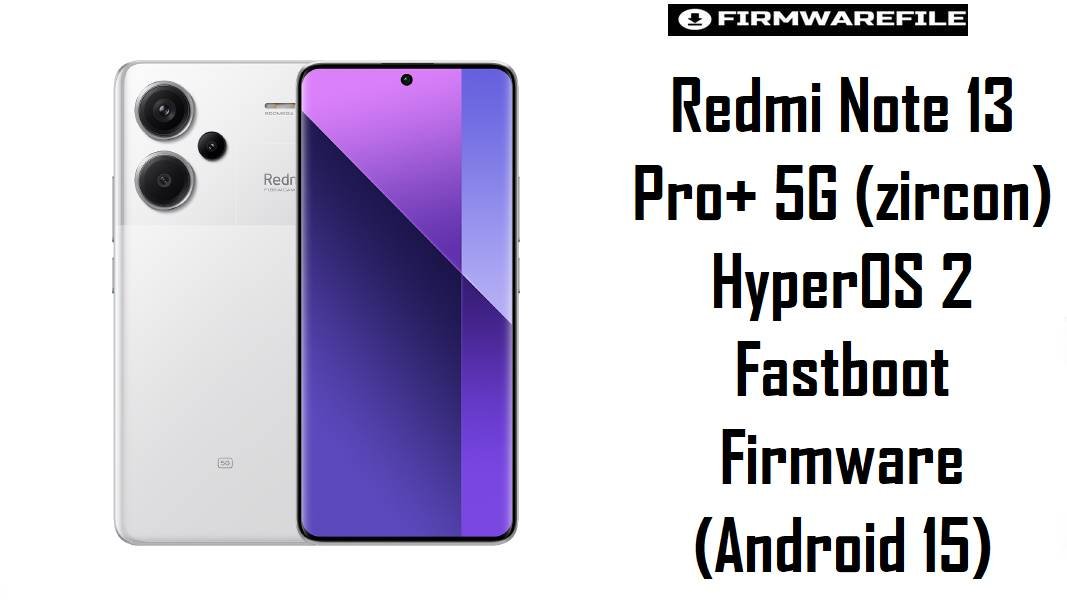
Redmi Note 13 Pro+ 5G (zircon) HyperOS 2 Fastboot Firmware (Android 15)
Redmi Note 13 Pro+ 5G (codename zircon) is a popular upper‑midrange Redmi built around a 1.5K curved AMOLED, a 200MP OIS main camera, and the Dimensity 7200‑Ultra platform.
After HyperOS updates, many owners report two recurring frustrations: noticeable overheating/temperature spikes and camera lag or video stuttering (especially right after updating).
The official fastboot firmware files below reinstall the full system cleanly and are commonly used to stabilize performance, reduce post-update bugs, and get the phone back to a known-good software base—when you flash the exact matching region build.
Download Firmware for Redmi Note 13 Pro+ 5G (zircon)
How to pick the right file: The codename zircon is Redmi Note 13 Pro+ 5G, while Redmi Note 13 Pro 5G is commonly listed as garnet, so always verify codename/region before flashing.
| Filename | Region/Variant | Build Number | Build Date | Android Version | Flashing Method | Notes | File Size | Download |
|---|---|---|---|---|---|---|---|---|
| zircon_in_global_images_OS2.0.208.0.VNOINXM_20251122.0000.00_15.0_in_83f256b492.tgz | India (INXM) | OS2.0.208.0.VNOINXM | 2025-11-22 | Android 15 | Xiaomi Flash Tool (Fastboot.tgz) | Newest in this set; recommended for India units experiencing post-update heat or camera lag, because it’s the latest region-matched base here. | 7.30GB | Download From Xiaomi (bigota) |
| zircon_ru_global_images_OS2.0.206.0.VNORUXM_20251122.0000.00_15.0_ru_9662798224.tgz | Russia (RUXM) | OS2.0.206.0.VNORUXM | 2025-11-22 | Android 15 | Xiaomi Flash Tool (Fastboot.tgz) | For RUXM devices only; choose this if you want the most compatible modem/OTA behavior for Russia variants. | 8.74GB | Download From Xiaomi (bigota) |
| zircon_tw_global_images_OS2.0.206.0.VNOTWXM_20251122.0000.00_15.0_tw_9f94f63d5a.tgz | Taiwan (TWXM) | OS2.0.206.0.VNOTWXM | 2025-11-22 | Android 15 | Xiaomi Flash Tool (Fastboot.tgz) | TWXM build for Taiwan variants; use when your phone shipped with TWXM for cleanest compatibility. | 6.85GB | Download From Xiaomi (bigota) |
| zircon_id_global_images_OS2.0.206.0.VNOIDXM_20251122.0000.00_15.0_id_b2a507ac90.tgz | Indonesia (IDXM) | OS2.0.206.0.VNOIDXM | 2025-11-22 | Android 15 | Xiaomi Flash Tool (Fastboot.tgz) | IDXM variant; recommended when troubleshooting persistent HyperOS lag/bugs while staying region-correct. | 8.03GB | Download From Xiaomi (bigota) |
| zircon_tr_global_images_OS2.0.206.0.VNOTRXM_20251117.0000.00_15.0_tr_d75de9e197.tgz | Turkey (TRXM) | OS2.0.206.0.VNOTRXM | 2025-11-17 | Android 15 | Xiaomi Flash Tool (Fastboot.tgz) | TRXM build for Turkey variants; use this instead of cross-flashing Global/EEA. | 7.76GB | Download From Xiaomi (bigota) |
| zircon_eea_global_images_OS2.0.206.0.VNOEUXM_20251107.0000.00_15.0_eea_6b1f9ac2bb.tgz | EEA / Europe (EUXM) | OS2.0.206.0.VNOEUXM | 2025-11-07 | Android 15 | Xiaomi Flash Tool (Fastboot.tgz) | EUXM is the safest choice for European devices—especially if camera/video stutter appeared right after a regional OTA update. | 8.08GB | Download From Xiaomi (bigota) |
| zircon_jp_global_images_OS2.0.206.0.VNOJPXM_20251029.0000.00_15.0_jp_48c4486edc.tgz | Japan (JPXM) | OS2.0.206.0.VNOJPXM | 2025-10-29 | Android 15 | Xiaomi Flash Tool (Fastboot.tgz) | JPXM build for Japan variants; prefer this when your handset’s original region is JPXM. | 7.73GB | Download From Xiaomi (bigota) |
| zircon_images_OS2.0.209.0.VNOCNXM_20251028.0000.00_15.0_cn_cdff422b80.tgz | China (CNXM) | OS2.0.209.0.VNOCNXM | 2025-10-28 | Android 15 | Xiaomi Flash Tool (Fastboot.tgz) | CNXM is for China devices only; don’t use it to “fix” Global/EEA phones—use your matching region build above. | 7.73GB | Download From Xiaomi (bigota) |
| zircon_global_images_OS2.0.207.0.VNOMIXM_20251015.0000.00_15.0_global_547de7cad5.tgz | Global (MIXM) | OS2.0.207.0.VNOMIXM | 2025-10-15 | Android 15 | Xiaomi Flash Tool (Fastboot.tgz) | Older build than the 2025-11-xx files above; still the correct choice for MIXM devices when you must stay Global. | 8.54GB | Download From Xiaomi (bigota) |
Flash only the exact Redmi Note 13 Pro+ 5G zircon ROM that matches your region (EUXM/MIXM/INXM/etc.). Wrong codename/region, bad archives, or accidentally using MiFlash’s default “Delete all and lock” path can cause data loss, boot loops, or an unusable phone.
Complete Device & Firmware Overview
- Device name
- Redmi Note 13 Pro+ 5G.
- Codename
zircon.
- Typical model numbers (examples)
- 23090RA98G / 23090RA98I (varies by market).
- Chipset
- MediaTek Dimensity 7200‑Ultra.
- Key hardware highlights
- 200MP OIS main camera, 1.5K 120Hz curved AMOLED, 5000mAh battery, 120W HyperCharge, IP68 rating.
- Firmware type
- Official Xiaomi fastboot ROM packages (
*.tgz).
- Android / HyperOS version
- HyperOS 2 builds based on Android 15 (as shown in the filenames).
- Region/variant codes in this post
- CNXM, MIXM, INXM, EUXM, RUXM, TWXM, TRXM, IDXM, JPXM.
- Flash method
- Xiaomi Flash Tool / MiFlash via fastboot mode on Windows.
- Bootloader rules
- MiFlash tooling includes lock/wipe scripts, and Xiaomi warns the default script can be “Delete all and lock,” so carefully choose the correct option.
- File sizes (from your links)
- 6.85GB–8.74GB.
CRUCIAL WARNING: These fastboot ROMs are strictly for Redmi Note 13 Pro+ 5G with codename zircon; they must not be flashed to Redmi Note 13 Pro 5G (garnet) or any other Redmi/Xiaomi model, because cross‑flashing can permanently brick the device.
Xiaomi warns MiFlash can default to “Delete all and lock,” so flashing the wrong region and relocking can turn a routine restore into a serious recovery problem—choose the correct ROM and option before pressing flash.
Preparation Before Flashing
Click here for the Redmi Note 13 Pro+ 5G (zircon) pre‑flash checklist
-
- Confirm codename + region first: Verify your phone is
zircon(Note 13 Pro+ 5G) and pick the matching region (EUXM/MIXM/INXM/etc.) from the table above.
- Confirm codename + region first: Verify your phone is
-
- Backup critical data: HyperOS fastboot restores commonly involve full wipes, so back up photos, chats, and 2FA codes before you start.
-
- Battery + stability: Charge to at least 50–60% and use a reliable USB cable/port to avoid mid‑flash disconnects.
- Update mindset: Xiaomi’s own support guidance often emphasizes staying on the latest system version for better battery behavior, so aim for the newest region-matched build listed for your variant.
-
- Understand why you’re flashing: If your phone started overheating after HyperOS, or your camera videos started stuttering post-update, a clean flash is a common “reset the software base” approach.
Quick Firmware Flash Instructions
How to flash Firmware Files to Redmi Note 13 Pro+ 5G (zircon)
This simplified guide covers flashing any of the listed zircon_*.tgz fastboot ROMs—such as zircon_in_global_images_OS2.0.208.0.VNOINXM_20251122.0000.00_15.0_in_83f256b492.tgz—using Xiaomi’s MiFlash/Xiaomi Flash Tool on Windows.
-
- Select the correct ROM: Match your region code (e.g., EU = EUXM, India = INXM, Global = MIXM) and prefer the newest build date available for your region in the table.
- Prep your PC: Install MiFlash and drivers, then download and extract the
.tgzto a short folder path (avoid long nested folders). - Enter fastboot mode: Power off, boot to fastboot, then connect USB and confirm the phone is detected by the tool.
- Flash with the safe option: Xiaomi notes the default can be “Delete all and lock,” so switch to the appropriate option if you are not intentionally relocking.
- Verify fixes after boot: Once booted, retest your pain points—temperature spikes after HyperOS and camera video stutter/lag—to confirm the clean base improved stability.
For the complete, screenshot-based flashing walkthrough, use the detailed guide: Xiaomi Flash tool.
Frequently Asked Questions (FAQs)
- Q1. How do I know my Redmi Note 13 Pro+ 5G is really “zircon” before flashing?
- Check codename references that list Redmi Note 13 Pro+ 5G as
zirconand don’t confuse it with Redmi Note 13 Pro 5G (garnet), because flashing the wrong codename is high risk.
- Q2. My phone started overheating after a HyperOS update—can flashing stock fastboot firmware help?
- Some Redmi Note 13 Pro+ owners report overheating spikes (even around 45°C) after HyperOS updates, and a clean fastboot flash is commonly used to reset the system partitions when standard resets don’t help.
- Q3. Why is my camera video stuttering/lagging after HyperOS on Redmi Note 13 Pro+ 5G?
- Users have specifically reported camera video lag/stutter after updating to HyperOS on the Note 13 Pro+ 5G, which is why many people try a clean, region-matched reinstall as a stability baseline.
- Q4. Which firmware should I choose for the “Global” model?
- Use the MIXM fastboot ROM (
OS2.0.207.0.VNOMIXM) if your device is Global, even though newer-dated builds exist for other regions—region matching matters more than chasing the highest number.
- Q5. What’s the safest EEA/Europe option in this list?
- For Europe/EEA variants, choose the EUXM build (
OS2.0.206.0.VNOEUXM) because it’s the region-aligned fastboot base for EEA devices in this set.
- Q6. Does this phone’s hardware justify staying fully stock instead of experimenting?
- The Note 13 Pro+ 5G includes premium hardware like a 200MP OIS camera, 120W charging, and IP68, so many owners prefer official region-matched stock firmware for predictable stability and updates.