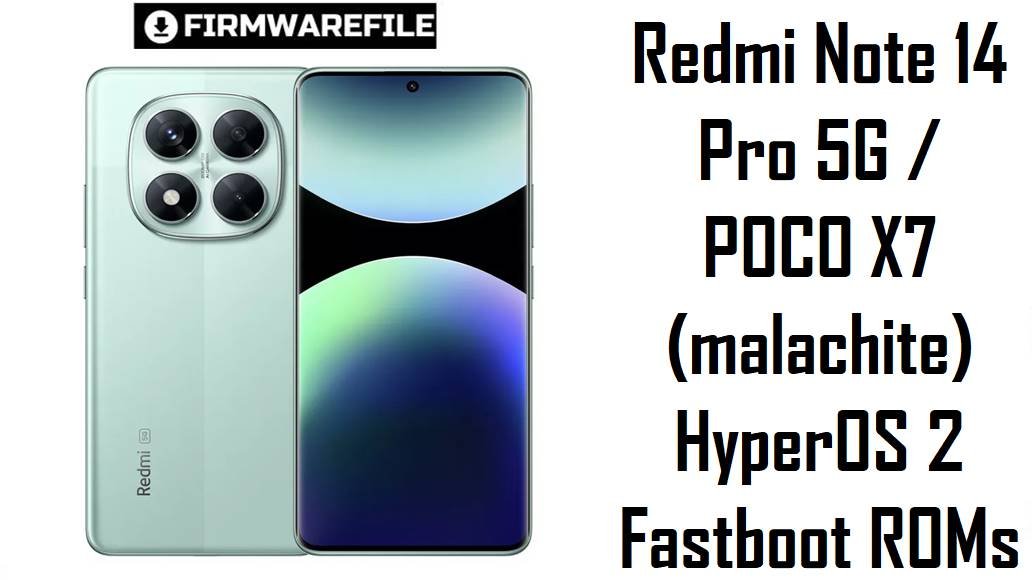
Redmi Note 14 Pro 5G / POCO X7 (malachite) HyperOS 2 Fastboot ROMs
Redmi Note 14 Pro 5G and its twin POCO X7 sit in the value‑flagship segment, offering a 200 MP camera, 120 Hz AMOLED display, Dimensity 7300‑Ultra, and a 5110 mAh battery. Real‑world owners, however, report HyperOS 2 issues such as background battery drain, occasional freezes (for example after alarms), call or app stutter, and general stability quirks on early builds.
The official HyperOS 2 fastboot ROMs below give you clean, region‑correct firmware to stabilize performance, fix random reboots and visual glitches, and move to late‑2025 security patches.
Download Firmware for Redmi Note 14 Pro 5G / POCO X7
All files here are official HyperOS 2 (Android 15) fastboot ROMs for devices with codename malachite, used by Redmi Note 14 Pro 5G and POCO X7 across different markets. For most users, the right choice is the newest build that matches the region suffix shown in Settings → About phone → HyperOS version (CNXM, MIXM, EUXM, INXM, RUXM, IDXM, TWXM, TRXM, JPXM, MIDC).
| Filename | Region / Variant | Build Number | Build Date | Android Version | Flashing Method | File Size | Notes | Download |
|---|---|---|---|---|---|---|---|---|
| malachite_in_global_images_OS2.0.207.0.VOOINXM_20251105.0000.00_15.0_in_d90a8a5be2.tgz | India (Redmi Note 14 Pro 5G / POCO X7 IN) | OS2.0.207.0.VOOINXM | 2025‑11‑05 | Android 15 | Fastboot (Xiaomi Flash Tool) | 7.41 GB | Current India HyperOS 2 fastboot ROM; recommended for Indian units to fix bugs from launch builds and move to a more stable Android 15 base with late‑2025 security. | Download India fastboot |
| malachite_eea_global_images_OS2.0.212.0.VOOEUXM_20251105.0000.00_15.0_eea_863bfbe575.tgz | EEA / Europe (Redmi Note 14 Pro 5G / POCO X7 EU) | OS2.0.212.0.VOOEUXM | 2025‑11‑05 | Android 15 | Fastboot (Xiaomi Flash Tool) | 8.17 GB | Latest EEA HyperOS 2 build; similar EEA changelogs for OS2.0.208.0 mention stability optimizations, fixes for incorrect UI items, unexpected reboots, and an August 2025 security patch. | Download EEA fastboot |
| malachite_id_global_images_OS2.0.206.0.VOOIDXM_20251105.0000.00_15.0_id_d9c6e101bd.tgz | Indonesia (Redmi Note 14 Pro 5G / POCO X7 ID) | OS2.0.206.0.VOOIDXM | 2025‑11‑05 | Android 15 | Fastboot (Xiaomi Flash Tool) | 8.20 GB | Indonesia HyperOS 2 fastboot ROM tuned for local carriers; ideal for clean installs that preserve VoLTE and OTA behavior while taking advantage of late‑2025 fixes. | Download Indonesia fastboot |
| malachite_images_OS2.0.213.0.VOOCNXM_20251104.0000.00_15.0_cn_c6cafed63f.tgz | China (Redmi Note 14 Pro 5G CN) | OS2.0.213.0.VOOCNXM | 2025‑11‑04 | Android 15 | Fastboot (Xiaomi Flash Tool) | 8.18 GB | Newest China HyperOS 2 stable for malachite; Chinese fastboot packages like this one are used to resolve system‑framework bugs and restore stability reported on early CN releases. | Download China fastboot |
| malachite_tw_global_images_OS2.0.206.0.VOOTWXM_20251104.0000.00_15.0_tw_f9ee3560ed.tgz | Taiwan (Redmi Note 14 Pro 5G / POCO X7 TW) | OS2.0.206.0.VOOTWXM | 2025‑11‑04 | Android 15 | Fastboot (Xiaomi Flash Tool) | 6.71 GB | Taiwan HyperOS 2 ROM, aligned with other late‑2025 Android 15 releases, suitable for fixing bugs while keeping regional services compliant. | Download Taiwan fastboot |
| malachite_tr_global_images_OS2.0.205.0.VOOTRXM_20251104.0000.00_15.0_tr_751dcfa751.tgz | Turkey (Redmi Note 14 Pro 5G / POCO X7 TR) | OS2.0.205.0.VOOTRXM | 2025‑11‑04 | Android 15 | Fastboot (Xiaomi Flash Tool) | 7.69 GB | Turkey HyperOS 2 ROM; newer than launch builds and recommended for Turkish devices that need a fully stock, stable base before any future Android 16 rollout. | Download Turkey fastboot |
| malachite_ru_global_images_OS2.0.206.0.VOORUXM_20251104.0000.00_15.0_ru_4313917d52.tgz | Russia (Redmi Note 14 Pro 5G / POCO X7 RU) | OS2.0.206.0.VOORUXM | 2025‑11‑04 | Android 15 | Fastboot (Xiaomi Flash Tool) | 8.80 GB | Russia HyperOS 2 ROM bringing malachite RU devices to a late‑2025 patch level, addressing random errors and reboots similar to those fixed in other regional builds. | Download Russia fastboot |
| malachite_jp_global_images_OS2.0.207.0.VOOJPXM_20251104.0000.00_15.0_jp_d6f9fcf655.tgz | Japan (Redmi Note 14 Pro 5G / POCO X7 JP) | OS2.0.207.0.VOOJPXM | 2025‑11‑04 | Android 15 | Fastboot (Xiaomi Flash Tool) | 7.94 GB | Japan‑region HyperOS 2 ROM; keeps Japanese SKUs on a supported Android 15 branch with region‑specific network and regulatory settings. | Download Japan fastboot |
| malachite_global_images_OS2.0.208.0.VOOMIXM_20251028.0000.00_15.0_global_53d3a9c871.tgz | Global (Redmi Note 14 Pro 5G / POCO X7 Global) | OS2.0.208.0.VOOMIXM | 2025‑10‑28 | Android 15 (HyperOS 2.2) | Fastboot (Xiaomi Flash Tool) | 8.96 GB | Global HyperOS 2.2 fastboot ROM; trackers state this build improves system stability, fixes random errors, and updates security, making it the default choice for unbricking or clean‑flashing global units. | Download Global fastboot |
| malachite_dc_global_images_OS2.0.1.0.VOOMIDC_20250418.0000.00_15.0_global_dc_5c67a7e7b5.tgz | Global MIDC / demo (special) | OS2.0.1.0.VOOMIDC | 2025‑04‑18 | Android 15 (early HyperOS 2) | Fastboot (Xiaomi Flash Tool) | 6.26 GB | Very early HyperOS 2 build flagged as VOOMIDC; firmware sites treat MIDC as a special/demo global series, so this is only for devices that originally shipped with a MIDC ROM and is otherwise older than all the other files here. | Download MIDC fastboot (advanced) |
If the phone still boots or at least reaches fastboot mode, flashing the newest malachite_*.tgz that matches your region is usually better than downgrading to older builds like VOOMIDC, unless troubleshooting specifically requires an early version.
Complete Device & Firmware Overview
- Device name & codename
- Redmi Note 14 Pro 5G and POCO X7 share the codename malachite across China and global regions.
- Model numbers
- Typical IDs include 24090RA29G (global) and region‑specific variants for China, India and EEA according to databases and retailer listings.
- Chipset & performance
- Powered by MediaTek Dimensity 7300‑Ultra (4 nm) with octa‑core CPU and Mali‑G615 GPU, balanced for gaming and everyday use at 120 Hz.
- Display & battery
- 6.67‑inch 120 Hz AMOLED (1220 × 2712) with up to 3000 nits peak brightness and a 5110 mAh battery rated around 40 hours endurance in tests.
- Firmware type
- All listed ROMs are official HyperOS 2 / HyperOS 2.2 Android 15 fastboot packages in .tgz format for PC flashing.
- Build numbers & regions
- VOOCNXM (China), VOOMIXM (Global), VOOEUXM (EEA), VOOINXM (India), VOORUXM (Russia), VOOIDXM (Indonesia), VOOTWXM (Taiwan), VOOTRXM (Turkey), VOOJPXM (Japan), VOOMIDC (special global).
- Security patch level
- Recent malachite builds raise patches to mid‑/late‑2025; for example OS2.0.208.0.VOOEUXM explicitly lists an August 2025 security patch alongside stability fixes.
- Release window
- The firmware here spans April to November 2025, with most regional Android 15 stabilizing updates landing in mid‑Q4 2025.
- Key user pain points
- Owners highlight HyperOS 2 battery drain, heat under load, aggressive RAM killing that hurts multitasking, occasional freezes after alarms, and camera or call‑app glitches.
- How these builds help
- Changelogs stress “system stability” improvements, fixes for unexpected reboots and mis‑rendered items, plus newer security patches, which together target random lockups and subtle UI bugs.
- Flash method
- These are fastboot ROMs intended for Xiaomi Flash Tool or similar fastboot utilities on Windows, not for in‑phone updater flashing.
- Bootloader rules
- Manual fastboot flashing typically requires an unlocked bootloader; Xiaomi’s security design and ARB mean that downgrades and cross‑region flashes carry extra risk.
- Required tools
- A Windows PC, Xiaomi USB drivers, Xiaomi Flash Tool, a reliable USB‑C cable, and MD5/SHA checksums from trusted firmware sources to confirm download integrity.
CRUCIAL WARNING: These fastboot ROMs are strictly for Redmi Note 14 Pro 5G / POCO X7 with codename malachite; they must not be flashed to other Redmi, POCO or Xiaomi models because cross‑flashing can permanently brick the device.
Each build is region‑locked by code (VOOMIXM, VOOCNXM, VOOEUXM, VOOINXM, VOORUXM, VOOIDXM, VOOTWXM, VOOTRXM, VOOJPXM, VOOMIDC), so you should normally flash the ROM that matches your phone’s original region and avoid unnecessary cross‑region flashing while anti‑rollback is active on modern HyperOS devices.
All official malachite_*.tgz fastboot packages will wipe user data when used with Xiaomi’s fastboot tools, and selecting options like “clean all and lock” with a mismatched region can relock the bootloader on an unsupported ROM and cause network loss or boot failure.
Preparation Before Flashing
Click here for the Redmi Note 14 Pro 5G / POCO X7 pre‑flash checklist
- Confirm exact device & region: In fastboot, run fastboot getvar product and verify it reports malachite, then in Settings → About phone confirm whether your build ends in MIXM, CNXM, EUXM, INXM, RUXM, IDXM, TWXM, TRXM, JPXM or MIDC.
- Backup your data: Fastboot flashing performs a clean install and will erase apps, media and settings, so back up to Xiaomi Cloud, Google, or a PC beforehand.
- Charge to at least 50%: A stable battery level (ideally 60%+) helps avoid shutdown mid‑flash, which could corrupt partitions and hard‑brick the phone.
- Install drivers & tools: On your Windows PC, install Xiaomi USB drivers and Xiaomi Flash Tool (or another fastboot flasher) and confirm that the device is detected correctly in fastboot mode.
- Understand bootloader & ARB: Ensure the bootloader is unlocked for manual fastboot flashing and never downgrade below your current anti‑rollback index to avoid ARB errors.
Quick Firmware Flash Instructions
This high‑level guide covers flashing any of the listed fastboot ROMs, such as malachite_global_images_OS2.0.208.0.VOOMIXM_20251028.0000.00_15.0_global_53d3a9c871.tgz, using Xiaomi’s fastboot flashing tool on a Windows PC.
- Prepare PC & ROM: Install Xiaomi USB drivers and Xiaomi Flash Tool, then download the correct malachite_…images_… TGZ and extract it to a short path like C:\malachite_rom.
- Enter fastboot mode: Power off the phone, hold Volume Down + Power until the fastboot logo appears, then connect to the PC via a reliable USB‑C cable.
- Load the firmware: Open Xiaomi Flash Tool, click “Select” or “Browse” and point it to the extracted ROM folder, confirming that one malachite device is listed.
- Flash with “clean all”: Choose the option that wipes data but keeps the bootloader unlocked (usually “clean all”), click “flash”, and wait patiently until the tool reports success.
- First boot & checks: Let the phone boot into HyperOS, allow several minutes for optimization, then verify in About phone that codename, region suffix, and build number match the ROM you flashed.
For a detailed, screenshot‑rich walkthrough of Xiaomi fastboot flashing, including anti‑rollback checks and troubleshooting, follow the main Xiaomi fastboot firmware guide and simply select the appropriate malachite_*.tgz folder when prompted.
Frequently Asked Questions (FAQs)
- Q1. Which fastboot ROM should I choose for my Redmi Note 14 Pro 5G / POCO X7?
- The safest option is the latest build that matches your original region code: OS2.0.208.0.VOOMIXM for Global, OS2.0.212.0.VOOEUXM for EEA, OS2.0.213.0.VOOCNXM for China, OS2.0.207.0.VOOINXM for India, OS2.0.206.0.VOORUXM for Russia, OS2.0.206.0.VOOIDXM for Indonesia, OS2.0.206.0.VOOTWXM for Taiwan, OS2.0.205.0.VOOTRXM for Turkey, or OS2.0.207.0.VOOJPXM for Japan.
- Q2. When will HyperOS 3 (Android 16) arrive for malachite?
- Global update trackers and community posts indicate that HyperOS 3 for POCO X7 / Redmi Note 14 Pro 5G has been delayed due to bugs, with Xiaomi prioritizing stability and security patches on HyperOS 2.2 first.
- Q3. Can these ROMs fix freezes, alarms issues, and random reboots?
- Weekly bug reports mention freeze issues on related POCO X7 devices, while malachite EEA changelogs explicitly list fixes for errors, unexpected reboots, and layout issues, so a clean flash of the newest regional ROM often resolves such problems.
- Q4. Will updating reduce battery drain and heating on HyperOS 2?
- Some POCO users describe heavy drain and heat on early HyperOS 2 builds, but later 2.2 releases aim at better background management and stability, which can restore battery life closer to what the 5110 mAh pack should deliver.
- Q5. Is it safe to cross‑flash Global VOOMIXM on an EEA or Indian device?
- Advanced users sometimes cross‑flash to Global, but Xiaomi’s region‑specific modem configs and anti‑rollback make it risky; for most owners, staying on the matching regional ROM (EUXM, INXM, etc.) is strongly recommended.
- Q6. What is the VOOMIDC build and should I use it?
- VOOMIDC is an early global “MIDC” HyperOS 2 build that firmware sites associate with demo or special units, so regular retail devices should generally avoid it and use the newer VOOMIXM or other regional ROMs instead.