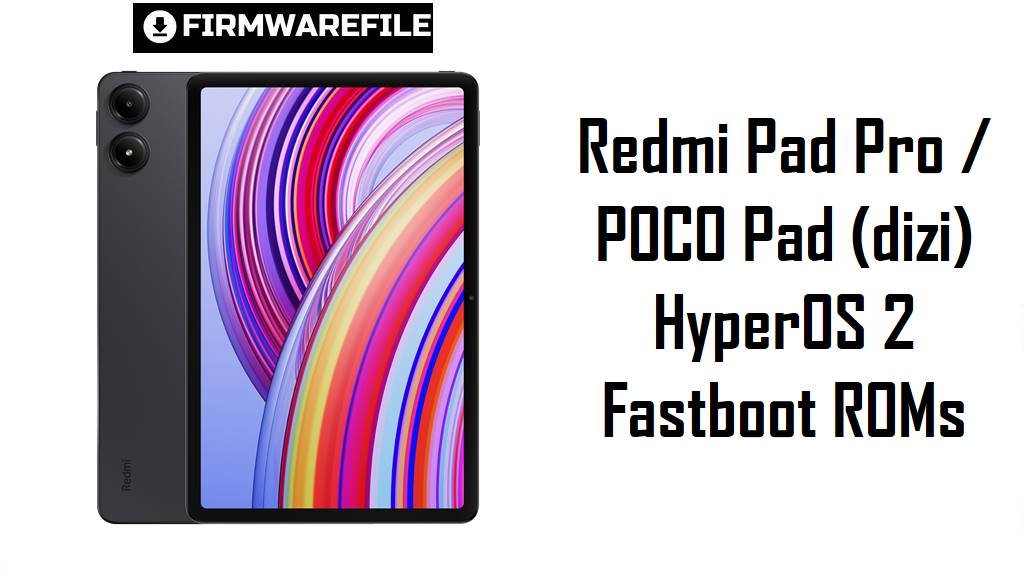
Redmi Pad Pro / POCO Pad (dizi) HyperOS 2 Fastboot ROMs
Redmi Pad Pro and POCO Pad share the same 12.1‑inch 120 Hz LCD, Snapdragon 7s Gen 2 chipset and 10,000 mAh battery, positioning them as powerful but affordable large‑screen Wi‑Fi tablets.
The official HyperOS 2 Android 15 fastboot ROMs below for codename dizi let you clean‑flash the latest region‑correct firmware, recover from failed updates and give the tablet a fresh, stable software base.
Download Firmware Flash File for Redmi Pad Pro / POCO Pad
These files are official HyperOS 2 (Android 15) fastboot ROMs for Redmi Pad Pro / POCO Pad with codename dizi, covering China, Global, Russia, Indonesia, Taiwan, Turkey, EEA and India Wi‑Fi variants. OS2.0.206.0 builds (China, EEA) are slightly newer than OS2.0.205.0 builds and should be preferred where available; OS2.0.205.0 remains a current late‑2025 stable for other regions.
| Filename | Region / Variant | Build Number | Build Date | Android Version | Flashing Method | File Size | Notes | Download |
|---|---|---|---|---|---|---|---|---|
| dizi_images_OS2.0.206.0.VNSCNXM_20251111.0000.00_15.0_cn_1e766ba53d.tgz | China – Redmi Pad Pro CN (Wi‑Fi) | OS2.0.206.0.VNSCNXM | 2025‑11‑11 | Android 15 (HyperOS 2) | Fastboot (Xiaomi Flash Tool) | 5.99 GB | Latest China HyperOS 2 fastboot ROM for dizi; HyperOS listings mark OS2.0.206.0.VNSCNXM as a newer stable than earlier OS2.0.205.0 builds and the best base for unbricking or clean installs on CN units. | Download from Xiaomi |
| dizi_eea_global_images_OS2.0.206.0.VNSEUXM_20251105.0000.00_15.0_eea_96b3903cea.tgz | EEA / Europe – Redmi Pad Pro / POCO Pad EU | OS2.0.206.0.VNSEUXM | 2025‑11‑05 | Android 15 (HyperOS 2) | Fastboot (Xiaomi Flash Tool) | 5.47 GB | Newest European fastboot ROM; EEA firmware trackers list OS2.0.206.0.VNSEUXM as the current HyperOS 2 stable for EU Wi‑Fi models, recommended over OS2.0.205.x for fresh installs. | Download from Xiaomi |
| dizi_global_images_OS2.0.205.0.VNSMIXM_20251031.0000.00_15.0_global_03e88349bc.tgz | Global – Redmi Pad Pro / POCO Pad Global (Wi‑Fi) | OS2.0.205.0.VNSMIXM | 2025‑10‑31 | Android 15 (HyperOS 2) | Fastboot (Xiaomi Flash Tool) | 5.89 GB | Late‑2025 Global fastboot ROM; XiaomiROM highlights OS2.0.205.0.VNSMIXM as the main stable Android 15 firmware for dizi Global, ideal for unbricking or moving from MIUI 14/early HyperOS. | Download from Xiaomi |
| dizi_ru_global_images_OS2.0.205.0.VNSRUXM_20251106.0000.00_15.0_ru_c1b1c885c3.tgz | Russia – Redmi Pad Pro / POCO Pad RU | OS2.0.205.0.VNSRUXM | 2025‑11‑06 | Android 15 (HyperOS 2) | Fastboot (Xiaomi Flash Tool) | 6.16 GB | Russian HyperOS 2 fastboot ROM; Russian firmware archives show OS2.0.205.0.VNSRUXM as the current VNSRUXM stable used for deep recovery on RU tablets. | Download from Xiaomi |
| dizi_id_global_images_OS2.0.205.0.VNSIDXM_20251106.0000.00_15.0_id_2c0f921675.tgz | Indonesia – Redmi Pad Pro / POCO Pad ID | OS2.0.205.0.VNSIDXM | 2025‑11‑06 | Android 15 (HyperOS 2) | Fastboot (Xiaomi Flash Tool) | 5.43 GB | Indonesia‑tuned fastboot ROM with local network settings; listed as the latest VNSIDXM stable for dizi, replacing earlier OS2.0.2xx builds. | Download from Xiaomi |
| dizi_tw_global_images_OS2.0.205.0.VNSTWXM_20251106.0000.00_15.0_tw_0a1443cc6d.tgz | Taiwan – Redmi Pad Pro / POCO Pad TW | OS2.0.205.0.VNSTWXM | 2025‑11‑06 | Android 15 (HyperOS 2) | Fastboot (Xiaomi Flash Tool) | 5.13 GB | Taiwan fastboot package; TW firmware indexes show OS2.0.205.0.VNSTWXM as the current Android 15 release for dizi in this market. | Download from Xiaomi |
| dizi_tr_global_images_OS2.0.205.0.VNSTRXM_20251106.0000.00_15.0_tr_331d9849ef.tgz | Turkey – Redmi Pad Pro / POCO Pad TR | OS2.0.205.0.VNSTRXM | 2025‑11‑06 | Android 15 (HyperOS 2) | Fastboot (Xiaomi Flash Tool) | 5.50 GB | Turkey‑specific firmware; MiFirm and similar sites list OS2.0.205.0.VNSTRXM as the latest TR fastboot ROM for this tablet. | Download from Xiaomi |
| dizi_in_global_images_OS2.0.205.0.VNSINXM_20251106.0000.00_15.0_in_77d11c39be.tgz | India – Redmi Pad Pro / POCO Pad IN (Wi‑Fi) | OS2.0.205.0.VNSINXM | 2025‑11‑06 | Android 15 (HyperOS 2) | Fastboot (Xiaomi Flash Tool) | 4.98 GB | Indian fastboot ROM for dizi; firmware pages show OS2.0.205.0.VNSINXM as a stable Android 15 update improving system security over earlier HyperOS 1 / MIUI 14 releases. | Download from Xiaomi |
Clarity tip: Match the suffix on your current build (VNSCNXM, VNSMIXM, VNSRUXM, VNSIDXM, VNSTWXM, VNSTRXM, VNSEUXM, VNSINXM) under Settings → About tablet, then choose the ROM with the same suffix to keep Wi‑Fi, sound and OTA behavior intact.
Complete Device & Firmware Overview
- Device & codename
- Redmi Pad Pro and POCO Pad Wi‑Fi variants share the internal codename dizi across HyperOS firmware and developer documentation.
- Model numbers
- Common model codes mapped to dizi include 2405CRPFDG / 2405CRPFDC for Redmi Pad Pro and 2405CPCFBG for POCO Pad.
- Chipset & performance
- The tablets use a Snapdragon 7s Gen 2 (4 nm) with an octa‑core CPU and Adreno 710 GPU, offering significantly higher CPU and GPU performance than the first‑gen Redmi Pad.
- Display & audio
- Both feature a 12.1‑inch 2560×1600 IPS LCD at 120 Hz with Dolby Vision support, Gorilla Glass 3, and quad speakers with Dolby Atmos for immersive media.
- Memory & storage
- Typical configs include 6–8 GB RAM and 128–256 GB UFS 2.2 storage with microSD expansion, giving enough headroom for multitasking and large apps.
- Cameras
- An 8 MP rear camera and 8 MP front camera support 1080p 30 fps video, aimed at document capture and video calls rather than advanced photography.
- Battery & charging
- A 10,000 mAh battery with 33 W wired charging is rated for long video playback and productivity sessions, though some users still report HyperOS‑related drain until they tweak settings or update.
- Connectivity
- Dizi variants are Wi‑Fi only (no cellular modem), supporting dual‑band Wi‑Fi 6, Bluetooth 5.2 and USB‑C 2.0 for data and charging.
- Firmware type here
- All listed packages are official HyperOS 2 Android 15 fastboot ROMs in .tgz format, designed for flashing via Xiaomi’s fastboot tools on Windows.
- Security patch & age
- OS2.0.205.0–206.0 builds are dated late 2025 and contain newer Android 15 security fixes and HyperOS bug‑fixes than early OS2.0.20x releases.
- Typical pain points
- Tablet owners note that HyperOS can drain the battery faster than expected, occasionally stutter in multitasking and introduce minor glitches after major updates, prompting many to prefer clean fastboot installs.
- How these ROMs help
- Flashing a clean fastboot ROM removes leftover MIUI/HyperOS cruft, fixes corrupted system files and often improves standby drain and UI consistency on the Snapdragon 7s Gen 2 platform.
- Bootloader & anti‑rollback
- Manual fastboot flashing generally requires an unlocked bootloader, and Xiaomi’s anti‑rollback (ARB) can block or brick unsafe downgrades beyond the allowed OS2.0.x window.
- Required tools
- You need a Windows PC, Xiaomi USB drivers, Xiaomi Flash Tool (MiFlash or similar), a reliable USB‑C cable.
CRUCIAL WARNING: These fastboot ROMs are strictly for Redmi Pad Pro / POCO Pad Wi‑Fi models with codename dizi; do not flash them to Redmi Pad Pro 5G / POCO Pad 5G (ruan) or any other Xiaomi tablets, as cross‑flashing can permanently brick the device.
Each build is region‑locked by its suffix (VNSCNXM, VNSMIXM, VNSRUXM, VNSIDXM, VNSTWXM, VNSTRXM, VNSEUXM, VNSINXM), so always pick the ROM that matches your tablet’s original region and avoid unnecessary cross‑region or downgrade flashing while anti‑rollback is active.
All official de>dizi_*.tgz fastboot packages wipe user data when flashed, and selecting options like “clean all and lock” on a mismatched firmware can relock the bootloader on an unsupported ROM and cause boot loops, loss of Wi‑Fi functionality or difficulty unlocking again.
Preparation Before Flashing
Click here for the Redmi Pad Pro / POCO Pad pre‑flash checklist
- Confirm codename & region: Boot into fastboot and run fastboot getvar product; proceed only if it returns dizi, then in Settings → About tablet confirm your suffix (VNSCNXM, VNSMIXM, VNSRUXM, VNSIDXM, VNSTWXM, VNSTRXM, VNSEUXM or VNSINXM).
- Match the correct ROM: Download the fastboot ROM whose suffix exactly matches your current build to keep Wi‑Fi, audio and OTA updates working as designed.
- Backup data: A fastboot flash will erase apps, files and settings, so back up to Xiaomi Cloud, Google or a PC before starting.
- Charge the tablet: Ensure at least 50–60% battery so the tablet does not power off while partitions are being written.
- Install drivers & tools: On a Windows PC, install Xiaomi USB drivers and Xiaomi Flash Tool, then connect the tablet in fastboot mode and confirm it is detected correctly.
- Verify downloads: Compare ROM size and hashes with MiFirm or XiaomiROM listings to avoid flashing a corrupted .tgz file.
Quick Firmware Flash Instructions
This simplified guide covers flashing a fastboot ROM such as dizi_global_images_OS2.0.205.0.VNSMIXM_20251031.0000.00_15.0_global_03e88349bc.tgz using Xiaomi’s fastboot flashing tool on a Windows PC.
- Prepare PC & ROM: Install Xiaomi USB drivers and Xiaomi Flash Tool, then download and fully extract the chosen dizi_…images_OS2.0.20x.0.VNS* .tgz into a simple folder such as C:\dizi_rom.
- Enter fastboot mode: Power off the tablet, hold Volume Down + Power until the fastboot logo appears, then connect it to the PC with a reliable USB‑C cable.
- Select ROM in MiFlash: Open Xiaomi Flash Tool, click “Select” and choose the extracted ROM folder, then click “Refresh” to ensure your dizi device is listed.
- Flash with “clean all”: Choose the “clean all” option (wipes data, keeps bootloader unlocked), click “Flash” and wait until the tool reports success without disconnecting the tablet.
- First boot & checks: Let HyperOS 2 boot and complete optimization (several minutes), then open About tablet to confirm codename, region suffix and build number match the ROM you installed.
For a more detailed, screenshot‑rich walkthrough of Xiaomi fastboot flashing, including anti‑rollback checks and driver troubleshooting, follow the main Xiaomi Flash Tool guide and simply point it to your extracted dizi_*.tgz folder when asked to select a ROM.
Frequently Asked Questions (FAQs)
- Q1. Which fastboot ROM should I choose for my Redmi Pad Pro / POCO Pad?
- The safest option is always the newest build that matches your original suffix: OS2.0.206.0.VNSCNXM (China), OS2.0.206.0.VNSEUXM (EEA), or OS2.0.205.0.VNSMIXM / VNSRUXM / VNSIDXM / VNSTWXM / VNSTRXM / VNSINXM for Global and other regions.
- Q2. Are these ROMs HyperOS 3 or Android 16?
- No; OS2.0.205.0 and OS2.0.206.0 VNS*** are Android 15 HyperOS 2 builds. Android 16 / HyperOS 3 for dizi would appear later as OS3.x or different “WNS”‑style branches once Xiaomi starts that rollout.
- Q3. Will clean‑flashing one of these ROMs fix my battery drain issues?
- Many HyperOS battery problems come from buggy services and misconfigured apps; a clean flash of the latest ROM, followed by basic battery‑saving tweaks, often restores normal standby and screen‑on time on Redmi Pad Pro.
- Q4. Can these ROMs improve lag and stutters in multitasking or games?
- HyperOS 2 on Snapdragon 7s Gen 2 is generally smooth, but stacked OTAs can cause stutters; clean‑flashing and starting fresh lets the tablet fully exploit its 120 Hz screen and mid‑range GPU, though it still will not match flagship tablets.
- Q5. Is it safe to flash the China VNSCNXM ROM on my Global or EEA tablet?
- Cross‑flashing CN firmware can break region‑specific features and complicate future updates; unless you understand the risks and recovery paths, stay on your matching Global/EEA/RU/ID/TW/TR/IN VNS suffix.
- Q6. Do I need to unlock the bootloader to use these fastboot ROMs?
- Yes, Xiaomi’s standard fastboot flashing workflow expects an unlocked bootloader, and the unlock process itself wipes the tablet, so always back up your data before proceeding.