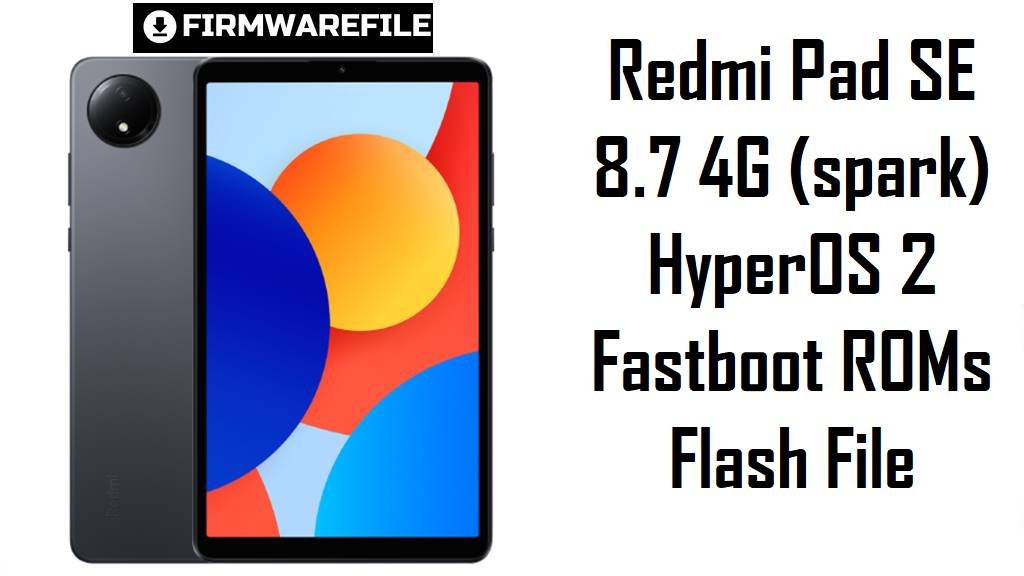
Redmi Pad SE 8.7 4G targets budget tablet buyers with an 8.7‑inch 90 Hz IPS display, Helio G85 power, and a long‑lasting 6650 mAh battery, making it a capable media and study slate. Real‑world users report HyperOS stutter, slowdowns in video apps, and uneven performance on early builds, so clean‑flashing newer stable releases can help stabilize the experience.
The official fastboot packages below are Android 15 HyperOS 2 images for codename spark (the 8.7 4G model), organized by region for safer, region‑correct installs.
Download Firmware for Redmi Pad SE 8.7 4G
These are official HyperOS 2 (Android 15) fastboot ROMs for Xiaomi Redmi Pad SE 8.7 4G with codename spark, covering Global, India, EEA, Taiwan, and Russia variants. Always pick the newest build that matches the suffix shown in Settings → About tablet → HyperOS version (VHYMIXM, VHYINXM, VHYEUXM, VHYTWXM, VHYRUXM).
Choose the newest fastboot ROM that matches your original region suffix (Global VHYMIXM, EEA VHYEUXM, India VHYINXM, Taiwan VHYTWXM, Russia VHYRUXM) to keep regional features and OTAs working.
Complete Device & Firmware Overview
- Device & codename
- Redmi Pad SE 8.7 4G is identified as codename spark in official firmware trackers and community resources.
- Positioning & specs
- The tablet features an 8.7‑inch 90 Hz IPS display, MediaTek Helio G85, up to 6 GB RAM/128 GB storage, and a 6650 mAh battery for solid budget performance.
- Firmware type
- All listed packages are official fastboot ROMs in .tgz format for Android 15 HyperOS 2, intended for clean installs via a Windows PC.
- Typical pain points
- Common reports include UI lag, stutters in video/education apps, and performance dips after some HyperOS updates on this hardware class.
- What updates improve
- Newer stable fastboot builds provide a clean base, refresh security patches, and help resolve residual bugs from incremental OTAs.
- Flash method
- Use Xiaomi’s fastboot flasher (MiFlash) or equivalent; select the extracted ROM folder and apply a clean install.
- Bootloader & ARB
- Manual fastboot flashing generally requires an unlocked bootloader; avoid unsafe downgrades or cross‑region mixes due to anti‑rollback risks.
- Required tools
- Windows PC, Xiaomi USB drivers, MiFlash (or compatible), reliable USB‑C cable, and checksum verification before flashing.
CRUCIAL WARNING: These fastboot ROMs are strictly for Redmi Pad SE 8.7 4G with codename spark; do not flash them to other Redmi/Xiaomi tablets or the 8.7 Wi‑Fi variant (flare) to avoid permanent brick.
Each build is region‑locked by code (VHYMIXM, VHYINXM, VHYEUXM, VHYTWXM, VHYRUXM). Flash the ROM matching your tablet’s original region and avoid cross‑region flashing on devices with anti‑rollback enabled.
Fastboot flashing wipes user data, and choosing options like “clean all and lock” on a mismatched region can relock the bootloader on unsupported firmware, causing boot or connectivity issues.
Preparation Before Flashing
Click here for the Redmi Pad SE 8.7 4G pre‑flash checklist
- Confirm codename & region: Boot to fastboot and run fastboot getvar product; proceed only if it returns spark, then check your current suffix (VHYMIXM, VHYEUXM, etc.) in About tablet.
- Match the right ROM: Download the fastboot ROM whose suffix matches your original region (Global, EEA, India, Taiwan, Russia) to keep radio settings and OTAs intact.
- Backup everything: A fastboot clean flash erases apps, files, and settings—back up to Xiaomi Cloud, Google, or a PC first.
- Battery & cable: Charge to at least 50–60% and use a reliable USB‑C cable to prevent disconnections mid‑flash.
- Drivers & tool: Install Xiaomi USB drivers and MiFlash (or compatible) on Windows and verify the device is detected in fastboot.
Quick Firmware Flash Instructions
This high‑level summary covers flashing a fastboot ROM such as spark_global_images_OS2.0.203.0.VHYMIXM_20250922.0000.00_15.0_global_fd07ac76b0.tgz using Xiaomi’s fastboot flashing tool on Windows.
- Prepare PC & ROM: Install drivers and MiFlash, then download the correct spark_…images_… TGZ and extract until the ROM folder is visible.
- Enter fastboot: Power off, hold Volume Down + Power to reach fastboot, then connect the tablet to the PC via USB‑C.
- Select firmware: In MiFlash, choose the extracted ROM folder and confirm one connected device is shown.
- Flash “clean all”: Use the clean‑install option (wipes data, keeps bootloader unlocked), click Flash, and wait for success.
- First boot: Reboot; first start may take several minutes while HyperOS optimizes.
Need a step‑by‑step tutorial with screenshots? Follow the main Xiaomi fastboot firmware guide and point it to your extracted spark_*.tgz folder when prompted.
Frequently Asked Questions (FAQs)
- Q1. Which fastboot ROM should I choose for my Redmi Pad SE 8.7 4G?
- Use the newest ROM that matches your original suffix: OS2.0.203.0.VHYMIXM (Global), OS2.0.205.0.VHYEUXM (EEA), OS2.0.202.0.VHYINXM (India), OS2.0.1.0.VHYTWXM (Taiwan), or OS2.0.2.0.VHYRUXM (Russia).
- Q2. Will a clean flash help with lag or stutters?
- Many users cite lag on early HyperOS builds; clean‑flashing the latest stable base reduces leftover bugs from OTAs and can smooth animations on this hardware.
- Q3. Do I need to unlock the bootloader to flash these files?
- Yes—manual fastboot flashing typically requires bootloader unlock, and the process wipes data by design.
- Q4. Can I cross‑flash Global on an EEA or RU tablet?
- It is not recommended; regional radio and OTA behavior can break, and anti‑rollback may block or brick unsafe mixes.
- Q5. Is spark the same as flare?
- No—spark is the Redmi Pad SE 8.7 4G variant, while flare refers to the non‑4G model; use ROMs for your exact codename only.
- Q6. Are these Android 15 or HyperOS 3 builds?
- All listed fastboot ROMs are HyperOS 2 on Android 15; HyperOS 3/Android 16 requires newer releases not included here.

💬 Comments