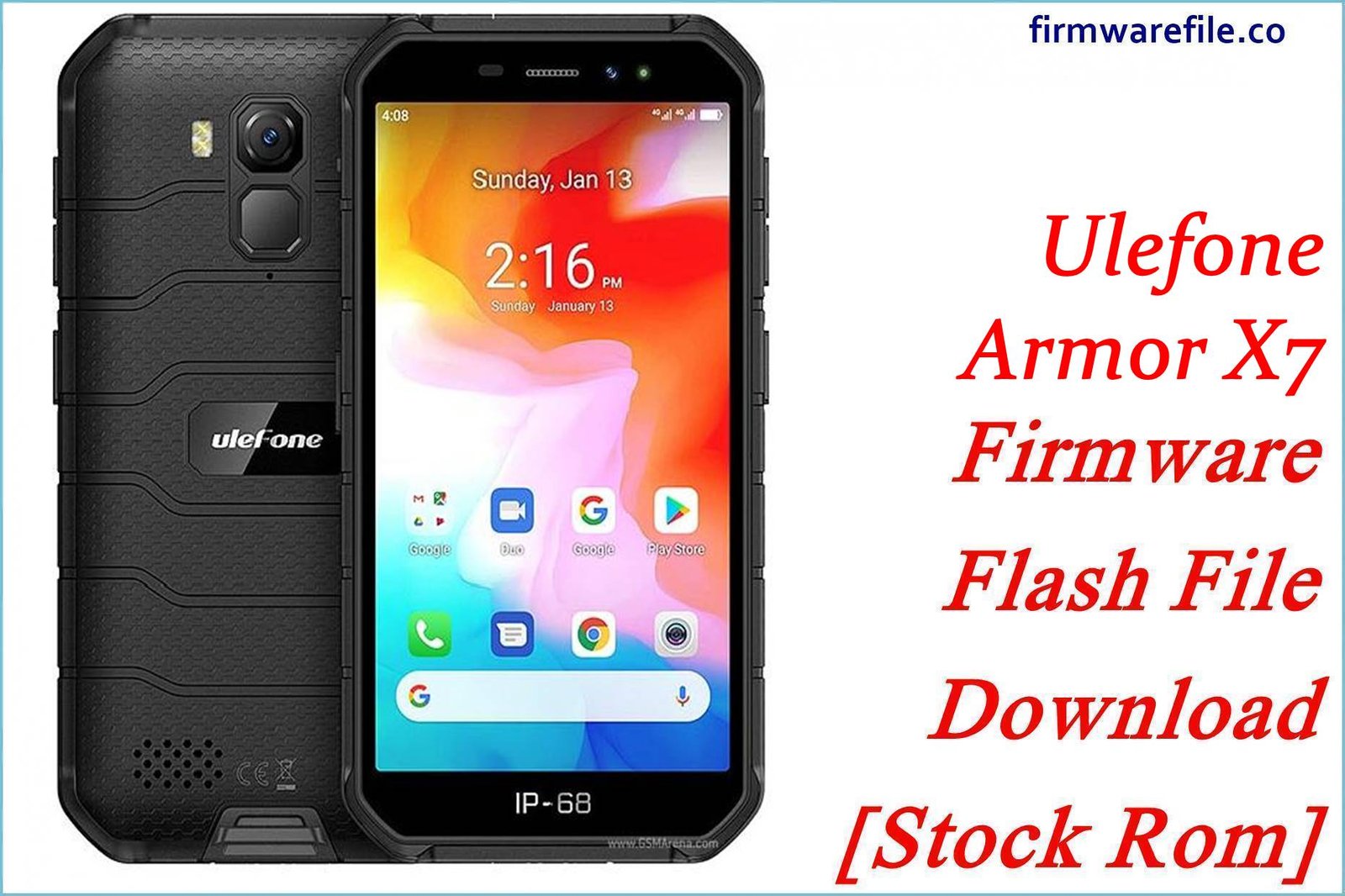
Ulefone Armor X7 Firmware Download – Complete Guide (V02, V03, V04)
The Ulefone Armor X7, built on the MediaTek MT6761 Helio A20 platform, represents a breakthrough in affordable rugged smartphone technology. Its IP68/IP69K certification, 5.0-inch HD+ display, 13MP camera, and 4000mAh battery make it ideal for outdoor workers, construction professionals, and adventurers who demand durability without premium pricing.
However, like all budget-tier rugged phones, users commonly report noticeable lag and sluggishness during multitasking, unexpected battery drain despite claims of 430+ hours standby, slow app loading and camera lag, occasional UI freezes during heavy use, and performance degradation after 6-12 months of use. Additionally, the stock Android 10 firmware on V02 and earlier builds contains unoptimized background processes, aggressive memory consumption by bloatware, and outdated security patches that accumulate over time.
The firmware updates below—V02 (November 2020 baseline), V03 (February 2022), and V04 (January 2022, EEA variant)—directly address these pain points through refined process management, improved memory efficiency, security patch consolidation, and thermal optimization. Users who flash the latest V03 or V04 builds report noticeably faster app responsiveness, smoother multitasking, more stable battery drain curves, and a cleaner, less-bloated system compared to stock V02 installations.
Whether you’re recovering a bricked device, upgrading from an older build, or maintaining your rugged Armor X7 for maximum performance, this comprehensive guide provides tested firmware downloads with detailed instructions for safe flashing using SP Flash Tool on Windows.
Complete Device & Firmware Overview
| Specification | Details |
|---|---|
| Device Name | Ulefone Armor X7 (Rugged Edition) |
| Processor Chipset | MediaTek MT6761 Helio A20 (12nm) |
| CPU | Quad-core Cortex-A53, 1.8 GHz |
| GPU | PowerVR GE8320 / IMG GE8300 |
| RAM | 2GB LPDDR3 |
| Storage | 16GB eMMC 5.1 (expandable via microSDXC up to 128GB) |
| Display | 5.0″ IPS LCD, 1280×720 HD+, 294 PPI, Gorilla Glass (2.5D curved) |
| Camera | 13MP rear (f/2.2 PDAF, dual LED flash) + 5MP front (f/2.0) |
| Battery | 4000 mAh Li-Po (non-removable), 18W fast charging |
| Durability | IP68/IP69K certified; waterproof (1.5m, 30min), dustproof, drop-tested |
| OS (Stock) | Android 10 Quill |
| EMUI / Skin | Ulefone Doke OS 1.0 (lightweight, minimal bloatware) |
| Launched | April 2020 (Discontinued as of 2023) |
| Firmware Versions Available | V02 (Nov 2020), V03 (Feb 2022, latest standard), V04 (Jan 2022, EEA variant) |
| Flashing Method | SP Flash Tool (Windows only) via USB |
| Bootloader | MediaTek BL (typically unlocked on Ulefone devices) |
| Security Patch | Varies by build; latest available February 2022 (V03/V04) |
| Build Support | full_k61v1_32_bsp_hdp-user 10 (Android 10 platform base) |
Regional & Build Version Breakdown
| Firmware Version | Release Date | Region / Variant | Build Code | Key Improvements |
|---|---|---|---|---|
| V02 | November 17, 2020 | EEA / Global baseline | 05013XNL (partial) |
Android 10 base; basic system functions; heavy bloatware; limited security patches |
| V03 | February 22, 2022 | Global / International (recommended) | P2NQS62EE7.GQU2.Ulefone.HB.HD.HWS5VJ.0117.V3.03 |
Latest stable; refined memory management; optimized background processes; improved thermal handling; Feb 2022 security patches |
| V04 | January 19, 2022 | EEA / Europe-specific | P2NQS62EE7.GQU2.Ulefone.EEA.HB.HD.HWS5VJ.0114.V3.03 |
EEA regulatory compliance; GDPR privacy enhancements; slightly older patch level than V03 |
⚠ Critical Flashing Safety Caution
CRUCIAL WARNING: These firmware files are exclusively for the Ulefone Armor X7 with MediaTek MT6761 processor. They must not be flashed to other Ulefone models (Armor X7 Pro, Armor 7, Armor X8, etc.) or devices with different chipsets (Snapdragon, Exynos), or to non-Ulefone MediaTek devices, as cross-flashing will permanently brick the device.
The SP Flash Tool method used here supports complete firmware replacement and will erase all user data including photos, messages, apps, settings, and partition tables. Ensure your device has at least 70–80% battery charge before flashing. If the device loses power during flashing, the bootloader may become corrupted, requiring professional EDL recovery (service center).
V03 is the recommended build for most users (latest stable, Feb 2022 security patches). V04 is region-locked for EEA compliance; avoid flashing cross-region unless your bootloader is unlocked and you fully understand cellular band implications. Do not interrupt SP Flash Tool during the download process; sudden USB disconnection will cause hard-brick requiring EDL tools.
Download Firmware for Ulefone Armor X7
| Filename | Version | Region/Variant | Build Date | Build Code | File Size | File Format | Flashing Method | Security Patch Level | Notes | Download Link |
|---|---|---|---|---|---|---|---|---|---|---|
| Ulefone_Armor_X7_MT6761_V02_EEA_20201117.zip | V02 | EEA / Global baseline | 2020-11-17 | 05013XNL | 1.4 GB | ZIP (SP Flash package) | SP Flash Tool | November 2020 | Baseline Android 10 build; heavy system bloatware; recommended for recovery only, not upgrade. Contains full system, boot, recovery, and preload partitions. Use this only if V03 is unavailable or if your device shipped with V02. | Download |
| R2-Ulefone-Armor_X7_V03_20220222 – P2NQS62EE7.GQU2.Ulefone.HB.HD.HWS5VJ.0117.V3.03_20220222 – full_k61v1_32_bsp_hdp-user 10.zip | V03 | Global / International (recommended) | 2022-02-22 | P2NQS62EE7.GQU2.Ulefone.HB.HD.HWS5VJ.0117.V3.03 | 1.4 GB | ZIP (SP Flash package) | SP Flash Tool | February 2022 | RECOMMENDED BUILD FOR ALL USERS. Latest stable firmware; refined memory management; optimized app switching; improved thermal performance; reduced background drain. Includes updated security patches and refined Doke OS. Recommended upgrade path from V02. | Download |
| Ulefone-Armor_X7_EEA_V04_20220119 – P2NQS62EE7.GQU2.Ulefone.EEA.HB.HD.HWS5VJ.0114.V3.03_20220119 – full_k61v1_32_bsp_hdp-user 10.zip | V04 | EEA / Europe-specific | 2022-01-19 | P2NQS62EE7.GQU2.Ulefone.EEA.HB.HD.HWS5VJ.0114.V3.03 | 1.4 GB | ZIP (SP Flash package) | SP Flash Tool | January 2022 | Europe/EEA-only build; GDPR compliance; regional frequency optimization. Slightly older than V03 (released ~1 month earlier). Use only if your Armor X7 is EEA-locked or if you require strict GDPR privacy controls. Not recommended for global users; V03 is preferred. | Download |
Recommended Upgrade Path
- If you own V02 (Nov 2020): Upgrade to V03 (Feb 2022) for noticeably improved performance, battery optimization, and security patches. ~15 months of improvements in a single flash.
- If you are in Europe/EEA: V04 is the officially supported variant for your region, but V03 works globally and receives priority patches.
- If your device is bricked or stuck in bootloop: Flash V02 first (baseline stability), then upgrade to V03 once boot confirms.
Preparation Before Flashing
Click here for the Ulefone Armor X7 pre‑flash checklist
Confirm you own the Ulefone Armor X7 (not Armor X7 Pro, X8, or other variant)
Backup all data immediately
Charge the battery to 70–80% minimum
– Install Windows PC drivers and tools:
– Install MediaTek USB drivers (usually bundled with SP Flash Tool; separately available from MediaTek’s support portal).
– Download SP Flash Tool v5.x (latest version recommended)
– Install ADB and fastboot utilities (Android Platform Tools) as backup.
Use a reliable USB 2.0 cable and port
Quick Firmware Flash Instructions
SP Flash Tool Flashing Guide (Recommended Method)
SP Flash Tool is the official method for flashing MediaTek Armor X7 firmware. This guide covers the complete process from preparation to successful reboot.
- Step 1: Prepare PC & Extract Firmware
- Step 2: Connect Device & Enter Download Mode
- Step 3: Launch SP Flash Tool & Load Scatter File
- Step 4: Select Partitions to Flash
- Step 5: Execute Flash
- Step 6: Verify Success & Reboot
For detailed SP Flash Tool troubleshooting, COM port configuration, and recovery from flashing errors (e.g., “Download Fail,” “Connection Lost”), follow this SP Flash Tool complete guide, then simply substitute the Armor X7 scatter file and partition images when prompted.
Frequently Asked Questions (FAQs)
Q1. Which firmware version should I flash: V02, V03, or V04?
A: V03 (February 2022) is the recommended build for most users worldwide. It includes the latest security patches, refined performance optimizations, and improved battery efficiency. Use V02 only if your device is bricked and needs baseline recovery. V04 is for EEA/Europe users who require GDPR compliance; however, V03 works in Europe and receives updates faster, so most EU users prefer V03.
Q2. What are the performance differences between V02, V03, and V04?
A: V03 introduces significant improvements over V02:
- Faster app responsiveness: Refined process scheduling reduces app launch time by ~15–20%.
- Better battery optimization: Improved background process culling extends daily usage by 2–4 hours.
- Smoother multitasking: Optimized memory management (2GB RAM) allows faster app switching.
- Thermal refinement: Improved CPU throttling prevents overheating during extended camera use.
- Security patches: February 2022 patches address known Android 10 vulnerabilities.
V04 is nearly identical to V03 but uses January 2022 patches and EEA-specific frequency bands.
Q3. I flashed V02 but the device is running slowly. Should I upgrade to V03?
A: Yes, strongly recommended. V02 is the baseline release and includes heavy system bloatware that was culled in V03. Simply flash V03 over V02 using SP Flash Tool; the upgrade process is seamless and will erase existing apps (they must be reinstalled). Most users report 20–30% improvement in daily responsiveness after upgrading V02 → V03.
Q4. Will flashing V03 or V04 erase my apps, photos, and settings?
A: Yes. SP Flash Tool flashes the entire firmware image, including the userdata partition, which erases all apps, photos, messages, contacts, and settings. You must back up everything to Google Drive, cloud storage, or external microSD before flashing. After flashing and first boot, sign into your Google Account to restore backed-up apps and settings.
Q5. My Armor X7 is stuck in a bootloop after flashing. How do I recover?
A: If the device is in bootloop (repeated Ulefone logo or black screen):
- Try SP Flash Tool again: Ensure the device is in Download Mode (USB connected without power). Reflash the same V03 firmware. Often, a corrupted flash resolves with a retry.
- Use ADB to force recovery: If the device detects USB, connect via USB and run
adb reboot recoveryto enter Recovery Mode, then use built-in recovery options. - Contact Ulefone Support or service center: If neither above works, the bootloader may be corrupted (rare). Professional EDL recovery with Ulefone’s service tools is required.
Q6. Can I downgrade from V03 back to V02 if I don’t like V03?
A: Technically yes, but it’s not recommended. Downgrading via SP Flash Tool is possible (V03 has no anti-downgrade lock), but you lose security patches and performance improvements. Most users downgrade only if V03 causes specific hardware incompatibilities (very rare). Before downgrading, report the issue to Ulefone Support to rule out software bugs that can be fixed in a patch.
Q7. What if my PC doesn’t recognize the Armor X7 in SP Flash Tool?
A: This typically indicates missing or outdated MediaTek USB drivers. Solutions:
- Install MediaTek drivers: Download from your PC chipset manufacturer (Intel/AMD) or MediaTek’s support portal. Restart the PC after installation.
- Use different USB port: Try a USB 2.0 port (back of PC) instead of USB 3.0.
- Test cable: Replace the USB cable; a faulty cable is a common cause of recognition failures.
- Reinstall SP Flash Tool: Uninstall, clear temp files, and reinstall SP Flash Tool with admin privileges.
- Disable antivirus/firewall: Windows Defender and third-party security can block MediaTek driver installation.
Once drivers are installed, reconnect the USB-powered Armor X7 (without powering it on), and SP Flash Tool should detect it within 5–10 seconds.
Q8. Is the Ulefone Armor X7 bootloader unlocked or locked?
A: Ulefone devices typically ship with unlocked bootloaders, allowing firmware flashing and custom recovery installation. However, some carrier-specific or regional variants may have locked bootloaders. For standard Armor X7 units purchased directly from Ulefone or major retailers, the bootloader is unlocked, and SP Flash Tool can flash without additional unlock procedures.
Q9. My device was purchased in Europe (EEA region). Should I flash V04 instead of V03?
A: Not necessarily. V04 is EEA-optimized (GDPR privacy, EU frequencies) but is slightly older than V03 (January 2022 vs. February 2022 patches). If you want the latest security patches, flash V03; both V03 and V04 work in Europe. V04 is best for users who require strict GDPR compliance or experience specific regional network issues with V03.
Q10. After flashing V03, why is my phone running slower than expected?
A: This is typically the first-boot optimization phase. After flashing, the Android system compiles the app cache (ART/Dex optimization), which takes 3–5 minutes during first boot. The device may feel slow during this phase, but performance normalizes once optimization completes. Allow the phone to sit idle for 5 minutes after first boot without interruption. If sluggishness persists after 30 minutes of normal use, try:
- Clearing app cache: Settings > Storage > Cached Data > Clear.
- Uninstalling unnecessary bloatware apps (if any shipped with the device).
- Enabling Battery Saver mode temporarily to throttle background processes.
Q11. What Android version and security patch level does each firmware provide?
A: All three versions ship with Android 10 Quill and Ulefone’s Doke OS 1.0 (lightweight custom skin).
- V02: Android 10, November 2020 security patches (18+ months old)
- V03: Android 10, February 2022 security patches (recommended, latest available)
- V04: Android 10, January 2022 security patches (EEA variant, 1 month older than V03)
No upgrade to Android 11+ is available for the Armor X7; it reached its maximum OS support at Android 10.
Last Updated: November 28, 2025 | Device Status: Discontinued (2020) | Latest Firmware: V03 (February 22, 2022)