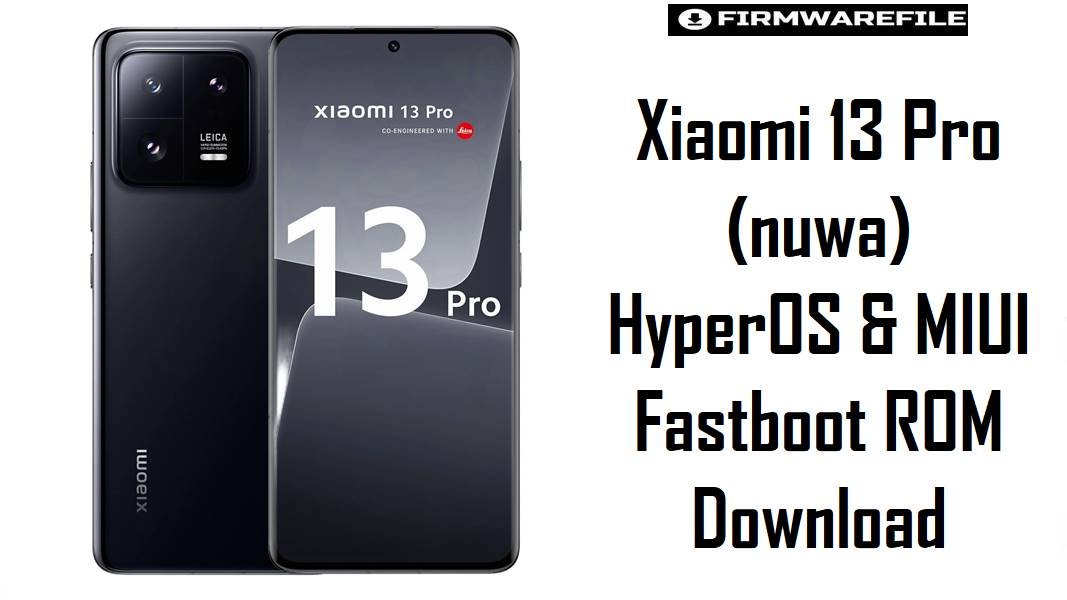
Xiaomi 13 Pro (nuwa) HyperOS & MIUI Fastboot ROM Download
Xiaomi 13 Pro (codename nuwa) is a flagship device built around the Snapdragon 8 Gen 2 and a Leica‑branded camera system, targeting power users who expect top‑tier performance and camera quality. Across MIUI and HyperOS releases, many owners report battery drain, warm idle temperatures, and occasional UI lag on some firmware branches, especially around early HyperOS 2.
The fastboot and recovery ROMs below for nuwa are designed to stabilize thermals, refine background process management, improve smoothness, and deliver newer security patches while keeping modem and regional behaviors correct for each market.
Download Firmware for Xiaomi 13 Pro (nuwa)
Newer HyperOS builds should generally be preferred for daily use because they combine the latest bug fixes with better performance tuning and updated security patches. Older MIUI or early HyperOS 2 packages can still be useful for troubleshooting, rolling back from a problematic update, or comparing behavior, but are not recommended as long‑term ROMs unless a specific newer build is known to misbehave on a device.
| Filename | Region / Variant | Build Number | Build Date | Android / OS | Flashing Method | File Size | Security Patch | Notes | Download |
|---|---|---|---|---|---|---|---|---|---|
| nuwa_images_OS3.0.3.0.WMBCNXM_20251128.0000.00_16.0_cn_64c8e5ed1d.tgz | China (CN) | OS3.0.3.0.WMBCNXM | 2025‑11‑28 | Android 16 / HyperOS 3.0 | Fastboot (Xiaomi Flash Tool) | 8.25 GB | Approx. Aug 2025 patch. | Latest Chinese fastboot ROM for nuwa; focuses on smoother basic experience, refined animations, and power optimizations, making it ideal for fixing lag and thermal spikes on Chinese units. | Download From bigota |
| xiaomi.eu_NUWA_OS3.0.4.0.WMBCNXM_16.zip | xiaomi.eu Custom (EU‑multilang, CN‑based) | OS3.0.4.0.WMBCNXM (mod) | 2026‑02 (approx.) | Android 16 / HyperOS 3.0 (modded) | Recovery / TWRP flash | 6.24 GB | Follows same base security as WMBCNXM. | Community‑modified ROM built from the Chinese HyperOS base with extra languages, removed bloat, and tweaks; recommended only for users comfortable with custom recovery and non‑official OTAs. | Download From SourceForge |
| nuwa_eea_global_images_OS2.0.208.0.VMBEUXM_20251205.0000.00_15.0_eea_61609e12d1.tgz | EEA (Europe) | OS2.0.208.0.VMBEUXM | 2025‑12‑05 | Android 15 / HyperOS 2.0 | Fastboot (Xiaomi Flash Tool) | 6.50 GB | Late 2025 patch (EEA). | One of the newest HyperOS 2 EEA fastboot builds, suitable for stabilizing battery life and performance on European 2210132G‑type models without moving to a Chinese base. | Download From bigota |
| nuwa_global_images_OS2.0.205.0.VMBMIXM_20251125.0000.00_15.0_global_009b82b023.tgz | Global (MI) | OS2.0.205.0.VMBMIXM | 2025‑11‑25 | Android 15 / HyperOS 2.0 | Fastboot (Xiaomi Flash Tool) | 7.30 GB | Late 2025 patch (Global). | Latest official global HyperOS 2 fastboot ROM, recommended for most international Xiaomi 13 Pro units to address HyperOS 2 battery drain and heating complaints while keeping full Google and region‑correct modem support. | Download From bigota |
| nuwa_ru_global_images_OS2.0.202.0.VMBRUXM_20251117.0000.00_15.0_ru_6626153a53.tgz | Russia (RU) | OS2.0.202.0.VMBRUXM | 2025‑11‑17 | Android 15 / HyperOS 2.0 | Fastboot (Xiaomi Flash Tool) | 7.54 GB | Late 2025 patch (RU). | For Russian variants with RU region; helps keep regulatory settings and local services correct while applying HyperOS 2 performance and security improvements. | Download From bigota |
| nuwa_tw_global_images_OS2.0.202.0.VMBTWXM_20251118.0000.00_15.0_tw_f87211ed7b.tgz | Taiwan (TW) | OS2.0.202.0.VMBTWXM | 2025‑11‑18 | Android 15 / HyperOS 2.0 | Fastboot (Xiaomi Flash Tool) | 6.51 GB | Late 2025 patch (TW). | Optimized for Taiwan’s network and feature set; recommended over Global or EEA ROMs for TW SKUs to avoid band, VoLTE, or OTA anomalies. | Download From hugeota |
| nuwa_in_global_images_OS2.0.203.0.VMBINXM_20251117.0000.00_15.0_in_07af1c991a.tgz | India (IN) | OS2.0.203.0.VMBINXM | 2025‑11‑17 | Android 15 / HyperOS 2.0 | Fastboot (Xiaomi Flash Tool) | 6.32 GB | Late 2025 patch (IN). | Indian market firmware that tailors services and network profiles for local operators; a better choice than Global when the device was originally sold as an Indian model. | Download From bigota |
| nuwa_tr_global_images_V14.0.3.0.TMBTRXM_20230208.0000.00_13.0_tr_d2b4862202.tgz | Turkey (TR) | V14.0.3.0.TMBTRXM | 2023‑02‑08 | Android 13 / MIUI 14 | Fastboot (Xiaomi Flash Tool) | 6.20 GB | Early 2023 patch. | Legacy MIUI 14 firmware for Turkish units; significantly older than HyperOS builds and mainly useful for troubleshooting or stepping back from problematic HyperOS releases where necessary. | Download From hugeota |
| twrp-3.7.1_12-v9.0_A15-nuwa-skkk.img | Custom recovery (TWRP for nuwa) | 3.7.1_12‑v9.0_A15 | Recent A15‑based build | Recovery environment | Fastboot flash recovery | 100 MB | – | Custom TWRP image commonly used to install xiaomi.eu and other custom ROMs on Xiaomi 13 Pro; not required for official fastboot flashing but essential for recovery‑based installs. | Download From SourceForge |
China users prioritizing the newest features should choose OS3.0.3.0.WMBCNXM, while Global / EEA / RU / IN / TW users generally get the best long‑term stability and network behavior by staying on the latest HyperOS 2 build that matches their original region code like VMBMIXM, VMBEUXM, VMBRUXM, VMBINXM, or VMBTWXM.
Complete Device & Firmware Overview
- Device Name
- Xiaomi 13 Pro (codename
nuwa). - Model Numbers
- Common variants include 2210132C (China) and 2210132G (Global / EEA), visible on the retail box and in system info.
- Chipset
- Qualcomm SM8550‑AB Snapdragon 8 Gen 2 (4 nm) with octa‑core CPU and Adreno 740 GPU.
- Display & Battery
- 6.73‑inch QHD+ LTPO AMOLED 120 Hz panel and a 4820 mAh battery with 120 W wired and 50 W wireless charging, making firmware battery and thermal tuning especially important.
- Camera System
- Leica‑branded triple 50 MP rear setup (1‑inch‑type main, telephoto, ultrawide) plus 32 MP selfie, with high‑end video modes that benefit from stable GPU/ISP performance in newer firmware.
- Firmware Codename
- All ROMs listed here target
nuwa; this must match the output offastboot getvar productbefore flashing. - Firmware Types
- Official fastboot ROMs (
nuwa*_images_*.tgz) for Windows‑based Xiaomi Flash Tool, plus recovery‑flashable ZIPs (e.g., xiaomi.eu) and a dedicated TWRP image. - Regions / Variants
- China (WMBCNXM), Global (VMBMIXM), EEA (VMBEUXM), Russia (VMBRUXM), India (VMBINXM), Taiwan (VMBTWXM), Turkey (TMBTRXM), each tuned for local bands and services.
- Key Builds
- OS3.0.3.0.WMBCNXM (Android 16, HyperOS 3), OS2.0.205.0.VMBMIXM, OS2.0.208.0.VMBEUXM, OS2.0.203.0.VMBINXM, OS2.0.202.0.VMBRUXM / VMBTWXM, and legacy V14.0.3.0.TMBTRXM.
- Security Patch Levels
- OS3.0.3.0.WMBCNXM uses around August 2025 patches, while late HyperOS 2 builds ship with late‑2025 Android 15 security updates.
- Common Pain Points on Older Builds
- Reported issues include elevated idle CPU frequencies, persistent background drain, warm chassis at light load, and animation hitches in some HyperOS 2 releases.
- Firmware Improvements
- Newer HyperOS 3 and matured HyperOS 2 updates focus on smoother UI, refined scheduler behavior, and more conservative thermal profiles, helping keep the Snapdragon 8 Gen 2 cooler without sacrificing responsiveness.
- Flash Method (Official)
- Fastboot flashing via Xiaomi Flash Tool on Windows, with an unlocked bootloader and standard fastboot drivers.
- Bootloader Rules
- Fastboot ROMs will wipe user data and “clean all and lock” must only be used with the correct original region ROM to avoid network or boot issues after relocking.
- Required Tools
- Windows PC, Qualcomm & Xiaomi USB drivers, Xiaomi Flash Tool, verified ROM archives, and optionally TWRP for custom ZIPs like xiaomi.eu.
CRUCIAL WARNING: These fastboot ROMs are strictly for Xiaomi 13 Pro with codename nuwa; they must not be flashed to other Xiaomi 13 series codenames or unrelated Xiaomi / Redmi / POCO models, because cross‑flashing can permanently brick the device.
All official nuwa_*.tgz fastboot packages will wipe user data when used with Xiaomi’s fastboot tools, and choosing “clean all and lock” on a mismatched region ROM can relock the bootloader on an unsupported build and cause modem, network, or boot failure.
Preparation Before Flashing
Click here for the Xiaomi 13 Pro (nuwa) pre‑flash checklist
- Confirm codename and region: Boot to fastboot and run
fastboot getvar productto ensure it returnsnuwa, then match the ROM region (CN / MI / EEA / RU / IN / TW / TR) to the device’s original software region. - Backup all data: Because fastboot packages perform a clean install, back up photos, chats, 2FA keys, and app data to cloud or PC before any flash.
- Charge above 60%: Keep the battery at a comfortable level to prevent shutdowns during flashing, which can leave the phone in an unbootable state.
- Install drivers and Xiaomi tools: Install Qualcomm and Xiaomi USB drivers, then set up Xiaomi Flash Tool on a Windows PC and verify that
fastboot devicesdetects the phone correctly. - Check bootloader unlock and anti‑rollback: Ensure the bootloader is unlocked and that the target build does not violate anti‑rollback rules, especially when moving from HyperOS 3 back to older HyperOS 2 or MIUI versions.
- Use a good USB‑C cable: Prefer a short, high‑quality cable plugged directly into the PC, avoiding hubs or loose ports that may disrupt the flash.
How to flash fastboot ROMs to Xiaomi 13 Pro (nuwa)
This simplified guide covers flashing official fastboot ROMs such as nuwa_global_images_OS2.0.205.0.VMBMIXM... for Global units or nuwa_images_OS3.0.3.0.WMBCNXM... for China units using Xiaomi’s fastboot tool on Windows.
- Prepare PC and download ROM: Install Xiaomi USB drivers and Xiaomi Flash Tool, then download and extract the recommended ROM for the exact region—for example OS2.0.205.0.VMBMIXM for Global or OS2.0.208.0.VMBEUXM for EEA—into a simple folder path like
C:\nuwa_rom. - Enter fastboot mode: Power off Xiaomi 13 Pro, hold Volume Down + Power until the fastboot logo appears, and connect the phone to the PC via USB.
- Load ROM in Xiaomi Flash Tool: Launch Xiaomi Flash Tool, click “Select,” and point it to the extracted
nuwa_...images...folder, then choose the “clean all” option for a full, fresh installation that best addresses battery drain and thermal issues. - Flash the firmware: Press “refresh” to detect the device, ensure it appears in the list, and then click “flash”; wait until the success status appears without unplugging the cable or closing the tool.
- First boot and optimization: After flashing, the phone will reboot into HyperOS; allow several minutes for first boot and background optimization before judging performance, thermals, or battery life.
For a complete, screenshot‑based walkthrough of Xiaomi fastboot flashing—including driver installation, bootloader unlock steps, and anti‑rollback precautions—follow the dedicated Xiaomi Fastboot Firmware Guide, then simply substitute the appropriate nuwa_*.tgz path whenever the guide asks to select a ROM.
Frequently Asked Questions (FAQs)
- Q1. Which fastboot ROM is recommended for most international Xiaomi 13 Pro (nuwa) units?
- For devices originally sold outside China, the safest choice is the latest HyperOS 2 build that matches the phone’s region, such as OS2.0.205.0.VMBMIXM for Global or OS2.0.208.0.VMBEUXM for EEA, because these retain proper Google services, 5G bands, and OTA behavior while integrating newer optimizations.
- Q2. When should HyperOS 3.0.3.0.WMBCNXM be used instead of a global HyperOS 2 ROM?
- HyperOS 3.0.3.0.WMBCNXM is ideal for Chinese 2210132C units and for experienced users who prefer the latest Chinese base; it brings Android 16, smoother animations, and updated security, but Chinese models differ in bands and services, so cross‑flashing it onto a global variant is not recommended.
- Q3. Can newer HyperOS builds fix battery drain and heating issues reported on earlier firmware?
- HyperOS changelogs and user reports show that newer builds adjust CPU scheduling, background task limits, and thermal profiles, which often reduce idle drain and lower peak temperatures compared with some early HyperOS 2 releases that kept CPU frequencies high and caused fast battery loss.
- Q4. What are the main differences between official Global ROMs and xiaomi.eu builds for nuwa?
- Official Global ROMs (VMBMIXM, VMBEUXM, etc.) prioritize full safety, certification, and region‑correct modem behavior, while xiaomi.eu builds repack the Chinese base to add extra languages, remove bloat, and tweak features, trading some official OTA convenience for more customization.
- Q5. Is it safe to downgrade from HyperOS 3 or late HyperOS 2 to older MIUI 14 builds like V14.0.3.0.TMBTRXM?
- Downgrades can be risky because of anti‑rollback and partition layout differences; moving from newer HyperOS branches to an old MIUI 14 build should only be attempted after confirming rollback indices and understanding that all data will be wiped and some security patches will be lost.
- Q6. How can users verify that a downloaded nuwa ROM is not corrupted before flashing?
- Most firmware archives list checksums on reputable firmware trackers; verifying the MD5 or SHA hash of the downloaded
.tgzor.zipagainst the published value helps avoid flashing corrupted packages that could cause unexpected errors or boot loops. - Q7. Do these fastboot ROMs affect camera quality or Leica features on Xiaomi 13 Pro?
- Official HyperOS and MIUI fastboot ROMs keep Leica color modes, camera tuning, and advanced video options intact, and in some updates camera algorithms are refined further, improving low‑light processing or autofocus reliability without sacrificing flagship features.