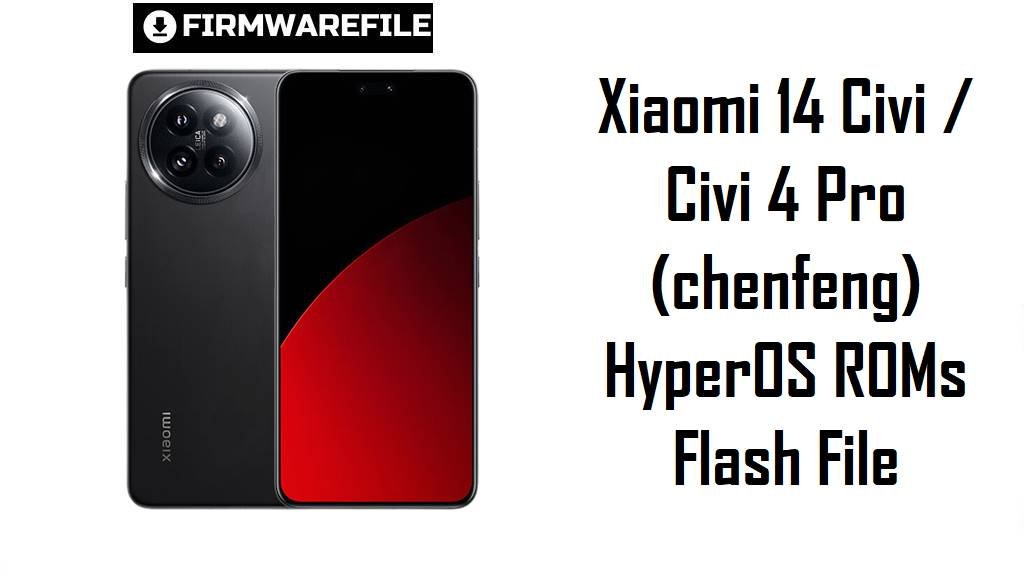
Xiaomi 14 Civi / Civi 4 Pro (chenfeng) HyperOS ROMs Flash File
Xiaomi Civi 4 Pro in China and Xiaomi 14 Civi in India target the “compact flagship” segment with a 6.55‑inch 1.5K 120 Hz AMOLED display, Snapdragon 8s Gen 3 and premium Leica‑style cameras.
The official HyperOS 2 Android 15 ROMs below for codename chenfeng, plus an older Android 14 package, give you clean system images to fix buggy OTAs, stabilize performance and align with the latest security patches.
Download Firmware for Xiaomi 14 Civi / Xiaomi Civi 4 Pro
These are official ROMs flash file for devices with codename chenfeng: Xiaomi Civi 4 Pro (China) and Xiaomi 14 Civi (India). The OS2.0.x builds are HyperOS 2 Android 15 fastboot stock ROMs, while OS1.0.10.0.UNJINXM is an older Android 14 (HyperOS 1) recovery package mainly for downgrade or full‑restore purposes.
| Filename | Region / Variant | Build Number | Build Date | Android Version | Flashing Method | File Size | Notes | Download |
|---|---|---|---|---|---|---|---|---|
| chenfeng_images_OS2.0.207.0.VNJCNXM_20251013.0000.00_15.0_cn_09aa2a696a.tgz | China – Xiaomi Civi 4 Pro CN | OS2.0.207.0.VNJCNXM | 2025‑10‑13 | Android 15 (HyperOS 2 China) | Fastboot (Xiaomi Flash Tool) | 8.37 GB | Latest China HyperOS 2 fastboot ROM for chenfeng; HyperOS archives list OS2.0.207.0.VNJCNXM as a stable Android 15 build released in late 2025 for Civi 4 Pro. | Download from Xiaomi |
| chenfeng_in_global_images_OS2.0.208.0.VNJINXM_20251107.0000.00_15.0_in_aee8db2f56.tgz | India – Xiaomi 14 Civi / Civi 4 Pro IN | OS2.0.208.0.VNJINXM | 2025‑11‑07 | Android 15 (HyperOS 2 India) | Fastboot (Xiaomi Flash Tool) | 6.59 GB | Latest Indian HyperOS 2 fastboot ROM; the changelog notes Android 15, HyperOS 2.0.208.0.VNJINXM and an upgraded October 2025 security patch with system stability optimizations. | Download from Xiaomi |
| miui_CHENFENGINGlobal_OS1.0.10.0.UNJINXM_5bc8e7a8e8_14.0.zip | India – Xiaomi 14 Civi (older HyperOS 1) | OS1.0.10.0.UNJINXM | 2024‑era (Android 14) | Android 14 (HyperOS 1) | Recovery / System Updater (OTA ZIP) | 5.36 GB | Android 14 recovery ROM for chenfeng India; mirrors group UNJINXM builds under HyperOS 1 / early Civi 4 Pro firmware, useful for downgrading or full restore if Android 15 causes issues. | Download from Xiaomi |
Which file should you use? For a normal upgrade or clean install, choose the latest HyperOS 2 fastboot ROM that matches your suffix (VNJCNXM for China, VNJINXM for India) and treat OS1.0.10.0.UNJINXM as an older Android 14 fallback only if you deliberately need to downgrade.
Complete Device & Firmware Overview
- Device, branding & codename
- The same hardware is sold as Xiaomi Civi 4 Pro in China and Xiaomi 14 Civi in India, both using the internal codename chenfeng in Xiaomi firmware and product lists.
- Market position
- Civi 4 Pro / 14 Civi is an “affordable flagship” focused on slim design, display quality and selfies, sitting below Xiaomi 14/14 Pro but above Redmi Note and mid‑range lines.
- Chipset & performance
- The phone is the first to launch with Snapdragon 8s Gen 3, paired with LPDDR5X RAM and UFS 4.0 storage for near‑flagship CPU/GPU performance and fast app loads.
- Display
- It uses a 6.55‑inch 1.5K (2750×1236) 12‑bit AMOLED at 120 Hz with up to around 3000 nits peak brightness, HDR10+, Dolby Vision and Gorilla Glass Victus 2 protection.
- Memory & storage
- Typical configurations include 12–16 GB RAM and 256–512 GB UFS 4.0 storage, with dual‑SIM 5G but no microSD slot.
- Cameras
- The rear triple camera is headlined by a 50 MP main sensor with OIS plus ultrawide and 2× portrait lenses, while the front has dual 32 MP cameras capable of high‑quality 4K video.
- Battery & charging
- A 4700 mAh battery with 67 W wired charging aims at all‑day use, though long‑term reviews of Xiaomi 14 Civi still mention noticeable battery drain and heating in demanding scenarios.
- Software baseline & updates
- The device launched on Android 14 with HyperOS 1 (OS1.0.x), then received HyperOS 2 Android 15 via OS2.0.x VNJ*** builds such as OS2.0.207.0.VNJCNXM and OS2.0.208.0.VNJINXM.
- Firmware types listed
- OS2.0.207.0.VNJCNXM and OS2.0.208.0.VNJINXM are fastboot ROMs in .tgz format for flashing from a PC, while OS1.0.10.0.UNJINXM is a recovery/OTA ZIP for use via the system updater or stock recovery.
- Security patch level
- The OS2.0.208.0.VNJINXM changelog explicitly mentions an October 2025 Android security patch and general system stability improvements for Xiaomi 14 Civi / Civi 4 Pro.
- Common user pain points
- Real‑world reports for Xiaomi 14 Civi describe persistent battery issues, heating and occasional hangs or lag despite strong hardware, echoing broader HyperOS battery‑drain complaints across Xiaomi devices.
- How these ROMs help
- Clean‑flashing the latest HyperOS 2 fastboot ROM replaces buggy OTA layers, applies newer patches and can stabilize performance and battery behavior, especially when moving from early HyperOS 1 or beta builds.
CRUCIAL WARNING: These ROMs are strictly for Xiaomi Civi 4 Pro / Xiaomi 14 Civi with codename chenfeng; they must not be flashed to Xiaomi 14 / 14 Pro / 14 Ultra, Redmi, POCO or any other models, because cross‑flashing can permanently brick the device.
Each build is region‑locked by its suffix (VNJCNXM for China, VNJINXM for India, UNJINXM for older India firmware), so normally you should flash the ROM that matches your phone’s original region and avoid unnecessary cross‑region or downgrade flashing while anti‑rollback is enabled.
All official chenfeng_*.tgz fastboot packages and many recovery ZIP installs will wipe user data, and choosing aggressive options like “clean all and lock” with a mismatched region can relock the bootloader on unsupported firmware and cause boot loops, network issues or difficulty unlocking again.
Preparation Before Flashing
Click here for the Xiaomi 14 Civi / Civi 4 Pro pre‑flash checklist
- Confirm exact device and codename: Boot into fastboot mode and run fastboot getvar product on your PC; proceed only if it returns chenfeng, then check your current build suffix (VNJCNXM, VNJINXM, UNJINXM) in Settings → About phone.
- Match the correct ROM: Use OS2.0.207.0.VNJCNXM only for Chinese Civi 4 Pro and OS2.0.208.0.VNJINXM only for Indian Xiaomi 14 Civi; keep OS1.0.10.0.UNJINXM for planned downgrades on Indian units.
- Backup your data: Fastboot flashing and some recovery installs erase apps, media and settings, so back up using Xiaomi Cloud, Google or a PC before you start.
- Charge the phone: Ensure at least 50–60% battery so the Snapdragon 8s Gen 3 device does not shut down while writing large system images.
- Install drivers and tools: On Windows, install Xiaomi USB drivers and Xiaomi Flash Tool for fastboot ROMs, and if you plan to use recovery ZIPs, ensure the stock recovery and system updater both work correctly.
Quick Firmware Flash Instructions
This section gives short, high‑level steps for flashing the listed ROMs without going into deep technical details.
For HyperOS 2 fastboot ROMs (OS2.0.207.0 / OS2.0.208.0):
- Prepare PC & ROM: On a Windows PC, install Xiaomi USB drivers and Xiaomi Flash Tool, then download and fully extract your chosen chenfeng_…images_OS2.0.20x.0.VNJ* .tgz into a simple folder such as C:\chenfeng_rom.
- Enter fastboot mode: Power off the phone, hold Volume Down + Power until the fastboot logo appears, and connect it to the PC with a reliable USB‑C cable.
- Load the ROM in Xiaomi Flash: Open Xiaomi Flash Tool, click “Select” and choose the extracted ROM folder, then click “Refresh” and confirm that one chenfeng device is detected.
- Flash using “clean all”: Choose the “clean all” option (wipes data, keeps bootloader unlocked), click “Flash” and wait for the green success status without disconnecting the phone.
- First boot & verification: Let HyperOS 2 boot and finish optimization, then open About phone to ensure codename, region suffix and build number match the ROM you installed.
For the Android 14 recovery ROM (OS1.0.10.0.UNJINXM):
- Copy ZIP to storage: Download miui_CHENFENGINGlobal_OS1.0.10.0.UNJINXM… and place it in your internal storage (avoid nested folders).
- Open System Updater: Go to Settings → About phone → System update and use the menu option to “Choose update package” if present.
- Select the ZIP & install: Point the updater to the UNJINXM ZIP and confirm; the device will verify the package, reboot to recovery and install Android 14 HyperOS 1.
- Re‑set up the phone: After the downgrade, sign in again, restore your backup and check About phone to confirm OS1.0.10.0.UNJINXM is active.
For a more detailed, screenshot‑rich walkthrough of Xiaomi fastboot flashing, including anti‑rollback checks and troubleshooting, follow the main Xiaomi Flash Tool guide; for recovery ZIP installs via System Updater, see the dedicated manual OTA update guide.
Frequently Asked Questions (FAQs)
- Q1. Which ROM here is best for my Xiaomi 14 Civi / Civi 4 Pro?
- Use the latest HyperOS 2 ROM that matches your region suffix: OS2.0.207.0.VNJCNXM for China or OS2.0.208.0.VNJINXM for India; keep OS1.0.10.0.UNJINXM only for deliberate downgrades to Android 14.
- Q2. Does OS2.0.208.0.VNJINXM actually improve stability or is it just a security patch?
- The official changelog for OS2.0.208.0.VNJINXM mentions both system stability optimizations and an updated October 2025 security patch, so it aims to harden security and smooth the overall experience.
- Q3. Will flashing these ROMs fix the battery drain and heating issues on Xiaomi 14 Civi?
- A clean flash often resolves software‑related drain or heat caused by buggy OTAs, but long‑term reviews still note that heavy camera or gaming use can warm the device and shorten battery life compared with light usage.
- Q4. Is it safe to stay on Android 14 OS1.0.10.0.UNJINXM instead of moving to HyperOS 2?
- Android 14 UNJINXM is stable but lacks the newer security patches and optimizations of OS2.0.208.0; most users are better off on the latest HyperOS 2 unless a critical app or feature only works properly on Android 14.
- Q5. Can I flash the China OS2.0.207.0.VNJCNXM ROM on my Indian Xiaomi 14 Civi for “extra features”?
- Cross‑flashing China firmware onto Indian hardware can change services, break some integrations and complicate future OTAs, and anti‑rollback makes downgrades risky, so it is recommended only for experienced users who accept those risks.
- Q6. Do these ROMs upgrade the phone to Android 16 or HyperOS 3?
- No; OS2.0.207.0 and OS2.0.208.0 VNJ*** are Android 15 HyperOS 2 builds, and Android 16 / HyperOS 3 for chenfeng would arrive later as separate OS3.x releases once Xiaomi starts that rollout.