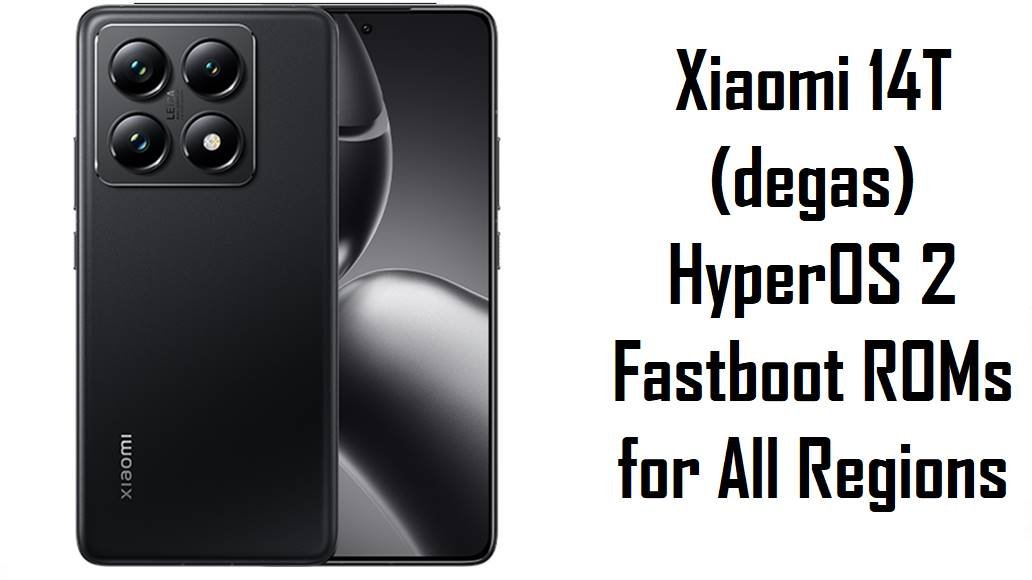
Xiaomi 14T (degas) HyperOS 2 Fastboot ROMs for All Regions
Xiaomi 14T, codename degas, is a compact flagship‑class phone that ships with HyperOS 2 based on Android 15 and focuses on smooth performance, strong connectivity and long‑term software support. Community feedback around HyperOS 2 mentions typical early‑build problems such as random bugs, occasional UI stutter and the need for newer security patches, which Xiaomi is addressing with a stream of 2.0.20x updates.
The fastboot ROMs below let you clean‑flash official HyperOS 2 firmware per region, recover from failed OTAs and move your Xiaomi 14T to the latest Android 15 builds with November‑era security updates.
Download Firmware for Xiaomi 14T (degas)
These packages are official HyperOS 2 (Android 15) fastboot ROMs for Xiaomi 14T with codename degas, covering Global, Russia, Indonesia, EEA, Taiwan, Turkey and a special “MIDC” global demo variant. Always choose the newest ROM whose region suffix (VNEMIXM, VNERUXM, VNEIDXM, VNEEUXM, VNETWXM, VNETRXM, VNEMIDC) matches the one shown in Settings → About phone → HyperOS version on your Xiaomi 14T.
| Filename | Region / Variant | Build Number | Build Date | Android Version | Flashing Method | File Size | Notes | Download |
|---|---|---|---|---|---|---|---|---|
| degas_ru_global_images_OS2.0.206.0.VNERUXM_20251117.0000.00_15.0_ru_5f794ad5de.tgz | Russia – Xiaomi 14T RU | OS2.0.206.0.VNERUXM | 2025‑11‑17 | Android 15 | Fastboot (Xiaomi Flash Tool) | 7.84 GB | Latest Russia HyperOS 2 fastboot ROM for Xiaomi 14T; OTA builds with the same version update the security patch to November 2025 and “increase system security”, so this is the recommended clean‑flash target for Russian units. | Download from Xiaomi server |
| degas_tw_global_images_OS2.0.206.0.VNETWXM_20251117.0000.00_15.0_tw_8f7203a607.tgz | Taiwan – Xiaomi 14T TW | OS2.0.206.0.VNETWXM | 2025‑11‑17 | Android 15 | Fastboot (Xiaomi Flash Tool) | 6.71 GB | Taiwan HyperOS 2 fastboot ROM; matching OTA packages note the November 2025 security patch and security improvements, so TW users should prefer this over older VNETWXM releases. | Download from Xiaomi server |
| degas_tr_global_images_OS2.0.206.0.VNETRXM_20251117.0000.00_15.0_tr_b15b1b1899.tgz | Turkey – Xiaomi 14T TR | OS2.0.206.0.VNETRXM | 2025‑11‑17 | Android 15 | Fastboot (Xiaomi Flash Tool) | 7.22 GB | Turkey‑region HyperOS 2 fastboot ROM; firmware archives list this as the newest Android 15 stable for VNETRXM, making it the best base for Turkish devices that need a clean, stock reinstall. | Download from Xiaomi server |
| degas_id_global_images_OS2.0.205.0.VNEIDXM_20251117.0000.00_15.0_id_de67914ae4.tgz | Indonesia – Xiaomi 14T ID | OS2.0.205.0.VNEIDXM | 2025‑11‑17 | Android 15 | Fastboot (Xiaomi Flash Tool) | 7.27 GB | Indonesia HyperOS 2 fastboot ROM for degas; trackers show this as a November 2025 security update and stability release, good for fixing glitches from early VNEIDXM builds while keeping local carrier tuning intact. | Download from Xiaomi server |
| degas_global_images_OS2.0.206.0.VNEMIXM_20251113.0000.00_15.0_global_8b00d3e074.tgz | Global – Xiaomi 14T Global (model 2406APNFAG, others) | OS2.0.206.0.VNEMIXM | 2025‑11‑13 | Android 15 | Fastboot (Xiaomi Flash Tool) | 7.92 GB | Latest Global HyperOS 2 fastboot ROM for Xiaomi 14T; OTA notes for this branch highlight updated security patches and system stability improvements, so this is the go‑to image for repairing or clean‑installing global devices. | Download from Xiaomi server |
| degas_eea_global_images_OS2.0.207.0.VNEEUXM_20251010.0000.00_15.0_eea_45d24a9714.tgz | EEA / Europe – Xiaomi 14T EU | OS2.0.207.0.VNEEUXM | 2025‑10‑10 | Android 15 | Fastboot (Xiaomi Flash Tool) | 7.38 GB | EEA HyperOS 2 fastboot ROM; slightly older than some November builds but still a late‑2025 Android 15 release for European models, used by service guides as the default EEA fastboot package for degas. | Download from Xiaomi server |
| degas_dc_global_images_OS2.0.8.0.VNEMIDC_20250428.0000.00_15.0_global_dc_ff7a928061.tgz | Global MIDC / demo (special) | OS2.0.8.0.VNEMIDC | 2025‑04‑28 | Android 15 (early HyperOS 2) | Fastboot (Xiaomi Flash Tool) | 6.35 GB | Early HyperOS 2 fastboot ROM tagged VNEMIDC; firmware archives describe MIDC as a separate global/demo line, and this build is much older than the other ROMs here, so normal retail users should avoid it unless their phone originally shipped with a MIDC firmware. | Download from Xiaomi server |
For a typical owner, Global VNEMIXM, EEA VNEEUXM, Russia VNERUXM, Indonesia VNEIDXM, Taiwan VNETWXM and Turkey VNETRXM are the main retail branches; the older VNEMIDC demo build should only be used if you explicitly know your unit is a MIDC variant.
Complete Device & Firmware Overview
- Device name & codename
- Xiaomi 14T (codename degas) is a compact T‑series flagship that appears in HyperOS source code and firmware trackers under that internal name.
- Model numbers
- Global Xiaomi 14T is associated with model numbers such as 2406APNFAG and XIG06 in leaks and firmware databases.
- OS and UI
- The device ships with HyperOS 2.x based on Android 15, with HyperOS 2.1 or later planned as an in‑place update for eligible Android 15 devices like Xiaomi 14T.
- Firmware type here
- All listed images are official HyperOS 2 fastboot ROMs in .tgz format, designed for use with Xiaomi’s fastboot‑based flashing tools on a Windows PC.
- Regions & build suffixes
- VNEMIXM (Global), VNERUXM (Russia), VNEIDXM (Indonesia), VNEEUXM (EEA), VNETWXM (Taiwan), VNETRXM (Turkey), VNEMIDC (Global MIDC/demo).
- Security patch level
- OTA entries for OS2.0.205.0 VNEIDXM, OS2.0.206.0 VNERUXM and OS2.0.206.0 VNETWXM explicitly state that the Android security patch is updated to November 2025, increasing system security; the corresponding fastboot ROMs bring the same patch.
- Update focus
- Recent HyperOS 2.0.20x builds for degas are described as stability and security updates rather than major feature drops, aligning with Xiaomi’s wider push to harden HyperOS 2 on Android 15 before rolling out HyperOS 2.1/3.
- Common user concerns
- HyperOS feedback threads and videos mention random UI bugs, minor lags and general HyperOS 2 annoyances across devices, which Xiaomi targets with cumulative bug‑fix updates like the ones listed here.
- How these ROMs help
- By performing a clean fastboot flash of the latest correct regional build, you remove leftovers from previous installations, apply the newest security patch and align with Xiaomi’s current stable baseline for Xiaomi 14T.
- Flash method
- These fastboot ROMs rely on the Xiaomi Flash Tool or compatible fastboot utilities; they are not simple OTA ZIPs and must be flashed from a PC with the phone in fastboot mode.
- Bootloader rules
- Xiaomi’s documentation and community guides emphasize that bootloader unlocking is typically required for manual fastboot flashing, and anti‑rollback protection can block unsafe downgrades.
- Required tools
- You need a Windows PC, Xiaomi USB drivers, Xiaomi Flash Tool (or similar fastboot tool), a good USB‑C cable and the MD5/SHA checksum from trusted firmware mirrors to verify that each degas_*.tgz download is intact.
CRUCIAL WARNING: These fastboot ROMs are strictly for Xiaomi 14T with codename degas; they must not be flashed to Xiaomi 14T Pro, Redmi or POCO devices with other codenames, because cross‑flashing can permanently brick the phone.
Each build is region‑locked by code (VNEMIXM, VNERUXM, VNEIDXM, VNEEUXM, VNETWXM, VNETRXM, VNEMIDC), so you should normally flash the ROM that matches your phone’s original region and avoid cross‑region flashing while anti‑rollback is enabled on modern HyperOS devices.
All official degas_*.tgz fastboot packages will wipe user data when used with Xiaomi’s fastboot tools, and choosing options like “clean all and lock” on a mismatched ROM can relock the bootloader on unsupported firmware and cause network loss or boot loops.
Preparation Before Flashing
Click here for the Xiaomi 14T pre‑flash checklist
- Confirm device & codename: Boot to fastboot and run fastboot getvar product; only continue if the output is degas, then confirm your current build suffix (e.g., VNEMIXM, VNERUXM, VNEEUXM) in Settings → About phone.
- Match the region precisely: Download the ROM whose suffix matches your original region (Global, EEA, RU, ID, TW, TR, MIDC) to keep modem, NFC and OTA behavior correct.
- Backup important data: Fastboot flashing performs a clean install and erases apps, media and settings, so back up everything to Xiaomi Cloud, Google Drive or a PC first.
- Charge the battery: Make sure the battery is at least 50–60% to avoid shutdown during flashing, which can corrupt partitions and hard‑brick the device.
- Install drivers & tools: On a Windows PC, install Xiaomi USB drivers and Xiaomi Flash Tool (or another fastboot utility) and verify that your Xiaomi 14T is detected correctly in fastboot mode.
Quick Firmware Flash Instructions
This simplified guide covers flashing any of these fastboot ROMs, such as degas_global_images_OS2.0.206.0.VNEMIXM_20251113.0000.00_15.0_global_8b00d3e074.tgz, using Xiaomi’s fastboot flashing tool on a Windows PC.
- Prepare PC & ROM: Install Xiaomi USB drivers and Xiaomi Flash Tool, then download the correct degas_…images_… TGZ and extract it to a short path such as C:\degas_rom.
- Enter fastboot mode: Power off the Xiaomi 14T, hold Volume Down + Power until the fastboot logo appears, and connect it to the PC with a reliable USB‑C cable.
- Select the firmware: Launch Xiaomi Flash Tool, click to select the extracted ROM folder, and confirm that one device with codename degas is listed as connected.
- Flash with “clean all”: Choose the mode that wipes data but keeps the bootloader unlocked (usually “clean all”), then click “flash” and wait until the tool reports success without disconnecting the phone.
- Reboot & verify: Let HyperOS boot and finish optimization, then open About phone to verify that codename, region suffix and build number match the ROM you installed.
For a more detailed, screenshot‑rich walkthrough of Xiaomi fastboot flashing, including anti‑rollback checks and troubleshooting for connection errors, follow the main Xiaomi fastboot firmware guide and simply point it to the extracted degas_*.tgz folder when asked to select a ROM.
Frequently Asked Questions (FAQs)
- Q1. Which fastboot ROM is safest for my Xiaomi 14T?
- The safest option is always the latest ROM that matches your phone’s original region code: OS2.0.206.0.VNEMIXM for Global, OS2.0.207.0.VNEEUXM for EEA, OS2.0.206.0.VNERUXM for Russia, OS2.0.205.0.VNEIDXM for Indonesia, OS2.0.206.0.VNETWXM for Taiwan or OS2.0.206.0.VNETRXM for Turkey.
- Q2. Do these HyperOS 2.0.20x updates fix major bugs?
- OTA changelogs for the same versions mention updated security patches and increased system security, and HyperOS 2.0 maintenance releases generally focus on smoothing out random errors, so moving to the newest build tends to be more stable than staying on early 2.0.10x firmware.
- Q3. Will flashing these ROMs upgrade me to HyperOS 2.1 or HyperOS 3?
- No; all fastboot files listed here are HyperOS 2 on Android 15, while HyperOS 2.1 and HyperOS 3 are separate waves of updates that Xiaomi is rolling out later to eligible Android 15 devices like Xiaomi 14T via new builds.
- Q4. Can I cross‑flash Global VNEMIXM on an EEA or Russian Xiaomi 14T?
- Advanced users sometimes cross‑flash, but Xiaomi’s region‑specific modem configuration and anti‑rollback make it risky; for most people, firmware trackers and community threads advise staying on the matching regional suffix to avoid subtle network or OTA issues.
- Q5. What is the VNEMIDC build and should I use it?
- VNEMIDC is an early HyperOS 2 global MIDC build that archives associate with demo or special units, so unless your device originally shipped with a MIDC ROM, you should ignore this older file and use the regular Global or regional build instead.
- Q6. Can these ROMs unbrick my phone if it is stuck on the HyperOS logo?
- If the phone can still enter fastboot mode, flashing the correct degas_…images_… fastboot ROM is a standard way to recover from boot loops or failed OTAs; devices that cannot reach fastboot may require EDL‑level service tools instead.