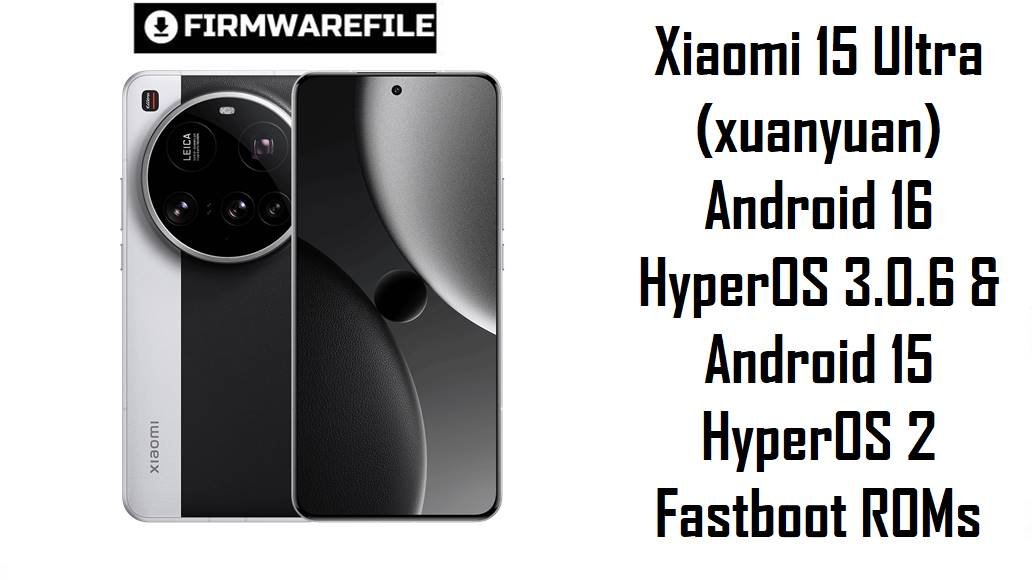
The Xiaomi 15 Ultra is Xiaomi’s top 2025 camera flagship, built around the Snapdragon 8 Elite, a 6.73‑inch QHD+ 120 Hz AMOLED display and a Leica quad‑camera system with up to 6000 mAh silicon‑carbon battery in China (5410 mAh globally).
Reviews praise its imaging, display and charging, but many owners complain about heat and throttling during long camera or gaming sessions, battery life that often feels weaker than the capacity suggests, HyperOS aggressively closing background apps, and software bugs like black‑screen video resume or eSIM/mobile‑data glitches on some builds.
The official HyperOS fastboot ROMs and the xiaomi.eu custom ROM listed below let you clean‑flash Android 16 China HyperOS 3.0.6 or Android 15 HyperOS 2.0.x for your exact region, fixing many software issues and giving a known‑good baseline for this powerful but demanding device.
Complete Device & Firmware Overview
- Phone model
- Xiaomi 15 Ultra – Leica‑branded camera flagship in the Xiaomi 15 line.
- Codename
- xuanyuan – used across China and global firmware, including the builds in your list.
- Chipset
- Qualcomm Snapdragon 8 Elite (Snapdragon 8 Gen 4‑class) with Adreno GPU, targeting top‑tier performance and imaging.
- Display
- 6.73‑inch LTPO AMOLED, 1440 × 3200 resolution, 120 Hz refresh rate, very high peak brightness but some reviewers say outdoor visibility doesn’t always match the marketing numbers.
- Battery & charging
- China units: 6000 mAh silicon‑carbon pack; global units: 5410 mAh Surge battery, all with 90 W wired and 80 W wireless charging plus reverse wireless support. Real‑world tests show excellent charging speeds but mixed endurance given the capacity.
- Camera system
- Leica quad set‑up with a 1‑inch‑class 50 MP main sensor, advanced telephoto and ultra‑wide lenses, praised as one of the best mobile camera systems but with some users criticizing aggressive contrast and shadow crushing.
- Thermal & battery complaints
- Multiple reviewers and users report the 15 Ultra getting hot under prolonged camera use or high‑end gaming, with notable throttling and battery drain that can make the phone last only about a day under heavy use.
- HyperOS pain points
- Issues include aggressive background app killing (for example wearables losing connection), cluttered UI, bugs when resuming videos in apps, and regional bugs like eSIM/mobile‑data activation failure on specific HyperOS builds.
- China HyperOS 3 ROM here
- xuanyuan_images_OS3.0.6.0.WOACNXM_20251031.0000.00_16.0_cn_3ef9480c84.tgz – Android 16 / HyperOS 3.0.6.0.WOACNXM China fastboot ROM.
- Global / regional HyperOS 2 ROMs here
- OS2.0.206.0.VOAMIXM – Global fastboot. OS2.0.207.0.VOARUXM – Russia fastboot. OS2.0.208.0.VOAIDXM – Indonesia fastboot. OS2.0.207.0.VOAEUXM – EEA fastboot. OS2.0.207.0.VOATWXM – Taiwan fastboot. OS2.0.2.0.VOATRXM – early Turkey fastboot. OS2.0.206.0.VOAINXM – India fastboot.
- Custom ROM here
- xiaomi.eu_XUANYUAN_OS3.0.301.0.WOACNXM_16.zip – xiaomi.eu multi‑language custom ROM based on the same China OS3.0.6.0.WOACNXM build, distributed as a recovery‑flashable ZIP for advanced users.
- Android versions
- China WOACNXM and xiaomi.eu OS3.0.6.0 builds: Android 16. All VOA*M* / VOA*XM regional builds listed: Android 15 (HyperOS 2 branch).
- Security patch levels
- OS3.0.6.0.WOACNXM is part of Xiaomi’s late‑2025 Android 16 wave with an updated security patch; OS2.0.206–208.0 regional builds correspond to late‑2025 Android 15 security levels by region.
- Firmware types
- All Xiaomi official packages here are fastboot ROMs in .tgz format, suitable for Xiaomi Flash Tool on Windows; the xiaomi.eu ZIP is a custom recovery/fastboot flashable ROM.
- Why these ROMs matter
- They let you: upgrade China 15 Ultra to Android 16; keep global/EEA/IN/RU/ID/TW on stable Android 15 HyperOS 2; repair bootloops/failed OTAs; or move to a de‑bloated multi‑language build (xiaomi.eu) while staying on the latest base.
- Tools & bootloader
- Fastboot ROMs require Xiaomi Flash Tool on Windows plus an unlocked bootloader (Mi Unlock), which wipes user data; xiaomi.eu also assumes an unlocked bootloader and typically a custom recovery or fastbootd environment.
CRUCIAL WARNING: All official ROMs and the xiaomi.eu build here are strictly for Xiaomi 15 Ultra with codename xuanyuan; flashing them to Xiaomi 15, 15 Pro or any Redmi/POCO model will almost certainly brick the device permanently.
Each build is region‑locked by code (WOACNXM for China, VOAMIXM for Global, VOAEUXM EEA, VOAINXM India, VOAIDXM Indonesia, VOARUXM Russia, VOATWXM Taiwan, VOATRXM Turkey), so you should normally stay on the ROM that matches your phone’s original region and avoid cross‑region flashing unless you fully understand modem, eSIM and anti‑rollback implications.
All official xuanyuan_*images_*.tgz fastboot packages will overwrite core partitions and usually wipe user data; using “clean all and lock” on a mismatched system can relock the bootloader on an unsupported ROM and cause boot loops, account‑binding issues, or loss of mobile data/eSIM functionality.
Download Firmware for Xiaomi 15 Ultra (xuanyuan)
Start with the newest stable build for your own region: Android 16 China OS3.0.6.0.WOACNXM (or the xiaomi.eu custom ROM based on it) for Chinese/advanced users, and the latest OS2.0.20x Android 15 VOA*XM build that matches Global/EEA/IN/RU/ID/TW/TR devices.
Preparation Before Flashing
Click here for the Xiaomi 15 Ultra (xuanyuan) pre‑flash checklist
- Confirm device and codename: In fastboot, run fastboot getvar product and ensure it returns xuanyuan; in Settings → About phone, check that your build string ends with WOACNXM (China) or the correct VOA*M* region before choosing a ROM.
- Backup everything: Fastboot and custom ROM flashes typically wipe apps and internal storage. Backup photos, chats, 2FA codes and documents to Xiaomi Cloud, Google or a PC first.
- Charge adequately: Even with 90 W charging, start above 50–60% battery. Several users already report warmth under fast charging, so avoid combining flashing and “Top Speed” charging modes during the process.
- Unlock the bootloader: Use Xiaomi’s Mi Unlock tool on a Windows PC with your Xiaomi account; unlocking is required for fastboot and xiaomi.eu ROMs and will erase all data once.
- Install drivers & extract files: Install Xiaomi USB drivers and Xiaomi Flash Tool, then fully extract any xuanyuan_*images_*.tgz fastboot ROM into a short path (for example C:\xuanyuan_OS3.0.6.0). For the xiaomi.eu ZIP, copy it to the phone storage or ADB location as required by their install guide.
Quick Firmware Flash Instructions
For official Xiaomi fastboot ROMs (.tgz) such as xuanyuan_images_OS3.0.6.0.WOACNXM… or xuanyuan_global_images_OS2.0.206.0.VOAMIXM…:
- Prepare PC & ROM: Install Xiaomi USB drivers and Xiaomi Flash Tool on Windows. Download and extract the chosen .tgz fastboot ROM into a simple folder like C:\xuanyuan_fastboot.
- Enter fastboot mode: Power off the Xiaomi 15 Ultra, then hold Volume Down + Power until the fastboot logo appears and connect the phone to your PC via USB‑C.
- Select ROM in Xiaomi Flash: Open Xiaomi Flash Tool, click Select and choose the extracted ROM folder. Confirm your device is listed and set the bottom option to clean all (recommended for a fresh install).
- Flash firmware: Click Refresh, then Flash, and wait without disconnecting or letting the PC sleep until the tool reports a green success status.
- Reboot & initial setup: The phone will reboot into HyperOS (Android 15 or 16). The first boot can take several minutes while apps are optimized; then complete setup and restore your backups.
For xiaomi.eu_XUANYUAN_OS3.0.301.0.WOACNXM_16.zip (custom ROM ZIP):
- Install custom recovery/fastbootd: With an unlocked bootloader, install a compatible custom recovery (for example TWRP/OrangeFox) or use fastbootd as instructed by the xiaomi.eu guide.
- Copy ROM ZIP: Place the xiaomi.eu_XUANYUAN_OS3.0.6.0.WOACNXM_16.zip on internal storage or a USB‑OTG drive accessible from recovery.
- Boot to recovery: From powered‑off state, hold Volume Up + Power (or use fastboot reboot recovery) to enter custom recovery.
- Wipe & flash: In recovery, wipe data/cache as recommended, then choose “Install” and select the xiaomi.eu ZIP. Swipe/confirm to flash and wait for completion.
- Reboot system: Reboot to system; first boot into the xiaomi.eu ROM can take several minutes. Then sign in and restore apps manually.
For a step‑by‑step, screenshot‑rich guide to Xiaomi fastboot flashing (drivers, anti‑rollback checks, error codes), see: How to Flash Xiaomi 15 Ultra.
Frequently Asked Questions (FAQs)
- Q1. Should I use Android 16 China OS3.0.6.0 or stay on Android 15 global HyperOS 2?
- If you have a Chinese 15 Ultra and want the newest features and fixes, OS3.0.6.0.WOACNXM is the right move; just remember it lacks Google apps out of the box. Global/EEA/IN/RU/ID/TW owners who prioritize stability and native GMS may prefer staying on OS2.0.206–208.0 HyperOS 2 until HyperOS 3 global builds mature.
- Q2. Will these ROMs fix overheating and battery issues on my Xiaomi 15 Ultra?
- Firmware updates can improve background management and some thermal behaviors, but reviewers still find the 15 Ultra runs warm and drains fast in heavy camera or gaming use compared to expectations for its battery size. A clean flash to the latest ROM can remove software bugs, but the core thermals are also tied to the Snapdragon 8 Elite and camera‑heavy design.
- Q3. Is the xiaomi.eu ROM safer or better than the official China ROM?
- xiaomi.eu builds are popular for adding multi‑language support and pre‑integrated Google services while trimming Chinese bloat, but they are unofficial and may affect OTA behavior, banking apps, or Play Integrity. They are best suited to advanced users who accept the extra maintenance and risk compared to stock WOACNXM.
- Q4. Can I flash the China OS3.0.6.0 fastboot ROM on my global 15 Ultra to get Android 16 early?
- Technically possible with an unlocked bootloader, but cross‑flashing China firmware on a global device can break eSIM, mobile data or regional certifications and makes future OTAs more complex; Xiaomi’s own bug report already lists an eSIM/mobile‑data bug on certain 15 Ultra builds that needed a follow‑up fix. For most users, it is safer to wait for official VOA*M* Android 16 builds for their region.
- Q5. Will flashing these ROMs help with HyperOS killing background apps too aggressively?
- Some users report that later HyperOS 2/3 builds slightly relax app killing and fix specific bugs, but Xiaomi still favours aggressive power saving, and people with wearables complain that connections drop even on newer versions. A fresh ROM plus careful battery/per‑app settings can help, but it will not fully mimic more relaxed OEMs.
- Q6. Can fastboot ROMs unbrick my Xiaomi 15 Ultra if it only shows the Mi / HyperOS logo?
- Yes, as long as fastboot mode is accessible, flashing the correct xuanyuan_*images_*.tgz via Xiaomi Flash Tool is the standard way to repair bootloops or failed OTAs. If the device cannot enter fastboot at all, EDL‑mode recovery with authorized tools is required and usually limited to service centres.

💬 Comments