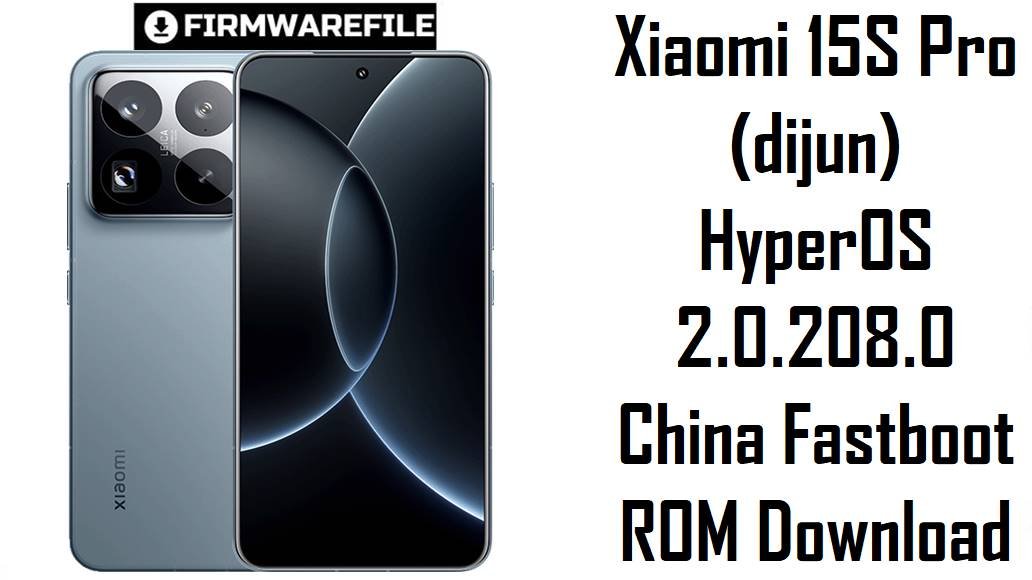
Xiaomi 15S Pro (dijun) HyperOS 2.0.208.0 China Fastboot ROM Download
The Xiaomi 15S Pro is a 2025 China‑only flagship built around Xiaomi’s in‑house Xring O1 chipset, a 6.73‑inch LTPO AMOLED display and a 6,100 mAh silicon‑carbon battery, positioned as a performance and battery‑life alternative to Snapdragon‑based flagships. Real users and reviewers consistently praise its raw power and stamina, but also report pain points such as heat and throttling in long gaming sessions, higher power consumption than Snapdragon rivals, occasional UI stutter, and background battery drain linked to HyperOS processes and data traffic.
The dijun-images-OS2.0.208.0.VODCNXM fastboot ROM is a full China HyperOS 2.2 (Android 15) system image that improves stability, refines animations and scrolling, updates security to mid‑2025, and fixes specific bugs like abnormal travel assistant and keyboard pop‑up behavior on the Xiaomi 15S Pro.
Complete Device & Firmware Overview
- Device Name
- Xiaomi 15S Pro – 2025 China flagship smartphone.
- Model Number
- Typical China model code series 25042PN24C, referenced on firmware and certification trackers for codename dijun.
- Codename
- dijun – used in all official HyperOS firmware packages for Xiaomi 15S Pro.
- Chipset
- Xring O1 SoC developed by Xiaomi, a flagship‑class 4 nm platform that delivers high performance but can run hotter and draw more power under load than some Snapdragon competitors.
- CPU & GPU Characteristics
- Multi‑core CPU cluster tuned for sustained performance, with reviewers noting strong benchmark numbers and relatively controlled throttling, but visible heat and FPS drop after 30–40 minutes of heavy gaming.
- Display
- 6.73‑inch LTPO AMOLED with high refresh rate and Dolby Vision support, delivering smooth UI and vivid colors for media and gaming.
- Battery
- 6,100 mAh silicon‑carbon lithium battery, rated for long screen‑on time and praised for strong endurance in mixed and video playback tests.
- Charging
- Flagship‑grade wired fast charging (over 100 W class), providing rapid top‑ups in lab tests; real‑world reviews emphasize quick recovery from low charge.
- Key User Pain Points
- Reports of device heating and throttling under extended gaming, higher average power consumption than Snapdragon‑based rivals, inconsistent idle drain tied to background traffic, and occasional app/UI glitches on early HyperOS 2 builds.
- Firmware File Name
- dijun-images-OS2.0.208.0.VODCNXM-user-20250731.0000.00-15.0-cn-1680209434.tgz – official Xiaomi fastboot ROM.
- Build Number
- OS2.0.208.0.VODCNXM – HyperOS 2.2 China stable release line for Xiaomi 15S Pro.
- Region / Variant
- China (CN) ROM – code VODCNXM; intended only for Chinese Xiaomi 15S Pro units.
- Android Version
- Android 15.0 base under HyperOS 2.0.x; Xiaomi is using Android 16 for later HyperOS 2.3/3.0 releases, which are not part of this package.
- Security Patch Level
- Part of the HyperOS 2.2 wave that bumps devices to about August 2025 security with increased system security.
- Changelog Highlights (System)
- New customizable status bar icons, improved full‑screen indicator immersion, updated classic page styles, smoother app‑launch animations, and better scrolling performance in some third‑party content feeds.
- Changelog Highlights (Xiaomi 15S Pro‑specific)
- Fixes for travel assistant trips failing to add in some cases and abnormal input‑method pop‑up display in certain scenarios, directly targeting everyday UX problems on dijun.
- Bug Fix Coverage (General HyperOS 2)
- HyperOS 2.0.x updates on other models have resolved serious issues like screen distortions, freezing widgets, broken screen recording and random crashes, indicating Xiaomi’s ongoing focus on stability with this branch.
- Firmware Type
- Fastboot ROM (.tgz) containing full partition images (boot, system, vendor, product, vbmeta, modem, etc.) for Xiaomi Flash Tool on Windows.
- File Size
- Approximately 8.6–8.7 GB compressed, matching the reported 8.63 GB.
- Flash Method
- Flashed via Xiaomi Flash Tool (Mi Flash / Xiaomi Flash) in fastboot mode on a Windows PC, typically using the “clean all” option.
- Bootloader Rules
- Requires unlocked bootloader for fastboot flashing; unlocking is done with Xiaomi’s Mi Unlock tool and wipes user data.
- Anti‑rollback & OTAs
- Modern HyperOS devices enforce anti‑rollback, so downgrading below certain builds may be blocked; staying on, or above, OS2.0.208.0 ensures compatibility with future OTA or fastboot updates on the same channel.
- Target Users for This ROM
- Owners of Chinese Xiaomi 15S Pro units experiencing instability, UI glitches, or wanting a clean HyperOS 2.2 base before later Android 16/HyperOS 3 updates, as well as users recovering from failed mods or soft bricks.
- Required Tools
- Windows PC, Xiaomi USB drivers, Xiaomi Flash Tool, and a reliable USB‑C cable.
CRUCIAL WARNING: This fastboot ROM is strictly for the Xiaomi 15S Pro with codename dijun and China firmware (VODCNXM); do not flash it on Xiaomi 15, 15 Pro, 15 Ultra, Redmi, POCO or any other codename, or the phone can be permanently bricked.
Always match the region code (CNXM vs MIXM/EUXM, etc.) and Android version before flashing; cross‑region or downgraded installs can break network, OTA, or anti‑rollback rules, leaving the device unstable or unable to boot.
All official dijun-*.tgz fastboot packages overwrite core partitions and usually wipe user data; selecting “clean all and lock” on a mismatched system can relock the bootloader on an unsupported ROM and cause boot loops, account‑binding errors, or loss of recovery options.
Download Firmware for Xiaomi 15S Pro (dijun)
Because this is a single, relatively new HyperOS 2.2 build for the China Xiaomi 15S Pro, it should be the default choice when you need a full restore or clean reinstall; older OS2.0.20x builds are now mostly for downgrade testing or reproducing specific bugs. The package below is a fastboot ROM, which is more suitable than recovery/OTA ZIPs for deep repair, unbricking and wiping away long‑standing software issues.
| Filename | Region / Variant | Build Number | Build Date | Android Version | Flashing Method | File Size | Notes | Download |
|---|---|---|---|---|---|---|---|---|
| dijun-images-OS2.0.208.0.VODCNXM-user-20250731.0000.00-15.0-cn-1680209434.tgz | China – Xiaomi 15S Pro (dijun) | OS2.0.208.0.VODCNXM (HyperOS 2.2 China Stable) | 31 July 2025 build, public release in Aug 2025 wave | Android 15.0 / HyperOS 2.0.x | Xiaomi Flash Tool (fastboot, Windows PC) | ≈8.63 GB (fastboot TGZ) | Focuses on smoother animations and scrolling, system UI refinements, new status bar icon options, updated classic page styles, and August‑level security. Specifically for dijun, it fixes travel assistant trip‑adding failures and abnormal keyboard pop‑up layouts, helping daily UX feel more consistent. Recommended as the main “baseline” ROM before experimenting with root or waiting for Android 16/HyperOS 3, and for repairing devices suffering from odd UI glitches or drain on earlier HyperOS 2 versions. | Download from Xiaomi (China) |
In simple terms, if your Xiaomi 15S Pro About phone string ends with OS2.0.xxx.VODCNXM and fastboot reports product dijun, this is the correct full fastboot ROM to restore or refresh your phone.
Preparation Before Flashing
Click here for the Xiaomi 15S Pro (dijun) pre‑flash checklist
- Confirm exact device and codename: In fastboot, run fastboot getvar product and make sure it returns dijun, and in Settings > About phone confirm that your build ends with VODCNXM (China) before using this ROM.
- Backup your data: A fastboot flash will overwrite core partitions and usually erase apps, settings and internal storage data, so back up photos, chats, 2FA codes and documents to Xiaomi Cloud, Google, or a PC first.
- Charge the phone: Aim for at least 50–60% battery; while 15S Pro charges quickly, a power loss mid‑flash can cause serious software damage or boot loops.
- Unlock the bootloader: Use the official Mi Unlock tool on a Windows PC with your Xiaomi account; unlocking is required for fastboot ROMs and will itself wipe all user data.
- Install drivers and extract ROM: Install Xiaomi USB drivers and Xiaomi Flash Tool, then fully extract the .tgz into a short folder path (for example C:\dijun_OS2.0.208.0) before starting the flash.
Quick Firmware Flash Instructions
This simplified guide covers flashing dijun-images-OS2.0.208.0.VODCNXM… to a Xiaomi 15S Pro using Xiaomi’s fastboot flashing tool on a Windows PC.
- Prepare PC & ROM: Install Xiaomi USB drivers and Xiaomi Flash Tool, then download and extract the dijun-images-OS2.0.208.0.VODCNXM… .tgz file to a simple folder path like C:\dijun_OS2.0.208.0.
- Enter fastboot mode: Power off the phone, hold Volume Down + Power until the fastboot logo appears, and connect the device to your PC with a reliable USB‑C cable.
- Load ROM in Xiaomi Flash: Open Xiaomi Flash Tool, click Select and choose the extracted ROM folder, then ensure your phone appears in the device list and set the flashing option to clean all (wipes data but keeps bootloader unlocked).
- Flash firmware: Click Refresh, then Flash, and wait patiently until the tool reports a green success status, avoiding cable disconnections or PC sleep during the process.
- First boot & setup: After flashing, the phone will reboot into HyperOS 2.2; the first boot can take several minutes while apps are optimized, then you can complete setup and restore your backups.
For a detailed, screenshot‑rich walkthrough of Xiaomi fastboot flashing (including anti‑rollback notes and error troubleshooting), follow the official Xiaomi Flash Tool guide and apply the same procedure with this dijun ROM folder.
Frequently Asked Questions (FAQs)
- Q1. Who should install OS2.0.208.0.VODCNXM on a Xiaomi 15S Pro?
- This build is ideal for Chinese Xiaomi 15S Pro owners who want to fix HyperOS 2 bugs (like UI stutter, odd scroll behavior, or broken travel assistant and input‑method pop‑ups) or who need a clean, fully updated Android 15 base after experimenting with mods or root.
- Q2. Does this update improve battery life and heat compared to earlier HyperOS 2 builds?
- HyperOS 2.2 changelogs emphasize system optimizations, smoother animations and better scrolling, and general reports for 2.0.20x builds on other devices mention background optimizations that can reduce unnecessary wake‑ups. However, reviewers still note that the Xring O1 chip draws more power and runs hotter than some Snapdragon flagships under heavy gaming, so expectations for thermal miracles should remain realistic.
- Q3. Is this ROM Android 16 or will it block my Android 16 / HyperOS 3 upgrade later?
- No, OS2.0.208.0.VODCNXM is an Android 15 HyperOS 2 build; Xiaomi plans Android 16 for later HyperOS 2.3 or 3.0 releases on the 15‑series, including 15S Pro. Staying on an up‑to‑date 2.0.208.0 base keeps you within the supported branch and should not prevent future Android 16 OTAs when Xiaomi rolls them out for this model.
- Q4. Will this China ROM include Google Play Store and Western apps after flashing?
- No; as a CNXM build, it comes with Chinese services and app ecosystem and does not bundle Google apps or Play Store by default. You can still sideload GMS or use alternative stores, but that setup is manual and not officially guaranteed by Xiaomi.
- Q5. Can a clean fastboot flash help with privacy‑related background traffic and unexplained drain?
- Some Xiaomi 15‑series users report heavy background data and battery use by system apps, which they mitigate by revoking permissions and using firewalls. A clean flash to OS2.0.208.0 removes leftover junk and gives you a known‑good baseline, after which you can more systematically restrict unneeded apps and network access.
- Q6. What if my Xiaomi 15S Pro is hard‑bricked and cannot enter fastboot mode?
- The fastboot ROM here is only for devices that can still enter fastboot; deep‑brick recovery would require EDL or specialized service tools, which are generally restricted and best handled by professional repair centers. For most users, fastboot flashing with this package is the safest DIY method as long as fastboot remains accessible.