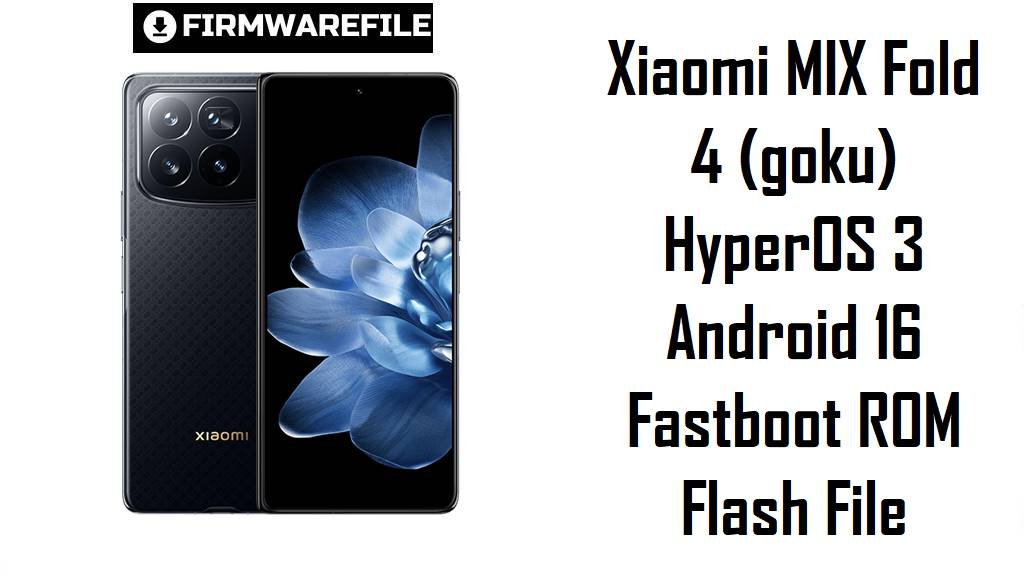
Xiaomi MIX Fold 4 (goku) HyperOS 3 Android 16 Fastboot ROM Flash File
Xiaomi MIX Fold 4 is one of Xiaomi’s thinnest foldables, packing a Snapdragon 8 Gen 3, Leica quad cameras and dual 120 Hz OLED displays into a premium flagship aimed at power users. Owners still report issues like occasional freezes, inner‑screen layout glitches in some apps and HyperOS‑related lag or battery drain after successive OTAs, so a clean flash of the latest fastboot ROM can help restore smoothness.
The firmware below is the official China HyperOS 3.0.3.0 Android 16 fastboot package for codename goku, designed for MIX Fold 4 units sold in the Chinese market.
Download Firmware for Xiaomi MIX Fold 4
This section lists the official HyperOS 3 Android 16 fastboot ROM currently provided for Xiaomi MIX Fold 4 (codename goku). It targets China WNVCNXM devices only; global and EEA MIX Fold 4 units still rely on separate VNV* HyperOS 2.x Android 15 builds not included in your link list.
| Filename | Region / Variant | Build Number | Build Date | Android Version | Flashing Method | File Size | Notes | Download |
|---|---|---|---|---|---|---|---|---|
| goku_images_OS3.0.3.0.WNVCNXM_20251106.0000.00_16.0_cn_3b88804d63.tgz | China – MIX Fold 4 CN (goku) | OS3.0.3.0.WNVCNXM | 2025‑11‑06 | Android 16 (HyperOS 3.0) | Fastboot (Xiaomi Flash Tool) | 9.13 GB | This is the latest China HyperOS 3 fastboot ROM for MIX Fold 4, bringing Android 16 plus Xiaomi’s new AI‑heavy feature set (visual translation, on‑device assistant, smarter clipboard), smoother scrolling effects and updated security patches. | Download from Xiaomi server |
Use this ROM flash file only if your MIX Fold 4 reports region code WNVCNXM and codename goku; owners of imported Chinese devices can use it to jump cleanly to Android 16 HyperOS 3, while global units should stay on their respective VNV* regional builds.
Complete Device & Firmware Overview
- Device & codename
- Xiaomi MIX Fold 4 is tracked as codename goku in HyperOS firmware databases and fastboot/recovery ROM indexes.
- Displays & design
- The phone uses a 7.98‑inch 120 Hz LTPO AMOLED inner display and a 6.56‑inch 120 Hz AMOLED cover screen in an ultra‑thin IPX8‑rated foldable body around 228 g.
- Core hardware
- Inside you get a Snapdragon 8 Gen 3, up to 16 GB LPDDR5X RAM, up to 1 TB UFS 4.0 storage and a 5100 mAh battery with 67 W wired and 50 W wireless charging.
- Camera system
- The Leica‑branded quad camera includes a 50 MP main, 50 MP 2× telephoto, 10 MP 5× periscope telephoto and 12 MP ultra‑wide, with 8K and 4K60 video support plus dual 16 MP selfie cameras.
- Software baseline
- MIX Fold 4 launched on Android 14 with HyperOS, then received HyperOS 2.x Android 15 and now HyperOS 3.0.3.0 WNVCNXM on Android 16 for China.
- HyperOS 3 highlights
- The OS3.0.3.0.WNVCNXM changelog mentions refined blur and animation effects, AI‑based image translation and note‑taking, enhanced calendar and child‑mode tools, plus new cross‑device features like touch‑to‑share and tighter iPhone interconnectivity.
- Common user issues
- Reviews and user feedback point to occasional inner‑screen layout bugs, random freezes in some apps and HyperOS‑related performance or battery inconsistencies on long‑term use.
- Why flash this ROM
- A clean fastboot flash of OS3.0.3.0 can remove leftover data from OTAs, align the phone with Xiaomi’s latest flagship baseline and apply Android 16‑era security and performance fixes for the Chinese variant.
- Firmware type
- This is an official fastboot ROM in .tgz format for use with Xiaomi’s fastboot‑based tools on Windows, not a simple in‑phone recovery ZIP.
- Bootloader & anti‑rollback
- Manual fastboot flashing normally requires an unlocked bootloader, and Xiaomi’s anti‑rollback protection can block unsafe downgrades or cross‑region mixes on modern HyperOS devices.
- Required tools
- You will need a Windows PC, Xiaomi USB drivers, Xiaomi Flash Tool (MiFlash or similar), a reliable USB‑C cable and checksum verification from trusted mirrors before flashing.
CRUCIAL WARNING: This fastboot ROM is strictly for Xiaomi MIX Fold 4 with codename goku and China region code WNVCNXM; do not flash it to MIX Fold 3, MIX Flip, Xiaomi 14‑series phones or any other codename, or you risk a permanent brick.
China WNVCNXM builds differ from global VNV* firmware in modem configuration, services and update path, so you should normally keep your MIX Fold 4 on its original region series and avoid cross‑region flashing unless you fully understand anti‑rollback and potential network issues.
All official goku_*.tgz fastboot packages will wipe user data when flashed, and using options like “clean all and lock” with a mismatched region can relock the bootloader on unsupported firmware, causing boot loops, loss of signal or difficulty unlocking again.
Preparation Before Flashing
Click here for the MIX Fold 4 pre‑flash checklist
- Confirm exact device & region: Boot to fastboot mode and run fastboot getvar product; proceed only if the output is goku, then check About phone to confirm your build ends with WNVCNXM (China) before using this ROM.
- Backup important data: A fastboot clean flash erases apps, internal storage and settings, so back up photos, chats and files to Xiaomi Cloud, Google or a PC first.
- Charge the battery: Ensure the phone is at least 50–60% charged to avoid shutdown mid‑flash, which could corrupt system partitions.
- Install drivers & tools: On Windows, install Xiaomi USB drivers and Xiaomi Flash Tool (or a similar fastboot flasher), then confirm that MIX Fold 4 is detected correctly in fastboot mode.
- Verify the download: Compare the ROM’s size and checksum with values from reputable firmware sites before flashing to avoid issues from incomplete or corrupted files.
Quick Firmware Flash Instructions
This high‑level guide summarizes how to flash goku_images_OS3.0.3.0.WNVCNXM_20251106.0000.00_16.0_cn_3b88804d63.tgz with Xiaomi’s fastboot tool on a Windows PC.
- Prepare PC & ROM: Install Xiaomi USB drivers and MiFlash, download the goku_images_OS3.0.3.0.WNVCNXM… file and extract it until you see the folder containing flash_all.bat and images.
- Enter fastboot mode: Power off MIX Fold 4, hold Volume Down + Power until the fastboot logo appears, then connect it to the PC using a high‑quality USB‑C cable.
- Select the ROM folder: Open MiFlash, click “Select” and point it to the extracted goku ROM folder, then press “Refresh” to ensure one device is listed.
- Choose “clean all” and flash: In the options row, select “clean all” (do not use “clean all and lock” unless you are absolutely sure about region), then click “Flash” and wait for the success message.
- First boot & checks: Disconnect only after MiFlash reports success; the first boot into HyperOS 3 can take several minutes while Android 16 optimizes apps—then verify codename, region and build in About phone.
For a more detailed, screenshot‑rich walkthrough of Xiaomi fastboot flashing, follow the main Xiaomi fastboot firmware guide and simply select your extracted goku_*.tgz folder when it asks for the ROM path.
Frequently Asked Questions (FAQs)
- Q1. Who should flash OS3.0.3.0.WNVCNXM on MIX Fold 4?
- This ROM is intended for Chinese MIX Fold 4 units (WNVCNXM); it is ideal if you want a clean jump to Android 16 HyperOS 3 after OTA issues, or when recovering from heavy software problems on an imported CN device.
- Q2. Does HyperOS 3 fix the display glitches and freezes some users see?
- The changelog stresses smoother animations and better UI responsiveness, and major version jumps often resolve bugs from earlier builds, but app‑specific layout issues on the inner display may still depend on how each app supports foldables.
- Q3. Can Global or EEA MIX Fold 4 owners flash this China ROM safely?
- Cross‑flashing CN firmware on non‑CN hardware is risky because of modem differences, update channels and anti‑rollback; unless you specifically bought a Chinese device, staying on your own regional ROM series is strongly recommended.
- Q4. Will this ROM improve battery life and thermals?
- HyperOS 3 aims to optimize background tasks and animations, and Xiaomi is actively addressing HyperOS battery drain problems, but actual endurance still depends on your usage and signal conditions.
- Q5. Do I need an unlocked bootloader to flash this fastboot ROM?
- Yes—MiFlash fastboot flashing generally requires the bootloader to be unlocked, and Xiaomi’s own guides warn that unlocking and relocking can affect warranty and must be done carefully.
- Q6. Is it possible to downgrade from HyperOS 3 back to HyperOS 2?
- Downgrading from Android 16 HyperOS 3 to Android 15 HyperOS 2 may be blocked by anti‑rollback and can brick the phone if done incorrectly, so only follow downgrade procedures backed by trusted community documentation and matching ARB levels.