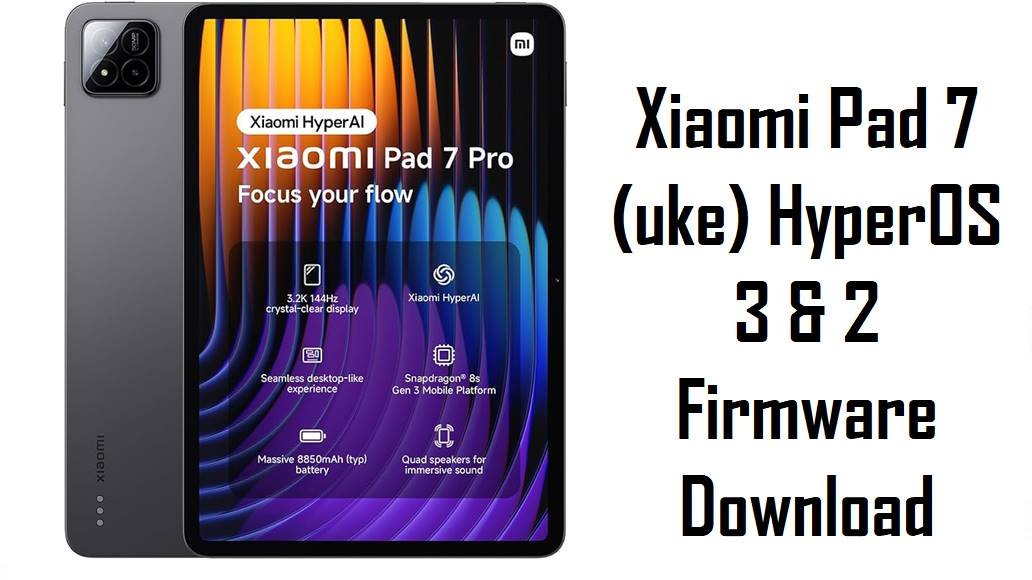
Xiaomi Pad 7 (uke) HyperOS 3 & 2 Firmware Download
Xiaomi Pad 7 targets the mid‑range tablet segment, giving users a large 144 Hz display and Snapdragon power for streaming, games and productivity at an affordable price. Real‑world feedback, however, mentions heating near the camera area, micro‑lag in online games, and occasional battery‑related quirks on early HyperOS builds, especially under high refresh‑rate or long sessions. These official HyperOS 3 (Android 16) and HyperOS 2 (Android 15) fastboot ROMs for codename uke let you clean‑flash region‑correct firmware to stabilize performance, apply the newest security patches and recover from failed OTA updates.
Download Firmware for Xiaomi Pad 7 (uke)
All packages below are official fastboot ROMs for Xiaomi Pad 7 with codename uke, covering China, Global, India, Russia, Indonesia, EEA, Taiwan and Turkey regions. China and Global already have HyperOS 3 / Android 16, while other regions are currently on HyperOS 2 / Android 15 with late‑2025 security updates.
| Filename | Region / Variant | Build Number | Build Date | Android Version | Flashing Method | File Size | Notes | Download |
|---|---|---|---|---|---|---|---|---|
| uke_images_OS3.0.6.0.WOZCNXM_20251024.0000.00_16.0_cn_0a0ad8092e.tgz | China (Xiaomi Pad 7, CNXM) | OS3.0.6.0.WOZCNXM | 2025‑10‑24 | Android 16.0 | Fastboot (Xiaomi Flash Tool) | 9.34 GB | Latest China HyperOS 3 fastboot ROM; builds on earlier 3.x releases with Android 16, refined tablet UI, better window management and November‑era security patches, ideal for Chinese units needing a clean, fully updated base. | Download China Fastboot |
| uke_global_images_OS3.0.2.0.WOZMIXM_20251028.0000.00_16.0_global_1ecd974b9d.tgz | Global (MIXM) | OS3.0.2.0.WOZMIXM | 2025‑10‑28 | Android 16.0 | Fastboot (Xiaomi Flash Tool) | 7.41 GB | First major Global HyperOS 3 update for Xiaomi Pad 7; changelogs highlight refined compiler instructions, improved memory allocation, smarter CPU frequency scheduling, a new window‑rendering engine and over 100 smoother animation scenes to reduce lag and power draw. | Download Global Fastboot |
| uke_in_global_images_OS2.0.203.0.VOZINXM_20251105.0000.00_15.0_in_ae73a1137b.tgz | India (INXM) | OS2.0.203.0.VOZINXM | 2025‑11‑05 | Android 15.0 | Fastboot (Xiaomi Flash Tool) | 6.40 GB | Latest India HyperOS 2.0.203.0 build for uke; focuses on system stability and newer security patches, good for fixing bugs on early VOZINXM releases while users wait for HyperOS 3 rollout in India. | Download India Fastboot |
| uke_ru_global_images_OS2.0.206.0.VOZRUXM_20251113.0000.00_15.0_ru_084ddfb48d.tgz | Russia (RUXM) | OS2.0.206.0.VOZRUXM | 2025‑11‑13 | Android 15.0 | Fastboot (Xiaomi Flash Tool) | 7.63 GB | Russia‑region HyperOS 2 ROM aligned with late‑2025 security patch and the same performance/battery optimizations as other 2.0.20x builds; best choice for Russian Xiaomi Pad 7 units that want a clean, up‑to‑date stock base. | Download Russia Fastboot |
| uke_id_global_images_OS2.0.206.0.VOZIDXM_20251116.0000.00_15.0_id_52967b1971.tgz | Indonesia (IDXM) | OS2.0.206.0.VOZIDXM | 2025‑11‑16 | Android 15.0 | Fastboot (Xiaomi Flash Tool) | 6.89 GB | Indonesia‑specific HyperOS 2.0.206.0 ROM with localized carrier and regulation tweaks; recommended for Indonesian tablets to preserve VoLTE and OTA while gaining stability fixes and updated security. | Download Indonesia Fastboot |
| uke_eea_global_images_OS2.0.205.0.VOZEUXM_20251119.0000.00_15.0_eea_9523aebede.tgz | EEA / Europe (EUXM) | OS2.0.205.0.VOZEUXM | 2025‑11‑19 | Android 15.0 | Fastboot (Xiaomi Flash Tool) | 6.93 GB | Newest EEA HyperOS 2 fastboot ROM; firmware notes emphasize stability and security updates, making it the safe stock target for European Xiaomi Pad 7 users until the regional HyperOS 3 build (like OS3.0.3.0.WOYEUXM) fully rolls out. | Download EEA Fastboot |
| uke_tw_global_images_OS2.0.203.0.VOZTWXM_20251119.0000.00_15.0_tw_8c03d77bc3.tgz | Taiwan (TWXM) | OS2.0.203.0.VOZTWXM | 2025‑11‑19 | Android 15.0 | Fastboot (Xiaomi Flash Tool) | 6.56 GB | Taiwan HyperOS 2 ROM tuned for local operators and legal requirements; best for Taiwanese units to avoid certification, payment‑app or network quirks that can appear after cross‑region flashing. | Download Taiwan Fastboot |
| uke_tr_global_images_OS2.0.203.0.VOZTRXM_20251119.0000.00_15.0_tr_38b932b043.tgz | Turkey (TRXM) | OS2.0.203.0.VOZTRXM | 2025‑11‑19 | Android 15.0 | Fastboot (Xiaomi Flash Tool) | 6.93 GB | Turkey‑region HyperOS 2.0.203.0 ROM; newer than early VOZTRXM builds and aligned with late‑2025 security, so it is the recommended stock base for Turkish Xiaomi Pad 7 units that want stability and OTA support. | Download Turkey Fastboot |
As a rule, choose the fastboot ROM whose region code matches the one shown in Settings > About tablet > HyperOS version instead of cross‑flashing, because region mismatches can cause subtle network issues, failed OTAs or anti‑rollback errors.
Complete Device & Firmware Overview
- Device Name
- Xiaomi Pad 7 (codename uke), a large‑screen HyperOS tablet positioned for entertainment and productivity.
- Codename
- uke — this must match in fastboot mode and ROM filenames before flashing any of the listed packages.
- Regions / Variants
- China (WOZCNXM), Global (WOZMIXM), India (VOZINXM), Russia (VOZRUXM), Indonesia (VOZIDXM), EEA (VOZEUXM), Taiwan (VOZTWXM), Turkey (VOZTRXM).
- Firmware Types
- Official HyperOS 3.0 (Android 16) fastboot ROMs for China and Global, and HyperOS 2.0 (Android 15) fastboot ROMs for other regions, all provided as *.tgz fastboot packages.
- Key Changelog Themes
- Recent updates emphasize refined compiler instructions, better memory allocation and recovery, smarter frequency scheduling, more efficient short‑video playback, a new window‑rendering mechanism and smoother animations across many system scenes.
- Security Patch Level
- HyperOS 3 builds such as OS3.0.2.0.WOZMIXM and OS3.0.6.0.WOZCNXM carry late‑2025 security patches, while 2.0.20x ROMs for other regions also move tablets to recent patch levels.
- Common User Pain Points
- Some Xiaomi Pad 7 users report noticeable heating around the processor area, micro network lags in online games at high refresh rates, and small HyperOS bugs like broken battery‑protection behavior on certain tablet firmware.
- How New Builds Help
- By optimizing CPU scheduling, memory and graphics, HyperOS 3 and late HyperOS 2 updates aim to reduce unnecessary heat and micro‑stutter while keeping the UI smoother during multitasking and split‑screen use.
- Flash Method
- All listed ROMs are fastboot packages to be flashed from a Windows PC using Xiaomi’s fastboot‑based tools, not simple in‑tablet OTA files.
- Bootloader Rules
- Manual fastboot flashing normally requires an unlocked bootloader; locking it after flashing a mismatched or modified ROM can cause boot loops, “device locked” errors or loss of connectivity.
- Required Tools
- Windows PC, Xiaomi USB drivers, Xiaomi Flash Tool (or equivalent fastboot flasher), a good USB‑C cable and checksum verification (MD5/SHA) from trusted firmware sources.
Flashing a ROM for the wrong codename, region or with a corrupted archive can permanently brick your Xiaomi Pad 7 or break Wi‑Fi/cellular connectivity, so always confirm uke, match the region suffix, and verify the file’s integrity before you start.
CRUCIAL WARNING: These fastboot ROMs are strictly for Xiaomi Pad 7 with codename uke; they must not be flashed to Xiaomi Pad 7 Pro, Pad 7 Ultra, Redmi Pad models or any other codenames, because cross‑flashing can permanently brick the tablet.
Each build is region‑locked by code (WOZCNXM, WOZMIXM, VOZINXM, VOZRUXM, VOZIDXM, VOZEUXM, VOZTWXM, VOZTRXM), so you should normally flash the ROM that matches your tablet’s original region and avoid experimental cross‑region flashing unless you fully understand anti‑rollback and modem differences.
All official uke_*.tgz fastboot packages will wipe user data when used with Xiaomi’s fastboot tools, and selecting options like “clean all and lock” on a mismatched build can relock the bootloader and cause boot or network issues.
Preparation Before Flashing
Click here for the Xiaomi Pad 7 pre‑flash checklist
- Confirm exact device and codename: In fastboot mode or via adb, make sure the tablet reports codename uke, and in Settings > About tablet confirm your current build suffix (MIXM, CNXM, EUXM, etc.) before downloading any ROM.
- Backup your data: Fastboot flashing performs a clean install that erases apps and internal storage; back up important files to Xiaomi Cloud, Google Drive or a PC first.
- Charge the battery: Keep the Pad 7 at least 50–60% charged to avoid shutdown during flashing, which could corrupt partitions and cause a hard brick.
- Install drivers and tools: On Windows, install Xiaomi USB drivers and Xiaomi Flash Tool (or an equivalent fastboot utility) and verify that your tablet is detected in fastboot mode.
- Check bootloader & anti‑rollback: Make sure the bootloader is unlocked for manual fastboot flashing and avoid downgrading below your current anti‑rollback level to prevent ARB errors.
Quick Firmware Flash Instructions
This simplified guide covers flashing any of the listed fastboot ROMs, such as uke_global_images_OS3.0.2.0.WOZMIXM_20251028.0000.00_16.0_global_1ecd974b9d.tgz, using Xiaomi’s fastboot flashing tool on a Windows PC.
- Prepare PC and ROM: Install Xiaomi USB drivers and Xiaomi Flash Tool, then download and extract your chosen uke_…images_… TGZ to a short path like C:\uke_rom.
- Enter fastboot mode: Power off the Pad 7, hold Volume Down + Power until the fastboot logo appears, then connect it to the PC with a reliable USB‑C cable.
- Load the ROM in the tool: Open Xiaomi Flash Tool, select the extracted ROM folder and confirm that one uke device is listed as connected.
- Flash with “clean all”: Choose a mode that wipes data but does not lock the bootloader (usually “clean all”), click the flash button and wait for the success message without disconnecting the tablet.
- First boot and checks: Allow HyperOS to boot and complete optimization (this may take several minutes), then open About tablet to verify the codename uke, region suffix and build number match the ROM you flashed.
For a more detailed, screenshot‑rich walkthrough of Xiaomi fastboot flashing (drivers, anti‑rollback, error handling), follow the main Xiaomi fastboot firmware guide and simply select the appropriate uke_*.tgz folder when asked to choose a ROM.
Frequently Asked Questions (FAQs)
- Q1. Which fastboot ROM should I choose for my Xiaomi Pad 7?
- The safest choice is always the ROM that matches your tablet’s original region code, such as OS3.0.6.0.WOZCNXM for China, OS3.0.2.0.WOZMIXM for Global, OS2.0.205.0.VOZEUXM for EEA, OS2.0.203.0.VOZINXM for India, or the matching VOZRUXM / VOZIDXM / VOZTWXM / VOZTRXM build for Russia, Indonesia, Taiwan or Turkey.
- Q2. Is it worth moving from HyperOS 2 (Android 15) to HyperOS 3 (Android 16) on Pad 7?
- HyperOS 3 on Xiaomi Pad 7 adds Android 16 plus improvements like refined scheduling, memory, graphics and animations, and early reports describe the experience as smoother and more efficient, so most users on eligible regions benefit from updating once they are comfortable backing up and flashing.
- Q3. Will these ROMs fix heating and micro‑lag issues?
- Users who received newer updates already report reduced heating and better behavior when limiting high refresh rates, and the official changelog explicitly targets power use, video playback efficiency and animation smoothness, so a clean install of the latest ROM can noticeably help compared with older HyperOS builds.
- Q4. Can a fastboot flash recover a Pad 7 that soft‑bricked during an OTA?
- If the tablet still enters fastboot mode after a failed OTA, flashing the correct uke_…images_… fastboot ROM is a standard way to restore stock firmware and fix boot loops, but fully hard‑bricked devices that cannot reach fastboot may require service‑center EDL tools.
- Q5. Is it safe to cross‑flash China or Global firmware onto an EEA / India tablet?
- Advanced users sometimes cross‑flash, but Xiaomi’s region‑specific configurations and anti‑rollback mean mixing regions can impact network behavior, OTA eligibility and warranty, so average users should stay on their original region code and only flash matching ROMs.
- Q6. Where can I read the full HyperOS 3.0.2.0.WOZMIXM / WOZCNXM changelog?
- Official firmware trackers and Xiaomi Pad 7 community posts summarize HyperOS 3 for uke as focusing on smoother performance, refined compiler instructions, improved memory recovery, smarter CPU scheduling, a lighter window‑rendering pipeline and updated security patches.