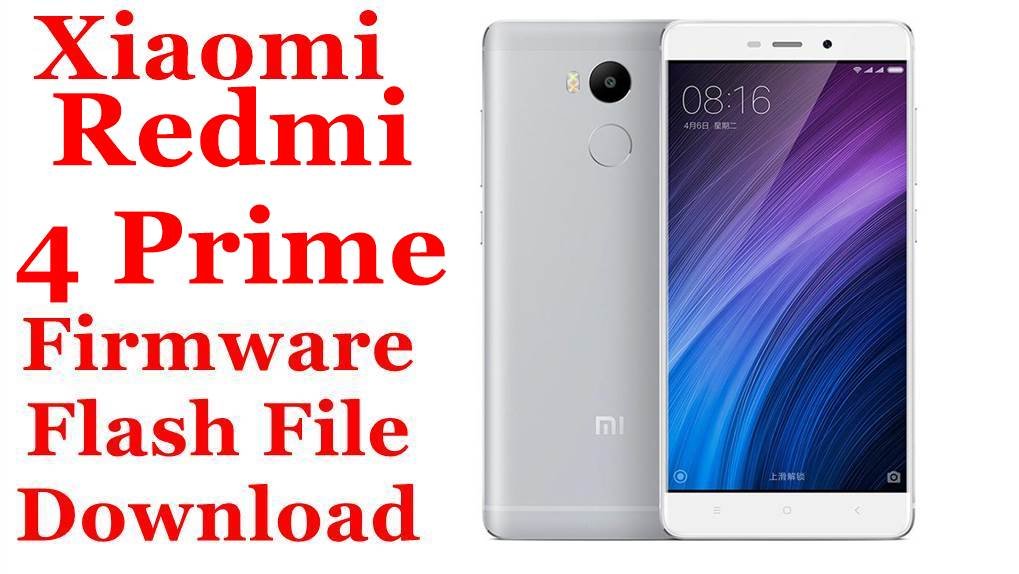
Xiaomi Redmi 4 Prime (markw) Firmware Flash File Download [Stock ROM]
Xiaomi Redmi 4 Prime/Pro (codename markw) was the premium variant in the Redmi 4 series, renowned for its excellent battery life powered by the efficient Snapdragon 625 chipset and a large 4100mAh battery. If your device is suffering from bootloops, fingerprint sensor issues, or performance degradation, flashing the correct stock firmware is the most reliable solution. This page provides official fastboot ROMs for both Chinese and Global variants, a optimized Xiaomi.eu ROM, and updated TWRP recovery options.
Important Note: The Redmi 4 Prime (markw) is the Snapdragon 625 version with a metal body and fingerprint sensor, while the standard Redmi 4 (prada) uses the Snapdragon 430. Always confirm your codename is markw before flashing.
Quick Device Specs
- Device: Redmi 4 Prime / Redmi 4 Pro (markw)
- Release year: 2016
- Chipset: Qualcomm Snapdragon 625 (MSM8953)
- Display: 5.5″ IPS LCD, 1080p
- Battery: 4100 mAh
- Key Feature: Fingerprint sensor, metal body
- Original OS: Android 6.0, MIUI 8
- Final Official MIUI: MIUI 10 (Android 6.0 Marshmallow)
Required Downloads
| File / Tool | Download Link |
|---|---|
| Xiaomi Mi Flash Tool | Download Latest Version |
| Qualcomm QDLoader Drivers | Download Drivers (For EDL mode) |
| Bootloader Unlock Tool | Official Mi Unlock Page (Mandatory) |
| ADB and Fastboot Tools | Download from Google |
Fastboot ROMs & Tools
| Type | Build / Version | Android | Release Date | Download | Size |
|---|---|---|---|---|---|
| China Stable (CN) | V10.2.2.0.MBECNXM | 6.0 (Marshmallow) | 2019-04-19 | Download | ~1.6 GB |
| Global Stable | V10.2.2.0.MBEMIXM | 6.0 (Marshmallow) | 2019-04-22 | Download | ~1.6 GB |
| Xiaomi.eu (Custom) | V10.2.1.0.MBECNXM | 6.0 (Marshmallow) | — | Download | ~1.1 GB |
| TWRP Recovery (Old) | 3.1.1-2 | — | — | Download | ~15 MB |
| TWRP Recovery (New) | 3.7.1-12-1 (SonicBSV) | — | 2025-02-04 | Download | ~22 MB |
How to Flash via Fastboot (Mi Flash Tool)
- Unlock your bootloader using the official Mi Unlock tool. This is a mandatory first step.
- Extract the downloaded .tgz firmware file to a folder on your PC.
- Open Mi Flash Tool. Click Select and choose the extracted ROM folder.
- With your phone powered off, boot into Fastboot mode (Hold Volume Down + Power). Connect it to the PC.
- In Mi Flash Tool, choose the clean all option. Avoid “clean all and lock” unless you are absolutely certain you are flashing the correct stock ROM for your device’s original region.
- Click Flash and wait for the process to complete. The first boot may take 5-10 minutes.
FAQs
Q1. What’s the difference between Redmi 4 Prime (markw) and standard Redmi 4 (prada)?
The Redmi 4 Prime (markw) is the premium variant featuring:
- Snapdragon 625 chipset (vs Snapdragon 430 in prada)
- 3GB/32GB configuration (vs 2GB/16GB or 3GB/32GB in prada)
- Fingerprint sensor (not present on prada)
- 1080p display (vs 720p on prada)
Their firmware is not compatible due to different chipsets and hardware.
Q2. Why is my fingerprint sensor not working after a custom ROM flash?
The fingerprint calibration data can become corrupted during improper flashes. A clean flash of the stock ROM using the “clean all” option in Mi Flash Tool will recalibrate the sensor. If the problem continues after returning to stock, the sensor hardware may be damaged.
Q3. Can I upgrade to newer Android versions on my Redmi 4 Prime?
Yes! The Snapdragon 625 has excellent custom ROM support. You can install various custom ROMs including LineageOS 16 (Android 9), 17 (Android 10), and even 18.1 (Android 11) through projects like ArrowOS. These provide significantly better performance and modern features compared to the stock Android 6.0. Use the updated TWRP by SonicBSV for best compatibility.
Q4. My device is overheating during charging. Is this normal?
The Redmi 4 Prime supports Qualcomm Quick Charge 2.0, which can generate some heat. However, excessive heating may indicate:
- Using a non-original charger
- Degraded battery needing replacement
- Background processes consuming resources
Ensure you’re using the original charger and try a clean flash to rule out software issues.
Troubleshooting (Markw-Specific)
- “Antirollback check error” in Mi Flash Tool: The device has Anti-Rollback (ARB) protection. You cannot flash older ROM versions. Check your current ARB version with
fastboot getvar antiand ensure you’re flashing a ROM with the same or higher version number. - Fingerprint sensor not detected in settings: This is usually a software/driver issue fixed by a clean flash. If it persists after clean flash, test the hardware by booting into MIUI’s hardware test mode (
*#*#6484#*#*) and running the fingerprint test. - Device boots directly to Fastboot mode: This indicates a corrupted
boot.imgor system partition. Flash the complete stock ROM using the “clean all” option in Mi Flash Tool to restore all partitions. - Wi-Fi or Bluetooth turning on: This can be caused by a corrupted
persistpartition. Flashing the stock ROM usually restores this partition. If not, the issue may be a failing Wi-Fi/BT chip. - Error 7 when flashing custom ROMs: This indicates the ROM is not compatible with your firmware or recovery. Update to the latest TWRP by SonicBSV and ensure you’ve flashed the latest firmware package before installing the custom ROM.