
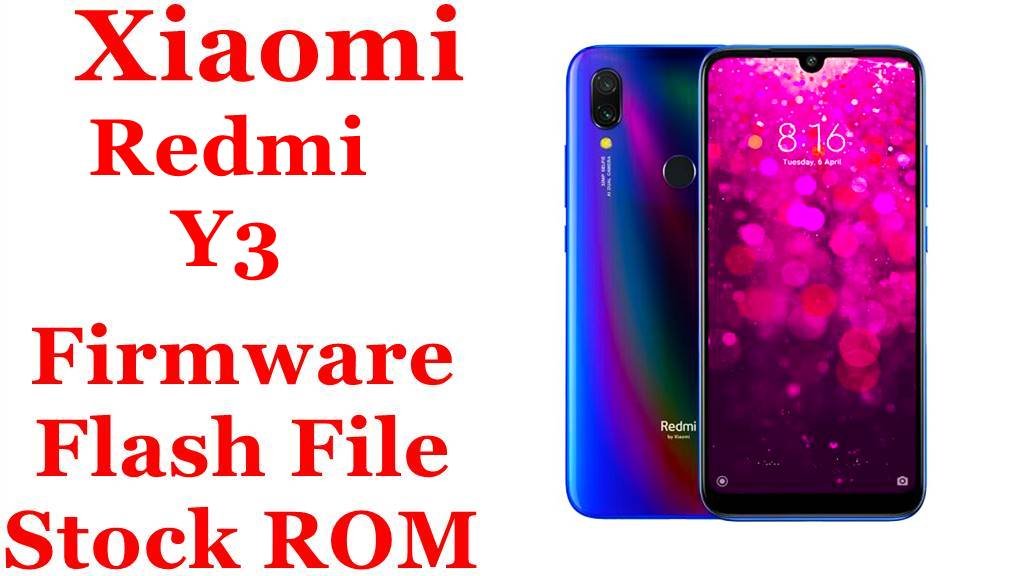
Xiaomi Redmi Y3 Firmware Flash File Download [Stock ROM]
The Redmi Y3 (codenamed onc) was Xiaomi’s budget selfie smartphone focused on the Indian market, featuring a 32MP front camera, Snapdragon 632 processor, and large 4000mAh battery. If your device is experiencing camera failures, performance lag, battery drain, or software instability, this guide provides the official MIUI fastboot ROM for complete system restoration.
Important Notice: Verify your device codename is onc and model number is M1810F6G/I before flashing. This firmware is specifically for the Indian variant. Flashing incorrect firmware may result in a non-functional device.
Quick Device Specifications
- Device: Redmi Y3 India (onc)
- Release Year: 2019
- Chipset: Qualcomm Snapdragon 632 (14nm)
- Display: 6.26″ IPS LCD, 720 × 1520 pixels (19:9)
- Camera: 12MP + 2MP dual rear, 32MP front camera
- Battery: 4000 mAh
- Original OS: Android 9.0 Pie, MIUI 10
Essential Downloads & Tools
| File / Tool | Download Link |
|---|---|
| Xiaomi Mi Flash Tool | Download Stable Version |
| Qualcomm USB Drivers | Download Latest Drivers |
| ADB and Fastboot Tools | Official from Google |
| Mi Unlock Tool | Bootloader Unlock |
Official Firmware Details
| Region / Variant | Build Version | Android | Release Date | Size | Download Link |
|---|---|---|---|---|---|
| India Stable Fastboot | V11.0.12.0.PFFINXM | 9.0 | 2020-11-16 | 2.1 GB | Download |
MD5 Checksum: b906c756e7dacbdb4d467f792b1f7805
Security Patch: October 2020
Flashing Guide for Redmi Y3 (onc)
- Driver Installation: Install Qualcomm USB drivers on your computer before connecting the device.
- Bootloader Unlock: Unlock bootloader using Mi Unlock Tool (requires Mi account authorization and waiting period).
- Enter Fastboot Mode: Power off device, then hold Volume Down + Power buttons until Fastboot logo appears.
- Flash Process:
- Extract the downloaded .tgz file to access the firmware folder
- Open Mi Flash Tool and browse to the extracted folder
- Select “Clean All” option for a fresh installation (recommended for troubleshooting)
- Click “Flash” and wait for the process to complete (typically 3-5 minutes)
- First Boot: Initial boot may take 5-10 minutes as the system optimizes applications:cite[8].
Frequently Asked Questions (FAQs)
Q1. Why is my 32MP front camera not working properly after an update?
The high-resolution front camera requires specific firmware calibration. Flash this complete stock ROM using the “Clean All” option to restore proper camera functionality and calibration data. This often resolves focus and image quality issues.
Q2. Can I upgrade to Android 10 or higher on Redmi Y3?
Yes, the Redmi Y3 received an official update to Android 10 with MIUI 12. Look for version V11.0.6.0.QFFINXM or later for Android 10.
Q3. Which ROM is best for battery life on this device?
This V11.0.12.0.PFFINXM version offers excellent battery optimization for Indian users. The Snapdragon 632 is power-efficient, and this ROM version is well-tuned for the 4000mAh battery.
Q4. My device is experiencing network signal drops. Can flashing help?
Yes, network issues are often related to modem firmware. Flashing this complete stock ROM will refresh the modem partition and can resolve many connectivity problems specific to Indian networks.
Device-Specific Troubleshooting
- Camera Focus Issues: After flashing, perform a camera calibration through the hardware test menu (*#*#6484#*#* → Camera Test) to ensure optimal performance of the 32MP front camera.
- Battery Drain: The 4000mAh battery benefits from calibration after flashing. Charge to 100%, drain completely, then charge to 100% again without interruption.
- Performance Lag: The 3GB/4GB RAM models can benefit from using the “Lite” mode in settings after flashing to reduce memory usage.
- Storage Management: With 32GB/64GB options, consider using the Files app to clean junk files after flashing to maximize available space.
Changelog & Improvements
System: Updated Android Security Patch to October 2020. Increased system security.
This update focuses on security enhancements and system stability improvements specifically for the Indian market. It addresses vulnerabilities and improves overall device performance.




Redmi y3 flash file google lock