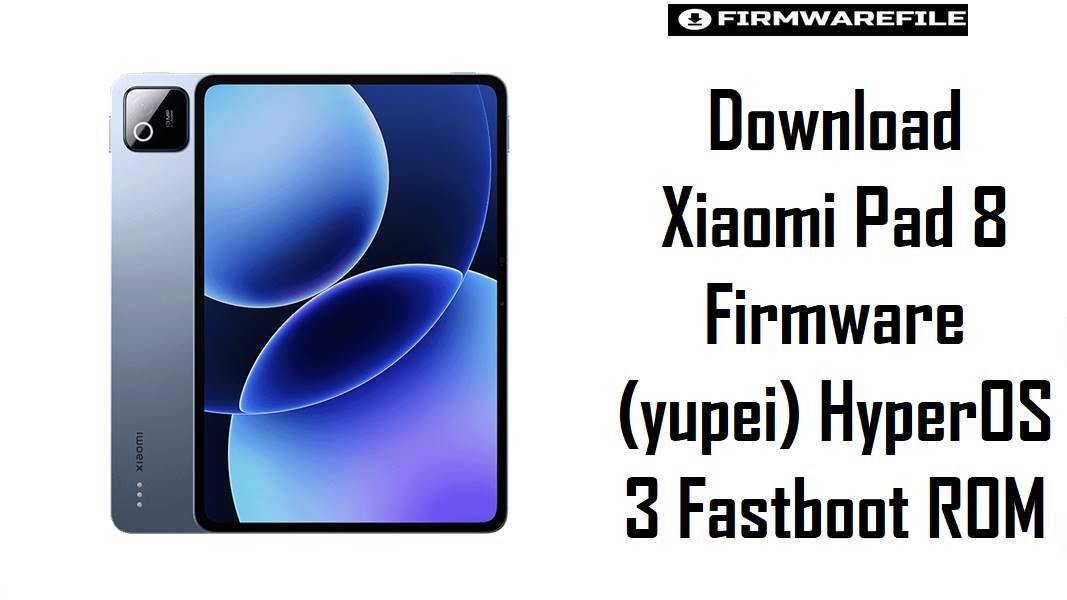
Download Xiaomi Pad 8 Firmware (yupei) HyperOS 3 Fastboot ROM
The Xiaomi Pad 8 is a Wi-Fi-only performance tablet built around a Snapdragon 8s Gen 4 platform, a 144Hz 11.2-inch display, and HyperOS 3 on Android 16, so most firmware problems on this model involve failed updates, boot issues, region mismatches, or returning from modified software rather than carrier-related faults.
The firmware files below give yupei owners a cleaner way to restore stock software, recover a soft-bricked unit, or return to the correct regional branch without guessing which package fits the tablet.
Download Firmware for Xiaomi Pad 8
These official .tgz files are fastboot ROMs for the Xiaomi Pad 8 with codename yupei, and MiFirm lists this codename under China, Global, Russian, Indo, Indian, EEA, Taiwan, and Turkey branches.
The China build in this set is much newer than the submitted regional 3.0.1.0 to 3.0.4.0 packages, so it is the strongest stock restore option only for China-branch tablets, while the other packages are better for users who need branch matching over version freshness.
| Filename | Region | Build | Date | Android / OS | Flashing Method | Size | Purpose | Notes | Download Label |
|---|---|---|---|---|---|---|---|---|---|
yupei_images_OS3.0.303.0.WPZCNXM_20260307.0000.00_16.0_cn_8bf3acad33.tgz |
China | OS3.0.303.0.WPZCNXM | 2026-03-07 | Android 16 / HyperOS 3 | Xiaomi MI Flash Tool / Fastboot | 10.20GB | Full stock restore for China-branch tablets, boot repair, rollback from modified software | Newest package in this submission; best reserved for devices already on the China software family because MiFirm notes China ROM uses the China profile and does not include Google services. | Download China ROM |
yupei_eea_global_images_OS3.0.4.0.WPZEUXM_20251024.0000.00_16.0_eea_e4aeb317ac.tgz |
EEA | OS3.0.4.0.WPZEUXM | 2025-10-24 | Android 16 / HyperOS 3 | Xiaomi MI Flash Tool / Fastboot | 7.27GB | European stock recovery, regional reflash, stable multilingual setup | Older than the China 303 build, but stronger for users who specifically need the EEA branch with Google services and wider language support. | Download EEA ROM |
yupei_in_global_images_OS3.0.2.0.WPZINXM_20251103.0000.00_16.0_in_4d998f9224.tgz |
India | OS3.0.2.0.WPZINXM | 2025-11-03 | Android 16 / HyperOS 3 | Xiaomi MI Flash Tool / Fastboot | 6.77GB | Indian branch recovery, clean reinstall, return to local software track | Use this when the tablet was sold on the Indian branch or when update behavior must stay aligned with that branch instead of Global or EEA. | Download India ROM |
yupei_tw_global_images_OS3.0.1.0.WPZTWXM_20251102.0000.00_16.0_tw_a484d00b19.tgz |
Taiwan | OS3.0.1.0.WPZTWXM | 2025-11-02 | Android 16 / HyperOS 3 | Xiaomi MI Flash Tool / Fastboot | 6.92GB | Taiwan stock recovery and exact-branch restoration | This is an earlier regional build, so it makes the most sense when branch identity matters more than having the newest package in the entire yupei lineup. | Download Taiwan ROM |
yupei_tr_global_images_OS3.0.1.0.WPZTRXM_20251031.0000.00_16.0_tr_970a1f1f3a.tgz |
Turkey | OS3.0.1.0.WPZTRXM | 2025-10-31 | Android 16 / HyperOS 3 | Xiaomi MI Flash Tool / Fastboot | 7.27GB | Turkey branch repair and official regional rollback | Older regional file; use it when you need the TR branch specifically, not when you simply want the highest build number available. | Download Turkey ROM |
yupei_global_images_OS3.0.1.0.WPZMIXM_20251024.0000.00_16.0_global_6e803c95ff.tgz |
Global | OS3.0.1.0.WPZMIXM | 2025-10-24 | Android 16 / HyperOS 3 | Xiaomi MI Flash Tool / Fastboot | 7.63GB | Broad global stock recovery with Google services | A sensible choice for imported units already on the Global branch because MiFirm describes Global ROMs as multilingual and Google-ready, unlike China ROMs. | Download Global ROM |
yupei_ru_global_images_OS3.0.1.0.WPZRUXM_20251024.0000.00_16.0_ru_ff42e401e1.tgz |
Russia | OS3.0.1.0.WPZRUXM | 2025-10-24 | Android 16 / HyperOS 3 | Xiaomi MI Flash Tool / Fastboot | 7.97GB | Russian branch stock recovery and clean reinstall | Choose this only for RU-track tablets or for a deliberate return to the Russian regional branch. | Download RU ROM |
yupei_id_global_images_OS3.0.1.0.WPZIDXM_20251024.0000.00_16.0_id_3356564183.tgz |
Indonesia | OS3.0.1.0.WPZIDXM | 2025-10-24 | Android 16 / HyperOS 3 | Xiaomi MI Flash Tool / Fastboot | 7.22GB | Indonesian branch restore, software cleanup, official downgrade target | One of the older submitted builds, so it is mainly valuable for exact-region matching after a bad update or unsuccessful cross-flash attempt. | Download ID ROM |
Complete Device & Firmware Overview
- Device Name
- Xiaomi Pad 8.
- Codename
yupei.- Model Class
- Large-format Xiaomi tablet rather than a phone, with no cellular connectivity.
- Chipset
- Qualcomm SM8735 Snapdragon 8s Gen 4 (4 nm).
- CPU / GPU
- Octa-core CPU with Adreno 825 graphics.
- Display
- 11.2-inch IPS LCD, 2136 x 3200 resolution, 144Hz refresh rate, HDR10, Dolby Vision, and up to 800 nits peak brightness.
- Battery
- 9200mAh.
- Storage Options
- 128GB/8GB RAM, 256GB/8GB RAM, and 256GB/12GB RAM.
- Connectivity Type
- Wi-Fi only, with no SIM support and no mobile network radio.
- Android Version
- All submitted packages are Android 16 based.
- OS Version
- HyperOS 3.
- Firmware Type
- Official Xiaomi fastboot ROMs in
.tgzformat. - Available Regions in This Set
- China, Global, Russia, Indonesia, India, EEA, Taiwan, and Turkey.
- Flash Method
- Xiaomi Mi Flash Tool through fastboot mode, using the extracted folder that contains
flash_all.bat. - Bootloader Rules
- MiFirm states that fastboot flashing expects an unlocked bootloader, otherwise the tablet must be taken to EDL mode.
- Region Behavior
- MiFirm describes China ROM as English/Chinese with no Google services, while Global-family ROMs are multilingual and include Google services.
- File Size Range
- 6.77GB to 10.20GB in this submission.
- Release Timing
- MiFirm lists the Xiaomi Pad 8 as announced on 2025-09-25.
- Primary Verification Step
- Check the product code in fastboot and proceed only if the tablet reports
yupei.
CRUCIAL WARNING: These fastboot ROMs are strictly for the Xiaomi Pad 8 with codename yupei; they must not be flashed to other Xiaomi tablets or to different codenames, because MiFirm ties these packages specifically to the yupei product line.
MiFirm also warns that fastboot flashing on Xiaomi devices expects the right product code, a correct extracted firmware folder, and careful bootloader handling, while unlock operations can wipe user data and reduce device security.
Preparation Before Flashing
Open the preparation checklist
- Back up apps, notes, downloads, and media first, because MiFirm states that bootloader unlocking can erase user data.
- Confirm the tablet reports
yupeiin fastboot before selecting any firmware branch. - Choose the branch that matches the tablet’s software history, especially if the unit came from China, EEA, India, or Global distribution.
- Extract the
.tgzpackage completely and point Mi Flash to the folder that containsflash_all.bat. - Do not treat the China file as a general upgrade for all users, because MiFirm notes that China ROM uses a different software profile with no Google services.
- Keep the battery sufficiently charged and use a stable USB connection, since large tablet fastboot packages can take time to unpack and flash safely.
Quick Firmware Flash Instructions
- Check that the tablet is really
yupei, then pick the correct branch: China, Global, EEA, India, Russia, Indonesia, Taiwan, or Turkey. - Extract the chosen
.tgzfile fully and open Xiaomi Mi Flash Tool on the PC. - Load the extracted firmware folder that contains
flash_all.bat, then boot the Xiaomi Pad 8 into fastboot mode and connect it by USB. - Use a clean flash path for stock restoration, especially when fixing boot problems, removing a bad modification, or returning to the correct regional software family.
- Wait for the first boot to finish completely, then check Wi-Fi, display behavior, stylus or accessory pairing if used, Google setup on global branches, and system update status.
For the full step-by-step flashing walkthrough for these official yupei fastboot packages, use this detailed guide: Xiaomi MI Flash Tool.
Frequently Asked Questions (FAQs)
Is OS3.0.303.0.WPZCNXM the best firmware for every Xiaomi Pad 8?
No. It is the newest submitted file here, but it is a China ROM, and MiFirm says China builds use the China software profile with no Google services. For users on EEA, Global, India, or another regional branch, matching the tablet’s original software family is usually the safer choice.
Can a Wi-Fi-only tablet still need regional firmware matching?
Yes. The Xiaomi Pad 8 has no cellular connectivity, but firmware branch differences still matter for language set, Google integration, update track, and general software behavior.
Why are the global-style yupei packages smaller than the China 303 build here?
The size difference does not automatically mean the smaller files are incomplete. It usually reflects how each branch and release package was built, while the more important decision is whether the branch fits the tablet you are restoring.
Should imported Xiaomi Pad 8 units use Global or EEA firmware?
If the tablet was sold on the Global branch, the Global file is the cleaner first choice, and if it belongs to the EEA track, the EEA build is the better match. MiFirm explicitly separates those branches and treats them as distinct official software families.
Will flashing remove my files on the Xiaomi Pad 8?
You should prepare for data loss. MiFirm’s unlock guidance says user data can be lost during bootloader unlocking, and stock recovery work often involves clean flashing when software integrity is the priority.
Can I flash these yupei ROMs with the updater app instead of Mi Flash Tool?
Not these packages. The submitted files are .tgz fastboot ROMs, and MiFirm’s flashing instructions tie that format to Xiaomi Mi Flash Tool and fastboot workflow.
Is this firmware page for a phone or a tablet?
This page is for the Xiaomi Pad 8 tablet, not a phone. MiFirm lists the yupei device as a no-SIM, no-cellular tablet with an 11.2-inch display and tablet-class battery capacity.