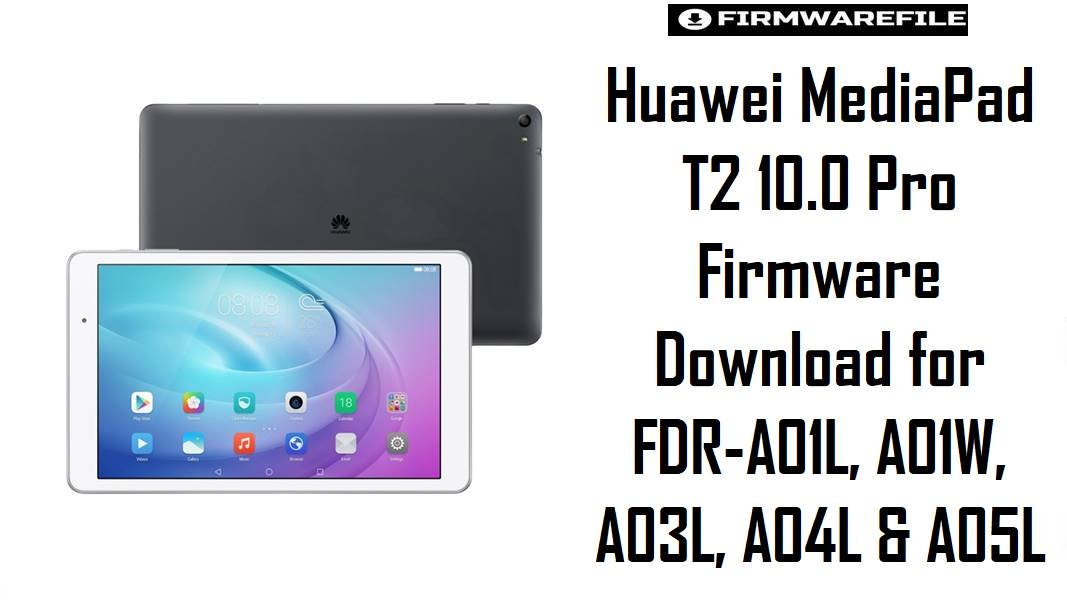
The Huawei MediaPad T2 10.0 Pro is a midrange 10-inch tablet built on the Snapdragon 615 platform with a 1200 × 1920 display and a 6660 mAh battery, so most firmware searches for this model happen when a tablet is stuck after an update, lagging heavily, or refusing to boot normally rather than when someone just wants a fresh install.
This series shipped on Android 5.1 with EMUI 3.1, and the listed files reflect that original software generation across several regional and carrier-style branches, which makes exact model matching more important than simply picking the biggest file.
Download Firmware for Huawei MediaPad T2 10.0 Pro
This collection covers several FDR variants from the same tablet family, including standard LTE builds, Wi-Fi packages, and at least one board-level repair archive. Because Huawei used different branch codes such as C170, C233, C100, C640, C301, and C001, the safest habit is to match the exact model and branch first, then compare build numbers only inside that same branch line.
FDR-A05LC301B027.zip
FDR-A04LC001B023.zip
FDR-A03LC233B012.zip
FDR-A03L_FDR-A03LC233B010_5.1.1_2017.04.28.zip
FDR-A03L_FDR-A03LC233B010【青春版】_5.1.1.zip
FDR-A01LC100B009.zip
FDR-A01w_FDR-A01wC233B008_5.1.1_2017.05.22.zip
Huawei_MediaPad_T2_10.0_Pro_FDR-A05L_C500B007_Board_Software_China_Android_5.1_HMT.zip
Huawei_MediaPad_T2_10.0_Pro_FDR-A01L_5.1.1_EMUI_3.1_C170B002CUSTC170D001_Dload.zip
Huawei_FDR-A03L_FDR-A03LC640B001【Full Network Version】_China_5.1.1.zip
Complete Device & Firmware Overview
- Device Family
- Huawei MediaPad T2 10.0 Pro, a 2016 tablet family with multiple FDR model variants.
- Known Model Numbers in This Collection
- FDR-A01L, FDR-A01W, FDR-A03L, FDR-A04L, and FDR-A05L.
- Publicly Listed Core Models
- Public device listings for the MediaPad T2 10.0 Pro explicitly include FDR-A01L, FDR-A03L, and FDR-A04L among the known models.
- Chipset
- Qualcomm Snapdragon 615 / MSM8939 is the standard platform associated with the MediaPad T2 10.0 Pro family.
- CPU
- Octa-core Cortex-A53 layout, with four lower-clocked and four higher-clocked cores on the Snapdragon 615 profile.
- GPU
- Adreno 405 graphics.
- Display
- 10.0-inch IPS panel with 1200 × 1920 resolution.
- Battery
- 6660 mAh battery capacity on the published hardware profile.
- Launch Software
- Android 5.1 with EMUI 3.1 on the published MediaPad T2 10.0 Pro specification pages.
- Firmware Type
- This set contains Huawei stock firmware packages, including standard Dload archives and at least one board-level HMT repair package.
- Android / EMUI Generation in This Set
- Most submitted files are clearly Android 5.1 or 5.1.1 with EMUI 3.1, which matches the original software generation of the device family.
- Flash Method
- Huawei’s Dload / local update workflow is the natural method for the standard stock archives, while the HMT board package should be treated as a service-level repair file rather than a normal local update.
- Regional Variation
- The submitted firmware spans C170, C100, C233, C640, C301, C500, and C001 branches, which is why region and model matching matter so much on this tablet line.
- Connectivity Split
- Public spec pages show variant-specific LTE band differences between FDR-A01L and FDR-A03L, which is another reason not to cross-flash between them casually.
- Required Tools
- For normal packages, use Huawei’s local-update route with extracted update files; for the HMT board archive, use only the exact service workflow appropriate to that repair package.
- File Size Range
- 730MB to 1.8GB across the submitted set.
CRUCIAL WARNING: These firmware packages are only for the Huawei MediaPad T2 10.0 Pro family, and even inside that family you still must match the exact model such as FDR-A01L, FDR-A01W, FDR-A03L, FDR-A04L, or FDR-A05L before flashing. Public device references show that FDR-A01L and FDR-A03L can use different LTE band sets, so a wrong-variant flash is not just a cosmetic mistake and can affect network behavior after recovery.
The standard MediaPad T2 10.0 Pro line shipped on Android 5.1 / EMUI 3.1, and the files on this page are centered on that same software generation, so the goal here is safe restoration rather than major version upgrading. The FDR-A05L_C500B007_Board_Software_..._HMT.zip file is a deeper service package and should not be flashed casually when a normal Dload file for your own model is available.
Preparation Before Flashing
Expand preparation checklist for MediaPad T2 10.0 Pro
- Check the model code on the tablet label or in Settings first, because FDR-A01L, A01W, A03L, A04L, and A05L are not safe substitutes for one another.
- If the tablet still boots, note the exact branch string before downloading anything. Matching
C170,C100,C233,C640,C301, orC001is often more useful than chasing the largest file. - Extract the archive completely before choosing a method. Standard Huawei stock archives should contain the update structure used by the local-update or Dload workflow.
- Back up personal files if the tablet still turns on, because a clean reinstall can reset the device and wipe user data.
- Charge the battery well and avoid poor-quality storage media, since interrupted Huawei local updates are one of the easiest ways to turn a recoverable software problem into a harder repair case.
- Reserve the
Board_Software_..._HMTpackage for deeper recovery work. If your tablet still accepts a normal stock update path, a regular branch-matched firmware file is the safer first option.
Quick Firmware Flash Instructions
- Confirm the exact FDR model and branch first, then choose the nearest matching firmware, such as
FDR-A01L C100B009for a general A01L restore orFDR-A01W C233B008for the Wi-Fi model. - If your tablet still enters normal Huawei recovery, start with the standard Dload or local-update package rather than the A05L HMT board file.
- Extract the archive completely and confirm it contains the correct Huawei local-update structure before copying anything to storage.
- Use the Huawei local update / Dload route for the normal stock archives, and keep the board package only for service-level repair cases.
- After flashing, check the reported build number, Wi-Fi, SIM or LTE behavior where applicable, touchscreen response, and basic charging before restoring apps or files.
For the complete step-by-step method, use this guide: How to Flash Huawei Firmware via dload / eRecovery. It is the right match for the standard stock packages in this MediaPad T2 10.0 Pro collection and gives readers the full Huawei local-update process instead of a guessed shortcut.
Frequently Asked Questions (FAQs)
Can I flash the FDR-A01L firmware on FDR-A01W because both are MediaPad T2 10.0 Pro tablets?
No. The A01W is the Wi-Fi variant in this file set, while A01L is an LTE-capable model line, so the safer rule is exact model match first, not shared product name.
Which FDR-A03L file should I pick first: B012, B010, or the C640 full-network package?
If your tablet is an FDR-A03L on the common C233 branch, B012 is usually the better first choice because it is newer than the submitted C233 B010 package. The C640B001 file should be used only when the tablet specifically belongs to that China full-network branch.
Why is the FDR-A05L HMT package much smaller than the other files?
Because it is labeled as board software rather than a normal full user-facing firmware archive. Smaller size here does not mean simpler update; it usually means a different repair purpose.
What makes this tablet more sensitive to wrong-variant flashing than some older Huawei phones?
The MediaPad T2 10.0 Pro has several close FDR model codes and public listings show different LTE band support between at least some variants, so wrong-model flashing can affect connectivity as well as boot behavior.
Is the Russian C170B002 package different from the FDR-A01L C100B009 file in practical use?
Yes. They are both for the same broad tablet family, but they represent different branch lines. If the device originated from the Russian C170 path, staying on that branch is usually safer than jumping to C100 just because it looks more generic.
Should I use the Youth Edition A03L B010 file on any FDR-A03L that is bootlooping?
Not unless you can confirm the tablet belongs to that youth-style variant. A standard A03L on C233 is usually better served by the regular B012 or standard B010 package first.
What should I test after flashing this tablet?
Check display orientation, touchscreen stability, Wi-Fi, speaker output, charging, and SIM or LTE behavior on cellular models. On large tablets like this, a wrong branch often shows up in connectivity or general system stability before anything else.

Comments