Honor 5C / Honor 7 Lite / Huawei GT3 (NEM/NMO Series): All Official Dload, Board, and China-Global ROMs + Region Safety and Flashing Guide
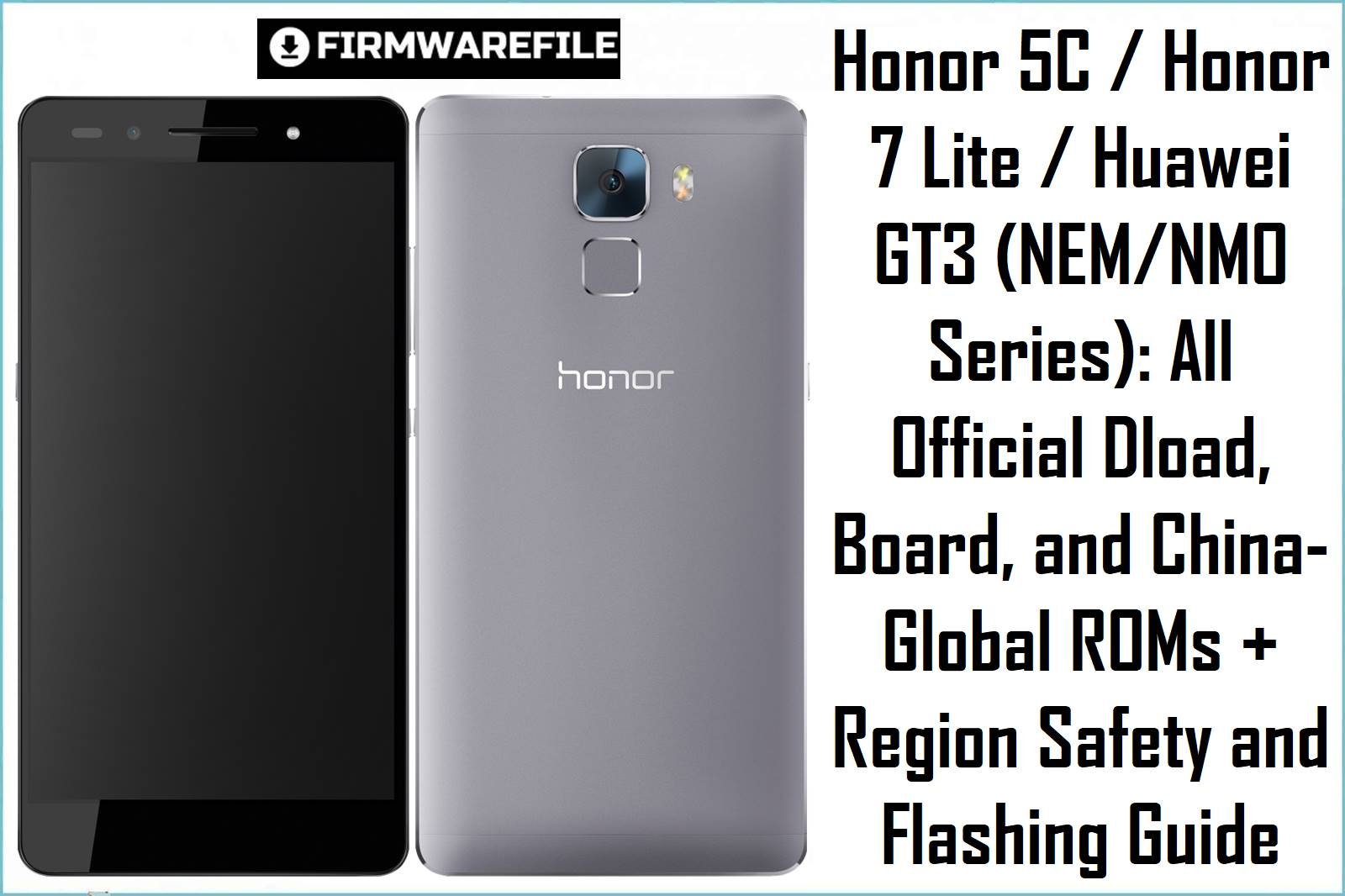
The Honor 5C (NEM-AL10, NEM-UL00, NEM-TL00, NEM-L22), Honor 7 Lite (NMO-L31, L21, L22, L23, L01), and Huawei GT3 share the Kirin 650 chipset and platform, running EMUI 4.0/4.1 or up to 7.0/EMUI 5.0.3 (on NMO). These models are often confused due to model overlap and region-based ROM limitations.
Below is the web’s most complete table of board files (deep unbrick), official Dload packages, and region-specific updates—plus real-world warnings and recovery solutions discovered in service forums and user case logs.
CRUCIAL WARNING: Only flash firmware or board packs matching your hardware (NEM/NMO/NME-Lx, -AL10, -UL00, -TL00 etc), country (China/global/RU), and platform (5C vs Lite vs GT3). Cross-flashing is highly risky: most China or TL00/AL10 ROMs will permanently brick EU/Global hardware or disable key functions. Dload often fails or bootloops if model/region is mismatched; board software must be treated as last resort. For Android 7/Nougat on NMO, always use region-matched Dload updates only.
Pre-Flashing Checklist (Honor 5C / Lite / GT3)
What You Must Check First
- Model Number & Region: Use Settings → About, and back label/box; never rely on box-only or assumptions.
- Battery: 50%+ at all times; never flash with USB hubs or low-quality cables.
- Data Backup: Board flash and Dload update erase all user data; IMEI loss possible with board packs.
- Dload Use: Only update.app packages, placed on SD card → “dload” folder. Use stock recovery, not TWRP/custom.
Firmware Types: What They Fix (and Break)
- Board/Unbrick Packs (Board Software/Board.zip)
- Low-level, use for dead boot, deep brick, no fastboot/recovery/boot. Model- and region-locked. Wrong board file = hard brick or IMEI loss.
- Dload/Update.APP ROMs (.zip, .rar)
- Standard updates/downgrades; must match region/CUST. Fails or bootloops on model/region mismatches.
- China/Global Distinction
- China ROMs TL00/AL10 are VERY rarely compatible with global, EU, or RU variants—even recovery reacts differently.
Honor 5C, 7 Lite, GT3 — Board, Update & Dload Firmware
| Filename | Type | Model/Region | Android/EMUI | Size | Download |
|---|---|---|---|---|---|
| NEM-AL10-C00B171-170105.zip | Dload/Update.app | NEM-AL10 (China) | 6.0 / EMUI 4.1 | 1.08GB | Baidu |
| NEM-AL10-B160.zip | Dload/Update.app | NEM-AL10 (China) | 6.0 / EMUI 4.1 | 1GB | Baidu |
| NEM-AL10 EMUI4.1 B192-wanmei.zip | Dload/Update.app | NEM-AL10 (China) | 6.0 / EMUI 4.1 | 1.02GB | Baidu |
| 5C (Global Standard) NEM-AL10-C00B192e2.zip | Dload/Update.app | NEM-AL10 (Global Standard, verify hardware!) | 6.0 / EMUI 4.1 | 1.13GB | Baidu |
| Honor_5C_NEM-UL00_Board_Software_Android_6.0_EMUI_4.1_HMT.zip | Board Software | NEM-UL00 (China/General) | 6.0 / EMUI 4.1 | 629MB | Google Drive |
| NEM-UL00 EMUI4.0 B120-wanmei.zip | Dload/Update.app | NEM-UL00 (China) | 6.0 / EMUI 4.0 | 961MB | Baidu |
| NEM-UL00_B170.zip | Dload/Update.app | NEM-UL00 (China) | 6.0 / EMUI 4.1 | 928MB | Baidu |
| Honor_5C_NEM-AL00_MAA001023_Board_Software_China_Nonspecific_05021XWU_HMT.zip | Board Software/Board.zip | NEM-AL00 (China Generic) | 6.0 / EMUI 4.1 | 924MB | Google Drive |
| Honor_5C_NMO-L31_Board_Software_Android_6.0_EMUI_4.1_HMT.zip | Board Software | NMO-L31 (Global/EMEA) | 6.0 / EMUI 4.1 | 630MB | Google Drive |
| NEM-TL00_C01B138_Android 6.0_EMUI 4.1_05013KBX.rar | Dload/Update.app | NEM-TL00 (China Telecom) | 6.0 / EMUI 4.1 | 1.28GB | Baidu |
| NEM-TL00-EMUI4.1-Android6.0-C01B191.rar | Dload/Update.app | NEM-TL00 (China Telecom) | 6.0 / EMUI 4.1 | 1.29GB | Baidu |
| 华为 NEM-TL00 售后亲测、中国(China)、安卓 6.0、固 件版本 NEM-TL00_C01B160.zip | Dload/Update.app | NEM-TL00 (China Telecom) | 6.0 / EMUI 4.1 | 1.2GB | Baidu |
| Honor_5C_NEM-L22_Board_Software_Android_6.0_EMUI_4.1_HMT.zip | Board Software | NEM-L22 (Asia, Global) | 6.0 / EMUI 4.1 | 930MB | Google Drive |
| Honor_7_Lite_NMO-L31_C432B351_Austria_Romania_Serbia_Finland_…_Dload.zip | Dload/Update.app | NMO-L31 (EMEA/EU, multi-country) | 7.0 / EMUI 5.0.3 | 2.8GB | Google Drive |
| Huawei_GR5_Mini_NMO-L31_C636B355_Firmware_…_Dload.zip | Dload/Update.app | NMO-L31 (Asia/ROW, GT3/GR5 Mini cross-region) | 7.0 / EMUI 5.0.3 | 4.27GB | Google Drive |
| Huawei_GT3_Mini_NMO-L22_Board_Software_Android_6.0_EMUI_4.1_HMT.zip | Board Software | NMO-L22 (Asia, GT3 Mini) | 6.0 / EMUI 4.1 | 630MB | Google Drive |
| Huawei GT3 NMO-L31C432B363 Firmware Android 7.0 EMUI 5.0.3 05013TBF.zip | Dload/Update.app | NMO-L31 (Global/EMEA, GT3 variant) | 7.0 / EMUI 5.0.3 | 4.38GB | Google Drive |
| Huawei_GT3_NMO-L31_Board_Software_Middle_East_Android_6.0_EMUI_4.1_TMBA001026_05021XJA_HMT.zip | Board Software | NMO-L31 (Middle East, GT3 variant) | 6.0 / EMUI 4.1 | 623MB | Google Drive |
| Huawei_GT3_NMO-L31_TMBA001026_Board_Software_Middle_East_Android_6.0_EMUI_4.1_HMT.zip | Board Software | NMO-L31 (Middle East, GT3 v.) | 6.0 / EMUI 4.1 | 623MB | Google Drive |
| Honor_7_Lite_NMO-L23_C432B351_Austria_Romania_Serbia_Finland_…_Dload.zip | Dload/Update.app | NMO-L23 (EU/EEMEA) | 7.0 / EMUI 5.0.3 | 2.8GB | Google Drive |
| Honor_7_Lite_NMO-L23_C432B352_Firmware_Serbia_Poland_Romania_Denmark_Finland_Greece_Norway_Dload.zip | Dload/Update.app | NMO-L23 (EEMEA) | 7.0 / EMUI 5.0.3 | 2.82GB | Google Drive |
| Honor_7_Lite_NMO-L23_C432B360_Firmware_Android7.0_EMUI5.0.3_Serbia_Croatia_Finland_Denmark_Austria_Poland_Dload.zip | Dload/Update.app | NMO-L23 (EEMEA) | 7.0 / EMUI 5.0.3 | 2.84GB | Google Drive |
| Honor_7_Lite_NMO-L23_C432B361_Firmware_Android7.0_EMUI5.0.3_05013TED_Dload.zip | Dload/Update.app | NMO-L23 (EEMEA) | 7.0 / EMUI 5.0.3 | 2.84GB | Google Drive |
| Honor_7_Lite_NMO-L23_C432B364_Firmware_7.0.0_R1_EMUI5.0_05013TED_Dload.zip | Dload/Update.app | NMO-L23 (EEMEA) | 7.0 / EMUI 5.0.3 | 2.85GB | Google Drive |
| nem-tl00h_B361_root.zip | Rooted/Custom | NEM-TL00H (China/Mod) | 6.0 / EMUI 4.1 | 1.16GB | Baidu |
Quick Flashing Guide (Dload & Board, NEM/NMO Models)
- Dload Update (Standard):
- Extract firmware, copy
UPDATE.APPinto dload folder on SD card. - Shut down phone, insert SD card. Hold VolUp + VolDown + Power until flashing starts.
- Wait for completion, first boot may take 2–5 minutes.
- Extract firmware, copy
- Board Software:
- For dead boot only! Unzip, follow readme for special method; usually requires Test Point or eMMC flashing box.
- Use exact board file for your variant. Generic/China packs WILL brick EU models or permanently erase IMEI.
Full flashing guidance: See complete Huawei Dload/Board tutorial
Common Problems & Real Solutions
- Dload stuck/no progress: Wrong dload structure, region error, or mismatched update.app. Try global/EU region instead.
- Bootloop after board flash: Board/Dload file mismatch; only deep recovery/TFT/emmc tool can fix now.
- IMEI lost after board file: Usually not repairable, except with pre-flash NV backup and pro box.
- Can’t upgrade to Nougat/EMUI 5.0: Only via regional Dload for exact model; China models need specific BROM unlock.
- Permanent brick from cross-flash: Don’t use any TL00/AL10 firmware on global NEM/NMO models; hardware is different at bootloader level.
FAQs (NEM / NMO / GT3 Platform)
- Q1. What is the safest way to restore a dead 5C/7 Lite/GT3?
- Always use official board file for your specific model & region; use SD-card dload for upgrades only.
- Q2. Can I convert a China model to global firmware?
- No. Bootloader/hardware prohibitions prevent cross-region conversion. Attempting often bricks device.
- Q3. How do I update to Android 7/EMUI 5 safely?
- Flash EMEA Dload via SD if on compatible model. NMO-L23/L31 global only; don’t try to flash L22/L21 with L23/L31 Dload.
- Q4. My IMEI/baseband is gone after flashing!
- Board mismatch or deep erase. Only restore if you made a backup with pro box/service tool before flashing.
- Q5. China/Custom ROMs safe on global phones?
- No—very high chance of brick and IMEI loss. Only use regional Dload/board file!