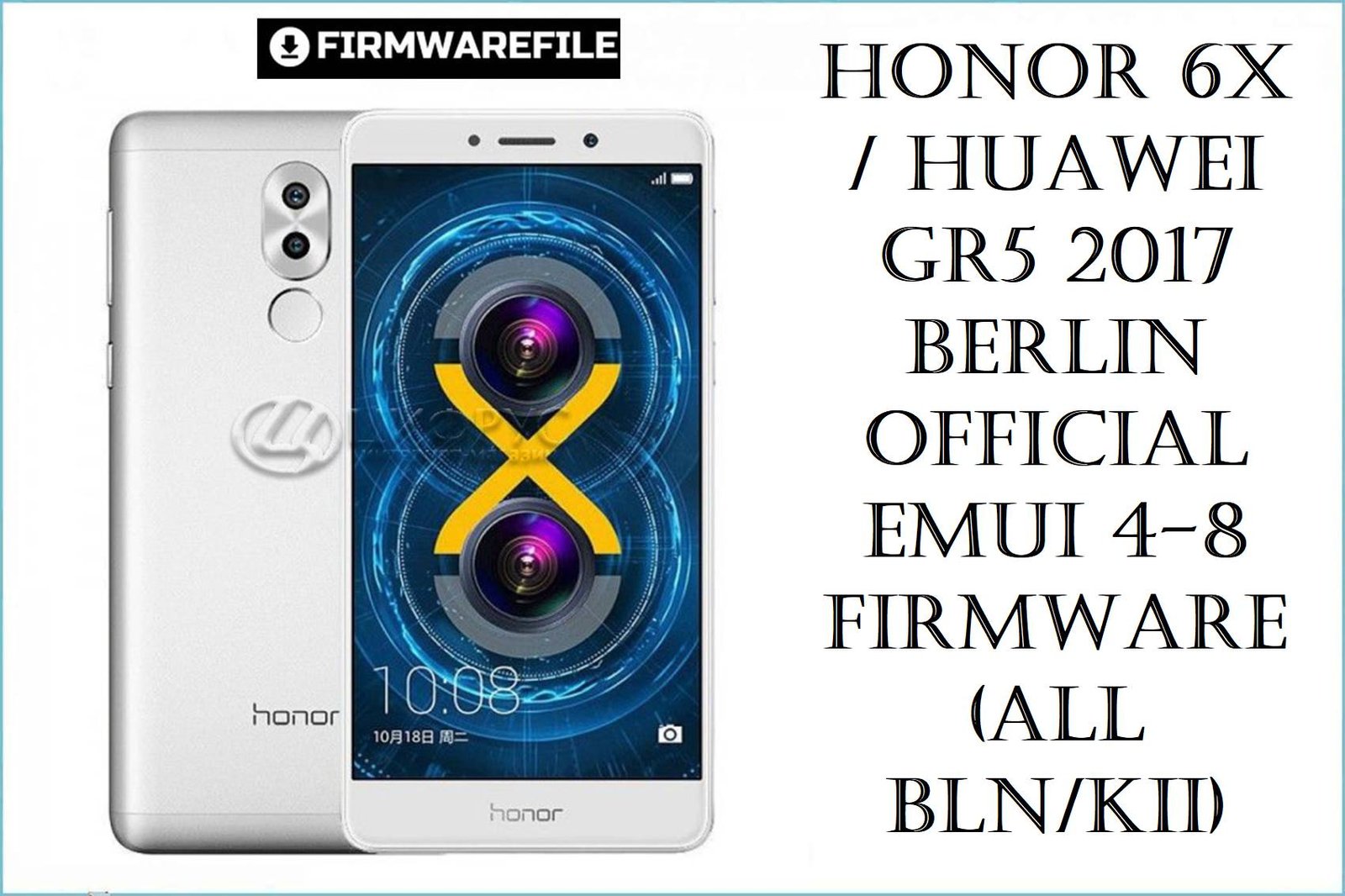
Honor 6X / Huawei GR5 2017 Berlin Official EMUI 4–8 Firmware (All BLN/KII)
The Honor 6X / Huawei GR5 2017 (codename de>berlin, models BLN‑L21/L22/L23/TL10/AL10/AL20/AL30/AL40) delivers solid mid‑range hardware with a Kirin 655 chipset, dual cameras and 5.5‑inch Full HD display, but many owners now struggle with laggy EMUI, fast battery drain, storage pressure and firmware update failures as these devices age. The curated EMUI 4.1, 5.x and 8.0 packages below let you clean‑flash stock ROMs by region, unbrick soft‑bricked phones, move safely from Marshmallow to Nougat or Oreo, and restore day‑to‑day stability on both Honor 6X and GR5‑branded Berlin variants.
Complete Device & Firmware Overview
- Main Device Names
- Honor 6X and regional Huawei GR5 2017 rebrands (often sold as GR5 2017 BLN‑L21/L22 in some markets) using the same Berlin/BLN platform.
- Codenames & Models
- Platform codename de>berlin, with product codes BLN‑L21, BLN‑L22, BLN‑L23, BLN‑L24, BLN‑AL10, BLN‑AL20, BLN‑AL30, BLN‑AL40, BLN‑TL10, BLN‑TL00 and GR5‑branded Berlin‑L21/L22, plus older GR5 KII‑L21 (different hardware).
- Chipset & Performance
- HiSilicon Kirin 655 SoC with octa‑core CPU (4×2.1 GHz + 4×1.7 GHz Cortex‑A53) and Mali‑T830 MP2 GPU, backed by 3–4 GB RAM and 32–64 GB storage depending on variant.
- Display & Battery
- 5.5‑inch 1080×1920 LTPS IPS LCD, ~403 ppi, and a 3340–3500 mAh non‑removable battery that originally offered strong endurance but now often drains faster due to age and heavier apps.
- Camera System
- Rear dual camera 12 MP + 2 MP for depth plus 8 MP front camera, with HDR and portrait‑style features that helped differentiate Honor 6X at launch.
- Original Software
- Ships with Android 6.0 Marshmallow and EMUI 4.1 / 4.1.3 on early BLN builds, officially upgradable to Android 7.0 Nougat with EMUI 5.x, and EMUI 8.0 Oreo for selected BLN/AL/TL models and regions such as India and China.
- Key Firmware Branches Here
- This pack covers EMUI 4.1/4.1.3 (6.0), EMUI 5.0/5.0.1/5.0.3/5.0.4 (7.0) and EMUI 8.0 (8.0) ROMs for BLN‑L21/L22/L23, TL10/TL00 and AL10/AL20/AL30/AL40, plus board‑software images and one legacy GR5 KII‑L21 EMUI 3.1 build.
- Regions & C‑Codes
- C432 – Europe; C185 – Middle East & Africa; C10 – Russia/CIS; C675 – India; C730 – Latin America; C636 – South‑East Asia; C01/C752/C00 – China Mobile/China; C464 – older GR5 KII‑L21 region; C900 – generic/board software.
- Common User Complaints
- Owners report lag and frame drops in EMUI 5, fast overnight battery drain, aggressive app killing that breaks notifications, and confusion around limited Oreo rollout and debranding guides.
- How These ROMs Help
- Flashing full Dload or service packages lets you repair bootloops and failed OTAs, jump from EMUI 4.1 to stable EMUI 5 or 8 for your region, or revert from a buggy custom/debranded setup back to a clean, stock Honor 6X / GR5 firmware.
- Board Software vs Normal Firmware
- Board‑software ZIPs (for BLN‑AL10B, BLN‑L24/L41/L42) are deep repair images intended for Qualcomm tools or service usage, while Dload and OTA packages are safer for regular users whose phone still enters recovery or eRecovery.
Flashing firmware for the wrong model (for example, BLN‑L21 ROM on BLN‑AL10, or Berlin BLN on older GR5 KII‑L21), mixing regions without guidance, or interrupting Dload/OTA operations can cause boot failure, loss of IMEI or network, or full hard brick, so exact model and C‑code matching is critical.
CRUCIAL WARNING: These packages are strictly for Honor 6X / Huawei GR5 2017 devices on the Berlin/BLN platform (models like BLN‑L21/L22/L23/L24, BLN‑AL10/AL20/AL30/AL40, BLN‑TL10/TL00 and GR5 Berlin‑L21/L22), plus one separate GR5 KII‑L21 ROM; they must not be flashed to unrelated Huawei models or non‑Berlin codenames.
Each build is region‑locked by C‑code (C432, C185, C10, C675, C730, C636, C01, C752, C00, C464, C900), and cross‑region flashing can break LTE bands, VoLTE, and future OTA updates, especially when cust partitions for India, Latin America or Chinese carriers are involved.
Board‑software and some EMUI 8 upgrade paths rely on more advanced tools; repeated trial‑and‑error or forcing “clean all and lock” on an incompatible build can re‑lock the bootloader on an unsupported ROM and leave the phone stuck in bootloop or eRecovery with no easy rollback.
Download Firmware for Honor 6X / GR5 2017 (Berlin / BLN)
The table below lists all provided firmwares, starting with the newest EMUI 8 Oreo builds, then EMUI 5 Nougat and finally older EMUI 4.1/3.1 bases. For normal users, the safest choice is usually the latest EMUI 5.x or 8.0 ROM that exactly matches your BLN model and region; older EMUI 4.x or GR5 KII‑L21 builds are mainly for downgrade or specialized repair workflows.
| Filename | Model / Variant | Region (C‑Code) | EMUI / Android | Type | Size | Notes | Download |
|---|---|---|---|---|---|---|---|
| BLN-AL40_Berlin-AL40B_8.0.0.532(C00)_all_cn_Firmware_8.0.0_r1_EMUI8.0_05014JKY.rar | BLN-AL40 (China) | C00 – China open market | EMUI 8.0 / Android 8.0 | Full firmware (all_cn) | 4.75 GB | Oreo stock ROM for AL40 high‑end China variant; ideal if you want latest official EMUI 8 with full wipe and clean system. | Download (Google Drive) |
| BLN-AL30_Berlin-AL30A_8.0.0.532(C00)_all_cn_Firmware_8.0.0_r1_EMUI8.0_05014JKX.rar | BLN-AL30 (China) | C00 – China | EMUI 8.0 / Android 8.0 | Full firmware (all_cn) | 4.75 GB | Complete Oreo EMUI 8 package for AL30; flash via Dload/upgrade tools as a full reinstall. | Download (Google Drive) |
| BLN-AL10_Berlin-AL10A_8.0.0.532(C00)_all_cn_Firmware_8.0.0_r1_EMUI8.0_05014NVD.rar | BLN-AL10 (China) | C00 – China | EMUI 8.0 / Android 8.0 | Full firmware (all_cn) | 4.75 GB | Official EMUI 8.0 upgrade base for popular AL10 China Honor 6X; cleans up from EMUI 4/5 and prepares for Oreo OTA patches. | Download (Google Drive) |
| BLN-AL20_Berlin-AL20B_8.0.0.528(C00)_all_cn_Firmware_Android_8.0_EMUI8.0_05014NVG.rar | BLN-AL20 (China) | C00 – China | EMUI 8.0 / Android 8.0 | Full firmware (all_cn) | 4.65 GB | Slightly earlier Oreo build for AL20; use if you specifically need B528 (for example for region‑matched OTAs). | Download (Google Drive) |
| BLN-TL10_Berlin-TL10_8.0.0.532(C752)_cmcc_cn_Firmware_8.0.0_r1_EMUI8.0_05014JMM.rar | BLN-TL10 (China Mobile high) | C752 – CMCC China | EMUI 8.0 / Android 8.0 | Full carrier firmware | 3.07 GB | Oreo ROM for China Mobile TL10 variant; retains CMCC customizations and is best for original CMCC devices. | Download (Google Drive) |
| BLN-TL00_Berlin-TL00_8.0.0.532(C01)_cmcc_cn_Firmware_8.0.0_r1_EMUI8.0_05014NUT.rar | BLN-TL00 (China Mobile) | C01 – CMCC China | EMUI 8.0 / Android 8.0 | Full carrier firmware | 3.07 GB | Use on TL00 C01 units to jump from EMUI 4/5 to Oreo with preserved carrier features. | Download (Google Drive) |
| Huawei_GR5_BLN-TL10_8.0.0.528_C01_EMUI8.0_05014NUS_8.0_OTA.zip | BLN-TL10 (C01) | C01 – China Mobile | EMUI 8.0 / Android 8.0 | OTA update | 1.68 GB | Incremental OTA from matching EMUI 5 base to Oreo on TL10 C01; requires correct starting build. | Download (Google Drive) |
| Huawei_GR5_BLN-TL00_8.0.0.528_C01_EMUI8.0_05014NUS_8.0_OTA.zip | BLN-TL00 (C01) | C01 – China Mobile | EMUI 8.0 / Android 8.0 | OTA update | 453 MB | Smaller OTA for TL00 C01 devices already on the required EMUI 5.x build. | Download (Google Drive) |
| Huawei_Honor_6X_BLN-AL30_8.0.0.532_8.0.0_EMUI8.0_05014JKX_OTA.zip | BLN-AL30 | C00 – China | EMUI 8.0 / Android 8.0 | OTA update | 782 MB | OTA patch for AL30 already on matching 8.0.0 base; do not flash on other ALxx/TLxx variants. | Download (Google Drive) |
| Huawei_Honor_6X_Huawei_BLN-AL10_8.0.0.532_8.0.0_EMUI8.0_05014JKX_OTA.zip | BLN-AL10 | C00 – China | EMUI 8.0 / Android 8.0 | OTA update | 782 MB | Oreo OTA for AL10 users upgrading from specific EMUI 5.x builds. | Download (Google Drive) |
| Huawei_Honor_6X_BLN-AL30_8.0.0.528_C00_MUI8.0_05014NVG_8.0_OTA.zip | BLN-AL30 | C00 – China | EMUI 8.0 / Android 8.0 | OTA update | 769 MB | Older NVG‑based OTA for AL30; use only if your base build matches Huawei’s release notes. | Download (Google Drive) |
| BLN-L21_Berlin-L21HNC432B382_hw_eu_Firmware_7.0.0_r1_EMUI5.0.3_05014DSN.rar | BLN-L21 (Europe) | C432 – Europe | EMUI 5.0.3 / Android 7.0 | Dload (full) | 2.46 GB | Stable European Nougat build for BLN‑L21; recommended if you want a clean EMUI 5.0.3 reinstall. | Download (Google Drive) |
| Honor_6X_BLN-L21_Berlin-L21HN_C10B383_EMUI5.0.1_05014CXK_7.0_Dload.zip | BLN-L21 (Russia/CIS) | C10 – CIS/Russia | EMUI 5.0.1 / Android 7.0 | Dload (full) | 1.61 GB | Latest known C10 build; good target when fixing update failures on Russian/CIS BLN‑L21. | Download (Google Drive) |
| Huawei_GR5_BLN-L21HN_HNC185B386_EMUI5.0.4_05014CMP_7.0_Dload.zip | BLN-L21 (MEA) | C185 – Middle East & Africa | EMUI 5.0.4 / Android 7.0 | Dload (full) | 1.63 GB | MEA‑tuned EMUI 5.0.4, ideal for GR5 BLN‑L21 units in C185 markets that need a fresh stock system. | Download (Google Drive) |
| Berlin-L21C185B382_hw_meafnaf_Firmware_7.0.0_r1_EMUI5.0.4_05014BXJ.rar | BLN-L21 (MEA) | C185 – MEAFNAF cluster | EMUI 5.0.4 / Android 7.0 | Dload (full) | 2.44 GB | Another MEA EMUI 5.0.4 build; suitable when your current string shows C185B382. | Download (Google Drive) |
| BLN-L21C185B380.zip | BLN-L21 (MEA) | C185 – Middle East & Africa | EMUI 5.x / Android 7.0 | Dload (full) | 1.6 GB | Slightly older C185 build; use if B386/B382 fail or your phone originally shipped with B380. | Download (AndroidFileHost) |
| Huawei_GR5_BLN-L21_Berlin-L21_C10B382 EMUI5.0.1_Uzbekistan_7.0_Dload.zip | BLN-L21 (Uzbekistan/C10) | C10 – Uzbekistan region | EMUI 5.0.1 / Android 7.0 | Dload (full) | 1.62 GB | Regional C10 build aimed at Uzbekistan; good for localized network tuning. User listing did not include a public URL. | Link not provided in source listing |
| Huawei_Berlin-L22_C636B394_R1_EMUI5.0.3_05014BSP_7.0.0_Dload.zip | BLN-L22 (SEA) | C636 – South‑East Asia | EMUI 5.0.3 / Android 7.0 | Dload (full) | 1.63 GB | Latest EMUI 5 build for BLN‑L22 C636; recommended for stable Nougat in SEA. | Download (Google Drive) |
| Huawei_GR5_2017_Berlin-L22_C636B393_Firmware_Android_7.0_EMUI_5.0.3_05014CFP_Dload.zip | BLN-L22 (SEA) | C636 – South‑East Asia | EMUI 5.0.3 / Android 7.0 | Dload (full) | 2.69 GB | Alternative C636B393 full firmware for GR5 2017 BLN‑L22; use whichever build matches your current version. | Download (Google Drive) |
| BLN-L22_Berlin-L22HN_C675B330CUSTC675D001_channel_in_Firmware_India_Nonspecific_Android7.0_EMUI5.0_05014FLA.rar | BLN-L22 (India) | C675 – India | EMUI 5.0 / Android 7.0 | Dload (full) | 2.26 GB | Indian EMUI 5 stock ROM; a good base before following community Oreo‑upgrade guides that rely on BLN‑L22 builds. | Download (Google Drive) |
| Honor_6X_BLN-L22_C675B320CUSTC675D002_EMUI5.0_05014GGY_7.0_Dload.zip | BLN-L22 (India) | C675 – India | EMUI 5.0 / Android 7.0 | Dload (partial) | 738 MB | Smaller update‑style package for C675 BLN‑L22; often used as an intermediate step in Indian upgrade/debrand guides. | Download (Google Drive) |
| Huawei_Honor_6X_BLN-L22_EMUI4.1_C675B132_India_6.0_Dload.zip | BLN-L22 (India) | C675 – India | EMUI 4.1 / Android 6.0 | Dload (full) | 1.7 GB | Original Indian Marshmallow firmware; useful as a rollback base before re‑upgrading to EMUI 5/8. | Download (Google Drive) |
| Huawei_GR5_BLN-L23_Berlin-L23_C730B112CUSTC730D001_EMUI4.1.3_05014KMJ_6.0_Dload.zip | BLN-L23 (Latin America) | C730 – LATAM | EMUI 4.1.3 / Android 6.0 | Dload (full) | 1.98 GB | Latin American Marshmallow firmware for BLN‑L23; best for network compatibility in C730 markets. | Download (Google Drive) |
| Honor_6X_Berlin-TL10_C01B172_EMUI4.1_05013WBG_6.0_Dload.zip | Berlin-TL10 (China Mobile) | C01 – China Mobile | EMUI 4.1 / Android 6.0 | Dload (full) | 2.06 GB | Legacy EMUI 4.1 firmware for TL10; mainly for rollback or repair before Oreo upgrades. | Download (Google Drive) |
| Honor_6X_BLN-AL10B_C00B172_Firmware_China_Nonspecific_Board_Software_General_Android_6.0_EMUI_4.1_05013QEU_Dload.zip | BLN-AL10B board | C00 – China | EMUI 4.1 / Android 6.0 | Board software | 2.06 GB | Deep repair image for AL10B boards; usually used with service tools rather than standard users. | Download (Google Drive) |
| Honor_6X_BLN-L24_L41_L42_HL2BLNTMBD001051_Board_Software_Android_6.0_HMT.zip | BLN-L24/L41/L42 board | Global (multi‑region) | EMUI 4.1 / Android 6.0 | Board software | 699 MB | Compact service ROM aimed at North‑American/other BLN‑L24/L41/L42 variants for unbrick via professional tools. | Download (Google Drive) |
| KII-L21_C464B310_Firmware_Android5.1_EMUI3.1.rar | Huawei GR5 KII-L21 (2015) | C464 – regional GR5 | EMUI 3.1 / Android 5.1 | Dload (full) | 1.22 GB | Older Snapdragon‑based GR5 model (not Berlin); only use if your phone is KII‑L21, not BLN‑L21. | Download (Google Drive) |
Quick choice guide: If your About phone shows de>BLN-L21C432…, pick a C432 BLN‑L21 EMUI 5.x build; if it shows de>BLN-L22C675…, use the India C675 BLN‑L22 ROMs; and if you have a Chinese BLN‑ALxx/TLxx on EMUI 4.1, move to the matching EMUI 8 all_cn firmware plus OTA rather than mixing regions.
Preparation Before Flashing
Click here for the Honor 6X / GR5 2017 pre‑flash checklist
- Confirm exact model and region: In Settings > About phone or fastboot, verify whether you have BLN‑L21/L22/L23/L24, BLN‑AL10/AL20/AL30/AL40, BLN‑TL10/TL00, or GR5 Berlin‑L21/L22, and note the full version string including C‑code (C432, C185, C10, C675, C730, C636, C00, C01, C752).
- Back up important data: Treat all Dload and especially EMUI 8 full firmware flashes as complete wipes; back up photos, chats and documents to SD, PC or cloud, and sign out of critical apps where needed.
- Charge and check hardware: Have at least 50–60% battery and a stable USB port/SD card, because sudden power loss or read errors during flashing are common causes of soft bricks and stuck updates.
- Match base builds for OTA: OTA ZIPs like BLN‑AL10/AL30 8.0.0.532 and BLN‑TL10/TL00 8.0.0.528 expect specific EMUI 5.x bases; verify your current build matches the source firmware before applying OTAs.
- Understand board‑software risk: Board‑software packages for BLN‑AL10B or BLN‑L24/L41/L42 are intended for service‑grade tools (QFIL/others); use them only if the phone no longer reaches normal recovery or fastboot, and you are comfortable with Qualcomm workflows.
Quick Firmware Flash Instructions
These steps summarize the two main safe paths: SD‑card Dload for EMUI 4/5/8 full ROMs and OTA sideload for incremental Oreo updates. Always combine them with a detailed Honor/Huawei flashing tutorial.
SD‑card Dload method (EMUI 4.x / 5.x / 8 full ROMs)
- Download & extract: Get the firmware that exactly matches your BLN/KII model and C‑code, then extract it until you see a de>dload folder containing de>UPDATE.APP (and any additional app/cust files).
- Copy to microSD: Format a reliable SD card as FAT32/exFAT, copy the entire de>dload folder to the root directory, and insert it into the powered‑off phone.
- Enter update mode: Hold Volume Up + Volume Down + Power until the EMUI update screen appears and starts reading the package, or choose “Update from SD card” from stock recovery if available.
- Wait for flashing: Let the progress bar reach 100% without touching buttons or removing the battery/SIM; the phone should reboot automatically once system and cust partitions are written.
- Initial boot & check: First boot can take several minutes; after setup, confirm the new build number, test calls, data, camera, Wi‑Fi and fingerprint, and then re‑install only essential apps to avoid reintroducing lag.
OTA ZIP from stock recovery (EMUI 8 incremental updates)
- Verify base build: Ensure your current EMUI 5.x version is the one required by the Oreo OTA (for example, correct BLN‑AL10/AL30 or BLN‑TL10/TL00 build) as per community guides.
- Copy OTA to SD: Place the OTA ZIP on your SD card without renaming it.
- Enter recovery: Power off, then hold Volume Up + Power to reach stock recovery/eRecovery.
- Apply update: Choose “Apply update from SD card,” select the OTA ZIP and confirm; wait for verification and installation to complete.
- Reboot & test: After rebooting into EMUI 8, test stability and battery; if you encounter severe bugs, consider flashing the full EMUI 8 all_cn firmware or rolling back to a stable EMUI 5 build.
For detailed step‑by‑step screenshots (including troubleshooting failed EMUI updates and rollback), follow Huawei’s official EMUI update‑failure guide and a dedicated Honor 6X flashing tutorial, then substitute the appropriate BLN/berlin de>dload or OTA package from this list when the guide asks for firmware.
Frequently Asked Questions (FAQs)
- Q1. Which ROM is best for daily use on Honor 6X / GR5 2017?
- For most users, a stable EMUI 5.0.x or 5.0.4 build that matches your region (for example BLN‑L21C432, BLN‑L22C675, BLN‑L21C185, BLN‑L22C636) offers the best balance between performance, app compatibility and battery life. EMUI 8 Oreo brings newer features but some builds are reported to have bugs or require debranding, so it is better reserved for experienced users who follow a trusted guide.
- Q2. Why didn’t my BLN-L21 get an official Oreo update like some Honor 6X units?
- Huawei limited official EMUI 8 rollouts to specific BLN variants and regions, such as BLN‑L22 India and some Chinese models, so many European BLN‑L21C432 phones never received a direct OTA to Oreo. Community methods exist to install EMUI 8 by debranding to certain BLN‑L22 firmwares, but they carry brick risk and are recommended only for advanced users.
- Q3. Can flashing these ROMs fix my battery drain and lag issues?
- A clean flash of a stable EMUI 5/8 ROM often clears corrupted system files and restores sane power‑management defaults, which can significantly reduce lag and abnormal battery drain on Honor 6X. However, worn batteries and limited RAM/storage on older devices still impose hardware limits, so keeping free space and disabling heavy apps is just as important.
- Q4. What is the difference between board‑software files and normal Dload ROMs?
- Board‑software images (for example BLN‑AL10B and BLN‑L24/L41/L42 packages) are service‑oriented, low‑level repair ROMs designed to be flashed via Qualcomm tools in 9008/EDL mode, often with custom programmers and XML scripts. Normal Dload ROMs are full consumer builds meant for SD‑card flashing and are much safer for regular users whose phone can still enter standard recovery/update modes.
- Q5. Is it safe to flash a C432 European build on an Indian C675 Honor 6X (or vice versa)?
- Cross‑region debranding is possible and used in some guides (for example, converting to BLN‑L21C432 to get certain EMUI 8 features), but it increases the risk of LTE band or VoLTE issues and may complicate future OTAs. If you are not specifically following a well‑tested debrand/upgrade tutorial, staying within your original C‑code is safer.
- Q6. Where can I find a reliable step‑by‑step guide for upgrading or debranding my Honor 6X?
- Honor 6X forums and debranding threads document stable paths such as moving Indian BLN‑L22 phones to specific builds before installing EMUI 8, including detailed HwOTA8 steps and recovery tips for blue‑screen bootloops. Always read those guides completely, back up your data, and match every version string carefully before starting.