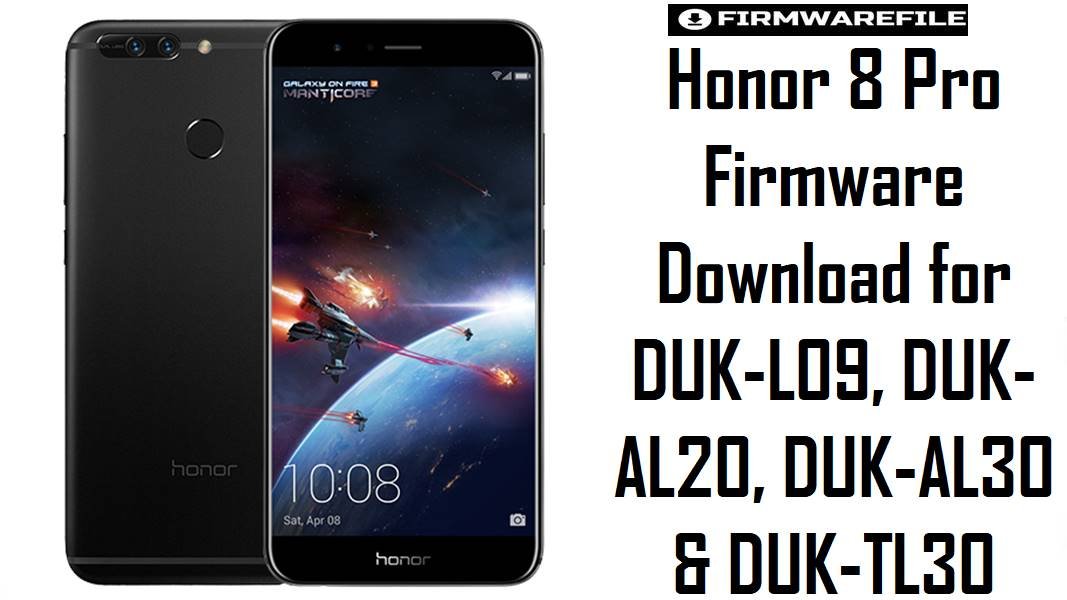
Honor 8 Pro Firmware Download for DUK-L09, DUK-AL20, DUK-AL30 & DUK-TL30
The Honor 8 Pro is a flagship-class 2017 phone built around Huawei’s Kirin 960 platform, a 5.7-inch QHD display, and a 4000 mAh battery, so people usually look for stock firmware on this model when they need a serious software recovery rather than a casual update. This device launched on Android 7.0 with EMUI 5.x, later received Android 8.0 / EMUI 8.0, and also moved to EMUI 9.1 on some DUK-L09 branches, which is why your file set spans several different software generations.
Download Firmware for Honor 8 Pro
This collection includes both Europe-facing DUK-L09 C432 firmware and multiple China-market branches such as DUK-AL20 C00 and DUK-AL30 / DUK-TL30 C01GT. That matters because the Honor 8 Pro may share the same product name across these models, but stock recovery is safer only when the exact model and region line match.
| Filename | Model | Region / Branch | Build | Android / OS | Flashing Method | Size | Patch Level | Notes | Purpose | Target User | Download |
|---|---|---|---|---|---|---|---|---|---|---|---|
| DUK-L09 9.1.0.215(C10E2R1P6T8)_Firmware_9.0.0_r3_EMUI9.1.0_05014JVY.zip | DUK-L09 | C10E2R1P6T8 | 9.1.0.215 | Android 9 / EMUI 9.1 | Huawei dload / local update | 3.6GB | Not stated in filename | This is the newest clearly labeled package in the set and the only EMUI 9.1 build here. Best suited to DUK-L09 users who specifically need the later Pie-based branch rather than an Oreo-era restore. | Late-branch recovery, clean stock reinstall, post-Oreo repair | DUK-L09 users already on or moving back to the 9.1.0 line | Download |
| DUK-AL20 102.0.0.140(C00E140R1P3).zip | DUK-AL20 | C00E140R1P3 | 102.0.0.140 | Non-standard branch naming | Huawei local update, verify extracted structure | 3.5GB | Not stated in filename | This file uses a non-standard version format compared with the rest of the set, so its exact place in the update timeline is less obvious. Use it only when your current device information already shows the same branch family. | Exact-branch restoration where the phone already matches this numbering line | Advanced users with a confirmed DUK-AL20 branch match | Download |
| Honor_8_Pro_DUK-L09_HW_EU_8.0.0.377_C432_8.0.0_r1_EMUI8.0_05014LJG_Dload.zip | DUK-L09 | HW_EU / C432 | 8.0.0.377 | Android 8.0 / EMUI 8.0 | Huawei dload | 3.4GB | Not stated in filename | Best mainstream European restore package in this list. If your phone is a DUK-L09 on the C432 branch, this is a cleaner everyday recovery choice than forcing a China AL20 or AL30 build. | Normal stock recovery, failed OTA cleanup, stable EU reinstall | DUK-L09 European users on the C432 line | Download |
| DUK-TL30C01GTB360 (8.0.0.360) DUK-AL30C01GTB360 (8.0.0.360) DUK-AL20C01GTB360 (8.0.0.360).zip | DUK-TL30 / DUK-AL30 / DUK-AL20 | C01GT | 8.0.0.360 | Android 8.0 | Huawei local update, verify extracted structure | 1.95GB | Not stated in filename | This shared archive covers three close China-family variants on the same Oreo branch. Useful when the device is definitely in the C01GT track, but less precise than a single-model full package. | Branch-matched restore for multi-model China variants | DUK-TL30, DUK-AL30, or DUK-AL20 users already on C01GT | Download |
| DUK-AL20_8.0.0.351(C00)_all_cn_Firmware_8.0.0_EMUI8.0_05014GJR.rar | DUK-AL20 | China C00 | 8.0.0.351 | Android 8.0 / EMUI 8.0 | Huawei factory / local update after extraction | 4.6GB | Not stated in filename | Newer than the 8.0.0.347 AL20 package below and likely the better first choice for an AL20 user who needs a full China Oreo archive. Because it is a RAR package, inspect the extracted contents before choosing your flash path. | China Oreo recovery, full stock reinstall | DUK-AL20 users on the C00 Oreo family | Download |
| DUK-AL20 8.0.0.347(C00)_Firmware_Android8.0_EMUI 8.0.0.0_05014GJR.zip | DUK-AL20 | China C00 | 8.0.0.347 | Android 8.0 / EMUI 8.0 | Huawei local update | 4.66GB | Not stated in filename | This is slightly older than the 8.0.0.351 AL20 archive and should normally be a fallback rather than the first download. If your current software reports B347 specifically, though, it can be the safer branch match. | Exact rollback or branch-specific stock recovery | DUK-AL20 devices that need the 8.0.0.347 line | Download |
| DUK-AL30-AL30 8.0.0.322(C00)-EMUI5.1-Android8.0.rar | DUK-AL30 | China C00 | 8.0.0.322 | Android 8.0 / EMUI label inconsistent in filename | Huawei factory / verify extracted structure | 1.56GB | Not stated in filename | The filename mixes Android 8.0 with an EMUI 5.1 label, so treat it carefully and confirm the extracted package metadata before flashing. It is still clearly older than the AL20 347/351 Oreo entries. | Older Oreo-branch restore for AL30 | DUK-AL30 users who need the C00B322 branch specifically | Download |
| Duk-AL20_C00B181_Firmware_China_Nonspecific_Android 7.0_EMUI 5.1_05014GJR.zip | DUK-AL20 | China Nonspecific / C00 | B181 | Android 7.0 / EMUI 5.1 | Huawei local update | 6.05GB | Not stated in filename | Late Nougat-era AL20 build. Good for restoring the last 7.0 branch before Oreo on a China variant, but not a sensible downgrade target unless you truly need that exact software family. | Nougat branch recovery or rollback | DUK-AL20 users intentionally staying on or returning to B181 | Download |
| Duk-AL20_C00B160_Firmware_China_Nonspecific_Android 7.0_EMUI 5.1_05014GJR.zip | DUK-AL20 | China Nonspecific / C00 | B160 | Android 7.0 / EMUI 5.1 | Huawei local update | 4.02GB | Not stated in filename | Older Nougat branch than B181 and mainly useful for exact rollback or original-stock recovery. It should not be preferred over the newer Oreo files for a routine repair job. | Older branch rollback and exact-match recovery | DUK-AL20 users who need the B160 base specifically | Download |
| DUK-AL20高维禁用Duke-AL20C00B208_Firmware_China_Nonspecific_Android 7.0_EMUI5.0_05014GJR.zip | DUK-AL20 | China Nonspecific / C00 | B208 | Android 7.0 / EMUI 5.0 | Huawei local update | 4.65B (as listed) | Not stated in filename | The 高维禁用 prefix strongly suggests a restricted or special-use package, so this is not the file to choose blindly. Keep it only for exact branch recovery where you can confirm the handset originally used that path. |
Restricted-branch restoration | Advanced users with a verified DUK-AL20 B208 match | Download |
| Duke-AL20_C00B113_Firmware_China_Android 7.0_EMUI 5.0_05014GJR.zip | DUK-AL20 | China / C00 | B113 | Android 7.0 / EMUI 5.0 | Huawei local update | 4.06GB | Not stated in filename | This is the oldest clearly labeled AL20 package here. Useful only for very specific rollback or original early-stock restoration, not as a normal repair recommendation in 2026. | Early-branch rollback and archival recovery | DUK-AL20 owners who explicitly need the B113 base | Download |
Complete Device & Firmware Overview
- Device Name
- Honor 8 Pro, a premium large-screen Honor phone from 2017.
- Codename
duke, which appears publicly in device references for DUK-L09 and aligns with the DUK model family.- Main Models in This Collection
- DUK-L09, DUK-AL20, DUK-AL30, and DUK-TL30.
- Chipset
- HiSilicon Kirin 960, the same flagship SoC associated with the Honor 8 Pro hardware profile.
- GPU
- Mali-G71 MP8.
- Display
- 5.7-inch Quad HD display with 1440 x 2560 resolution.
- RAM / Storage Class
- The Honor 8 Pro is commonly listed with 6GB RAM and 64GB storage in global configurations.
- Battery
- 4000 mAh battery.
- Launch Software
- Android 7.0 with EMUI 5.x at launch.
- Upgrade Path Reflected in This Set
- Android 8.0 / EMUI 8.0 and Android 9 / EMUI 9.1 are both represented, which matches the device’s later update history.
- Firmware Type
- Huawei stock firmware archives, including standard Dload files, full local-update packages, and larger RAR-based factory bundles that should be inspected after extraction.
- Android Versions Present
- Android 7.0, Android 8.0, and Android 9.0 are all present in this collection.
- Flash Method
- Huawei dload / local update workflow using the extracted update package structure.
- Region Families in This Set
- European C432, China C00, and China-family C01GT branches.
- Bootloader Rule
- For stock firmware recovery, the main safety rule is exact model-and-region matching rather than chasing the highest build number. On the Honor 8 Pro, wrong-region flashing is a bigger practical risk than staying one branch behind.
- Required Tools
- Properly extracted firmware archive, stable battery charge, dependable storage for the local update path, and patience with the first boot after flashing.
- File Size Range
- 1.56GB to 6.05GB across this collection.
CRUCIAL WARNING: These packages are strictly for the Honor 8 Pro / DUK family, but even inside that family you still must match the exact variant such as DUK-L09, DUK-AL20, DUK-AL30, or DUK-TL30. A European DUK-L09 C432 Dload package must not be flashed onto a China DUK-AL20 C00 device, and a shared C01GT archive should not be treated as a universal fallback for every Duke model.
The Honor 8 Pro started on Android 7.0, later moved to Android 8.0, and also reached EMUI 9.1 on some DUK-L09 branches, so older Nougat files like B113, B160, or B181 are best reserved for exact rollback or original-stock recovery rather than general repair use.
Preparation Before Flashing
Expand preparation checklist for Honor 8 Pro
- Confirm the exact model in Settings, recovery, or on the phone label before downloading anything. DUK-L09, DUK-AL20, DUK-AL30, and DUK-TL30 are not interchangeable.
- Write down your current branch code first, especially if the phone still boots. A correct C432, C00, or C01GT match is often more important than choosing the highest-looking build number.
- Extract every archive fully before flashing, especially the larger RAR files, and check whether the package contains Huawei’s standard local update structure.
- Back up anything you can still access. A full stock reinstall can wipe apps, internal data, and account sessions.
- Charge the phone properly and avoid weak cables or unstable storage, because large Honor 8 Pro firmware packages take time and interrupted installs are harder to recover from on a flagship device.
- Use the restricted
高维禁用AL20 package only when you can prove the phone originally ran that branch. It is not a safe “just try it” option.
Quick Firmware Flash Instructions
- Match the phone by exact DUK model and branch first, then choose the nearest package, such as
DUK-L09 C432 8.0.0.377for Europe orDUK-AL20 C00 8.0.0.351for a China Oreo unit. - If your DUK-L09 already ran EMUI 9.1, stay in that same family and prefer
9.1.0.215over dropping back to Oreo without a clear reason. - Extract the archive completely and verify that the update files match Huawei’s local-update structure before copying anything to storage.
- Use the Huawei local update / dload route for the chosen package and do not interrupt the install, especially with the larger 4GB to 6GB China archives.
- After first boot, confirm the build number, SIM behavior, Wi-Fi, camera, and system stability before restoring personal data, because wrong-region flashes often show up quickly.
For the full step-by-step process, use this guide: How to Flash Huawei Firmware via dload / eRecovery. It fits this Honor 8 Pro collection because these archives are Huawei-style stock packages rather than Qualcomm service files.
Frequently Asked Questions (FAQs)
Is the DUK-L09 9.1.0.215 file the best choice for every Honor 8 Pro?
No. It is the newest clearly labeled file in this set, but it is still only for the exact DUK-L09 branch shown in the filename. A newer build from the wrong region is still the wrong firmware.
Should I choose DUK-L09 C432 8.0.0.377 or DUK-L09 9.1.0.215 for a normal European restore?
If the phone already ran EMUI 9.1, the 9.1.0.215 package is usually the better branch match. If you are restoring a stable Oreo-era European device that belongs on C432, the 8.0.0.377 Dload package is the cleaner and simpler fit.
What is the practical difference between DUK-AL20 8.0.0.351 and 8.0.0.347?
They are both China C00 Oreo packages for the same model, but 8.0.0.351 is newer. In most cases that makes it the better first option unless your device history specifically points to 8.0.0.347.
Why is the DUK-AL20 B208 file a risky choice?
Because its filename includes 高维禁用, which strongly suggests a restricted or special-use branch rather than a standard public recovery package. It should only be used when you can verify the phone originally belonged to that exact path.
Can I flash a China DUK-AL20 file onto DUK-L09 because both are Honor 8 Pro?
No. The safest rule on this device is exact model and region matching, not product-name matching. A China C00 package is not a fallback for a European C432 handset.
What should I do with the DUK-AL20 102.0.0.140 package if my phone is on a normal 8.0.0.xxx build?
Avoid it unless your current software information already shows that same non-standard version family. Its numbering does not line up cleanly with the other packages here, so it is a poor blind-flash choice.
Why are some China packages much larger than the EU DUK-L09 Dload file?
Larger size often points to fuller factory-style bundles or extra regional components rather than a “better” firmware. On the Honor 8 Pro, package format and branch accuracy matter more than file size alone.