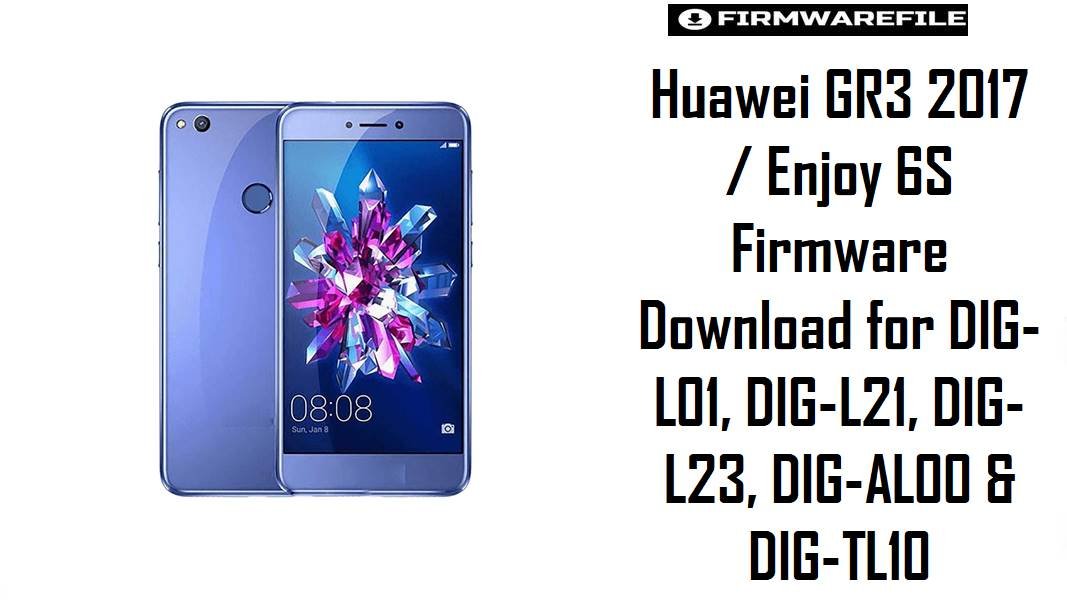
Huawei GR3 2017 / Enjoy 6S Firmware Download for DIG-L01, DIG-L21, DIG-L23, DIG-AL00 & DIG-TL10
The Huawei GR3 2017 and the China-market Enjoy 6S belong to the same Diego device family built around the Snapdragon 435 platform, which is why firmware for this series often appears under different marketing names but closely related DIG-* model numbers.
In repair cases, the usual problems are bootloops, failed updates, stuck logo screens, and confusion between regional branches like C432, C469, C55, C10, and China C00/C01. The files below are arranged to reduce that confusion and help readers pick the nearest branch before they attempt a stock restore.
Download Firmware for Huawei GR3 2017 / Enjoy 6S
This collection is centered on Android 6.0 / EMUI 4.1 stock firmware for the Diego family, but it includes both global GR3 2017 branding and China Enjoy 6S naming. Start with the exact model number first, then the regional branch, because a DIG-L21 package is not a safe substitute for DIG-AL00 or DIG-TL10 just because the hardware family is related.
| Filename | Model | Region / Branch | Build | Android / OS | Flashing Method | Size | Patch Level | Notes | Purpose | Target User | Download |
|---|---|---|---|---|---|---|---|---|---|---|---|
| DIG-L21HN-Diego-L21HNC432B127-Firmware-6.0.0-r1-EMUI4.1-05014LML.rar | DIG-L21HN | C432 | B127 | Android 6.0 / EMUI 4.1 | Huawei dload / verify extracted structure | 3.83GB | – | Newest clear DLI-L21-family style branch in this set for the C432 line. Good choice when the device is a C432 retail unit and you want a later stock package rather than an older regional build. | Normal stock recovery, branch-matched reinstall | DIG-L21HN users on the C432 branch | Download |
| Huawei_GR3_2017_DIG-L01_Diego-L01C55B123_Firmware_6.0.0_r1_EMUI4.1_05014LMD.rar | DIG-L01 | C55 | B123 | Android 6.0 / EMUI 4.1 | Huawei dload / verify extracted structure | 4.5GB | – | Large full archive for the DIG-L01 branch. Useful when the handset is a DIG-L01 specifically, not as a fallback for L21 or L23 because the region and model differ. | Full stock reinstall and failed-update recovery | DIG-L01 owners needing an exact C55 package | Download |
| Huawei+GR3+2017+DIG-L21+hw+ru+Diego-L21C10B123+Firmware+6.0.0+r1+EMUI4.1+05014MKG.rar | DIG-L21 | hw_ru / C10 | B123 | Android 6.0 / EMUI 4.1 | Huawei dload / verify extracted structure | 1.7GB | – | Russia-targeted or Russian-channel package for DIG-L21. Better than a generic global package when the phone originally shipped on the C10 line. | Region-correct restore for Russian-market devices | DIG-L21 users matching the hw_ru C10 branch | Download |
| Diego-L23_C469B101_Firmware_Nonspecific_Corporacion Nacional de Telecomunicaciones_Android 6.0_EMUI 4.1.zip | DIG-L23 | C469 / CNT | B101 | Android 6.0 / EMUI 4.1 | Huawei dload / local update | 2.56GB | – | Latin America carrier-linked package, likely tied to CNT branding from the filename. Good when the phone is a DIG-L23 on that exact C469 track. | Carrier-correct stock recovery | DIG-L23 users needing the CNT / C469 branch | Download |
| Diego-L23_C469B101_Firmware_Nonspecific_Corporacion Nacional de Telecomunicaciones_Android 6.0_EMUI 4.1.zip | DIG-L23 | C469 / CNT | B101 | Android 6.0 / EMUI 4.1 | Huawei dload / local update | 2.55GB | – | This appears to be a duplicate or alternate mirror of the same DIG-L23 C469B101 package above. There is no practical reason to flash both. | Mirror / backup source | Users who need an alternate source for the same L23 firmware | Download |
| Huawei_DIG-AL00_DIG-AL00_C00B165_6.0.zip.rar | DIG-AL00 | China C00 | B165 | Android 6.0 | Huawei dload / verify extracted structure | 1.4GB | – | Later China AL00 package than the B153 archive below. Usually the better first option for an AL00 user who wants a standard Marshmallow stock restore. | China retail restore and unbrick | DIG-AL00 devices already on the C00 branch | Download |
| Diego-AL00_C00B153_Firmware_China_Nonspecific_Android 6.0_EMUI 4.1_05014AVM.zip | DIG-AL00 | China Nonspecific / C00 | B153 | Android 6.0 / EMUI 4.1 | Huawei dload / local update | 2.55GB | – | Older than B165, so it is better treated as a rollback or exact-match restore package rather than the preferred AL00 download. | Original-branch recovery or rollback | DIG-AL00 users who specifically need B153 | Download |
| A_华为畅享6S_DIG-AL00线刷包B201救砖原厂固件不开机定屛反复重启变砖修复教程方法.zip | DIG-AL00 | China | B201 | Android generation not stated in filename | Service / factory unbrick package, verify extracted structure | 2.13GB | – | This is explicitly described as a China “line flash” unbrick package for no-boot, freeze, or repeated reboot situations. It is more service-oriented than a routine local-update file, so it should not be the first pick for a normally booting phone. | Deeper recovery and unbrick | Advanced users repairing a dead or looping DIG-AL00 | Download |
| Diego-TL10_C01B131_Firmware_China_中国移动通信集团公司_Android 6.0_EMUI 4.1_05014AVN.zip | DIG-TL10 | China Mobile / C01 | B131 | Android 6.0 / EMUI 4.1 | Huawei dload / local update | 2.56GB | – | China Mobile branch for TL10. Appropriate only for the exact TL10 carrier path and not a safe substitute for AL00 or global L-series devices. | Carrier-specific stock recovery | DIG-TL10 users on the China Mobile C01 branch | Download |
| Diego-TL10_C01B131_Firmware_China_中国移动通信集团公司_Android 6.0_EMUI 4.1_05014AVN.zip | DIG-TL10 | China Mobile / C01 | B131 | Android 6.0 / EMUI 4.1 | Huawei dload / local update | 2.6GB | – | This is the same TL10 C01B131 package submitted a second time with a slightly different size notation. Keep it as a mirror rather than a separate firmware branch. | Mirror / backup source | Users who need a second source for the same TL10 firmware | Download |
Complete Device & Firmware Overview
- Device Family
- Huawei GR3 2017 / Enjoy 6S / Diego family, with regional branding changing by market even though the model line stays in the DIG series.
- Known Models in This Collection
- DIG-L01, DIG-L21, DIG-L21HN, DIG-L23, DIG-AL00, and DIG-TL10.
- Codename
Diego, which appears directly in the firmware filenames and in public device references for the DIG family.- Chipset
- Qualcomm Snapdragon 435 (MSM8940), the same platform listed for the DIG / Diego family and the China Enjoy 6S hardware profile.
- CPU
- Octa-core Cortex-A53 configuration on the Snapdragon 435 platform.
- GPU
- Adreno 505.
- Display Class
- This family is built around a 5.0-inch 720p display, which helps explain why it sits in the lower midrange rather than Huawei’s higher-tier GR or Honor models.
- Battery
- About 3020 mAh on the Enjoy 6S / Diego hardware profile.
- Software Line in This Collection
- All submitted files are Marshmallow-era firmware, mainly Android 6.0 or 6.0.1 with EMUI 4.1.
- Firmware Type
- Huawei stock firmware archives, including regular local-update packages and a few larger service-style or factory-unbrick packages.
- Region / Branch Coverage
- C432, C55, C10, C469, C00, and China Mobile C01 appear in this set.
- Flash Method
- Huawei dload / local update is the natural method for the normal stock packages, while the China unbrick archive should be treated as a service-oriented package that needs verification after extraction.
- Bootloader Rules
- The main safety rule is exact DIG model and region matching, because global GR3 2017 firmware and China Enjoy 6S firmware may share the same hardware family but not the same sales branch or customization layer.
- File Size Range
- 1.4GB to 4.5GB across the submitted archives.
- Required Tools
- Extracted Huawei firmware files, stable battery charge, microSD or local storage for the dload path, and a careful check of the exact printed model before flashing.
CRUCIAL WARNING: These packages are only for the Huawei DIG / Diego family, and you still must match the exact model such as DIG-L01, DIG-L21, DIG-L23, DIG-AL00, or DIG-TL10 before flashing. A China DIG-AL00 C00 package or a DIG-TL10 C01 China Mobile build must not be treated as a safe replacement for a global DIG-L21 C10/C432 or Latin American DIG-L23 C469 firmware.
Although this family is tied to the same Snapdragon 435-based Diego platform, branch mismatch can still break network configuration, local apps, or update behavior after flashing. The China B201 unbrick archive is especially not a casual upgrade file, so reserve it for deeper repair situations.
Preparation Before Flashing
Expand preparation checklist for Huawei GR3 2017 / Enjoy 6S
- Confirm the exact model from the device label or About screen first and do not guess between DIG-L01, DIG-L21, DIG-L23, DIG-AL00, and DIG-TL10.
- Write down your current branch code if the phone still boots, especially if it shows C432, C55, C10, C469, C00, or C01. That is often the fastest way to avoid a wrong-region flash.
- Extract the archive fully before doing anything else. If the package contains Huawei local-update files, it belongs to the dload workflow; if it is clearly labeled as a China unbrick or line-flash archive, treat it more cautiously.
- Back up all data you can still access, because even a clean stock reinstall on this device family can wipe apps, photos, and account data.
- Charge the phone properly and avoid poor-quality SD cards or unstable internal storage. Mid-flash interruption is one of the easiest ways to turn a repairable phone into a harder recovery case.
- Prefer the normal region-matched firmware first, and keep the DIG-AL00 B201 unbrick package for phones that are actually stuck, looping, or no longer booting normally.
Quick Firmware Flash Instructions
- Identify the exact DIG model and branch first, then choose the nearest file, such as
DIG-L21 C10B123for a Russian-market unit orDIG-AL00 C00B165for a standard China AL00 restore. - If the phone still enters Huawei recovery or local update, start with the regular stock package rather than the service-style DIG-AL00 B201 unbrick archive.
- Extract the firmware completely and verify that the package matches Huawei’s local-update structure before moving it to storage.
- Use the Huawei dload method for the normal stock archives, and avoid mixing files from different branches even when the device name looks similar.
- After first boot, check the build number, SIM detection, mobile data, Wi-Fi, and basic setup flow before restoring personal data, because wrong-region flashes usually reveal themselves quickly.
For the complete step-by-step process, use this guide: How to Flash Huawei Firmware via dload / eRecovery. It is the right match for the standard Huawei stock packages in this DIG collection and gives readers the safer full procedure instead of a guessed one.
Frequently Asked Questions (FAQs)
Is Huawei GR3 2017 firmware the same thing as Huawei Enjoy 6S firmware?
They belong to the same Diego / DIG hardware family and share the Snapdragon 435 platform, but the market branding and regional branch codes differ, so you should still flash by exact model and branch rather than by product name alone.
Which DIG-AL00 file is the safer first choice for a normal restore: B165 or B153?
The DIG-AL00 C00B165 package is usually the better first choice because it is the later standard-looking AL00 branch in this set. The older B153 file makes more sense when you specifically need that earlier software line.
When should I use the DIG-AL00 B201 China unbrick package?
Use it only when the phone is already in a deeper failure state, such as repeated reboot loops, freeze-at-logo behavior, or no normal recovery path. It is described as a repair-oriented line-flash package, not a routine update file.
Why are there two DIG-L23 C469B101 entries on this page?
They appear to be the same firmware package submitted twice with slightly different size notation. Treat the second one as a mirror, not as a newer or different build.
Can I flash DIG-TL10 C01B131 on DIG-AL00 because both are China models?
No. The safer rule is exact model first, then exact branch. Even within China-market DIG devices, TL10 and AL00 are not interchangeable just because both are Marshmallow-era firmware.
What makes this model class more sensitive to wrong-region flashing?
The DIG family is shared across multiple market identities, including GR3 2017 and Enjoy 6S, so the hardware overlap can trick users into assuming all regional packages are compatible. In practice, the branch-specific customization is often where problems start after a wrong flash.
What should I check after flashing one of these stock files?
Check the reported build number, SIM recognition, LTE or 3G connectivity, Wi-Fi, and the initial setup flow. On this family, region mismatch often shows up first as network or activation oddities rather than an immediate hard brick.