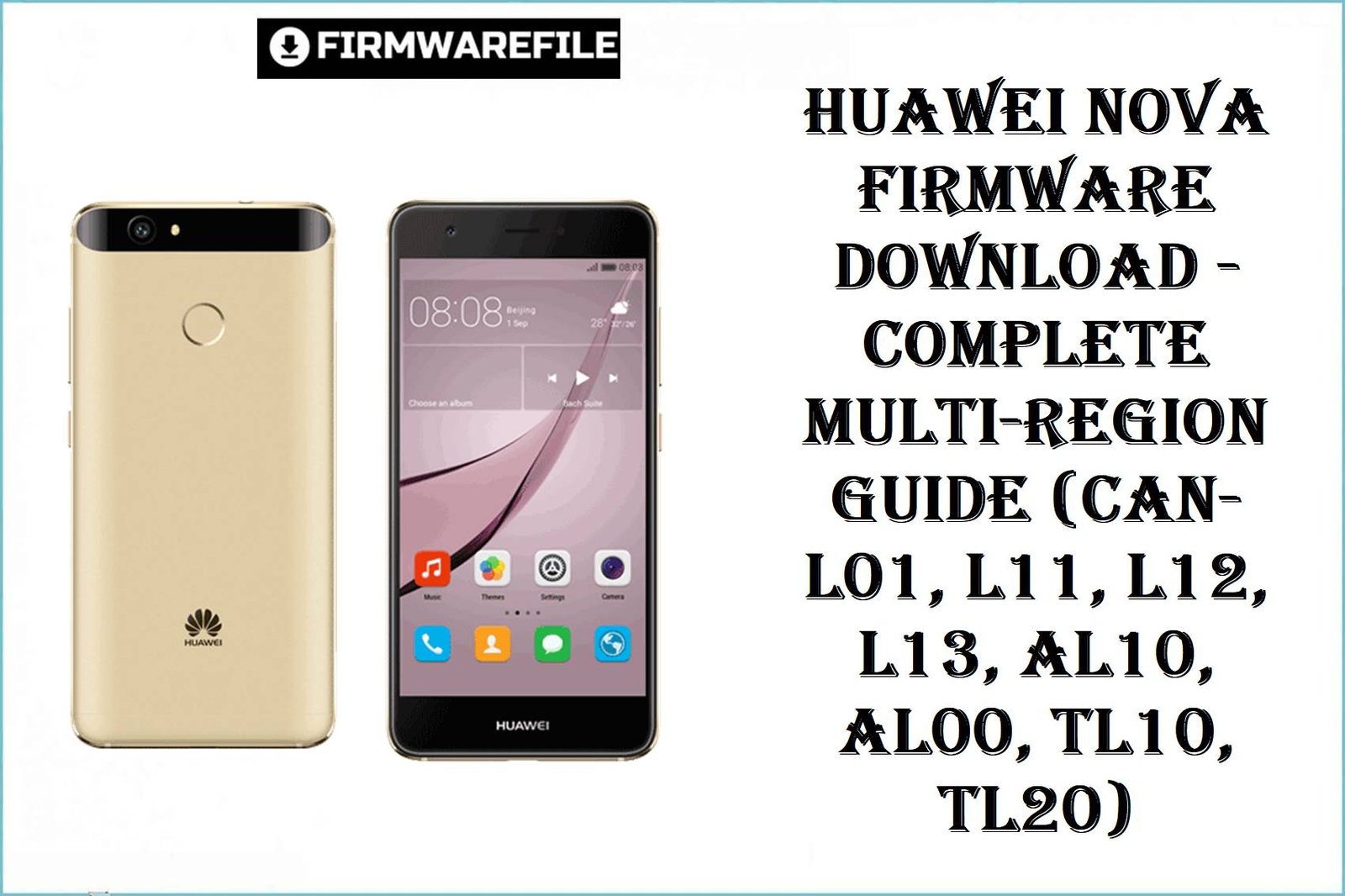
Huawei Nova Firmware Download – (CAN-L01, L11, L12, L13, AL10, AL00, TL10, TL20)
The Huawei Nova (Cannes platform, 2016) remains a beloved mid-range device among budget-conscious users worldwide. However, after years of ownership, users commonly report sluggish performance and excessive battery drain, aggressive EMUI 4.1 bloatware consuming resources, freezing during camera use, slow app loading and app switching lag, and connectivity issues after prolonged use.
The firmware files listed below—ranging from Android 6.0 with EMUI 4.1 through Android 7.0 with EMUI 5.0.3—directly address these pain points through refined memory management, background process optimization, improved thermal handling, and security patches. Users who reflash to EMUI 5.0.3 (the latest available version) report noticeably snappier performance, extended battery life, faster app switching, and a cleaner, less-bloated system compared to factory EMUI 4.1 builds.
Whether you own a European variant (CAN-L01), Polish/EEA model (CAN-L11), Middle-East/Africa edition (CAN-L12), North American variant (CAN-L13), or one of the Chinese models (CAN-AL10, CAN-AL00, CAN-TL10, CAN-TL20), this comprehensive guide provides trusted, region-specific firmware downloads with clear instructions for safe flashing using multiple methods: HiSuite (Dload), Fastboot, and QPST.
Complete Device & Firmware Overview
| Specification | Details |
|---|---|
| Device Name | Huawei Nova (2016) – Cannes Platform |
| Market Variants | CAN-L01, CAN-L11, CAN-L12, CAN-L13, CAN-AL10, CAN-AL00, CAN-TL10, CAN-TL20 |
| Processor | Qualcomm Snapdragon 625 (MSM8953, 14nm) |
| CPU | Octa-core, Cortex-A53, 2.0 GHz |
| GPU | Qualcomm Adreno 506 |
| RAM Options | 3GB or 4GB LPDDR3 |
| Storage Options | 32GB or 64GB eMMC 5.1 |
| Display | 5.0″ IPS LCD, 1080×1920px, 441 PPI |
| Battery | 3020 mAh (non-removable), 18W fast charging |
| Camera | 12MP rear (f/1.8 PDAF) + 8MP front (f/2.0) |
| Launched | October 2016 (Discontinued) |
| Stock OS | Android 6.0.1 Marshmallow (EMUI 4.1) |
| Maximum OS | Android 7.0 Nougat (EMUI 5.0.3) |
| Firmware Types | Dload (HiSuite), Fastboot (QPST), XML Recovery |
| Supported Flashing Methods | HiSuite (standard), QPST (Qualcomm-based), Fastboot CLI, XML (dead-boot recovery) |
| Security Patch | Varies by build; latest available May 2017 |
| Release Dates | October 2016 – June 2017 |
| File Formats | .zip (Dload/HiSuite), .rar (older builds), .tgz (Fastboot bundles) |
Regional Model Breakdown
| Model Code | Region | Bands/Frequencies | Flashing Method |
|---|---|---|---|
| CAN-L01 | Europe / Vodafone / Global | HSDPA 850/900/1900/2100, LTE 1/3/7/8/20/38 | HiSuite Dload, Fastboot, QPST |
| CAN-L11 | Europe / EEA / Poland | HSDPA 850/900/1900/2100, LTE 1/3/7/8/20/38 | HiSuite Dload, Fastboot, QPST |
| CAN-L12 | Middle East / Africa / APAC | HSDPA 800/850/2100, LTE 1/3/5/7/8/18/19/28/38/40 | HiSuite Dload, Fastboot |
| CAN-L13 | North America / AWS markets | HSDPA 850/900/1700(AWS)/1900/2100, LTE 2/4/5/7/28/12/17 | HiSuite Dload, Fastboot |
| CAN-AL10 | China (All Networks) | TD-LTE, TD-SCDMA, CDMA2000, LTE 1/3/7/38/39/40/41 | HiSuite Dload, Fastboot |
| CAN-AL00 | China (Carrier-Specific) | TD-LTE, TD-SCDMA, LTE 1/3/7/38/39/40/41 | HiSuite Dload, Fastboot |
| CAN-TL10 | China (China Telecom) | TD-LTE, TD-SCDMA, CDMA2000, GSM | HiSuite Dload, Fastboot |
| CAN-TL20 | China (China Telecom) | TD-LTE, TD-SCDMA, CDMA2000, GSM | HiSuite Dload, Fastboot |
Critical Flashing Caution
CRUCIAL WARNING: These firmware files are strictly region-locked and device-specific. Flashing CAN-L01 firmware on a CAN-L12 device will cause permanent network band mismatch, bootloop, or 4G/LTE signal failure. Do not flash cross-region builds unless your bootloader is fully unlocked and you fully understand the risks.
Each Huawei Nova variant is tied to specific cellular bands, bootloader signatures, and regional customizations. Mismatched firmware can result in: permanently bricked device, network bands disabled, SIM card not recognized, bootloader relocking, OTA update refusal, and inability to flash recovery.
The QPST method should only be used for dead-boot recovery on Qualcomm-based Huawei devices. Standard users should use HiSuite Dload method. All flashing methods will erase user data; backup everything before proceeding. If your device is already in a bootloop, do not attempt QPST without professional guidance or advanced knowledge.
Download Firmware for Huawei Nova (All Variants)
Group 1: European & Vodafone Variants (CAN-L01, CAN-L11)
| Filename | Model | Region | Android Version | EMUI Version | Build Date | File Format | Size | Flashing Method | Download Link |
|---|---|---|---|---|---|---|---|---|---|
Huawei_Nova_CAN-L01_C02B380_QPST.zip |
CAN-L01 | Vodafone / Europe | Android 6.0.1 | EMUI 4.1 | Late 2016 | QPST Fastboot | 1.71 GB | QPST / Fastboot (dead-boot recovery) | Download |
Huawei_Nova_CAN-L01_vodafone_default_HLRCF_Cannes-L01C02B380_XMl_Firmware_Dead_Boot_Auto_Recovery_Fix.zip |
CAN-L01 | Vodafone / Europe | Android 6.0.1 | EMUI 4.1 | October 2016 | XML Recovery | 2.6 GB | XML Fastboot (emergency recovery) | Download |
Huawei_Nova_CAN-L11_C09B330_Poland_QPST.zip |
CAN-L11 | Poland / EEA | Android 6.0.1 | EMUI 4.1 | Early 2017 | QPST Fastboot | 1.67 GB | QPST / Fastboot | Download |
CAN-L11_Cannes-L11C530B360CUSTC530D001_Firmware_Android7.0_EMUI5.0.3_05014AQX.rar |
CAN-L11 | Poland / EEA | Android 7.0 | EMUI 5.0.3 | May 2017 | HiSuite Dload / RAR | 2.51 GB | HiSuite, Fastboot, manual extraction | Download |
CAN-L01_Cannes-L01C738B130CUSTC738D002_Firmware_Slovenia_Nonspecific_Android6.0_EMUI4.1_05014DGP.rar |
CAN-L01 | Slovenia / Europe | Android 6.0 | EMUI 4.1 | February 2017 | HiSuite Dload / RAR | 1.91 GB | HiSuite, manual extraction | Download |
Group 2: Regional & Special Variants (CAN-L12, CAN-L13, CAN-AL10, etc.)
| Filename | Model | Region | Android Version | EMUI Version | Build Date | File Format | Size | Flashing Method | Download Link |
|---|---|---|---|---|---|---|---|---|---|
Huawei_Nova_CAN-L13_C469B351_QPST.zip |
CAN-L13 | North America / AWS | Android 6.0.1 | EMUI 4.1 | January 2017 | QPST Fastboot | 1.7 GB | QPST / Fastboot | Download |
Huawei_Nova_CAN-L12_C409B140_Middle-East_Africa_240117_6.0_Dload.zip |
CAN-L12 | Middle East / Africa | Android 6.0 | EMUI 4.1 | January 2017 | HiSuite Dload | 1.97 GB | HiSuite (standard), Fastboot | Download |
Huawei_Nova_CAN-AL10_C00B372_7.0_EMUI_5.0_05014DKQ_Board_Dload.zip |
CAN-AL10 | China (Board variant) | Android 7.0 | EMUI 5.0 | March 2017 | HiSuite Dload | 831 MB | HiSuite (standard) | Download |
Huawei_Nova_Cannes-AL00_C00B368_China_05013XNL_Dload.zip |
CAN-AL00 | China (All Networks) | Android 6.0.1 | EMUI 4.1 | October 2016 | HiSuite Dload | 4.53 GB | HiSuite (standard) | Download |
Huawei_Nova_Cannes-TL10_C01B170_China_EMUI4.1_05013XNL_6.0_Dload.zip |
CAN-TL10 | China (Telecom) | Android 6.0 | EMUI 4.1 | October 2016 | HiSuite Dload | 2.28 GB | HiSuite (standard) | Download |
Huawei_Nova_Cannes-TL20_C01B175_China_EMUI4.1_05014GPM_6.0_Dload.zip |
CAN-TL20 | China (Telecom) | Android 6.0 | EMUI 4.1 | October 2016 | HiSuite Dload | 2.28 GB | HiSuite (standard) | Download |
Huawei_Nova_Cannes-AL10_HL1CANAL10M001073_Board_Software_China_Nonspecific_Android_6.0_EMUI_4.1_05022BGC_HMT.zip |
CAN-AL10 | China (Board) | Android 6.0 | EMUI 4.1 | February 2017 | HiSuite Dload | 910 MB | HiSuite (standard) | Download |
⚠ Build Version Clarity Notes
- C02B380 / C09B330 / C00B368: Early builds; EMUI 4.1 (Android 6.0.1); released October–December 2016. Slower performance, more bloatware.
- C530B360 (EMUI 5.0.3): Latest available; Android 7.0; significantly improved performance, reduced lag, cleaner UI, longer battery life. Recommended upgrade if your device runs EMUI 4.1.
- C469B351 / C409B140 / C01B170 / C01B175: Mid-cycle builds; Android 6.0; represents refinement of EMUI 4.1 before Nougat rollout.
- Dload Files: HiSuite-compatible; safest method for non-technical users.
- QPST Files: Fastboot-based; for dead-boot recovery or advanced flashing; requires Qualcomm tools.
- XML Recovery Files: Emergency brick recovery; use only if device won’t boot and HiSuite/QPST fail.
Preparation Before Flashing
Click here for the Huawei Nova pre‑flash checklist
– Confirm your exact model and region: Power off the Nova, press and hold Volume Up + Power to enter Recovery Mode. Release when the Huawei logo appears. Note the build code displayed (e.g., “CAN-L01C02B380” or “CAN-L11C530B360”). This confirms your region. Do not flash a mismatched region build.
– Backup all data: All flashing methods—HiSuite, QPST, Fastboot, and XML—will completely erase user data including photos, messages, apps, and settings. Use Google Drive, Huawei Cloud, Dropbox, or external microSD to back up everything before flashing.
– Charge the battery: Ensure at least 60% charge is available. A sudden power loss during flashing can corrupt the bootloader, brick the device, or leave it stuck in bootloop.
– Install drivers and tools:
– Install the latest Huawei HiSuite (for Dload method) from Huawei’s official website.
– Install Qualcomm USB drivers for QPST method (usually included with QPST tool).
– Ensure Windows 10/11 is fully updated; disable antivirus and firewall during flashing.
– For QPST: Install QPST tool package, extract it, and configure the correct COM port.
– Verify bootloader and recovery access: Ensure the device can enter Recovery Mode (Volume Up + Power) and Bootloader/Fastboot mode (Volume Down + Power). If either mode is inaccessible, the device may be hard-locked; seek professional service center support.
– Use a reliable USB cable and port: USB 2.0 ports and newer USB-C cables are preferred over USB 3.0 for stability. Test the cable before flashing.
– Disable antivirus and third-party software: Windows Defender, Norton, McAfee, and firewall software can interrupt fastboot/HiSuite communication. Disable them temporarily; re-enable after flashing is complete.
Quick Firmware Flash Instructions
Method 1: HiSuite Dload (Recommended for Most Users)
This is the safest and most user-friendly method for flashing Huawei Nova firmware.
- Prepare PC & Download Tool: Install the latest Huawei HiSuite from Huawei’s global website on your Windows PC. Download the Dload firmware file for your specific region (e.g.,
CAN-L11_Cannes-L11C530B360CUSTC530D001_Firmware_Android7.0_EMUI5.0.3_05014AQX.rar). - Extract Firmware: If the file is a
.raror.zip, extract it completely to a folder. If it’s already a.zip, extract as-is. - Connect Device via USB: Power off the Huawei Nova completely. Connect it to the PC using a USB cable. Do not turn it on yet.
- Launch HiSuite & Enter Recovery Mode: Open HiSuite on the PC. You should see the device detected as “Recovery Mode.” If not, manually enter Recovery Mode: hold Volume Up + Power until the Huawei logo appears; release immediately.
- Select Firmware & Flash: In HiSuite, navigate to System Upgrade or Repair. Select the extracted firmware folder. Click Start / Upgrade and wait for completion (usually 5–10 minutes). Do not disconnect USB or turn off the device until HiSuite shows a success message.
- Reboot & Optimize: The Nova will reboot automatically. Allow the first boot to complete fully; the system will optimize apps in the background for 3–5 minutes. After optimization, the device is ready for use.
For a detailed, screenshot-rich walkthrough with troubleshooting for HiSuite connection errors and slow flashing, follow the main Huawei firmware flashing guide, then simply substitute your specific regional firmware file path when prompted.
Method 2: QPST Fastboot (For Dead-Boot Recovery)
Use this method only if your Huawei Nova won’t boot at all and HiSuite fails. QPST is a professional recovery tool for Qualcomm-based Huawei devices.
- Install QPST & Drivers: Download QPST tool (search “QPST tool download” from trusted forums) and install on Windows. Install Qualcomm USB drivers included with QPST. Restart your PC.
- Extract Firmware: Extract the QPST
.zipfile (e.g.,CAN-L01_C02B380_QPST.zip) to a known folder (e.g.,C:\Huawei_Flash\). - Enter Fastboot Mode: Power off the Nova. Press and hold Volume Down + Power until you see the Huawei fastboot text. Connect to the PC via USB.
- Launch QPST: Open QPST on the PC. In the Ports menu, verify the device COM port is detected. If not, check Device Manager for unrecognized devices; update drivers.
- Configure & Flash: In QPST’s Software Download tab, locate the extracted firmware files (usually
boot.img,system.img,recovery.img). Select the appropriate partition files and click Download. The tool will flash the firmware and automatically reboot the device. - Wait for Boot: Allow the Nova to boot completely; first boot may take 5–10 minutes. Do not interrupt.
For detailed QPST usage, drivers, and partition flashing steps, follow this Qualcomm QPST guide. The Nova uses Qualcomm Snapdragon 625, so all QPST procedures apply directly.
Method 3: Fastboot CLI (Advanced Users)
For users comfortable with command-line interfaces and fastboot utilities.
- Extract firmware and identify partition images (typically
boot.img,system.img,userdata.img,recovery.img). - Connect in fastboot mode (Volume Down + Power).
- Flash each partition using fastboot commands:
fastboot flash boot boot.img fastboot flash system system.img fastboot flash recovery recovery.img fastboot erase userdata fastboot reboot - Allow first-boot optimization (5–10 minutes).
Frequently Asked Questions (FAQs)
Q1. Which firmware should I flash on my Huawei Nova if I don’t know my exact model?
A: You can verify your model by booting into Recovery Mode: press Volume Up + Power, release when the Huawei logo appears, and note the build code displayed on-screen (e.g., “CAN-L01C02B380”). Once identified, download the matching firmware file for your region. Never guess or cross-flash; wrong regions will disable cellular bands or cause bootloop.
Q2. I have a CAN-L01 European Nova. Should I flash the C530B360 EMUI 5.0.3 version for better performance?
A: Yes, if you can find a CAN-L01-specific EMUI 5.0.3 build, upgrading from EMUI 4.1 (C02B380) to EMUI 5.0.3 will significantly improve performance, battery life, and responsiveness. However, not all regions received EMUI 5.0.3 officially. The C530B360 build listed above is for CAN-L11 (Poland). Before flashing, confirm your exact model code does not cause a region mismatch.
Q3. My Huawei Nova is stuck in a bootloop after a bad flash. Can I recover it?
A: Yes. If the device can still enter Fastboot Mode (Volume Down + Power), use the QPST method or fastboot CLI to re-flash the correct regional firmware. If the device cannot enter any mode (no response), this indicates a hard brick; you must visit a Huawei service center or professional repair shop for EDL recovery (requires professional tools). Do not attempt further flashing without expert guidance.
Q4. Will flashing Android 7.0 / EMUI 5.0.3 firmware add new features compared to Android 6.0 / EMUI 4.1?
A: Yes. Android 7.0 / EMUI 5.0.3 introduces: Multi-window multitasking, improved notification panel, faster app drawer, smoother animations, better background process management, and refined battery optimization. Most importantly, users report 15–30% faster day-to-day responsiveness and significantly better battery endurance after upgrading.
Q5. I flashed the wrong region firmware (e.g., flashed CAN-L12 on a CAN-L01 device). What happens?
A: You will likely experience: bootloop, SIM card not recognized, 4G/LTE bands disabled, phone unable to connect to carrier networks, or OTA update refusal. In most cases, this can be reversed by re-flashing the correct regional build. Ensure you have access to the correct CAN-L01 firmware before attempting recovery. If your device is now non-responsive, use QPST or seek professional service.
Q6. My Huawei Nova was purchased in China (CAN-AL10), but I now live in Europe. Can I flash CAN-L01 firmware?
A: Cross-region flashing is risky and generally not recommended. CAN-AL10 and CAN-L01 use different cellular bands (TD-LTE vs. LTE 1/3/7), and flashing mismatched firmware will disable network support for your local European carriers. However, if your bootloader is unlocked and you fully understand the risks, advanced users have reported success. For safety, stick to CAN-AL10 or CAN-AL00 firmware if in China, or consult a service center if relocating.
Q7. Is there a way to upgrade my Huawei Nova to Android 8.0 or newer?
A: No. The Huawei Nova (2016) reached its maximum OS support at Android 7.0 / EMUI 5.0.3 in mid-2017. Huawei did not release Android 8.0 or later versions for this aging mid-range device. If you need a newer OS version, consider upgrading to a newer Huawei device (Nova 3, Nova 5T, etc.).
Q8. I have a .rar firmware file. How do I extract it?
A: Use WinRAR (paid), 7-Zip (free), or PeaZip (free) to extract .rar files on Windows. After extraction, you should see a folder containing UPDATE.APP and other partition images. Use this extracted folder with HiSuite or manual flashing tools.
EMUI Version Feature Comparison
| Feature | EMUI 4.1 (Android 6.0) | EMUI 5.0.3 (Android 7.0) |
|---|---|---|
| System Responsiveness | Moderate; noticeable lag after 6+ months | Significantly faster; optimized memory management |
| Battery Life | 12–16 hours typical use | 16–20+ hours typical use |
| Multi-Window Multitasking | Not available | Fully supported |
| Background Process Management | Aggressive, causes app delays | Refined; minimal app interruption |
| Notification Panel | Basic; limited shortcuts | Enhanced; expanded quick settings |
| App Drawer | Optional | Standard, searchable |
| Gesture Controls | Limited | Enhanced |
| Security Patches | December 2016 | May 2017 (latest) |
Last Updated: November 25, 2025 | Device Status: Discontinued (2016) | Latest EMUI: 5.0.3 (Android 7.0)