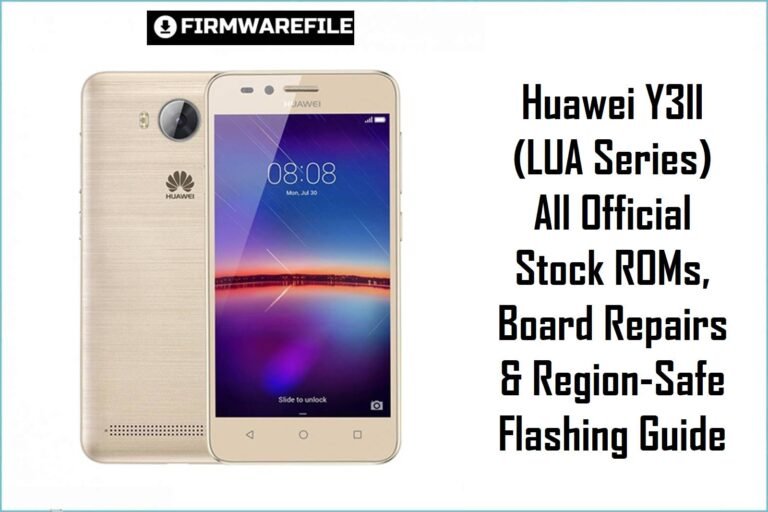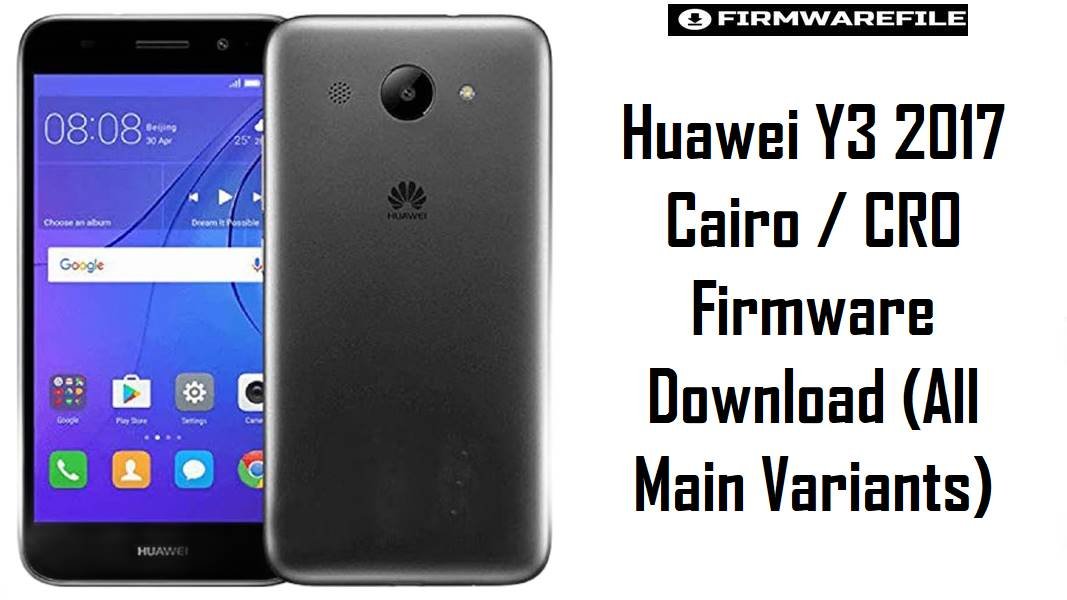
Huawei Y3 2017 Cairo / CRO Firmware Download (All Main Variants)
Huawei Y3 2017 (Cairo / CRO series) is a low-end MTK phone that often ends up with bootloops, FRP issues or dead-boot after failed flashes and wrong region firmware. The files below cover several Cairo / CRO variants (CRO-L02, CRO-L03, CRO-L22, CRO-L23 and CRO-U00) on EMUI 4.1 Android 6.0, including full dload ROMs and smaller board software packages for deep repair.
Download Firmware for Huawei Y3 2017 (Cairo / CRO Series)
The table is ordered from the most general, full Cairo EMUI 4.1 packages down to more specialized regional builds and board-firmware intended for serious hardware-level recovery. Always match both the model (CRO-Lxx or CRO-U00) and the Cairo variant printed on the sticker before flashing, and avoid mixing L-series LTE builds with U00 MT6580 3G-only firmware.
| Filename | Supported Model / Variant | Build / Region | Android / EMUI | Type / Method | Size | Patch / Gen | Best Use Case & Notes | Download |
|---|---|---|---|---|---|---|---|---|
| Cairo-L03C521B125_Firmware_6.0.0_r1_EMUI4.1_05014MKU.zip | Huawei Y3 2017 CRO-L03 (Cairo-L03C521) | C521B125 – likely Latin/US carrier or branded region | Android 6.0, EMUI 4.1 | Full dload firmware (three-button / SD update) | 4.19 GB | 6.0.0 r1, EMUI 4.1 branch | Use as main recovery firmware for CRO-L03 devices matching C521 region, especially when restoring from custom ROMs or unbricking phones that still enter stock recovery; ideal when you prefer official dload update instead of SP Flash scatter. | Download C521B125 |
| 华为Y3(2017) CRO-L02 Cairo-L02C106B121_Firmware_6.0.0_r1_EMUI4.1_05014MDY.rar | Huawei Y3 2017 CRO-L02 (Cairo-L02C106) | C106B121 – likely Russia / CIS multi-country package | Android 6.0, EMUI 4.1 | Full firmware (dload/SPF, archive RAR) | 2.61 GB | 6.0.0 r1, EMUI 4.1 | Good for CRO-L02 phones in C106 region that are stuck on logo or have failed OTA; choose this when you want to keep original regional customizations like language and LTE bands. | Download CRO-L02 C106B121 |
| 华为Y3(2017) CRO-L22 Cairo-L22_C185B125_Firmware_Egypt_Oman_Algeria_Morocco_Iraq_Kuwait_Jordan_Tunisia_Pakistan_Qatar_Zimbabwe_Bahrain_Zambia_South Africa_Reunion_Mauritius_Madagascar_Botswana_Lebanon_Ethiopia_Iran.zip | Huawei Y3 2017 CRO-L22 (Cairo-L22 C185) | C185B125 – wide Middle East & Africa multi-region | Android 6.0, EMUI 4.1 | Full dload firmware (multi-country pack) | 2.11 GB | B125 generation, EMUI 4.1 | Best choice for CRO-L22 units sold across C185 markets (listed countries) that need clean stock restoration after heavy lag, FRP removal by full wipe, or recovery from soft-brick, while keeping correct regional modem configuration. | Download CRO-L22 C185B125 |
| 华为Y3(2017) CRO-L23 Cairo-L23_C469B104_Firmware_Colombia_Bolivia_Panama_Chile_…_05014MRP.zip | Huawei Y3 2017 CRO-L23 (Cairo-L23 C469) | C469B104 – Latin America multi-country firmware | Android 6.0, EMUI 4.1 | Full dload firmware | 2.04 GB | B104 generation, EMUI 4.1 | Targeted at CRO-L23 devices in Colombia, Bolivia, Panama, Chile and other C469 regions; flash this when repairing network or system problems on genuine L23 units, especially where mixing L03/L22 firmware could break LTE bands. | Download CRO-L23 C469B104 |
| 华为Y3(2017) CRO-L03 Cairo-L03_C007B102_Firmware_Mexico_Default_Android 6.0_EMUI 4.1_05014QRV.zip | Huawei Y3 2017 CRO-L03 (Cairo-L03 C007 – Mexico) | C007B102 – Mexico default firmware | Android 6.0, EMUI 4.1 | Full dload firmware | 2.04 GB | B102 early EMUI 4.1 | Use for CRO-L03 units originally sold in Mexico (C007) if they are bricked, stuck in bootloop, or if you want to restore branded / default configuration after experimenting with other regions. | Download CRO-L03 C007B102 |
| Huawei_Y3_2017_CRO-L03_MT6737M_S001001_C00SMT_China_Nonspecific_6.0_EMUI4.1_05022HPW_6.0_SPMDT.zip | Huawei Y3 2017 CRO-L03 MT6737M (China nonspecific) | S001001 C00SMT – factory/China generic board software | Android 6.0, EMUI 4.1 | Board firmware / SPMDT scatter (factory use) | 425 MB | Early service build | Lightweight board firmware mainly for deep repair, board bring-up and fixing dead-boot scenarios on MT6737M-based CRO-L03 units using SPMDT or SP Flash Tool style utilities; not intended as a full-feature daily ROM. | Download CRO-L03 MT6737M Board FW |
| Huawei_Y3_2017_CRO-U00_MT6580_180122_6.0.zip | Huawei Y3 2017 CRO-U00 (MT6580 3G) | Generic MT6580 build 2018-01-22 | Android 6.0, EMUI 4.1 | Full SP Flash scatter firmware | 1008–1013 MB (depending on host) | 2018 release, EMUI 4.1 | Standard stock ROM for CRO-U00 3G-only variant, used with SP Flash Tool to fix bootloops, remove heavy modifications and restore original partitions; prefer this for everyday CRO-U00 repairs. | Download CRO-U00 180122 (GDrive) Download CRO-U00 180122 (MediaFire) |
| Huawei_Y3_2017_CRO-U00_CAIROU00S001002_MT6580_Board_Software_Android_6.0_EMUI_4.1_05022HQA.zip | Huawei Y3 2017 CRO-U00 (Cairo-U00) | CAIROU00S001002 – board software | Android 6.0, EMUI 4.1 | Board firmware / SP Flash scatter | 424 MB | S001002 service build | Minimal board-level firmware used when normal full ROM flashes fail to revive CRO-U00, aimed at fixing preloader, boot and base partitions before loading a complete user firmware; aimed at technicians comfortable with partition-level work. | Download CRO-U00 CAIROU00 Board FW |
| Huawei_Y3_2017_CRO-U00_Cairo-U00_C185_CAIROU00S001002_MT6580_Board_Software_Android_6.0_EMUI_4.1_05022HQA.zip | Huawei Y3 2017 CRO-U00 (Cairo-U00 C185) | C185 CAIROU00S001002 – MEA-specific board firmware | Android 6.0, EMUI 4.1 | Board firmware / SP Flash scatter | 413 MB | S001002, C185 region | Region-matched board software for CRO-U00 devices in C185 markets (similar countries as C185 L22); useful when repairing dead-boot while preserving appropriate regional calibration where possible. | Download CRO-U00 C185 Board FW |
Complete Device & Firmware Overview
- Device Name
- Huawei Y3 (2017)
- Main Model Codes
- CRO-L02, CRO-L03, CRO-L22, CRO-L23 (LTE) and CRO-U00 (3G MT6580); Cairo prefixes (Cairo-L22, Cairo-U00, etc.) identify specific regional firmware trees.
- Chipsets
- MT6737M for most LTE Cairo-Lxx units and MT6580 for CRO-U00 3G models; firmware is not interchangeable between these platforms.
- Display & Class
- 5.0″ FWVGA display with entry-level hardware, aimed at basic calling, messaging and light apps rather than intensive gaming.
- Original Software
- Android 6.0 Marshmallow with EMUI 4.1 out of the box; all listed firmware remains on this major version while varying in build number and region customizations.
- Firmware Families
- Dload update packages for Cairo-Lxx variants (SD-card three-button method) and SP Flash Tool scatter packages / board firmware for CRO-U00 and some service use cases.
- Security / Patch Level
- All are EMUI 4.1-era Android 6.0 builds, but newer B12x/B125 releases generally include more recent fixes than early B10x generations.
- Bootloader & Lock Rules
- Stock Cairo/CRO firmware does not automatically unlock the bootloader; it restores official EMUI and respects Huawei’s original lock state and FRP enforcement.
- Flash Methods
- Dload (dload folder on SD card plus key combo) for most L-series Cairo builds, and SP Flash Tool / similar MTK utilities for CRO-U00 and board software images.
- Board Software Role
- Smaller board firmware packages (S001002 etc.) are designed to revive dead or heavily corrupted boards by rewriting low-level partitions before installing a full user ROM.
- Typical Repair Scenarios
- Fixing bootloops, logo hang, FRP recovery by full wipe, undoing failed custom flashes, and restoring lost system partitions on aging Huawei Y3 2017 units.
CRUCIAL WARNING: These firmware files are strictly for Huawei Y3 2017 models from the Cairo / CRO family (CRO-L02, CRO-L03, CRO-L22, CRO-L23, CRO-U00) that exactly match the printed variant and region code. Do not flash L22 firmware to L23, or any L-series ROM to CRO-U00, because cross‑flashing between MT6737M LTE and MT6580 3G builds can permanently kill the baseband or the whole mainboard.
Board software archives for CRO-U00 and Cairo-L03 contain low-level partitions such as preloader and OEMINFO; using “format all” or writing OEMINFO from the wrong region can cause hard brick, invalid IMEI or loss of calibration that is difficult to reverse. Always confirm the exact model, chipset and region, and back up NVRAM/NVDATA where possible before flashing.
Preparation Before Flashing
Tap to view preparations for Huawei Y3 2017 Cairo / CRO
- Check the label under the battery or in existing EMUI settings to confirm whether the phone is CRO-L02, CRO-L03, CRO-L22, CRO-L23 or CRO-U00, and note the Cairo/Cxxx region code before choosing a ROM.
- Charge the device to at least 60% and use a reliable USB cable and port, especially when working with CRO-U00 SP Flash firmware or board software that touches preloader and boot partitions.
- Install Huawei USB drivers and, for CRO-U00 repair work, the correct MTK VCOM drivers and SP Flash Tool version recommended for MT6580.
- Decide whether you need a full dload update (for L-series Cairo devices that still access recovery) or a scatter-based service flash (for dead or heavily corrupted boards, especially CRO-U00).
- Back up user data and, if you have the tools, make NVRAM/NVDATA backups on MTK variants before any format operation, because restoring IMEI and radio parameters on these boards can be time‑consuming.
Quick Firmware Flash Instructions
Below are high-level steps tailored to how Huawei Y3 2017 Cairo / CRO firmware is normally installed; always adapt to your exact variant and tools.
For Cairo-L02 / L03 / L22 / L23 dload firmware
- On your PC, extract the chosen Cairo-Lxx package (for example, Cairo-L22_C185B125 or Cairo-L03C521B125) and copy the
dloadfolder with UPDATE.APP to the root of a microSD card. - Insert the SD card into the powered‑off Y3 2017, then hold the required key combo (usually Volume Up + Volume Down + Power) until the software update screen appears.
- Wait while EMUI verifies and installs the firmware; do not remove the battery or card until the process finishes and the phone reboots.
- After the first boot, complete initial setup and check network, SIM and language settings to confirm the region‑correct ROM is running.
For CRO-U00 MT6580 scatter / board firmware
- Download and extract the required CRO-U00 firmware (for example, Huawei-Y3_2017_CRO-U00_MT6580_180122_6.0.zip or CAIROU00S001002 board software) and open the scatter file in SP Flash Tool.
- Select only the partitions you need for the repair and avoid “format all” unless you are prepared to handle IMEI and NVRAM repair afterwards.
- With the phone powered off and battery inserted, click Download in SP Flash Tool, then connect the device via USB and let the tool detect it and start flashing.
- Wait for the success indication, disconnect the cable and boot the phone; the first start can take several minutes as Android and EMUI rebuild caches.
For a more complete walkthrough of MTK/Android flashing methods similar to what Y3 2017 Cairo / CRO uses, refer to the Huawei dload and SP Flash style guides here:
Flash Huawei firmware via dload / eRecovery
Flash MediaTek firmware using SP Flash Tool
Frequently Asked Questions (FAQs)
How do I know which Cairo / CRO firmware is correct for my Y3 2017?
Remove the back cover and battery, then read the model and region code printed on the label (for example CRO-L22 C185, CRO-L03 C521, or CRO-U00 C185). Choose a package where both the model and Cairo/Cxxx code match that string; if you are unsure, do not mix LTE L‑series and MT6580 U00 ROMs.
Can I convert CRO-U00 (3G) to an LTE variant using L22 or L03 firmware?
No, CRO-U00 uses a different MT6580 platform and radio hardware, so flashing L22/L03 LTE firmware will not add LTE and can easily hard‑brick the phone. Always keep CRO-U00 on its dedicated MT6580 firmware line, using board software only when a normal stock ROM cannot boot.
When should I use board software instead of a full ROM?
Board software is intended for severe cases such as dead‑boot, devices not detected in normal modes, or heavily corrupted OEMINFO/NVRAM where standard updates fail. Technicians usually flash board firmware first to revive the hardware, then apply a matching full dload or scatter ROM to restore a normal user system.
Does flashing these ROMs automatically remove FRP or all screen locks?
A full dload or SP Flash operation can wipe user data and sometimes clear pattern/PIN, but FRP behaviour depends on EMUI version and whether accounts were removed properly. Treat firmware as a repair tool, not a guaranteed bypass, and make sure you comply with local rules and only service devices you own or have permission to work on.
Will updating from an older B10x build to B125/B121 improve performance?
Newer EMUI 4.1 builds mainly bring bug fixes and minor optimizations rather than big speed jumps, but they can stabilize network, fix random reboots and reduce certain crashes. On an entry‑level phone like Y3 2017, performance also depends heavily on installed apps and free storage, so always clean up bloat and avoid heavy background processes after flashing.