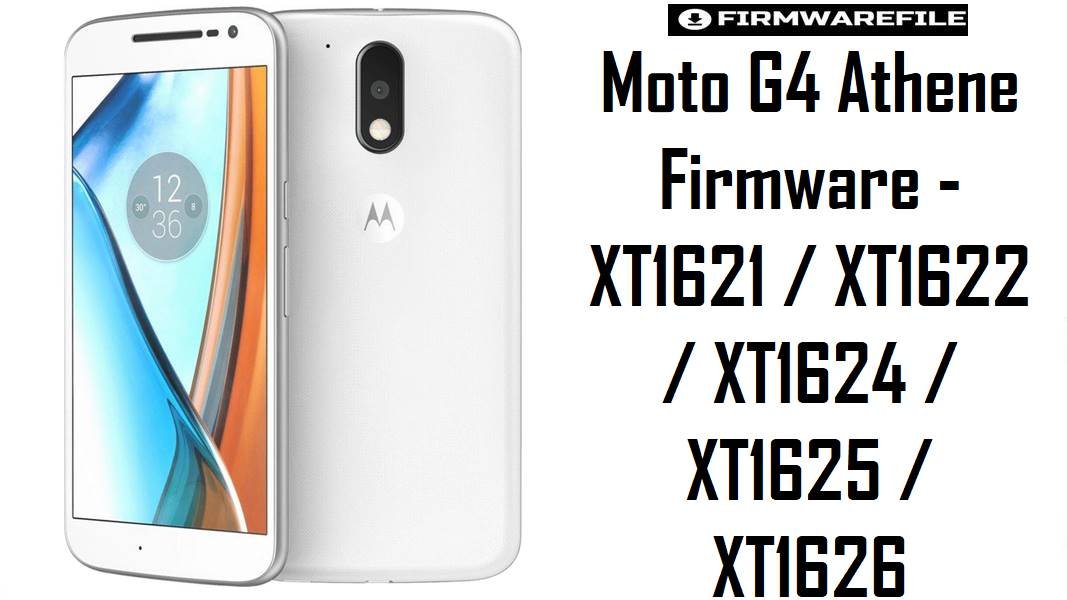
Moto G4 Athene Firmware – XT1621 / XT1622 / XT1624 / XT1625 / XT1626
This page focuses only on the standard Motorola Moto G4 (codename athene) and its XT162x variants, not the Moto G4 Plus XT164x family. The fastboot packages below help you restore stock Android 6.0.1 Marshmallow or 7.0 Nougat on real Moto G4 units, fix bootloops and undo custom ROMs while keeping the correct region or carrier channel.
Download Firmware for Moto G4 (XT162x – Athene)
The table is grouped by model number and then by Android version and channel (RETUS, LATAM, MOVSTLA, TESCOEU, CCAWS, etc.) so you can match what the phone originally shipped with. MPJ24.139‑xx builds are Marshmallow and work well as a stable baseline, while NPJ25/NPJS25 Nougat builds are better when you want newer APIs and app support at the cost of slightly higher resource use.
| Filename | Model / Variant | Build / Channel | Android | Type / Method | Size | Best Use Case & Notes | Download |
|---|---|---|---|---|---|---|---|
| Motorola_Moto_G4_XT1621_ATHENE_MPJ24.139-23.4_CID50_6.0.1.zip | XT1621 Moto G4 (athene, CID50) | MPJ24.139-23.4 – stock Marshmallow | Android 6.0.1 | Fastboot XML firmware (RSD Lite / fastboot) | 1.05 GB | Clean stock Marshmallow ROM for XT1621, ideal for full unbrick, removing custom ROMs and providing a light, stable system for users who do not need Nougat features. | Download XT1621 MPJ24.139-23.4 |
| Motorola_Moto_G4_XT1621_ATHENE_MSTLA_NPJS25.93-14-10_CID50_7.0.zip | XT1621 Moto G4 MSTLA | NPJS25.93-14-10 MSTLA – Nougat | Android 7.0 | Fastboot XML firmware | 1.06 GB | Recommended XT1621 Nougat firmware when you want stock Android 7.0 and updated security while staying on Motorola’s MSTLA channel. | Download XT1621 NPJS25.93-14-10 |
| XT1621_ATHENE_LATAM_7.0_NPJS25.93-14-15_cid50_subsidy-LATAM_regulatory-DEFAULT_CFC.xml.zip | XT1621 Moto G4 LATAM | NPJS25.93-14-15 – LATAM subsidy | Android 7.0 | CFC XML fastboot firmware | 1.07 GB | Use on XT1621 units originally sold in Latin America where you want to keep the correct modem and regulatory configuration for that market. | Download XT1621 LATAM NPJS25.93-14-15 |
| XT1621_ATHENE-MOVLA_MPJ24.139-23.4_cid50_subsidy-MOVSTLA_CFC.xml.zip | XT1621 Moto G4 MOVSTLA | MPJ24.139-23.4 – MOVSTLA Marshmallow | Android 6.0.1 | CFC XML fastboot firmware | 1.06 GB | Carrier‑specific Marshmallow firmware for MOVSTLA devices, suitable for bringing subsidised units back to their exact factory software. | Download XT1621 MOVLA MPJ24.139-23.4 |
| Motorola_Moto_G4_XT1625_ATHENE-RETUS_MPJ24.139-48_cid50.zip | XT1625 Moto G4 RETUS (US retail) | MPJ24.139-48 – RETUS Marshmallow | Android 6.0.1 | Fastboot XML firmware | 1.05 GB | US retail Moto G4 firmware for XT1625, useful for unbricking or debranding back to clean RETUS before taking official OTA to Nougat. | Download XT1625 RETUS MPJ24.139-48 |
| Motorola_Moto_G4_XT1625_ATHENE_AMZ_7.0_NPJ25.93-14.7_cid50_7.0.zip | XT1625 Moto G4 Amazon | NPJ25.93-14.7 – AMZ Nougat | Android 7.0 | Fastboot XML firmware | 1.3 GB | Amazon‑branded XT1625 firmware; flash this when restoring devices that came with Amazon lockscreen offers or when fixing software issues on that specific variant. | Download XT1625 AMZ NPJ25.93-14.7 |
| XT1625_ATHENE_CCAWS_7.0_NPJS25.93-14.7-5_cid50_subsidy-CCAWS_regulatory-DEFAULT_CFC.xml.zip | XT1625 Moto G4 CCAWS | NPJS25.93-14.7-5 – CCAWS Nougat | Android 7.0 | CFC XML fastboot firmware | 1.06 GB | Carrier/region‑specific 7.0 stock ROM for CCAWS devices, best when you want to keep correct APNs and LTE bands on operator‑supplied phones. | Download XT1625 CCAWS NPJS25.93-14.7-5 |
| Motorola_Moto_G4_XT1622_ATHENE_MPJ24.139-23.4_CID50_6.0.1.zip | XT1622 Moto G4 | MPJ24.139-23.4 – stock Marshmallow | Android 6.0.1 | Fastboot XML firmware | 1.06 GB | Good all‑round Marshmallow base for XT1622, suited to heavy repairs (soft‑brick, bootloop, system corruption) and as a starting point before OTAs. | Download XT1622 MPJ24.139-23.4 |
| XT1622_ATHENE_TESCOEU_7.0_NPJS25.93-14-18_cid50_subsidy-TESCOEU_regulatory-DEFAULT_CFC.xml.zip | XT1622 Moto G4 TESCOEU | NPJS25.93-14-18 – Tesco EU Nougat | Android 7.0 | CFC XML fastboot firmware | 1.07 GB | European Nougat build tailored for Tesco EU Moto G4; best when repairing or debranding within the same EU ecosystem to keep correct regulatory defaults. | Download XT1622 TESCOEU NPJS25.93-14-18 |
| Motorola_Moto_G4_XT1624_ATHENE_7.0_NPJ25.93-11_CID50.zip | XT1624 Moto G4 | NPJ25.93-11 – early Nougat | Android 7.0 | Fastboot XML firmware | 1.05 GB | Base Nougat package for XT1624, useful when upgrading from 6.0.1 or when later NPJS builds give issues and you prefer a slightly older 7.0 release. | Download XT1624 NPJ25.93-11 |
| Motorola_Moto_G4_XT1624_ATHENE_NPJS25.93-14-18_CID50.zip | XT1624 Moto G4 | NPJS25.93-14-18 – later Nougat | Android 7.0 | Fastboot XML firmware | 1.07 GB | More mature NPJS25 build that many users treat as the “final” stock 7.0 for Moto G4, good for long‑term daily use after a clean flash. | Download XT1624 NPJS25.93-14-18 |
| Motorola_Moto_G4_XT1626_ATHENE_6.0.1_MPJ24.139-23.1_cid50_6.0.1.zip | XT1626 Moto G4 | MPJ24.139-23.1 – Marshmallow | Android 6.0.1 | Fastboot XML firmware | 1.10 GB | Stock 6.0.1 ROM for XT1626, suitable for deep clean repair, bootloop fix, or as a known‑good base before testing Nougat packages tailored for this model. | Download XT1626 MPJ24.139-23.1 |
Complete Device & Firmware Overview
- Device Name
- Motorola Moto G4 (4th Gen), codename
athene, without the “Plus” fingerprint‑sensor variant. - Models Covered
- XT1621, XT1622, XT1624, XT1625, XT1626 – same core hardware with differences in storage, radios and region/carrier customisation.
- Chipset & Performance
- Qualcomm Snapdragon 617 (MSM8952), octa‑core Cortex‑A53 with Adreno 405 GPU, designed for mid‑range performance and 1080p usage rather than heavy gaming.
- Stock Android Versions
- Launched with Android 6.0.1 Marshmallow and officially updated to Android 7.0 Nougat on most channels.
- Firmware Format
- Fastboot‑flashable ZIP/CFC packages including system, boot, modem and other partitions, plus XML scripts that define the recommended flash order.
- Region / Channel Tags
- RETUS, AMZ, LATAM, MOVSTLA, CCAWS, TESCOEU and others control branding, modem configuration and OTA compatibility, so matching the original channel is safest.
- Bootloader & Unlock
- These stock ROMs do not unlock the bootloader; they restore official software while respecting the current lock state and warranty flags.
- Typical Repair Scenarios
- Recovering from failed custom ROMs, fixing stuck boot logo, undoing root, preparing the phone for sale, or returning to a stable base before further modifications.
CRUCIAL WARNING: These fastboot ROMs are strictly for Moto G4 XT162x models (athene) and must not be flashed to Moto G4 Plus XT164x, Moto G4 Play, or other Motorola phones, because partition layouts and modems differ and cross‑flashing can hard‑brick the device.
Each package is tuned to a specific channel (RETUS, AMZ, TESCOEU, LATAM, etc.); mixing channels across very different regions may break LTE, VoLTE or OTA updates. Always confirm the exact model and channel in fastboot mode and follow the supplied XML order carefully when flashing.
Preparation Before Flashing
Tap to view preparations for Moto G4 (athene)
- Boot into fastboot mode and read the model (XT1621/22/24/25/26) and channel; match them to the firmware filename before downloading.
- Install Motorola USB drivers and a recent ADB/Fastboot toolset on your PC, then verify connectivity with
fastboot devices. - Back up user data where possible, because a full stock flash frequently wipes apps and can erase internal storage depending on the XML script.
- Decide whether to stay on Marshmallow for maximum stability or update to Nougat for app compatibility, and pick a ROM that matches that target and your region.
- Charge the phone to at least 60% and avoid loose or damaged USB cables that could interrupt flashing of critical partitions.
Quick Firmware Flash Instructions
These steps summarise the standard Motorola fastboot process used for Moto G4 athene stock packages.
- Extract the chosen XT162x firmware ZIP on your PC so that the XML script and all
.img/.binfiles are in a single folder. - Reboot the phone into fastboot mode (Power + Volume Down), connect it to the PC and confirm it is detected with
fastboot devices. - Use RSD Lite to load the XML and start the flash, or translate the XML into manual
fastboot flashcommands and execute them in order, waiting for OKAY each time. - When all partitions are written, issue
fastboot rebootor choose “Start” from the bootloader menu and allow several minutes for the first boot. - If the phone loops at the logo but fastboot is accessible, erase cache and userdata from fastboot, then reboot to let stock Android initialise on a clean data partition.
For a detailed, generic how‑to that applies to Moto G4 as well, you can reference this Motorola firmware flashing guide:
Flash Motorola firmware (Fastboot, Rescue Assistant & RSD Lite)
Frequently Asked Questions (FAQs)
Are any XT162x models actually Moto G4 Plus?
No, Moto G4 Plus uses XT164x codes; XT162x are standard Moto G4 variants, even though some community ROMs and sites group G4 and G4 Plus under the shared codename “athene”.
Which stock build is safest on an older Moto G4?
For stability and thermals, technicians often prefer Marshmallow MPJ24 builds, while users who need newer apps choose a matching NPJ/NPJS Nougat build for their exact model and channel.
Can I use RETUS firmware to debrand a carrier Moto G4?
Sometimes this works, but mismatched channels can cause issues with LTE or OTA updates, so for pure repair work it is usually safer to stay on the correct subsidy build.
Do these ROMs re‑lock the bootloader?
Flashing stock firmware alone will not normally re‑lock the bootloader or remove the unlock warning; that requires specific fastboot commands and may still leave visual warnings.