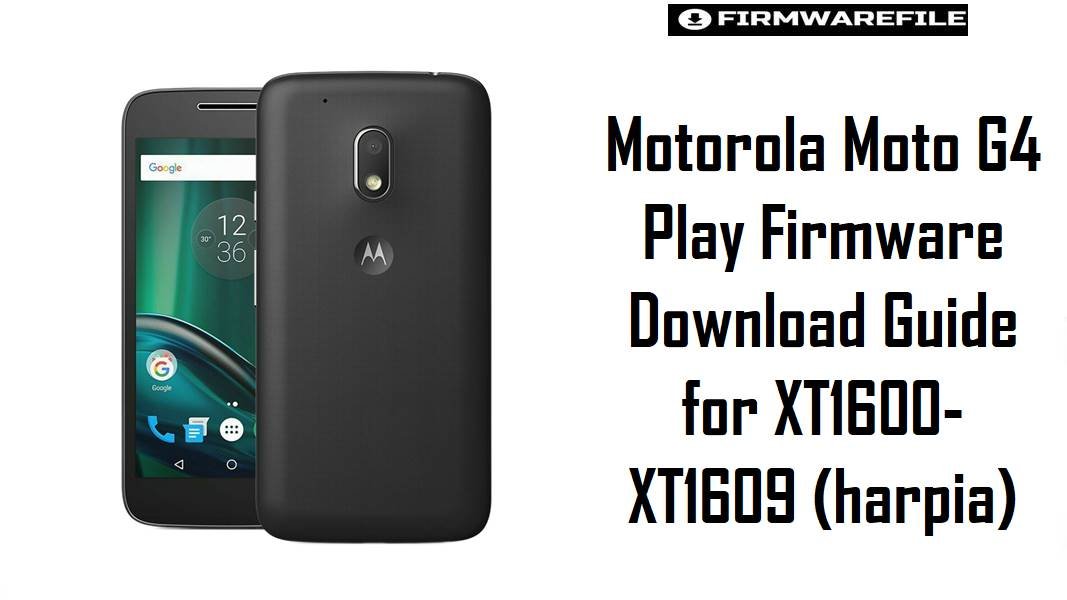
Motorola Moto G4 Play Firmware Download Guide for XT1600–XT1609 (harpia)
The Moto G4 Play sits in Motorola’s entry-level 2016 range, built around a 5.0-inch HD display and the Snapdragon 410 platform, so many surviving units are now used as backup phones, repair jobs, or low-cost daily devices rather than performance-focused handsets. On this model, the usual firmware problems are failed updates, bootloops, carrier mismatch, unstable mobile data after the wrong package, and confusion between similar-looking XT160x variants. The files below are organized to reduce that risk and help you choose the closest match before flashing.
The newest branch in your collection is Android 7.1.1 build NPIS26.48-43-2, while the Marshmallow packages are older recovery options that make more sense for exact rollback, legacy carrier restoration, or phones that were already on those earlier branches.
Download Firmware for Motorola Moto G4 Play
Most of the newest files here use the same Android 7.1.1 branch, but they are not interchangeable just because they share the harpia codename. Pick by exact XT number first, then by market or carrier code, and only use the older Marshmallow builds when you have a clear reason to stay on that earlier software line.
| Filename | Model | Region / Channel | Build | Android / OS | Date | Flashing Method | Size | Patch Level | Notes | Target User | Download |
|---|---|---|---|---|---|---|---|---|---|---|---|
| Motorola_Moto_G4_Play_XT1600_Harpia_NPIS26.48-43-2_CID50_7.1.1.zip | XT1600 | Generic XT1600 | NPIS26.48-43-2 | Android 7.1.1 | Exact date not disclosed in filename | Motorola XML / fastboot restore | 874MB | – | Best starting point for an unbranded XT1600 that already belongs on the Nougat branch. | Users fixing bootloops or returning to clean stock on XT1600 | Download |
| XT1600_HARPIA_TIMBR_7.1.1_NPIS26.48-43-2_cid50_subsidy-DEFAULT_regulatory-DEFAULT_CFC.xml.zip | XT1600 | Brazil TIM | NPIS26.48-43-2 | Android 7.1.1 | – | Motorola XML / fastboot restore | 855MB | – | Safer than the generic XT1600 file when the handset originally came from TIM Brazil. | Brazilian TIM-branded XT1600 units | Download |
| XT1600_HARPIA_TEFBR_7.1.1_NPIS26.48-43-2_cid50_subsidy-DEFAULT_regulatory-DEFAULT_CFC.xml.zip | XT1600 | Brazil TEFBR | NPIS26.48-43-2 | Android 7.1.1 | – | Motorola XML / fastboot restore | 855MB | – | Use this when the device came from the TEFBR software channel and you want fewer post-flash customization mismatches. | XT1600 owners matching the TEFBR channel | Download |
| XT1600_HARPIA_OIBR_7.1.1_NPIS26.48-43-2_cid50_subsidy-DEFAULT_regulatory-DEFAULT_CFC.xml.zip | XT1600 | Brazil OIBR | NPIS26.48-43-2 | Android 7.1.1 | – | Motorola XML / fastboot restore | 855MB | – | Carrier-specific branch for OI Brazil; preferable when the phone originally used OIBR provisioning. | XT1600 units previously sold on OI Brazil | Download |
| XT1600_HARPIA_AMXBR_7.1.1_NPIS26.48-43-2_cid50_subsidy-DEFAULT_regulatory-DEFAULT_CFC.xml.zip | XT1600 | Brazil AMXBR | NPIS26.48-43-2 | Android 7.1.1 | – | Motorola XML / fastboot restore | 855MB | – | Useful for XT1600 phones tied to the AMXBR software track instead of generic retail firmware. | Brazil market XT1600 needing the AMXBR channel | Download |
| Motorola_Moto_G4_Play_XT1601_Harpia_NPIS26.48-43-2_CID50_7.1.1.zip | XT1601 | Generic XT1601 | NPIS26.48-43-2 | Android 7.1.1 | – | Motorola XML / fastboot restore | 874MB | – | Good fallback choice for XT1601 when no carrier branding is involved. | Unbranded XT1601 recovery or clean stock reinstall | Download |
| XT1601_HARPIA_WOMCL_7.1.1_NPIS26.48-43-2_cid50_subsidy-DEFAULT_regulatory-DEFAULT_CFC.xml.zip | XT1601 | Chile WOMCL | NPIS26.48-43-2 | Android 7.1.1 | – | Motorola XML / fastboot restore | 855MB | – | Better choice than RETLA when the handset originally came from WOM Chile. | XT1601 users restoring a WOMCL-branded phone | Download |
| XT1601_HARPIA_TEFCO_7.1.1_NPIS26.48-43-2_cid50_subsidy-DEFAULT_regulatory-DEFAULT_CFC.xml.zip | XT1601 | Colombia TEFCO | NPIS26.48-43-2 | Android 7.1.1 | – | Motorola XML / fastboot restore | 855MB | – | Channel-matched package for TEFCO devices, which helps avoid branded app and radio-profile surprises. | Colombia-linked XT1601 handsets | Download |
| XT1601_HARPIA_RETLA_7.1.1_NPIS26.48-43-2_cid50_subsidy-DEFAULT_regulatory-DEFAULT_CFC.xml.zip | XT1601 | Latin America Retail | NPIS26.48-43-2 | Android 7.1.1 | – | Motorola XML / fastboot restore | 855MB | – | Usually the cleaner option for XT1601 retail units in Latin America that are not carrier-locked to a branded channel. | Retail LATAM XT1601 owners | Download |
| XT1601_HARPIA_RETCA_7.1.1_NPIS26.48-43-2_cid50_subsidy-DEFAULT_regulatory-DEFAULT_CFC.xml.zip | XT1601 | Canada Retail | NPIS26.48-43-2 | Android 7.1.1 | – | Motorola XML / fastboot restore | 855MB | – | Better fit for Canadian retail devices than LATAM or Mexico packages. | XT1601 units sold as Canadian retail stock | Download |
| XT1601_HARPIA_RETAR_7.1.1_NPIS26.48-43-2_cid50_subsidy-DEFAULT_regulatory-DEFAULT_CFC.xml.zip | XT1601 | Argentina Retail | NPIS26.48-43-2 | Android 7.1.1 | – | Motorola XML / fastboot restore | 855MB | – | Practical option for Argentine retail devices where the phone was not tied to a branded operator build. | Argentina XT1601 recovery and stock restore | Download |
| XT1601_HARPIA_NIIPE_7.1.1_NPIS26.48-43-2_cid50_subsidy-DEFAULT_regulatory-DEFAULT_CFC.xml.zip | XT1601 | NIIPE channel | NPIS26.48-43-2 | Android 7.1.1 | – | Motorola XML / fastboot restore | 855MB | – | Keep this for phones that clearly report the NIIPE software channel; avoid using it as a blind substitute. | Users matching the exact NIIPE branch | Download |
| XT1601_HARPIA_MOVSTLA_7.1.1_NPIS26.48-43-2_cid50_subsidy-MOVSTLA_regulatory-DEFAULT_CFC.xml.zip | XT1601 | Movistar Latin America | NPIS26.48-43-2 | Android 7.1.1 | – | Motorola XML / fastboot restore | 866MB | – | Branded build with MOVSTLA customization; best only when the phone originally belonged to that operator path. | Movistar-linked XT1601 devices | Download |
| XT1601_HARPIA_LATAM_7.1.1_NPIS26.48-43-2_cid50_subsidy-LATAM_SELFPERSO_regulatory-DEFAULT_CFC.xml.zip | XT1601 | LATAM Self-Perso | NPIS26.48-43-2 | Android 7.1.1 | – | Motorola XML / fastboot restore | 866MB | – | Useful when the device was customized for a LATAM self-personalized channel rather than pure retail. | XT1601 owners matching LATAM_SELFPERSO | Download |
| XT1601_HARPIA_IUSMXLA_7.1.1_NPIS26.48-43-2_cid50_subsidy-IUSMXLA_regulatory-DEFAULT_CFC.xml.zip | XT1601 | IUSMXLA channel | NPIS26.48-43-2 | Android 7.1.1 | – | Motorola XML / fastboot restore | 866MB | – | Specialized branch for the IUSMXLA software path; only use it when the phone already belongs there. | XT1601 phones with IUSMXLA branding or original sales channel | Download |
| XT1601_HARPIA_AMXBR_7.1.1_NPIS26.48-43-2_cid50_subsidy-DEFAULT_regulatory-DEFAULT_CFC.xml.zip | XT1601 | Brazil AMXBR | NPIS26.48-43-2 | Android 7.1.1 | – | Motorola XML / fastboot restore | 855MB | – | Reasonable pick for a Brazil-market XT1601 on the AMXBR channel, not for Mexico or Canada hardware histories. | Brazil-region XT1601 users | Download |
| Motorola_Moto_G4_Play_XT1602_Harpia_NPIS26.48-43-2_CID50_7.1.1.zip | XT1602 | Generic XT1602 | NPIS26.48-43-2 | Android 7.1.1 | – | Motorola XML / fastboot restore | 874MB | – | Main Nougat restore file for XT1602, which is often the safer choice than forcing another XT160x package. | XT1602 recovery, bootloop repair, stock reinstall | Download |
| Motorola_Moto_G4_Play_XT1603_Harpia_NPIS26.48-43-2_CID50_7.1.1.zip | XT1603 | Generic XT1603 | NPIS26.48-43-2 | Android 7.1.1 | – | Motorola XML / fastboot restore | 874MB | – | Best baseline package for XT1603 units that need a clean Nougat-era restore without mixing in another XT160x branch. | XT1603 owners fixing boot issues, failed OTAs, or software corruption | Download |
| XT1604_HARPIA_VF_7.1.1_NPIS26.48-43-2_cid50_subsidy-VFGB_regulatory-DEFAULT_CFC.xml.zip | XT1604 | Vodafone UK | NPIS26.48-43-2 | Android 7.1.1 | – | Motorola XML / fastboot restore | 837MB | – | Use this for Vodafone-branded UK stock only; it is the more channel-correct choice than RETGB if the phone originally shipped on VFGB. | XT1604 devices sold through Vodafone UK | Download |
| XT1604_HARPIA_TESCOIE_7.1.1_NPIS26.48-43-2_cid50_subsidy-TESCOIE_regulatory-DEFAULT_CFC.xml.zip | XT1604 | Tesco Ireland | NPIS26.48-43-2 | Android 7.1.1 | – | Motorola XML / fastboot restore | 866MB | – | Prefer this if the handset was purchased through Tesco Ireland and you want the original operator customization back. | Ireland-based XT1604 units on the Tesco channel | Download |
| XT1604_HARPIA_RETGB_7.1.1_NPIS26.48-43-2_cid50_subsidy-DEFAULT_regulatory-DEFAULT_CFC.xml.zip | XT1604 | UK Retail | NPIS26.48-43-2 | Android 7.1.1 | – | Motorola XML / fastboot restore | 855MB | – | Usually the safest XT1604 choice for unbranded UK retail devices. | XT1604 owners with a non-carrier UK unit | Download |
| XT1604_HARPIA_7.1.1_ORA_NPIS26.48-43-2_cid50_subsidy-DEFAULT_regulatory-DEFAULT_CFC.xml.zip | XT1604 | Orange channel | NPIS26.48-43-2 | Android 7.1.1 | – | Motorola XML / fastboot restore | 843MB | – | Best kept for phones known to be on the ORA branch, not as a substitute for RETGB or O2 builds. | Carrier-tied XT1604 handsets from the Orange software path | Download |
| XT1604_HARPIA_O2_7.1.1_NPIS26.48-43-2_cid50_subsidy-O2GB_regulatory-DEFAULT_CFC.xml.zip | XT1604 | O2 UK | NPIS26.48-43-2 | Android 7.1.1 | – | Motorola XML / fastboot restore | 831MB | – | Most appropriate when the phone came from O2 UK and still needs the same network software profile. | O2-linked XT1604 recovery cases | Download |
| XT1604_HARPIA_3IE_7.1.1_NPIS26.48-43-2_cid50_subsidy-3IE_regulatory-DEFAULT_CFC.xml.zip | XT1604 | Three Ireland | NPIS26.48-43-2 | Android 7.1.1 | – | Motorola XML / fastboot restore | 866MB | – | Use only when the unit originally belonged to the 3IE channel, especially if carrier configuration matters. | XT1604 handsets from Three Ireland | Download |
| XT1607_HARPIA_USC_7.1.1_NPIS26.48-43-2_cid50_subsidy-USC_regulatory-DEFAULT_CFC.xml.zip | XT1607 | US Cellular | NPIS26.48-43-2 | Android 7.1.1 | – | Motorola XML / fastboot restore | 855MB | – | Correct option for XT1607 phones from US Cellular; safer than RETUS when the handset was carrier-issued. | USC-branded XT1607 recovery and carrier restore | Download |
| XT1607_HARPIA_RETUS_7.1.1_NPIS26.48-43-2_cid50_subsidy-DEFAULT_regulatory-DEFAULT_CFC.xml.zip | XT1607 | US Retail | NPIS26.48-43-2 | Android 7.1.1 | – | Motorola XML / fastboot restore | 855MB | – | Best general file for an unlocked US XT1607 that is not tied to US Cellular, CCAWS, Amazon, or another branded path. | Unlocked US XT1607 units | Download |
| XT1607_HARPIA_LRA_7.1.1_NPIS26.48-43-2_cid50_subsidy-DEFAULT_regulatory-DEFAULT_CFC.xml.zip | XT1607 | LRA channel | NPIS26.48-43-2 | Android 7.1.1 | – | Motorola XML / fastboot restore | 855MB | – | Keep this for units known to belong to the LRA path; it is not the first-choice file for generic US restore work. | XT1607 owners matching the LRA software channel | Download |
| XT1607_HARPIA_CCAWS_7.1.1_NPIS26.48-43-2_cid50_subsidy-CCAWS_regulatory-DEFAULT_CFC.xml.zip | XT1607 | CCAWS / carrier channel | NPIS26.48-43-2 | Android 7.1.1 | – | Motorola XML / fastboot restore | 866MB | – | Use only if the phone’s original software channel clearly matches CCAWS. | Carrier-branded XT1607 handsets on the CCAWS branch | Download |
| XT1607_HARPIA_AMZ_7.1.1_NPIS26.48-43-2_cid18_subsidy-DEFAULT_regulatory-DEFAULT_CFC.xml.zip | XT1607 | Amazon channel | NPIS26.48-43-2 | Android 7.1.1 | – | Motorola XML / fastboot restore | 1002MB | – | This is the better match for XT1607 units that came from the Amazon software channel, and it should not be treated as identical to RETUS just because both are US-facing builds. | Amazon-channel XT1607 recovery cases | Download |
| XT1609_HARPIA_VZW_7.1.1_NPIS26.48-43-2_cid2_subsidy-VZW_regulatory-DEFAULT_CFC.xml.zip | XT1609 | Verizon Wireless | NPIS26.48-43-2 | Android 7.1.1 | – | Motorola XML / fastboot restore | 1.04GB | – | Verizon-specific firmware for XT1609 only; do not use it as a fallback for XT1607 or any other US model. | XT1609 users needing the exact VZW branch | Download |
| Motorola_Moto_G4_Play_XT1600_Harpia_MPI24.241-2.35-1_CID50_6.0.zip | XT1600 | Generic XT1600 | MPI24.241-2.35-1 | Android 6.0 | Older build | Motorola XML / fastboot restore | 1.02GB | – | Older Marshmallow package. Flash this only when you specifically need the earlier XT1600 software line rather than the newer 7.1.1 branch. | Legacy restore, downgrade matching, or exact old-branch recovery on XT1600 | Download |
| Motorola_Moto_G4_Play_XT1601_Mexico_Harpia_MPIS24.241-15.3-7_6.0.1.zip | XT1601 | Mexico | MPIS24.241-15.3-7 | Android 6.0.1 | Older build | Motorola XML / fastboot restore | 1.02GB | – | Older Mexico-focused file. Choose this only when the phone must return to its original Mexican Marshmallow branch. | XT1601 Mexico rollback or exact regional restoration | Download |
| XT1601_HARPIA_RETMX_MPIS24.241-15.3-7_cid50_subsidy-DEFAULT_regulatory-DEFAULT_CFC.xml.zip | XT1601 | Mexico Retail | MPIS24.241-15.3-7 | Older stock branch | Older build | Motorola XML / fastboot restore | 1.02GB | – | Another older XT1601 Mexico retail package. Prefer it only when you are intentionally matching RETMX, not when you simply want the latest working firmware. | Exact RETMX branch recovery for XT1601 | Download |
| XT1601_HARPIA_BELL_MPIS24.241-15.3-7_cid50_subsidy-BELLCA_regulatory-DEFAULT_CFC.xml.zip | XT1601 | Bell Canada | MPIS24.241-15.3-7 | Older stock branch | Older build | Motorola XML / fastboot restore | 1.02GB | – | Older Bell-specific package. Useful for restoring the original Canadian carrier setup rather than moving to a generic Nougat file. | Bell-issued XT1601 units returning to stock | Download |
| Motorola_Moto_G4_Play_Dual_XT1602_Harpia_MPI24.241-15.3_CID50.zip | XT1602 | Dual-SIM branch | MPI24.241-15.3 | Older stock branch | Older build | Motorola XML / fastboot restore | 1GB | – | Legacy dual-SIM restore file. Keep it for exact XT1602 dual-SIM recovery, especially when the newer generic Nougat package is not the right match. | XT1602 dual-SIM phones needing older stock firmware | Download |
| XT1607_HARPIA_ACG-3G_MPI24.241-2.47_cid50_subsidy-DEFAULT_regulatory-DEFAULT_CFC.xml.zip | XT1607 | ACG-3G channel | MPI24.241-2.47 | Older stock branch | Older build | Motorola XML / fastboot restore | 1.05GB | – | Older XT1607 branch that should be used only when you need this exact channel history rather than the newer NPIS26.48-43-2 family. | Legacy XT1607 recovery tied to the ACG-3G branch | Download |
Complete Device & Firmware Overview
- Device Name
- Motorola Moto G4 Play, an entry-level 2016 Moto G variant designed around basic daily use rather than heavy gaming or advanced camera workloads.
- Codename
harpia, which is shared across the Moto G4 Play family in this firmware collection.- Main Variants in This Collection
- XT1600, XT1601, XT1602, XT1603, XT1604, XT1607, and XT1609.
- Chipset
- Qualcomm Snapdragon 410 / MSM8916 platform.
- Display Class
- 5.0-inch HD device, which helps place it in the compact budget-phone segment rather than the larger mainstream Moto G4 models.
- Firmware Type
- Motorola service firmware packages in ZIP archives, with many files using XML/CFC naming that points to Motorola’s fastboot-style restore workflow.
- Newest Common Build in This Set
NPIS26.48-43-2, the Android 7.1.1 branch that represents the newest software line across most files here.- Older Builds Included
MPI24.241-2.35-1,MPIS24.241-15.3-7,MPI24.241-15.3, andMPI24.241-2.47; these are older recovery choices and should not be treated as preferred updates.- Android Versions Present
- Android 7.1.1 is the main target here, while some archives clearly indicate Android 6.0 or 6.0.1 and should be treated as older rollback or legacy restore files.
- Region / Channel Coverage
- Retail, carrier, and market-specific branches for Latin America, Mexico, Canada, Brazil, the UK, Ireland, the US, Verizon, and operator channels such as O2, Vodafone, Bell, and US Cellular.
- Bootloader Rules
- Stay with the exact XT model and original software channel first; if you are doing advanced recovery work that involves bootloader status, Motorola uses an official unlock flow for supported devices, so eligibility should be checked before you begin.
- Flash Method
- Motorola fastboot/XML restore workflow, typically used for stock recovery, failed OTA cleanup, or return-to-stock servicing.
- File Size Range
- About 831MB to 1.05GB, depending on region, carrier customization, and software branch.
- Required Tools
- A Windows PC, reliable USB cable, charged battery, Motorola USB drivers, and a fastboot-compatible restore workflow.
- Best Use Cases
- Bootloop repair, failed update recovery, return to stock before resale, cleanup after modding, and restoring the correct region or carrier build.
CRUCIAL WARNING: These Moto G4 Play packages are strictly for the harpia family, but even inside that family you must still match the exact model number such as XT1600, XT1601, XT1602, XT1603, XT1604, XT1607, or XT1609. Flashing a Verizon XT1609_VZW package onto an XT1607, or forcing a UK XT1604 build onto a Latin American XT1601, can leave the phone with radio issues, failed boot, or an unusable carrier configuration.
Several files here are older Marshmallow-era branches, so they should be chosen only when you intentionally need that earlier software line. If your goal is a normal restore on a phone that already ran Nougat, the safer path is usually the exact NPIS26.48-43-2 package for your own variant and channel.
Preparation Before Flashing
Expand preparation checklist for Moto G4 Play (harpia)
- Confirm the exact model in Settings or on the label first, because XT1600, XT1601, XT1602, XT1603, XT1604, XT1607, and XT1609 are not safe to treat as one interchangeable pool.
- Match the original region or carrier path whenever possible, especially on files labeled VZW, RETUS, RETGB, BELL, TIMBR, O2GB, MOVSTLA, or other channel tags.
- Back up personal data, since a clean Motorola restore can wipe user storage and reset the phone to stock state.
- Charge the battery well before starting and avoid unstable USB hubs, because interrupted flashing is one of the most common ways to turn a recoverable software issue into a harder repair job.
- Extract the archive fully before you do anything else, then check whether the package contains Motorola XML/CFC-style service files, because that confirms you are working with a stock restore package and not an OTA file.
- If your device is only suffering from minor bugs and still boots normally, compare your current build against the filename first so you do not downgrade by accident.
Quick Firmware Flash Instructions
- Identify the phone as the exact Moto G4 Play variant first, then choose the nearest file by XT number and original channel, for example
XT1607_RETUSfor an unlocked US unit orXT1609_VZWfor a Verizon phone. - If the phone previously ran Nougat, prioritize the matching
NPIS26.48-43-2package; only move to older files likeMPI24...orMPIS24...when you specifically need that earlier branch. - Extract the firmware, install the necessary Motorola drivers, and place the phone into the correct fastboot-style restore mode before connecting it to the PC.
- Flash the stock package with the proper Motorola fastboot/XML workflow, staying with the package’s own model and region structure instead of mixing files from another archive.
- Allow the first boot to finish fully, then test SIM detection, mobile network, Wi-Fi, and basic setup so you can catch a wrong-channel flash before loading personal data back onto the device.
For the complete step-by-step method tailored to Motorola service firmware, use this detailed guide: How to Flash Motorola Firmware. If your extracted package includes a batch script or you prefer a classic fastboot-script approach, this companion guide is the better match: How to Flash Android Firmware Using Fastboot Script.
Frequently Asked Questions (FAQs)
Which XT1601 file is usually the safest if my phone is an unbranded Latin American unit?
If the handset is not clearly tied to a carrier branch like MOVSTLA, WOMCL, or TEFCO, the XT1601_HARPIA_RETLA_7.1.1_NPIS26.48-43-2 package is usually the cleaner first option because it is the retail Latin America branch rather than an operator-customized one.
Can I flash an XT1600 Brazil package onto an XT1601 because both use harpia?
No. Shared codename does not cancel out XT-model differences, and the safer rule is to match the exact XT number before you even start comparing region tags.
Should I choose the 7.1.1 build or one of the older Marshmallow files?
For most normal recovery jobs, the 7.1.1 NPIS26.48-43-2 branch is the better first choice because it is the newer line in this collection, while the Marshmallow files are older recovery branches that make more sense only for exact rollback or original-carrier restoration.
Is the XT1609 Verizon package safe for other US Moto G4 Play models?
No. The XT1609_HARPIA_VZW file should be treated as Verizon-specific, so it is a poor choice for XT1607 RETUS, USC, LRA, CCAWS, or AMZ devices.
What is the difference between XT1607 RETUS, USC, CCAWS, and AMZ?
They all target XT1607 hardware, but they belong to different US software channels. RETUS is the cleaner choice for generic unlocked retail restore, while USC, CCAWS, and AMZ should be reserved for phones that originally shipped on those exact branches.
Can I use the older XT1602 dual-SIM package on XT1603 if I just want the phone to boot again?
That is not the safe approach. If your unit is XT1603, start with the XT1603 file, because using a dual-SIM XT1602 package to “force” a recovery adds unnecessary compatibility risk.
What if the phone boots after flashing but mobile network behavior seems wrong?
That usually points to a model-or-channel mismatch rather than a clean success. Recheck whether you flashed the correct retail or carrier branch, especially on files marked VZW, RETUS, BELL, TIMBR, O2GB, VFGB, or MOVSTLA.