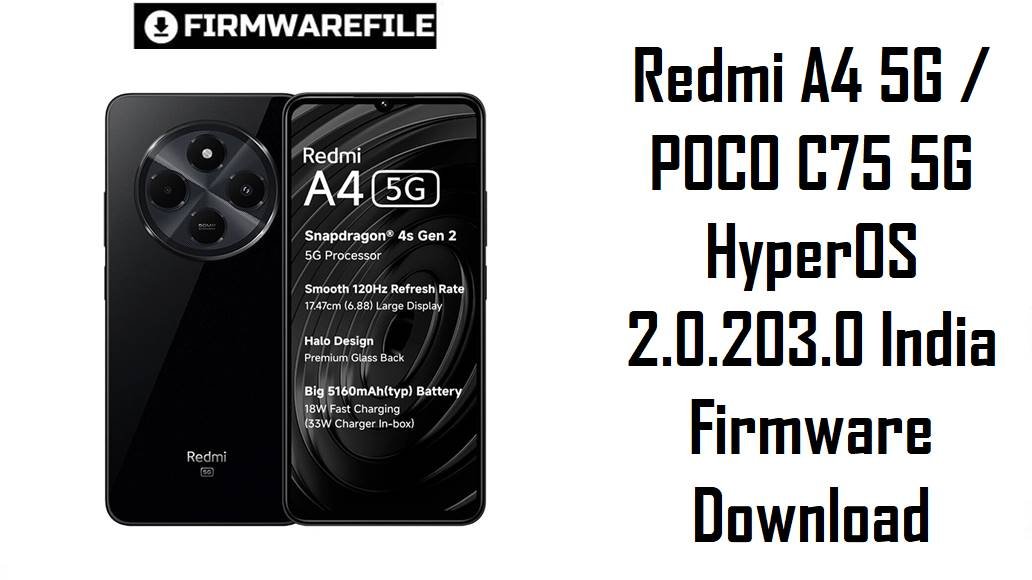
Redmi A4 5G / POCO C75 5G HyperOS 2.0.203.0 India Firmware Download
Redmi A4 5G and POCO C75 5G are budget 5G phones for India that pair Snapdragon 4s Gen 2 with HyperOS, but early firmware builds brought complaints about 5G registration bugs, heat, lag and heavy battery drain. The official HyperOS 2.0.203.0.VGVINXM India update for codename warm delivers a newer security patch and stability fixes, giving users a cleaner base to solve connectivity issues and random errors.
Download Firmware for Redmi A4 5G / POCO C75 5G (warm)
Both files below are official India (INXM) HyperOS 2.0.203.0.VGVINXM ROMs for Redmi A4 5G / POCO C75 5G with codename warm. The fastboot package suits clean installs and unbricks, while the full OTA ZIP is better for regular users updating from stock HyperOS without unlocking the bootloader.
| Filename | Region / Variant | Build Number | Build Date | Android Version | Flashing Method | File Size | Notes | Download |
|---|---|---|---|---|---|---|---|---|
| warm_in_global_images_OS2.0.203.0.VGVINXM_20251021.0000.00_15.0_in_13654be440.tgz | India (INXM) | OS2.0.203.0.VGVINXM | 2025‑10‑21 | Android 15.0 | Fastboot (Xiaomi Flash Tool) | ≈5.9 GB | Full HyperOS 2.0.203.0 India fastboot ROM for warm; best for clean flashing, fixing severe software problems and recovering phones that still enter fastboot mode. | Download Fastboot ROM |
| warm_in_global-ota_full-OS2.0.203.0.VGVINXM-user-15.0-75f5c1cd84.zip | India (INXM) | OS2.0.203.0.VGVINXM | 2025‑10‑28 | Android 15.0 | OTA / Recovery | ≈4.2 GB | Full HyperOS 2.0.203.0 India recovery / OTA package; ideal for in‑place update from earlier VGVINXM builds via System Updater or recovery, usually without wiping data. | Download Full OTA ZIP |
For most users whose phones boot normally, the OTA ZIP is the safer choice; use the fastboot ROM only when you specifically need a clean start or are troubleshooting serious firmware damage.
Complete Device & Firmware Overview
- Device Names
- Redmi A4 5G and POCO C75 5G (India variant) share the same firmware base.
- Codename
- warm — must match in fastboot and firmware filenames before flashing.
- Region / CSC
- India‑only HyperOS ROM with region code INXM, targeting officially sold Indian units.
- Chipset
- Qualcomm Snapdragon 4s Gen 2, tuned for efficiency and light gaming in affordable 5G phones.
- Firmware Type
- HyperOS 2.0.203.0.VGVINXM stable, provided as both fastboot (TGZ) and recovery/OTA (ZIP) images.
- Android & UI
- Android 15 with Xiaomi HyperOS 2, including updated system apps and background management.
- Security Patch
- Changelog states that this build moves to the November 2025 Android security patch and raises overall system security.
- Release Dates
- Fastboot ROM: 2025‑10‑21; Recovery / OTA: 2025‑10‑28 according to firmware trackers and update feeds.
- Known Issues on Older Builds
- Earlier India VGVINXM releases were linked with a 5G registration bug plus user‑reported heating, lag and abnormal battery drain under HyperOS.
- Key Improvements in 2.0.203.0
- Update notes mention better system stability, fixes for occasional errors, and the newer patch level, which together should reduce random crashes and network glitches.
- Flash Methods
- Fastboot via Xiaomi Flash Tool on Windows for the TGZ file; stock recovery / System Updater for the OTA ZIP, usually on locked bootloaders.
- Bootloader Rules
- Fastboot flashing normally needs an unlocked bootloader; OTA works on locked phones. Locking the bootloader after flashing the wrong region or codename risks boot loops and lost network.
- Required Tools
- Windows PC, Xiaomi USB drivers, Xiaomi Flash Tool (for fastboot), reliable USB‑C cable and MD5 checksums from firmware sites to confirm downloads.
Flashing ROMs for the wrong codename, region or a corrupted archive can permanently brick your Redmi A4 5G / POCO C75 5G or break 5G connectivity, so always confirm warm + INXM and verify the MD5 before you flash.
CRUCIAL WARNING: These ROMs are strictly for Redmi A4 5G / POCO C75 5G with codename warm and India region code INXM; do not flash them to other Xiaomi / Redmi / POCO models or different codenames, because cross‑flashing can hard‑brick the phone.
HyperOS builds are also tied to region identifiers, so avoid cross‑region and cross‑codename experiments unless you fully understand anti‑rollback, modem differences and recovery options.
Fastboot packages like warm_in_global_images_… wipe user data when flashed, and using options that lock the bootloader on a mismatched ROM can trigger boot failure or loss of mobile network.
Preparation Before Flashing
Click here for the Redmi A4 5G / POCO C75 5G pre‑flash checklist
- Confirm codename and region: In fastboot or via device info, verify that the phone reports codename warm and an India INXM build before downloading this firmware.
- Backup your data: Fastboot flashing will erase apps and internal storage, and even OTA updates can fail unexpectedly, so back up with Google, Xiaomi Cloud or a PC first.
- Charge the battery: Keep at least 50–60% charge to prevent shutdown during flashing, which can corrupt partitions.
- Install drivers and tools: On Windows, install Xiaomi USB drivers and Xiaomi Flash Tool for the fastboot ROM, or learn how to use the System Updater / recovery method for the OTA package.
- Check bootloader & anti‑rollback: Ensure the bootloader is unlocked before fastboot, and avoid downgrading below your current anti‑rollback index to prevent ARB errors.
Quick Firmware Flash Instructions
Here is a short overview for both the fastboot TGZ and the OTA ZIP; follow a full guide if you are new to flashing.
Fastboot method (TGZ)
- Prepare PC and ROM: Install Xiaomi USB drivers and Xiaomi Flash Tool, then download and extract warm_in_global_images_OS2.0.203.0.VGVINXM… to a simple folder like C:\warm_rom.
- Enter fastboot mode: Power off the phone, hold Volume Down + Power to enter fastboot and connect to the PC with a reliable USB‑C cable.
- Load ROM in tool: Open Xiaomi Flash Tool, select the extracted folder and confirm the device is detected.
- Flash the firmware: Choose a clean option (usually “clean all”), click “flash” and wait until the success status appears without disconnecting the phone.
- Verify build: After reboot, check About phone to confirm HyperOS 2.0.203.0.VGVINXM and codename warm are active.
OTA / recovery method (ZIP)
- Copy the OTA ZIP: Download warm_in_global-ota_full-OS2.0.203.0.VGVINXM… and place it in internal storage.
- Open System Updater: Go to Settings > About phone > HyperOS version and open the update screen.
- Select local package: Use the menu option like “Choose update package” and point to the downloaded ZIP.
- Install and reboot: Confirm the update, let verification and flashing complete, then allow the automatic reboot.
- Test the phone: After boot, confirm the new version and observe 5G, performance and battery over at least one day.
For full step‑by‑step tutorials with screenshots, use the Xiaomi fastboot flashing guide for the TGZ package and the manual OTA update guide for the recovery ZIP.
Frequently Asked Questions (FAQs)
- Q1. Which file should I choose: fastboot or OTA?
- If the phone boots fine and you just want to update, use the full OTA ZIP; choose the fastboot ROM when you need a clean install, want to remove deep software issues or are recovering from a failed update.
- Q2. Does this update fix the 5G connection bug on Redmi A4 5G / POCO C75 5G?
- The 5G registration problem was linked to older VGVINXM builds, and Xiaomi’s later bug reports plus this stability‑oriented release indicate that OS2.0.203.0 is part of the effort to improve reliability, including network behaviour.
- Q3. How does HyperOS 2.0.203.0 affect battery and performance?
- Community feedback around recent HyperOS releases shows that patches with stability and security focus often reduce abnormal drain and random lag compared with initial firmware, especially after a clean install or careful app cleanup.
- Q4. Can a clean fastboot flash help with heating issues on POCO C75 5G?
- Troubleshooting videos and guides for C75 5G link overheating to buggy configurations and background processes, and many recommend a fresh official ROM flash plus basic optimization as an effective way to bring temperatures down.
- Q5. Is it safe to downgrade from OS2.0.203.0 to an older HyperOS build?
- Because Xiaomi uses anti‑rollback protection and older India builds had known bugs, downgrading is risky and should only be attempted by advanced users who understand ARB indices and have recovery options ready.
- Q6. Where can I see the official changelog for this update?
- Firmware trackers list OS2.0.203.0.VGVINXM for warm with notes about improved system stability, fixes for certain errors and the November 2025 security patch, all of which aim to make the phone more reliable day‑to‑day.