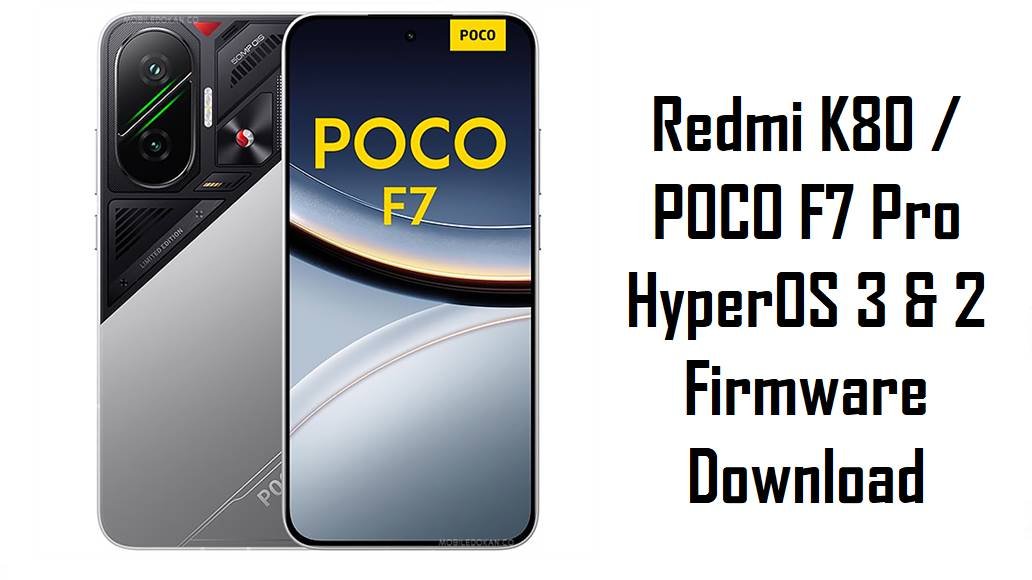
Redmi K80 / POCO F7 Pro HyperOS 3 & 2 Firmware Download
Redmi K80 and POCO F7 Pro deliver near‑flagship performance, but many owners report HyperOS 2 issues such as overheating, fast battery drain, frame drops in heavy games and random UI glitches. These official HyperOS 3 (Android 16) and HyperOS 2 (Android 15) fastboot ROMs for codename zorn, plus the xiaomi.eu custom build, let you clean‑flash region‑correct firmware to fix corrupted updates, stabilize performance and benefit from Xiaomi’s latest security patches.
Download Firmware for Redmi K80 / POCO F7 Pro (zorn)
All packages below are for devices with codename zorn: Redmi K80 (China/global) and POCO F7 Pro in supported markets. Match the region code in your current build (CNXM, MIXM, EUXM, RUXM, IDXM, TWXM, TRXM) before flashing to avoid modem, OTA and anti‑rollback problems.
| Filename | Region / Variant | Build Number | Build Date | Android Version | Flashing Method | File Size | Notes | Download |
|---|---|---|---|---|---|---|---|---|
| zorn_images_OS3.0.4.0.WOKCNXM_20251106.0000.00_16.0_cn_d3beb407d3.tgz | China (Redmi K80, CNXM) | OS3.0.4.0.WOKCNXM | 2025‑11‑06 | Android 16.0 | Fastboot (Xiaomi Flash Tool) | 8.84 GB | Latest China HyperOS 3 fastboot ROM; changelog notes improved system stability, fixes for occasional abnormal issues and integration of the November 2025 security patch, making it the best base for Chinese units needing a clean Android 16 install. | Download China Fastboot |
| zorn_eea_global_images_OS2.0.208.0.VOKEUXM_20251109.0000.00_15.0_eea_ee46428ee6.tgz | EEA / Europe (EUXM) | OS2.0.208.0.VOKEUXM | 2025‑11‑09 | Android 15.0 | Fastboot (Xiaomi Flash Tool) | 8.02 GB | Newest EEA HyperOS 2 fastboot ROM; firmware trackers list it with a late‑2025 security patch and stability optimizations, so it is the safest target for European POCO F7 Pro / Redmi K80 units that have not moved to HyperOS 3 yet. | Download EEA Fastboot |
| zorn_global_images_OS2.0.204.0.VOKMIXM_20251011.0000.00_15.0_global_d022c5a36b.tgz | Global (MIXM) | OS2.0.204.0.VOKMIXM | 2025‑10‑11 | Android 15.0 | Fastboot (Xiaomi Flash Tool) | 8.89 GB | Latest Global HyperOS 2 fastboot ROM; update posts highlight the October 2025 security patch and general stability improvements, making it ideal for fixing bugs from earlier VOKMIXM releases on international POCO F7 Pro. | Download Global Fastboot |
| zorn_ru_global_images_OS2.0.205.0.VOKRUXM_20251109.0000.00_15.0_ru_1f39c5ae84.tgz | Russia (RUXM) | OS2.0.205.0.VOKRUXM | 2025‑11‑09 | Android 15.0 | Fastboot (Xiaomi Flash Tool) | 8.79 GB | New Russia‑region HyperOS 2 fastboot ROM aligned with the same late‑2025 security baseline as other 2.0.20x builds; best choice for Russian Redmi K80 / POCO F7 Pro units to keep regional services and OTA working properly. | Download Russia Fastboot |
| zorn_id_global_images_OS2.0.204.0.VOKIDXM_20251109.0000.00_15.0_id_fa1b4a53c0.tgz | Indonesia (IDXM) | OS2.0.204.0.VOKIDXM | 2025‑11‑09 | Android 15.0 | Fastboot (Xiaomi Flash Tool) | 8.44 GB | Indonesia‑specific HyperOS 2 fastboot ROM; recommended for officially sold Indonesian POCO F7 Pro / Redmi K80 units to maintain carrier‑tuned 5G and VoLTE while benefiting from stability fixes. | Download Indonesia Fastboot |
| zorn_tw_global_images_OS2.0.205.0.VOKTWXM_20251109.0000.00_15.0_tw_d95e384e71.tgz | Taiwan (TWXM) | OS2.0.205.0.VOKTWXM | 2025‑11‑09 | Android 15.0 | Fastboot (Xiaomi Flash Tool) | 6.60 GB | Taiwan HyperOS 2 fastboot ROM with late‑2025 security patch and lightweight regional customizations; preferred for Taiwanese devices to avoid certification and payment‑app issues. | Download Taiwan Fastboot |
| zorn_tr_global_images_OS2.0.2.0.VOKTRXM_20250224.0000.00_15.0_tr_99936997ee.tgz | Turkey (TRXM) | OS2.0.2.0.VOKTRXM | 2025‑02‑24 | Android 15.0 | Fastboot (Xiaomi Flash Tool) | 7.68 GB | Very early Turkey HyperOS 2 fastboot ROM; older than the 2.0.20x line and likely missing the latest stability and battery optimizations, so only use for specific downgrade or recovery needs on Turkish units. | Download Turkey Fastboot |
| xiaomi.eu_ZORN_OS3.0.4.0.WOKCNXM_16.zip | xiaomi.eu custom ROM (based on China WOMCNXM) | OS3.0.4.0.WOKCNXM (xiaomi.eu) | 2025‑11 (community) | Android 16.0 | Fastboot script / custom recovery | 6.20 GB | Unofficial xiaomi.eu HyperOS 3 ROM derived from China OS3.0.4.0.WOKCNXM, adding extra languages, Google services and tweaks; requires unlocked bootloader and is meant for advanced users, not for restoring stock firmware. | Download xiaomi.eu ROM |
If you are not experimenting, always prefer the stock fastboot ROM that matches your phone’s original region (MIXM, EUXM, CNXM, etc.) and avoid the xiaomi.eu build unless you specifically want a custom ROM and understand the implications.
Complete Device & Firmware Overview
- Device Names
- Redmi K80 (China/global) and POCO F7 Pro share the same platform and codename zorn.
- Codename
- zorn — must match in fastboot mode and filename before flashing any ROM listed here.
- Regions / Variants
- China (WOKCNXM), Global (VOKMIXM), EEA (VOKEUXM), Russia (VOKRUXM), Indonesia (VOKIDXM), Taiwan (VOKTWXM), Turkey (VOKTRXM), plus xiaomi.eu custom ROM based on the China branch.
- Firmware Types
- Official HyperOS 3.0 (Android 16) fastboot for China; HyperOS 2.0 (Android 15) fastboot for global regions; HyperOS 3.0 xiaomi.eu ZIP as a community, non‑official option.
- Security Patch Levels
- OS3.0.4.0.WOKCNXM integrates the November 2025 Android security patch, while VOKMIXM/VOKEUXM/VOKIDXM branches track October–November 2025 patches and increased system security.
- Key User Pain Points
- Owners of POCO F7‑class devices commonly complain about HyperOS overheating, heavy battery drain, jittery animations and minor software bugs on early builds.
- What These Updates Improve
- Changelogs and HyperOS 3 coverage emphasize system stability optimization, bug fixes for random issues, smoother animations and better power efficiency, especially under gaming and video workloads.
- Flash Method
- All TGZ files are fastboot ROMs meant for Windows PCs using Xiaomi’s fastboot tools; the xiaomi.eu ZIP bundles its own fastboot scripts or can be flashed via custom recovery.
- Bootloader Rules
- Fastboot flashing and all custom ROMs require an unlocked bootloader; relocking on a mismatched or modified ROM can cause boot loops, “device locked” errors or loss of mobile network.
- Required Tools
- Windows PC, Xiaomi USB drivers, Xiaomi Flash Tool (or compatible fastboot flasher), reliable USB‑C cable and MD5/SHA checksums from trusted firmware sites to verify downloads.
Flashing ROMs for the wrong codename, region or a corrupted file can permanently brick your Redmi K80 / POCO F7 Pro or break 5G connectivity, so always confirm zorn, the exact region suffix, and checksum values before you start.
CRUCIAL WARNING: These fastboot ROMs are strictly for Redmi K80 / POCO F7 Pro with codename zorn; they must not be flashed to other Xiaomi / Redmi / POCO models or different codenames, because cross‑flashing can permanently brick the device.
Each build is region‑locked by code (WOKCNXM, VOKMIXM, VOKEUXM, VOKRUXM, VOKIDXM, VOKTWXM, VOKTRXM), so you should normally flash the ROM that matches your phone’s original region and avoid cross‑region flashing unless you fully understand anti‑rollback and modem differences.
All official zorn_*.tgz fastboot packages wipe user data when flashed, and choosing “clean all and lock” with a mismatched or custom ROM can relock the bootloader and cause boot or network issues.
Preparation Before Flashing
Click here for the Redmi K80 / POCO F7 Pro pre‑flash checklist
- Confirm codename and region: In fastboot mode, verify the device shows zorn, then check your current HyperOS version string (MIXM, EUXM, CNXM, etc.) in Settings > About phone so you can download the matching ROM.
- Backup all personal data: Fastboot flashes perform a clean install that erases apps and internal storage; back up to Xiaomi Cloud, Google or a PC before you start.
- Charge to at least 50–60%: Make sure the battery is well charged to avoid shutdown during flashing, which can corrupt partitions and leave the phone unbootable.
- Install drivers and tools: On your Windows PC, install Xiaomi USB drivers and Xiaomi Flash Tool (or similar fastboot utility) and verify that your device is detected in fastboot mode.
- Check bootloader & anti‑rollback: Ensure the bootloader is unlocked before fastboot or xiaomi.eu flashing, and avoid downgrading below your current anti‑rollback index to prevent ARB errors.
Quick Firmware Flash Instructions
These high‑level steps cover flashing any official zorn_…images_… fastboot ROM (for example OS2.0.204.0.VOKMIXM or OS3.0.4.0.WOKCNXM) on a Windows PC using Xiaomi’s fastboot tool.
- Prepare PC and ROM: Install Xiaomi USB drivers and Xiaomi Flash Tool, then download and extract the chosen zorn_…images_… TGZ to a short path like C:\zorn_rom.
- Enter fastboot mode: Power off the phone, hold Volume Down + Power until the fastboot logo appears, then connect it to the PC with a reliable USB‑C cable.
- Load the ROM in the tool: Open Xiaomi Flash Tool, select the extracted ROM folder and confirm that your device is listed as connected.
- Flash with “clean all”: Choose a mode that wipes data but does not lock the bootloader (commonly “clean all”), click the flash button and wait for the success result without unplugging the phone.
- First boot and verification: Let HyperOS boot (first start can take several minutes), then check About phone to verify zorn, region suffix and build number match the ROM you installed.
For a detailed walkthrough with screenshots, driver troubleshooting and anti‑rollback tips, follow the main Xiaomi fastboot firmware guide and simply point it to the appropriate zorn_*.tgz folder when asked to select a ROM.
Frequently Asked Questions (FAQs)
- Q1. Which fastboot ROM is safest for my Redmi K80 / POCO F7 Pro?
- The safest choice is always the ROM that matches your device’s original region code, such as OS2.0.204.0.VOKMIXM for Global, OS2.0.208.0.VOKEUXM for EEA, OS2.0.204.0.VOKIDXM for Indonesia, OS2.0.205.0.VOKRUXM for Russia, OS2.0.205.0.VOKTWXM for Taiwan, OS2.0.2.0.VOKTRXM for Turkey or OS3.0.4.0.WOKCNXM for China.
- Q2. Is HyperOS 3 (OS3.0.4.0.WOKCNXM) worth installing on China Redmi K80?
- China OS3.0.4.0.WOKCNXM brings Android 16, a refreshed HyperOS 3 interface, improved system stability and the November 2025 security patch, so most Chinese users concerned about bugs or battery on older builds will benefit from updating if they are comfortable with a clean flash.
- Q3. Will these ROMs fix overheating and battery drain on POCO F7 Pro?
- HyperOS bug reports and optimization guides show that newer builds with updated schedulers, memory handling and security patches often reduce abnormal heat and drain compared with early firmware, especially after a clean install and basic tuning.
- Q4. What is the xiaomi.eu_ZORN_OS3.0.4.0.WOKCNXM_16.zip ROM?
- It is an unofficial ROM built from the China HyperOS 3 base that adds multi‑language support, Google services and extra tweaks; it targets enthusiasts with unlocked bootloaders and is not recommended if you simply want to stay fully stock with OTA support.
- Q5. Can I flash China or EEA firmware on a Global device?
- Some advanced users cross‑flash, but Xiaomi’s firmware is region‑sensitive and mixing regions can affect modem configuration, OTA updates, banking apps and anti‑rollback, so average users should stay on their matching region ROM.
- Q6. Where can I see the official changelog for OS3.0.4.0.WOKCNXM?
- Firmware trackers list this build for Redmi K80 / POCO F7 Pro with notes like “optimized system stability,” “fixed occasional abnormal issues” and “updated the security patch to November 2025,” confirming it is primarily a bug‑fix and security‑hardening release.