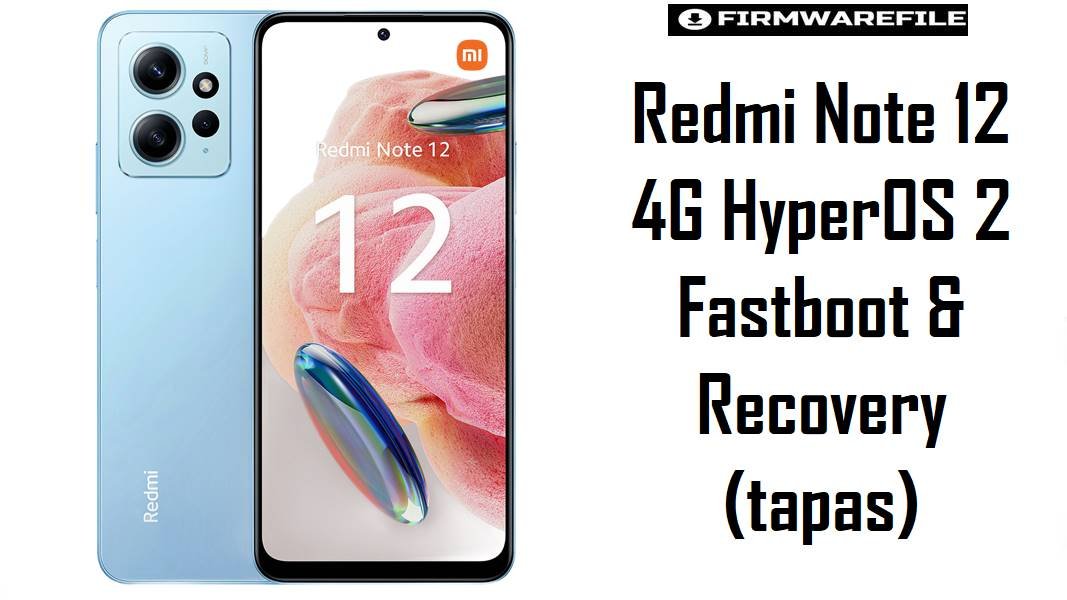
Redmi Note 12 4G HyperOS 2 Fastboot & Recovery (tapas)
The Redmi Note 12 4G (codename tapas) is a budget AMOLED phone that many users buy for reliable daily use and casual gaming rather than raw performance. On HyperOS 2 and Android 15, correct regional firmware and a stable recovery setup are crucial to avoid lockscreen bugs, modem issues, or soft bricks when experimenting with root and custom ROMs.
Download Firmware for Redmi Note 12 4G (tapas)
These HyperOS 2 fastboot ROMs and one Xiaomi.eu build are listed with their main use cases, followed by official TWRP and OrangeFox recoveries maintained for this model. Always prefer the newest stable build for your own region unless you have a clear reason to downgrade or move between branches.
| Filename | Region | Build / Channel | Release Window | Android / OS | Flashing Method | Size | Patch Level (est.) | Best For | Notes / Download |
|---|---|---|---|---|---|---|---|---|---|
| tapas_global_images_OS2.0.203.0.VMTMIXM_20251106.0000.00_15.0_global_af7046ce67.tgz | Global (MI) | OS2.0.203.0 VMTMIXM – Stable | Early Nov 2025 | Android 15 / HyperOS 2 | Fastboot (Mi Flash / fastboot) | 6.64 GB | Around Nov/Dec 2025 | Most Redmi Note 12 4G global owners needing a clean HyperOS 2 base for daily use, gaming, and banking apps. | This ROM supersedes earlier Global HyperOS builds such as OS2.0.12.0 and OS2.0.8.0 for tapas, and is a good baseline if you are coming from MIUI 14 or an early HyperOS release. Keep older Global fastboot ROMs only when you deliberately test regressions (for example, lockscreen lockout issues reported on earlier 2.0.201.0 builds).Download Global Fastboot |
| tapas_in_global_images_OS2.0.202.0.VMTINXM_20251014.0000.00_15.0_in_299e3ae05a.tgz | India (IN) | OS2.0.202.0 VMTINXM – Stable | Mid Oct 2025 | Android 15 / HyperOS 2 | Fastboot (Mi Flash / fastboot) | 5.55 GB | Likely Oct/Nov 2025 | Indian Redmi Note 12 4G units (no NFC) with model codes like 23027RAD4I needing region‑tuned modem and services. | If your device shipped for the Indian market, this IN build is the safest HyperOS 2 option for full wipes and recovery; flashing Global VMTMIXM just to remove a few apps may change LTE/Vi/Geo/Jio behavior or OTA paths. Older Indian fastboot ROMs (for example OS2.0.4.0 VMTINXM) remain useful for staged downgrades but are no longer ideal for daily use. Download India Fastboot |
| tapas_tr_global_images_OS2.0.202.0.VMTTRXM_20251014.0000.00_15.0_tr_a7c06237d0.tgz | Turkey (TR) | OS2.0.202.0 VMTTRXM – Stable | Mid Oct 2025 | Android 15 / HyperOS 2 | Fastboot (Mi Flash / fastboot) | 6.07 GB | Likely Oct 2025 | Turkish devices that require local regulations and operator optimization with a near‑current HyperOS 2 build. | Turkey usually receives updates slightly differently from Global; this TR ROM is a good compromise between freshness and regional compatibility. Earlier Turkey fastboot packages (such as OS2.0.3.0 VMTTRXM) are now mainly for targeted rollbacks when debugging specific bugs. Download Turkey Fastboot |
| xiaomi.eu_multi_TAPAS_OS1.0.4.0.UMTMIXM_os1-14.zip | xiaomi.eu Custom (Global‑based) | OS1.0.4.0 UMTMIXM – Custom ROM (HyperOS 1, Android 14) | Based on early HyperOS 1 Global | Android 14 / HyperOS 1 (modded) | Custom recovery (TWRP / OrangeFox) | 4.26 GB | Follows underlying UMTMIXM patch | Enthusiasts who prefer Xiaomi.eu tweaks and languages on Redmi Note 12 4G while staying one major OS version behind the latest Android 15 HyperOS 2. | This Xiaomi.eu package is based on HyperOS 1.0.4.0 UMTMIXM, so it is older than the HyperOS 2 fastboot ROMs above; use it if you specifically want a tuned EU‑style ROM on Android 14. It requires an unlocked bootloader and working custom recovery, and it will disable stock OTA updates in favor of manual zip flashing. Download Xiaomi.eu ROM |
| twrp-3.7.1_12-0-tapas-TeamWin.img | All tapas/topaz variants (official TWRP) | TWRP 3.7.1_12-0 – Custom recovery | Android 12–15 capable build | Recovery environment only | Boot/flash via fastboot | 105 MB | N/A | Users needing reliable decryption, backup, and ROM flashing support on Redmi Note 12 4G with official TWRP device tree. | This TWRP build is officially listed for Xiaomi Redmi Note 12 4G (tapas) and supports typical operations such as MTP, wipe, backup, and zip flashing. Best practice is to first use fastboot boot to test decryption and touch, then decide whether to install it permanently as the main recovery.Download TWRP Image |
| OrangeFox-R11.3_1-tapas.zip | All tapas variants (unofficial OrangeFox) | OrangeFox R11.3_1 – Custom recovery | Android 13–15 era build | Recovery environment only | Flashed from existing recovery / fastboot image | 70 MB | N/A | Power users who prefer OrangeFox’s UI and update handling for frequent ROM changes on Redmi Note 12 4G. | OrangeFox for tapas is built from the same device tree as TWRP but adds its own interface and some extra tools; as an unofficial build, it should be tested carefully for decryption and stability on the latest HyperOS. Always keep at least one matching fastboot ROM ready in case a recovery update fails and the phone can only boot to fastboot.Download OrangeFox |
Complete Device & Firmware Overview
- Device Name
- Redmi Note 12 4G, codename
tapas(with closely related topaz variant for some international NFC models). - Model Numbers
- Typical codes include 23021RAAEG (Global), 23027RAD4I (India), and 23028RA60L (Latin America).
- Chipset
- Qualcomm Snapdragon 685/680‑class platform, focused on efficiency for day‑to‑day tasks and light gaming rather than flagship performance.
- Display
- 6.67″ FHD+ 120 Hz AMOLED panel; firmware tuning typically impacts smoothness, touch latency, and battery drain more than raw refresh rate.
- Memory & Storage
- 4/6/8 GB RAM and 64/128 GB UFS 2.2 storage with microSD expansion up to 1 TB, as documented in the official device tree.
- Battery
- 5000 mAh non‑removable Li‑Po cell designed for all‑day use; HyperOS changes influence standby drain and charging behavior, not cell capacity.
- Original OS
- Shipped on Android 13 / MIUI 14, now updated to HyperOS 1 and HyperOS 2 with Android 14 and 15 depending on region.
- Firmware Types Listed
- HyperOS 2 Android 15 fastboot ROMs (
.tgz) for Global/India/Turkey, one Xiaomi.eu HyperOS 1 zip, and two custom recoveries (TWRP and OrangeFox) fortapas. - Latest Known Global Baseline
- Global HyperOS 2 OS2.0.204.0 VMTMIXM fastboot/recovery builds are documented as newer than OS2.0.203.0, so treat 2.0.203.0 as nearly current but one step behind the absolute latest release.
- Known HyperOS Issues
- Some early HyperOS 2 builds like 2.0.201.0 have lockscreen time‑out bugs (very long lock times after one wrong password), which later updates aim to improve.
- Bootloader Status
- OTA updates and stock operation work on locked bootloaders; fastboot ROMs, Xiaomi.eu, and custom recoveries require an unlocked bootloader.
- Bootloader Rules
- Relocking is only safe on official, unmodified firmware for your exact region; relocking on Xiaomi.eu or cross‑region HyperOS builds risks bootloops and “NV data is corrupted” type errors.
- Fastboot ROM Size
- HyperOS 2 fastboot packages range from about 5.5 GB (India) to over 6.6 GB (Global/Turkey), so a stable connection and plenty of disk space are required.
- Required Tools
- Windows PC, Qualcomm USB drivers, Xiaomi Mi Flash Tool (or fastboot/QFIL for advanced users), ADB/fastboot binaries, and a reliable USB‑C cable.
- Custom Development
- The tapas device tree is actively maintained for TWRP/OrangeFox and numerous custom ROMs, making this a popular phone for budget modding.
- Who Benefits Most from Fastboot ROMs
- Users recovering from bootloops, failed custom ROMs, or corrupted NV data and those performing clean upgrades from MIUI 14 to HyperOS 2.
- Who Should Stay on OTA
- Owners satisfied with current performance, who do not root their phone and prefer minimal risk; OTA from Settings is safer than manual flashing.
CRUCIAL WARNING: These HyperOS fastboot ROMs and custom recoveries are strictly for Redmi Note 12 4G devices with codename tapas (and related topaz variants where explicitly supported). They must not be flashed to Redmi Note 12 5G, Note 12 Pro, or other models with different codenames.
All official tapas_*_images_*.tgz fastboot packages typically wipe user data when flashed via Xiaomi’s tools, and choosing options like “clean all and lock” on a mismatched region or modified ROM can permanently lock the bootloader on unsupported firmware and cause bootloops or network‑related errors such as “NV data is corrupted.”
Preparation Before Flashing
Show essential preparation checklist for Redmi Note 12 4G (tapas)
- Confirm under Settings > About phone that your device is Redmi Note 12 4G, then in fastboot mode run
fastboot getvar productto ensure the codename istapas(not sapphire, sapphireN, etc.). - Identify your original region (Global VMTMIXM, India VMTINXM, Turkey VMTTRXM) and choose a matching HyperOS 2 fastboot ROM; avoid cross‑region flashing unless you fully understand the implications for modem and OTA.
- Back up WhatsApp, photos, game data, and app logins; many users keep this phone as their only device, and a clean fastboot flash will usually erase all internal storage.
- Install Qualcomm drivers, Mi Flash Tool, and ADB/fastboot on a stable Windows PC; connect the phone in fastboot mode and verify that it is detected before you load any firmware.
- Charge the battery to at least 60% and use a solid USB‑C cable, as mid‑flash disconnections can leave the phone requiring more advanced recovery methods.
Quick Firmware Flash Instructions
These short steps summarize flashing for official HyperOS 2 fastboot ROMs and the Xiaomi.eu/custom recovery combination; always follow the linked full guides for screenshots and troubleshooting.
Official HyperOS 2 fastboot ROMs (.tgz – Global / India / Turkey)
- Download the correct fastboot ROM for your region (for example, OS2.0.203.0 VMTMIXM for most Global units, or OS2.0.202.0 VMTINXM for India) and extract the
.tgzto a simple folder path on your PC. - With the bootloader unlocked, power off the Redmi Note 12 4G, hold Volume Down + Power to enter fastboot mode, then connect it to your computer via USB‑C.
- Open Xiaomi Mi Flash Tool, point it to the extracted
tapas_*_images_*.tgzdirectory, click “refresh” to detect the device, and choose a flash configuration that does not lock the bootloader if you cross‑flash or plan to keep custom recovery. - Start the flash, wait until Mi Flash reports success, and allow the phone to reboot automatically into HyperOS; do not disconnect the cable or close the tool prematurely.
- After boot, complete setup, check IMEI and signal, test fingerprint and lockscreen behavior, and then look for further OTA updates within the same region if needed.
For a full HyperOS/Xiaomi fastboot tutorial tailored to Mi Flash usage, refer to: How to flash Xiaomi firmware with Mi Flash Tool.
Xiaomi.eu ROM & custom recovery (TWRP / OrangeFox)
- Unlock the bootloader, copy
xiaomi.eu_multi_TAPAS_OS1.0.4.0.UMTMIXM_os1-14.zipto internal storage, and keep a matching official HyperOS 1 or 2 fastboot ROM fortapason your PC as a fallback. - Boot the phone into fastboot and temporarily start TWRP with a command such as
fastboot boot twrp-3.7.1_12-0-tapas-TeamWin.imgto verify that it can decrypt your data and that touch works correctly. - From TWRP or OrangeFox, create backups where possible, wipe the recommended partitions (system, vendor, cache, and usually data when coming from MIUI/HyperOS stock), then flash the Xiaomi.eu ROM zip and wait for completion.
- Reboot into system and allow extra time for the first boot; confirm network connectivity, cameras, and your main apps before adding Magisk modules or further tweaks.
- If everything is stable, you may optionally install TWRP or OrangeFox into the recovery partition; if not, continue using
fastboot bootto keep a lower‑risk recovery setup.
For the generic fastboot concepts used alongside these recoveries, see: How to flash Android firmware using fastboot.
Frequently Asked Questions (FAQs)
1. How do I confirm that my Redmi Note 12 4G is really the tapas variant before flashing?
Enter fastboot mode and run fastboot getvar product; a compatible device should report tapas as codename. You can also compare your model number (for example, 23021RAAEG, 23027RAD4I, 23028RA60L) with reference firmware sites that list tapas‑specific builds.
2. Does updating to HyperOS 2 OS2.0.203.0 VMTMIXM improve the lockscreen bug that locks for hundreds of minutes?
The long lockout bug after entering a wrong password once was reported on earlier HyperOS 2 releases (for example, 2.0.201.0), and later maintenance builds are expected to mitigate such issues. While newer firmware often improves behavior, always read user reports for your exact build before flashing and keep one older stable ROM for rollback if needed.
3. Can I safely move from Indian VMTINXM to Global VMTMIXM for better language and bloat control?
Cross‑flashing Global on an Indian Redmi Note 12 4G usually boots, but it can change band provisioning, VoLTE behavior, and OTA update paths, especially over multiple updates. If you value network reliability on local carriers over minor app differences, staying on VMTINXM or using Xiaomi.eu on top of an Indian base is a more conservative approach.
4. Is Xiaomi.eu OS1.0.4.0 UMTMIXM still worth using now that HyperOS 2 Android 15 is available?
Xiaomi.eu based on HyperOS 1 offers a tuned, de‑bloated experience with certain extras but lacks Android 15 changes and the latest security patches found in HyperOS 2. It suits users who prefer stability on a known Android 14 base and are comfortable flashing later if they need features or security fixes from newer versions.
5. Should I install TWRP or OrangeFox as my permanent recovery on tapas?
Official TWRP is a safer default for most users because it is listed on Team Win’s site and uses a maintained device tree, while OrangeFox adds features but is unofficial. A practical strategy is to fastboot boot each recovery, test decryption and backups, and only install the one that behaves reliably with your current HyperOS build.
6. What is the safest way to recover from “NV data is corrupted” or no‑network issues after a failed update?
When the device still boots to fastboot, flashing the correct regional HyperOS fastboot ROM (for example, VMTMIXM for Global or VMTINXM for India) is often the cleanest fix for corrupted modem or NV partitions. If the error persists after a clean flash, professional repair or specialized EFS/NV restore procedures may be required; repeatedly mixing regions can make the problem harder to solve.
7. Is it worth unlocking the bootloader on Redmi Note 12 4G just to try one or two custom ROMs?
Unlocking gives access to a large custom ROM ecosystem and better control over updates, but it also disables some security features and can break certain payment or DRM‑heavy apps until configured correctly. For a primary device used for banking and work, staying on stock HyperOS 2 and OTAs is lower risk; use custom ROMs mainly if you accept potential downtime and extra maintenance.