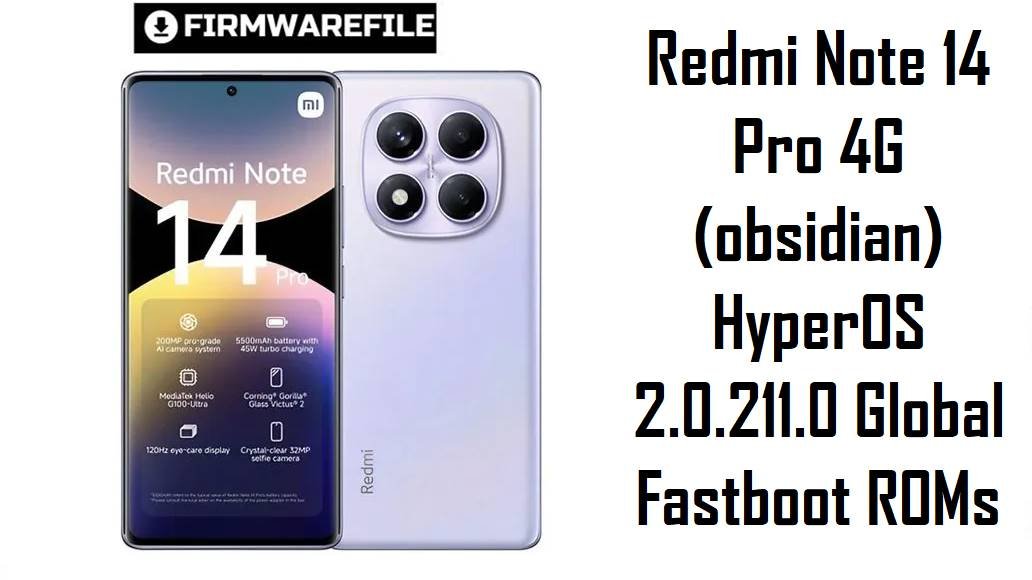
Redmi Note 14 Pro 4G (obsidian) HyperOS 2.0.211.0 Global Fastboot ROMs
Redmi Note 14 Pro 4G (codename obsidian) is a camera‑centric mid‑range phone with a 6.67‑inch 120 Hz AMOLED display, 200 MP main camera and a 5500 mAh battery with 45 W fast charging. Reviews highlight excellent display and camera detail for the price, but real‑world users also report mid‑tier gaming performance from the Helio G100 Ultra, no 4K video, slow or inconsistent charging versus the specs, heat build‑up in some usage patterns and HyperOS bugs like brightness quirks and network/signal issues on early builds.
The official HyperOS 2.0.x Android 15 fastboot ROMs below give you a clean, region‑correct base that improves security, smooths performance and helps clear out problems caused by buggy OTAs or heavy customization.
Download Firmware for Redmi Note 14 Pro 4G (obsidian)
Choose the newest OS2.0.2xx build that exactly matches your region code; Global OS2.0.211.0.VOFMIXM is currently the most up‑to‑date and is recommended for most international units, while the other packages keep Russia, EEA or Turkey devices on their native tracks.
| Filename | Region / Variant | Build Number | Build Date | Android / HyperOS | Flashing Method | File Size | Notes | Download |
|---|---|---|---|---|---|---|---|---|
| obsidian_global_images_OS2.0.211.0.VOFMIXM_20251105.0000.00_15.0_global_bccd49cc30.tgz | Global – Redmi Note 14 Pro 4G (obsidian) | OS2.0.211.0.VOFMIXM (Global Stable) | 5 Nov 2025 build, global rollout late Nov 2025 | Android 15.0 / HyperOS 2.0 | Xiaomi Flash Tool (fastboot, Windows) | ≈7.59 GB | Latest and most secure global HyperOS 2 build for obsidian, with November 2025 security patch and “increased system security” according to release notes. Recommended for most Global units after OTA issues, heat/drain complaints or when you want a clean Android 15 base before HyperOS 3. | Download from Xiaomi (Global) |
| obsidian_ru_global_images_OS2.0.206.0.VOFRUXM_20251111.0000.00_15.0_ru_6aacc88f8d.tgz | Russia – Redmi Note 14 Pro 4G (obsidian) | OS2.0.206.0.VOFRUXM (RU Stable) | 11 Nov 2025 build | Android 15.0 / HyperOS 2.0 | Xiaomi Flash Tool (fastboot) | ≈7.48 GB | Use this ROM if About phone ends with VOFRUXM; keeps Russian localization, modem tuning and OTA branch while updating security and squashing known HyperOS 2 bugs. | Download from Xiaomi (Russia) |
| obsidian_eea_global_images_OS2.0.208.0.VOFEUXM_20251111.0000.00_15.0_eea_8fad48c7dd.tgz | EEA / Europe – Redmi Note 14 Pro 4G (obsidian) | OS2.0.208.0.VOFEUXM (EEA Stable) | 11 Nov 2025 build | Android 15.0 / HyperOS 2.0 | Xiaomi Flash Tool (fastboot) | ≈6.78 GB | Intended for EU models with VOFEUXM; respects EEA rules and OTA cadence, and is a safe target when cleaning up after buggy OTAs or major version jumps. | Download from Xiaomi (EEA) |
| obsidian_tr_global_images_OS2.0.207.0.VOFTRXM_20251111.0000.00_15.0_tr_2216e423d5.tgz | Turkey – Redmi Note 14 Pro 4G (obsidian) | OS2.0.207.0.VOFTRXM (TR Stable) | 11 Nov 2025 build | Android 15.0 / HyperOS 2.0 | Xiaomi Flash Tool (fastboot) | ≈6.45 GB | Latest Turkish fastboot ROM for VOFTRXM devices; changelog also mentions November 2025 security patch and system security improvements. Ideal for unbricking or refreshing Turkey units after failed OTAs. | Download from Xiaomi (Turkey) |
Clarity tip: On your phone, go to Settings → About phone → HyperOS version and match the last block (VOFMIXM, VOFRUXM, VOFEUXM or VOFTRXM) against the table above; if they don’t match, do not flash that ROM unless you are deliberately cross‑flashing and understand the risks.
Complete Device & Firmware Overview
- Device name
- Redmi Note 14 Pro 4G – mid‑range Redmi Note with a focus on camera and big battery rather than 5G.
- Codename
- obsidian – firmware and update trackers confirm this codename belongs to Redmi Note 14 Pro 4G.
- SoC / chipset
- MediaTek Helio G100 Ultra, 6 nm octa‑core mid‑range processor designed for balanced performance and efficiency.
- Display
- 6.67‑inch AMOLED, 1080 × 2400, 120 Hz refresh, up to around 1300–1800 nits peak brightness, protected by Gorilla Glass Victus 2.
- Memory & storage
- Typical configs: 8/128 GB, 8/256 GB, 12/256 GB and 12/512 GB (LPDDR4X + UFS 2.2), with microSD expansion on many regional SKUs.
- Battery & charging
- 5500 mAh battery with 45 W “turbo charging” in Xiaomi’s official spec, but some reviews measure slower real‑world speeds and heat around 40 °C during long top‑ups.
- Cameras
- Rear: 200 MP main (1/1.4″‑class, OIS) + 8 MP ultra‑wide + 2 MP macro; front: 32 MP selfie camera. Still photos are detailed, but users note shaky 1080p video and missing 4K recording at this price point.
- Connectivity & extras
- 4G‑only (no 5G), dual‑SIM, stereo speakers, side fingerprint reader; IP64‑class dust/splash protection on many variants.
- Typical user pain points
- Complaints include lack of 5G, no 4K video, Helio G100 Ultra being just “OK” for gaming, charging that feels slower than advertised, and occasional heating and battery‑drain concerns linked to display/charging settings and HyperOS behavior.
- HyperOS issues & bug context
- Community posts for Redmi Note 14/14 Pro series mention bugs like brightness anomalies, signal drops and fast battery drain after certain HyperOS updates, with Xiaomi releasing follow‑up builds claiming to fix “all bugs” on affected models.
- Firmware family here
- HyperOS 2.0.x, Android 15, fastboot ROMs for obsidian: – Global: OS2.0.211.0.VOFMIXM – Russia: OS2.0.206.0.VOFRUXM – EEA: OS2.0.208.0.VOFEUXM – Turkey: OS2.0.207.0.VOFTRXM.
- Android version
- All listed obsidian builds are Android 15‑based HyperOS 2.0 stable releases, sitting above early Android 14 HyperOS firmwares for this phone.
- Security patch level
- Telegram and tracker posts show these OS2.0.20x obsidian builds raising the security patch to November 2025 while “increasing system security.”
- File types here
- All files are official fastboot ROMs in .tgz format containing full partition images for use with Xiaomi Flash Tool on Windows.
- Bootloader & tools
- Fastboot ROMs require an unlocked bootloader (Mi Unlock) and Xiaomi Flash Tool; unlocking wipes user data once and may involve a waiting period.
- When these ROMs help
- Best for unbricking after failed OTAs, fixing random bugs or heat/drain caused by dirty updates, or moving to the latest stable Android 15 HyperOS 2 build for your region while you wait for fully stable HyperOS 3.
Flashing the wrong codename, region or a corrupted ROM on Redmi Note 14 Pro 4G can cause serious problems including no signal, bootloops or a completely dead device, so double‑check obsidian, Android version and region suffix before proceeding.
CRUCIAL WARNING: These fastboot ROMs are strictly for Redmi Note 14 Pro 4G with codename obsidian; never flash them to Redmi Note 14 Pro 5G, other Note 14 models, or any Redmi/POCO device with a different codename or you risk permanent hard‑brick.
Each package is region‑locked by code (VOFMIXM Global, VOFRUXM Russia, VOFEUXM EEA, VOFTRXM Turkey). You should normally stick to the same suffix your phone shipped with because cross‑region flashing can break modem behavior, emergency numbers, VoLTE profiles and future OTA updates, especially on modern HyperOS with anti‑rollback.
Official obsidian_*images_*.tgz fastboot packages overwrite core partitions and typically wipe user data; using options like “clean all and lock” on a mismatched or modified system can relock the bootloader on an unsupported ROM and cause bootloops, Mi account‑binding problems or loss of network service.
Preparation Before Flashing
Click here for the Redmi Note 14 Pro 4G (obsidian) pre‑flash checklist
- Confirm exact model & codename: Boot to fastboot and run fastboot getvar product; only proceed if it returns obsidian, and make sure your current build suffix (MIXM, RUXM, EUXM, TRXM) matches the ROM you intend to flash.
- Backup user data: Fastboot flashing usually erases apps and internal storage. Back up photos, videos, chats, 2FA codes and documents using Mi Cloud, Google or a PC before starting.
- Charge to safe level: Because inconsistent charging speeds and some heat have been reported, charge to at least 50–60% and avoid heavy use or extreme fast‑charging profiles while flashing.
- Unlock the bootloader: Use Xiaomi’s Mi Unlock tool on Windows; this is mandatory for fastboot ROMs and will wipe your data once during unlock.
- Install drivers & extract ROM: Install Xiaomi USB drivers and Xiaomi Flash Tool. Fully extract the chosen obsidian_*images_*.tgz into a short path like C:\obsidian_OS2.0.211.0 to avoid folder‑path issues in the flasher.
Quick Firmware Flash Instructions
This simplified guide covers flashing any of the listed fastboot ROMs (for example obsidian_global_images_OS2.0.211.0.VOFMIXM…) using Xiaomi’s fastboot flashing tool on a Windows PC.
- Prepare PC & ROM: Install Xiaomi USB drivers and Xiaomi Flash Tool. Download the correct obsidian_*images_*.tgz ROM for your region and extract it into a simple folder such as C:\obsidian_fastboot.
- Enter fastboot mode: Power off the phone, hold Volume Down + Power until the fastboot logo appears, then connect the device to your PC using a reliable USB‑C cable.
- Select ROM in Xiaomi Flash: Open Xiaomi Flash Tool, click Select and choose the extracted ROM folder. Confirm that your device is detected and set the flashing mode to clean all for a fresh installation.
- Start flashing: Click Refresh then Flash. Wait until the progress bar completes and the tool shows a green success status; do not unplug or let the PC sleep while flashing.
- First boot & setup: The phone will reboot into HyperOS 2 (Android 15). The first boot can take several minutes while apps are optimized; afterwards, complete the setup wizard and restore your backups.
For a more detailed Xiaomi fastboot flashing walkthrough (drivers, common errors, anti‑rollback checks), use this guide and substitute your extracted obsidian ROM folder whenever it asks for a fastboot package: Complete Guide on how to flash Redmi Note 14 Pro 4G (obsidian).
Frequently Asked Questions (FAQs)
- Q1. Which HyperOS 2 fastboot ROM should I choose for my Redmi Note 14 Pro 4G?
- Match your phone’s region code in About phone: use OS2.0.211.0.VOFMIXM for Global, OS2.0.206.0.VOFRUXM for Russia, OS2.0.208.0.VOFEUXM for EEA, and OS2.0.207.0.VOFTRXM for Turkey. For most people, the latest region‑matching build is the safest and most stable option.
- Q2. Will these HyperOS 2.0.2xx ROMs fix heating and battery drain on Redmi Note 14 Pro 4G?
- Videos and guides show that many heat/drain issues on Note 14/14 Pro depend on charging habits, screen brightness and background apps, not just firmware. Updating to a clean, current ROM reduces software bugs and lets you combine the new battery‑management tweaks in HyperOS 2.0 with better settings for a cooler, longer‑lasting experience.
- Q3. Do these updates improve camera quality or just add stability?
- Official changelogs for obsidian focus mainly on security and “system stability,” but Xiaomi often quietly refines camera processing in point releases. Expect small improvements in focus reliability and processing rather than a radical camera overhaul; the core 200 MP hardware and limitations like no 4K video remain unchanged.
- Q4. Can I cross‑flash Global VOFMIXM on an EEA or Russia phone?
- Advanced users sometimes cross‑flash to Global, but modem configuration, emergency regulations and OTA behavior differ, which can lead to subtle network or update problems. If you are not comfortable troubleshooting that, stay on VOFRUXM, VOFEUXM or VOFTRXM to match your original region.
- Q5. Will installing these ROMs add 5G support or 4K recording?
- No. Redmi Note 14 Pro 4G is limited by its hardware – Helio G100 Ultra and camera stack – so firmware cannot add 5G radios or 4K video capture. The ROMs can only optimize what is already present, not turn the device into a higher‑tier platform.
- Q6. Can a fastboot ROM unbrick my phone if it is stuck on the HyperOS logo?
- If the phone still enters fastboot mode, flashing the correct obsidian_*images_*.tgz via Xiaomi Flash Tool is the standard way to fix a bootloop or endless Mi/HyperOS logo issue. If fastboot is not accessible at all, EDL‑mode recovery with authorized tools and likely a service center visit is required.