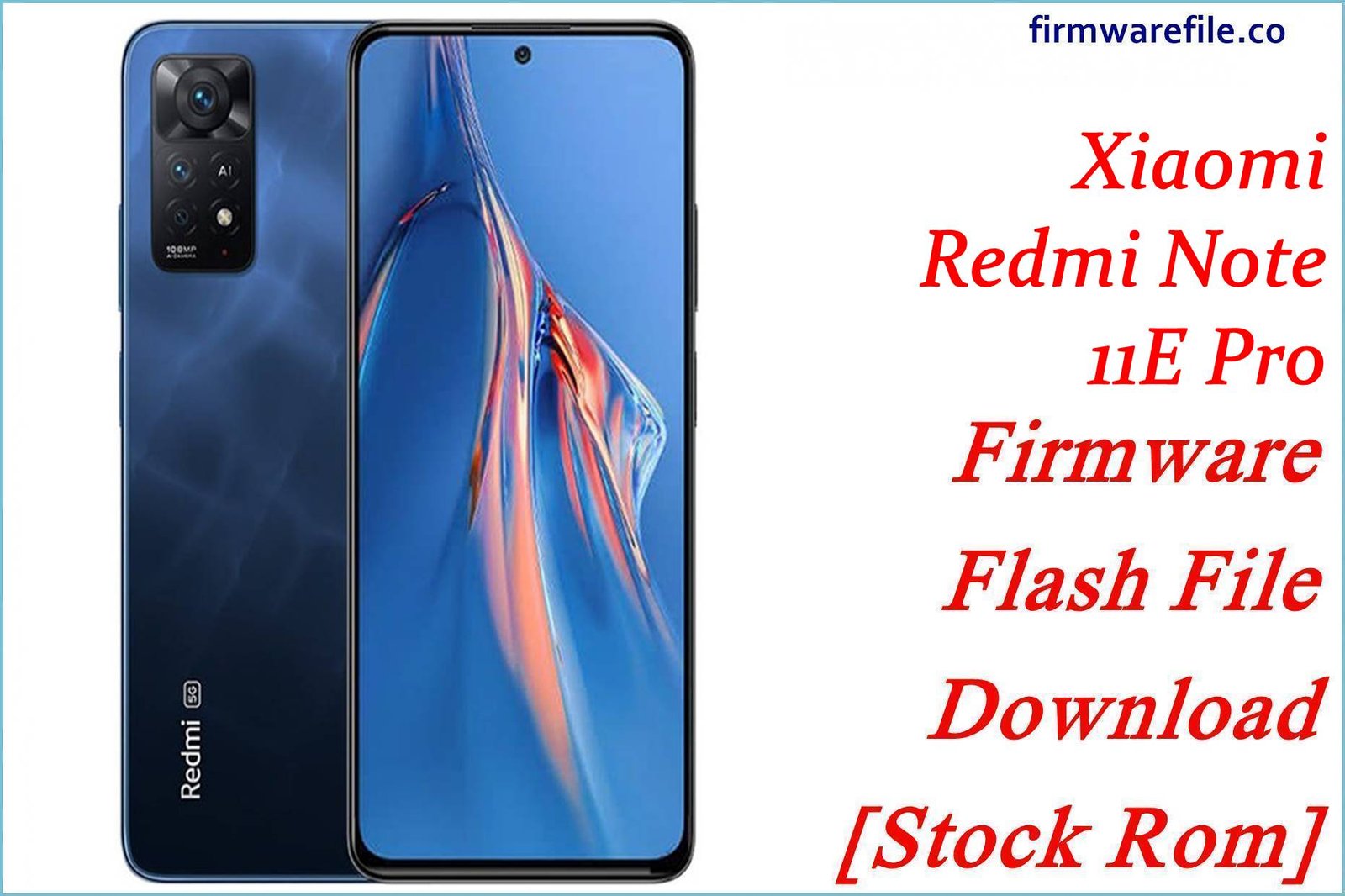
Xiaomi 12S Ultra (thor) HyperOS 1 & HyperOS 2 ROMs + TWRP
Xiaomi 12S Ultra (codename thor) remains one of the most camera‑focused Snapdragon 8+ Gen 1 flagships, but HyperOS transitions can introduce lag, heat, or battery inconsistencies when layered over old MIUI data. The official China HyperOS 1 fastboot ROM and the xiaomi.eu HyperOS 2 custom build below provide clean bases that usually restore smoothness, refresh security patches, and reduce random bugs compared with stacked OTAs.
Download Firmware for Xiaomi 12S Ultra (thor)
These builds target only Xiaomi 12S Ultra with codename thor. The first file is the official China HyperOS 1 Android 14 fastboot ROM, while the second is a xiaomi.eu multi‑language HyperOS 2 Android 15 ROM based on a newer China build; the included TWRP image is the recommended custom recovery for advanced flashing. Choose the official fastboot ROM for stock stability, and the xiaomi.eu ROM only if an unlocked bootloader and custom recovery are already planned.
| Filename | Region / Variant | Build Number | Build Date | Android Version | Flashing Method | Notes | Size | Download |
|---|---|---|---|---|---|---|---|---|
| thor_images_OS1.0.16.0.ULACNXM_20241224.0000.00_14.0_cn_481a059036.tgz | China (CNXM) – Xiaomi 12S Ultra | OS1.0.16.0.ULACNXM | 2024-12-24 (fastboot package; stable announced early 2025) | Android 14 / HyperOS 1.0 | Xiaomi Flash Tool (Fastboot) | Official China HyperOS 1 fastboot ROM for thor, listed as OS1.0.16.0.ULACNXM with December 2024 security patch and system stability improvements. Best for users staying on stock China HyperOS with full camera compatibility and the latest HyperOS 1 tuning. |
6.97 GB | Download From Xiaomi (CN Fastboot) |
| xiaomi.eu_THOR_OS2.0.212.0.VLACNXM_15.zip | xiaomi.eu custom ROM (China‑based, multi‑region) | OS2.0.212.0.VLACNXM (base) | Uploaded 2025-12-26, based on CN OS2.0.212.0 | Android 15 / HyperOS 2.0 | Custom: Recovery (TWRP) / fastboot script | Multi‑language HyperOS 2 ROM for Xiaomi 12S Ultra built from China OS2.0.212.0.VLACNXM, repackaged by xiaomi.eu with Google services, extra languages, and debloating. Aimed at enthusiasts wanting HyperOS 2 features with a cleaner, more global‑friendly experience; requires unlocked bootloader and custom recovery. | 5.57 GB (SourceForge lists ≈6.0 GB) | Download From SourceForge (xiaomi.eu) |
| twrp-3.7.1_12-v9.0_A15-thor-skkk.img | Custom Recovery – TWRP | 3.7.1_12-v9.0_A15 | Recent skkk build (Android 12+/HyperOS‑ready) | – | Fastboot boot/flash recovery | Unofficial TWRP image for thor, widely used to flash xiaomi.eu HyperOS ROMs, Magisk, and perform full backups; not required for stock fastboot flashing but essential for custom ROM setups. |
100 MB | Download TWRP For thor |
Suggested choice: For a stable daily driver with official support and December 2024 security patch, the OS1.0.16.0.ULACNXM fastboot ROM is recommended. Power users with an unlocked bootloader who want Android 15 and HyperOS 2 features, global‑style UX, and less bloat can opt for xiaomi.eu_THOR_OS2.0.212.0.VLACNXM_15.zip via TWRP.
Complete Device & Firmware Overview
- Device Name:
- Xiaomi 12S Ultra
- Codename:
thor.- Model Number:
- 2203121C and related China‑market variants.
- Chipset & Display:
- Qualcomm Snapdragon 8+ Gen 1 (SM8475), Adreno 730 GPU, 6.73″ QHD+ LTPO2 AMOLED 120 Hz display.
- Firmware Families:
- MIUI 13/14 Android 12–13 originally, upgraded to HyperOS 1.0 (Android 14, OS1.0.16.0.ULACNXM) and further to HyperOS 2.0 (Android 15, OS2.0.212.0 base used by xiaomi.eu).
- HyperOS 1.0.16.0 Highlights:
- Changelog notes updated December 2024 security patch and system stability improvements, addressing bugs from earlier HyperOS/MIUI builds.
- HyperOS 2.0.212.0 (xiaomi.eu) Highlights:
- Based on newer XML/config sets for thor, with extended language support, integrated Google services, reduced China bloat, and tweaked behavior compared to stock CN HyperOS 2.
- Common User Pain Points:
- On flagship HyperOS builds, owners report heavier animations, occasional camera lag, and battery or heat spikes after early updates; later OS1.0/OS2.0 builds and clean installs aim to mitigate this.
- ROM Types:
- Official HyperOS 1 fastboot ROM (
thor_images_*.tgz) for Xiaomi Flash; HyperOS 2 xiaomi.eu ZIP for TWRP/custom recovery; separate recovery/OTA packages exist for stock updating. - Bootloader & ARB:
- Bootloader unlock not required for same‑region official fastboot repairs, but mandatory for xiaomi.eu and other mods; anti‑rollback (ARB) means downgrades must be checked carefully to avoid hard bricks.
- Required Tools:
- Xiaomi USB/fastboot drivers, Xiaomi Flash Tool (official ROM), platform‑tools and TWRP for xiaomi.eu, plus a stable USB‑C cable and Windows PC.
CRUCIAL WARNING: These ROMs and the TWRP image are strictly for Xiaomi 12S Ultra with codename thor; they must not be flashed to Xiaomi 12, 12 Pro, 12S Pro, 12 Ultra prototypes, or any Redmi/POCO model, as cross‑flashing across different codenames and chipsets can permanently brick the device via incompatible partitions and modem firmware.
Official thor_images_*.tgz fastboot ROMs and xiaomi.eu HyperOS ZIPs normally wipe user data when flashed, and using options like “clean all and lock” or incorrectly flashing between branches or regions can relock the bootloader on an unsupported system and cause bootloops, loss of network, or anti‑rollback‑related hard bricks.
Preparation Before Flashing
Click here for the Xiaomi 12S Ultra (thor) pre‑flash checklist
- Confirm codename & model: In fastboot mode, run
fastboot getvar productand confirm it returnsthorand matches Xiaomi 12S Ultra model 2203121C before using any ROM listed here. - Backup all data: Both HyperOS fastboot and xiaomi.eu installs usually perform a full wipe; back up photos, videos, chats, and 2FA data using Mi Cloud, Google, or manual PC copies beforehand.
- Charge to at least 60%: Large multi‑partition flashes on Snapdragon flagships should not be done on low battery to avoid mid‑flash shutdown and possible brick.
- Install drivers & tools: On Windows, install Xiaomi USB/fastboot drivers and Xiaomi Flash Tool for OS1.0.16.0; for xiaomi.eu, also prepare platform‑tools and the TWRP image
twrp-3.7.1_12-v9.0_A15-thor-skkk.img. - Use a stable USB‑C connection: Prefer the original USB‑C cable and a direct motherboard USB port to minimize random disconnects while flashing 5–7 GB images.
Quick Firmware Flash Instructions
This brief guide focuses on flashing the official HyperOS 1 fastboot ROM thor_images_OS1.0.16.0.ULACNXM_... with Xiaomi’s fastboot tool on Windows. Enthusiasts flashing the xiaomi.eu HyperOS 2 ZIP would typically first boot TWRP and then install the ZIP from recovery.
- Prepare PC & ROM: Install Xiaomi USB/fastboot drivers and Xiaomi Flash Tool. Download the
thor_images_OS1.0.16.0.ULACNXM_...archive and fully extract it to a short path such asC:\thor_romto avoid path‑length issues. - Enter fastboot mode: Power off the Xiaomi 12S Ultra, hold Volume Down + Power until the fastboot logo appears, then connect the phone to the PC via USB‑C.
- Configure Xiaomi Flash Tool: Open the tool, select the extracted ROM folder as firmware path, and choose “clean all” to perform a fresh HyperOS 1 install while leaving the bootloader state unchanged; avoid “clean all and lock” unless running completely stock China firmware.
- Flash the ROM: Click “refresh” to confirm the device is detected, then press “flash” and wait until the tool reports success; do not unplug the cable or close the program while multiple partitions (boot, system, vendor, etc.) are being written.
- First boot & optimization: After flashing, the 12S Ultra reboots into HyperOS 1; the initial boot can take several minutes while apps and system components are optimized, after which camera, UI, and battery behavior should be evaluated compared with prior builds.
For a screenshot‑based step‑by‑step fastboot flashing tutorial—covering anti‑rollback checks, USB driver fixes, and common Xiaomi Flash errors—refer to the Xiaomi Fastboot Firmware Guide, which describes the Xiaomi Flash Tool process in detail and can be followed directly when flashing these thor ROMs.
Frequently Asked Questions (FAQs)
- Q1. Which ROM is safer for everyday use on Xiaomi 12S Ultra: OS1.0.16.0 or xiaomi.eu OS2.0.212.0?
- For maximum stability and official behavior, OS1.0.16.0.ULACNXM is safer, as it is the latest official China HyperOS 1 release with December 2024 security patch. xiaomi.eu_THOR_OS2.0.212.0.VLACNXM_15 offers newer Android 15 features and debloating but depends on community support and requires an unlocked bootloader.
- Q2. Does HyperOS 1.0.16.0 improve security and system stability on thor?
- Yes. Changelogs and ROM trackers highlight that OS1.0.16.0 updates the security patch to December 2024 and “increases system security” while fixing issues from earlier HyperOS builds, which helps keep a heavy camera‑centric flagship more reliable.
- Q3. Who should install xiaomi.eu_THOR_OS2.0.212.0.VLACNXM_15.zip?
- This ROM targets experienced users who want Android 15‑based HyperOS 2 with multi‑language support, built‑in Google services, and reduced Chinese bloat, and who are already comfortable with unlocking the bootloader, using TWRP, and relying on xiaomi.eu updates instead of Xiaomi’s OTA.
- Q4. Is the TWRP image required to flash the official HyperOS 1 fastboot ROM?
- No. The official OS1.0.16.0.ULACNXM fastboot ROM is flashed via Xiaomi Flash Tool on a PC. TWRP (twrp-3.7.1_12-v9.0_A15-thor-skkk.img) is mainly for custom ROMs like xiaomi.eu, Magisk modules, and advanced backup scenarios.
- Q5. Can these thor ROMs be used on global or prototype Xiaomi 12 Ultra devices?
- No; Xiaomi 12 Ultra prototypes and other Xiaomi 12‑series phones use different codenames and partition layouts. Firmware trackers and device wikis specifically label thor as Xiaomi 12S Ultra only, and cross‑flashing would be extremely risky.
- Q6. Is downgrading from HyperOS 2 (xiaomi.eu) back to OS1.0.16.0.ULACNXM safe?
- Any downgrade across branches must consider anti‑rollback. Documentation for Xiaomi 12S Ultra firmware stresses checking ARB levels and following thor‑specific guidance, as flashing an older ROM with lower ARB can permanently brick the device.
- Q7. What symptoms might indicate that a clean HyperOS flash is needed on Xiaomi 12S Ultra?
- Persistent UI lag, camera app crashes, sudden battery drops, or unusual heat after OTA updates—especially if they started right after an update—are common signals that a clean fastboot install of OS1.0.16.0 or a full wipe before moving to xiaomi.eu OS2.0.212.0 could resolve underlying software conflicts.