
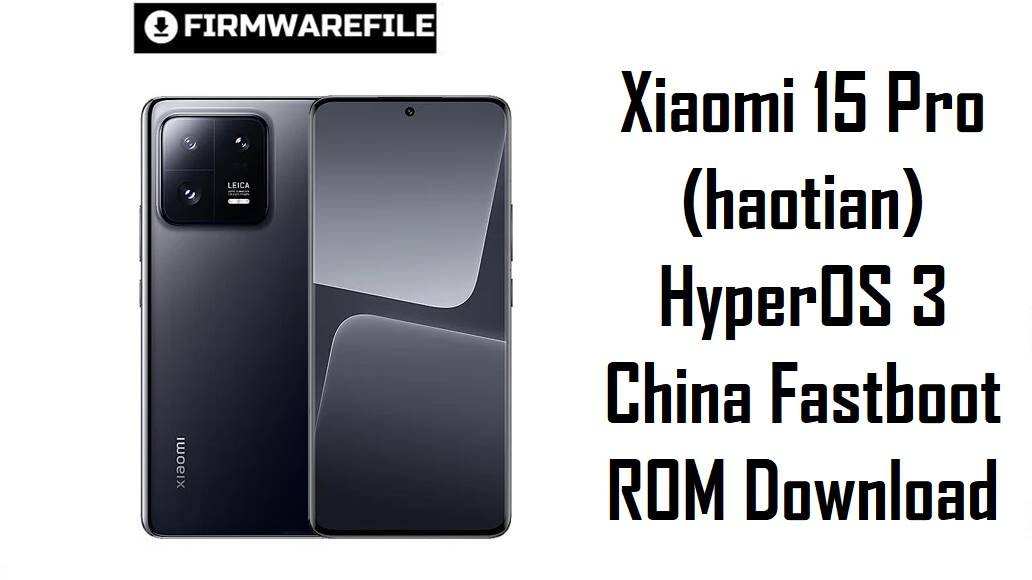
Xiaomi 15 Pro (haotian) HyperOS 3 China Fastboot ROM Download
Xiaomi 15 Pro is a China‑only flagship with a powerful Snapdragon platform, advanced cameras and HyperOS, but early firmware caused complaints about heat during heavy use, battery quirks and small HyperOS 2 bugs. The official HyperOS 3.0.5.0 fastboot ROM for codename haotian, plus the xiaomi.eu based build, give you a clean Android 16 base with updated security, smoother animations and refined power management to stabilize your Xiaomi 15 Pro.
Download Firmware for Xiaomi 15 Pro (haotian)
These packages are for Xiaomi 15 Pro with codename haotian and China hardware variants only; flashing them on Xiaomi 15 (dada), 15 Ultra (xuanyuan) or any global/other device is unsafe. The first file is an official China HyperOS 3 fastboot ROM, while the second is an unofficial xiaomi.eu custom ROM built from the same base but aimed at advanced users.
| Filename | Region / Variant | Build Number | Build Date | Android Version | Flashing Method | File Size | Notes | Download |
|---|---|---|---|---|---|---|---|---|
| haotian_images_OS3.0.5.0.WOBCNXM_20251028.0000.00_16.0_cn_3f7fc327c6.tgz | China (Xiaomi 15 Pro, CNXM) | OS3.0.5.0.WOBCNXM | 2025‑10‑28 | Android 16.0 | Fastboot (Xiaomi Flash Tool) | 10.92 GB | Official China HyperOS 3 fastboot ROM for haotian; changelog mentions the November 2025 security patch and increased system security, while HyperOS 3 in general delivers smoother animations, refined memory handling and better multitasking on Xiaomi flagships. | Download China Fastboot |
| xiaomi.eu_HAOTIAN_OS3.0.5.0.WOBCNXM_16.zip | xiaomi.eu custom ROM (based on China WOBCNXM) | OS3.0.5.0.WOBCNXM (xiaomi.eu) | 2025‑11‑06 (community) | Android 16.0 | Fastboot script / custom recovery | 8.12 GB | Unofficial xiaomi.eu HyperOS 3 ROM built from the China OS3.0.5.0 base, adding multi‑language support, integrated Google services and some tweaks; requires an unlocked bootloader and is best for experienced users who already understand custom ROM flashing. | Download xiaomi.eu ROM |
If you simply want a stable, fully stock setup on a Chinese Xiaomi 15 Pro, use the official fastboot ROM; the xiaomi.eu build is only recommended if you specifically want more languages and Google integration and you accept the added complexity and risk.
Complete Device & Firmware Overview
- Device Name
- Xiaomi 15 Pro (codename haotian), a China‑only flagship positioned above the standard Xiaomi 15.
- Codename
- haotian — this must appear as the product name in fastboot mode and in the ROM filename before flashing.
- Region / Suffix
- WOBCNXM is the China suffix for Xiaomi 15 Pro; there are no official MIXM/EUXM variants for this particular model at the time of these ROMs.
- Firmware Branch
- HyperOS 3.0.5.0 stable (Android 16) for China, plus a HyperOS 3.0.5.0‑based xiaomi.eu custom ROM.
- Security Patch Level
- The OS3.0.5.0.WOBCNXM changelog states that the Android security patch is updated to November 2025, increasing system security.
- Common User Pain Points
- Owners of the Xiaomi 15 series mention heat during gaming and camera use, battery drain worries, and assorted HyperOS 2.x bugs such as small lags, connectivity quirks and inconsistent battery protection behavior.
- How HyperOS 3 Helps
- HyperOS 3’s feature set for eligible devices focuses on smoother animations, improved multitasking, more efficient scheduling and updated AI/UX features, which together aim to reduce stutter and unnecessary power consumption compared with earlier firmware.
- Flash Method
- The official TGZ file is a fastboot ROM designed for Xiaomi’s fastboot tools on Windows; the xiaomi.eu ZIP includes its own fastboot scripts and may also rely on a custom recovery environment.
- Bootloader & OTA
- Stock fastboot ROMs can retain OTA support on matching China builds, while xiaomi.eu requires an unlocked bootloader and disables official OTA for the original CN firmware branch.
Flashing a ROM made for the wrong codename, region or using a corrupted package can permanently brick your Xiaomi 15 Pro or break cellular, Wi‑Fi and camera stability, so always confirm haotian, verify WOBCNXM and check the MD5 before flashing.
CRUCIAL WARNING: These ROMs are strictly for Xiaomi 15 Pro with codename haotian and China region code WOBCNXM; do not flash them to Xiaomi 15 (dada), Xiaomi 15 Ultra (xuanyuan) or any global/other Xiaomi devices, because cross‑flashing can permanently brick the phone.
HyperOS builds are tightly bound to region codes and anti‑rollback, so avoid cross‑region and cross‑codename flashing unless you fully understand modem partitions, ARB indices and recovery options.
Official haotian_images_*.tgz fastboot packages wipe user data when flashed, and choosing “clean all and lock” on a mismatched or custom ROM can relock the bootloader on unsupported firmware and cause boot loops or loss of network.
Preparation Before Flashing
Click here for the Xiaomi 15 Pro pre‑flash checklist
- Confirm codename & variant: In fastboot mode, run fastboot getvar product and ensure it reports haotian; confirm your current build suffix is WOBCNXM in Settings > About phone before downloading.
- Backup important data: Fastboot flashes perform a clean install that erases apps, media and settings, so back up to Xiaomi Cloud, Google or a PC first.
- Charge the battery: Keep at least 50–60% battery to avoid shutdown during flashing, which could corrupt partitions and hard‑brick the phone.
- Install drivers & tools: On Windows, install Xiaomi USB drivers and Xiaomi Flash Tool (or an equivalent fastboot utility), then confirm your device is detected correctly in fastboot mode.
- Check bootloader & ARB: Ensure the bootloader is unlocked for both the stock fastboot ROM and xiaomi.eu, and avoid downgrading to builds with a lower anti‑rollback index than your current firmware.
Quick Firmware Flash Instructions
This high‑level guide covers flashing the official HyperOS 3 fastboot ROM (for example haotian_images_OS3.0.5.0.WOBCNXM_…) on a Windows PC with Xiaomi’s fastboot tool; xiaomi.eu uses similar steps but its own scripts.
- Prepare PC & ROM: Install Xiaomi USB drivers and Xiaomi Flash Tool, then download and extract haotian_images_OS3.0.5.0.WOBCNXM_… to a short path such as C:\haotian_rom.
- Enter fastboot mode: Power off the Xiaomi 15 Pro, hold Volume Down + Power until the fastboot logo appears, then connect it to the PC with a reliable USB‑C cable.
- Load the ROM in the tool: Open Xiaomi Flash Tool, click to select the extracted ROM folder and confirm one haotian device is listed as connected.
- Flash with “clean all”: Choose a mode that wipes user data but keeps the bootloader unlocked (usually “clean all”), then click the flash button and wait for the success message without unplugging the phone.
- First boot & checks: Let HyperOS 3 boot and finish optimization (this can take several minutes), then open About phone to confirm codename haotian, suffix WOBCNXM and build OS3.0.5.0 are shown correctly.
For a detailed, screenshot‑rich tutorial that also explains anti‑rollback checks and connection troubleshooting, follow the main Xiaomi fastboot firmware guide and simply point it to the extracted haotian_*.tgz folder when prompted.
Frequently Asked Questions (FAQs)
- Q1. Who should use the official OS3.0.5.0.WOBCNXM fastboot ROM on Xiaomi 15 Pro?
- Use the stock fastboot ROM if you have a Chinese Xiaomi 15 Pro on WOBCNXM and you want a clean, fully official HyperOS 3 install with November 2025 security patches and future OTA support for the same region.
- Q2. What is the main difference between stock HyperOS 3 and xiaomi.eu on this device?
- Stock OS3.0.5.0 keeps Xiaomi’s original apps and settings for China and is fully official, while xiaomi.eu repacks the same base with additional languages, built‑in Google services and tweaks but is unofficial and requires an unlocked bootloader.
- Q3. Does HyperOS 3.0.5.0 help with heating and battery issues?
- HyperOS 3 focuses on refined scheduling, smoother animations and general efficiency, and many Xiaomi 15‑series users report more consistent behavior and fewer temperature spikes once the system re‑indexes after updating, though heavy gaming and 4K/8K video can still warm the device.
- Q4. Can I flash this haotian ROM on a non‑Pro Xiaomi 15 (dada)?
- No, Xiaomi 15 (dada) and Xiaomi 15 Pro (haotian) use different codenames and firmware trees; cross‑flashing between them can hard‑brick the phone and is never recommended.
- Q5. Will a clean fastboot flash erase my data?
- Yes, using the official fastboot ROM with “clean all” wipes apps and internal storage so that HyperOS 3 installs on a fresh system, which also helps eliminate bugs from older updates or failed OTAs.
- Q6. Where can I see the official changelog for OS3.0.5.0.WOBCNXM?
- Firmware trackers and XiaomiTime posts list OS3.0.5.0.WOBCNXM for Xiaomi 15 Pro with a brief changelog that includes updating the security patch to November 2025 and increasing system security, typical of a stabilization‑focused release.



Hi all! How can i unlock bootloader on my xiaomi 15 pro device (WOBCNXM)?
The process is official from Xiaomi. Check their official unlocking page https://en.miui.com/unlock/index.html